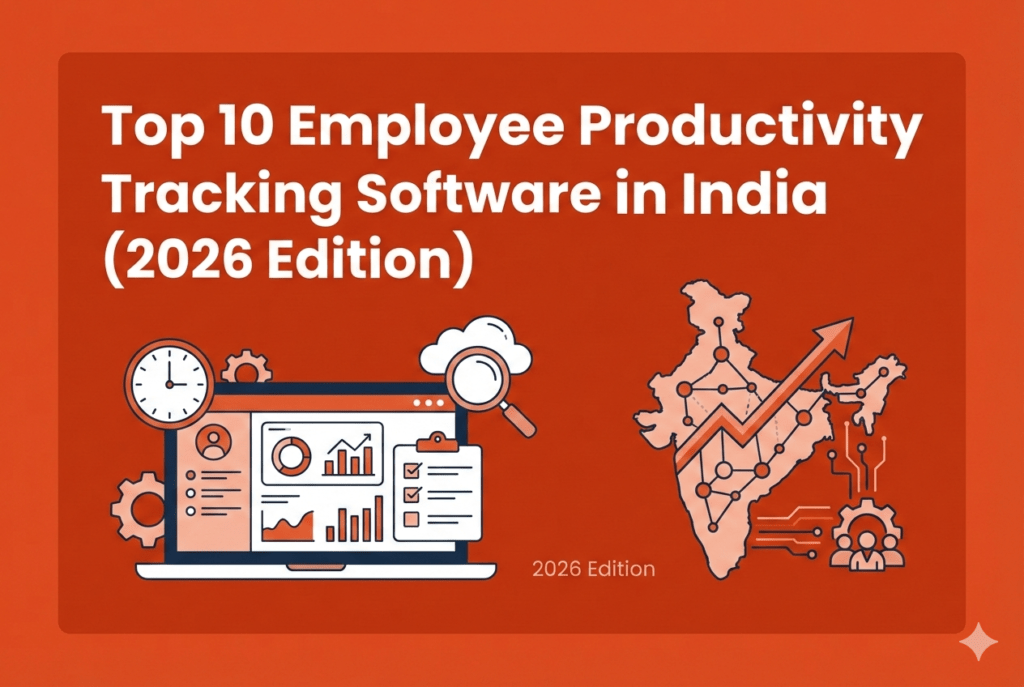
Top 10 Employee Productivity Tracking Software in India



Since 2020, Indian teams have shifted quickly to hybrid and remote work. Meanwhile, most customer conversations now happen on WhatsApp and mobile calls. This change has created a blind spot for businesses using traditional productivity tools that only track desktop activity. When sales happen on phones and work happens in the field, time data becomes incomplete, and decisions suffer.
Hence, you need an employee productivity tracking software in India that understands how business actually happens here.
The Desi Checklist – How We Ranked The Top 10 Employee Monitoring Tools 2026
If you are evaluating employee productivity tools for an Indian business, you cannot rely on global comparison lists. They rarely reflect how work happens in India. That is why we ranked every tool in this list using a practical, India-first checklist.
Every tool below was scored on this weighted checklist:
- Price and value in INR.
- Field force tracking app India capability.
- WhatsApp call tracking for sales teams and SIM call logs.
- Automated timesheets and payroll integrations.
- Local support and data residency.
- Ease of rollout for SMEs.
Top 10 Employee Productivity Tracking Software in India
1) Flowace.ai
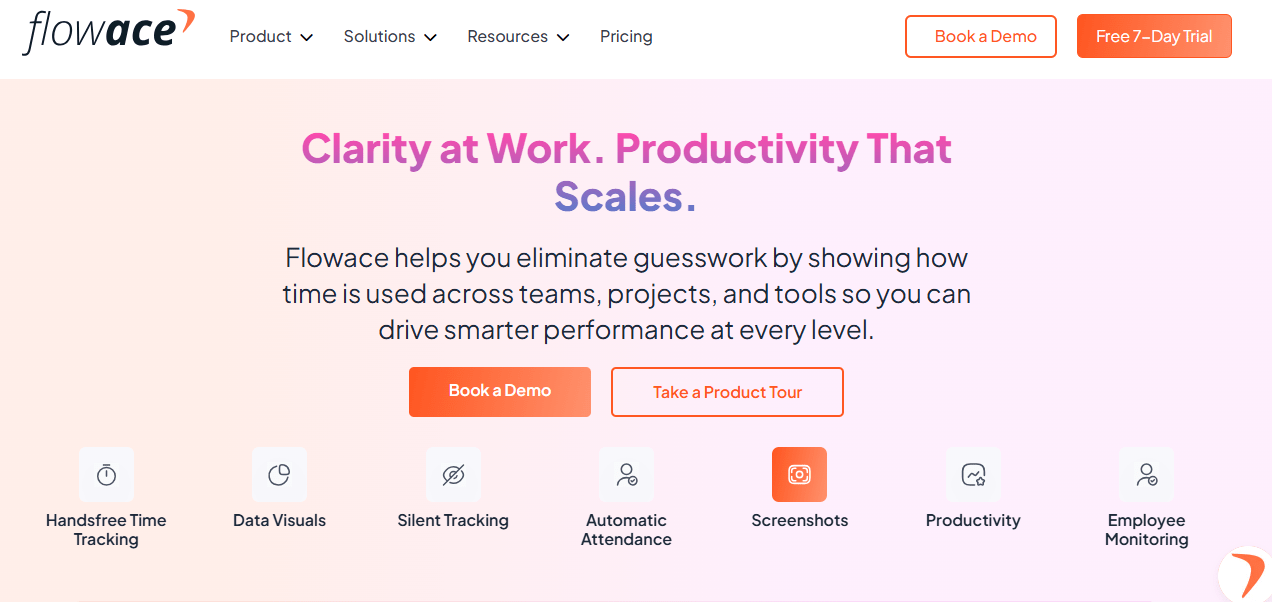
Flowace.ai is an AI-powered productivity and workforce analytics platform designed to help remote, hybrid, or field-oriented teams track exactly how their work gets done. It automatically captures all your employee activity across devices, generates timesheets, and turns raw time data into clear productivity insights you can act on. The tool focuses on reducing administrative overhead, boosting productivity, and closing the gaps that traditional time trackers miss by offering detailed dashboards, alerts, and analytics.
Flowace also provides detailed application and website usage monitoring. It tracks which apps and websites are used, how frequently, and for how long, then categorizes them as productive or unproductive based on team or role-specific rules. Another capability of Flowace is idle time detection. The platform intelligently identifies periods of inactivity during work hours, helping managers distinguish between productive work, genuine breaks, and unproductive idle time.
To support long-term performance and employee well-being, Flowace includes burnout risk indicators based on work patterns.
By analyzing signals such as consistently long working hours, reduced breaks, irregular schedules, and sustained high workload, Flowace highlights teams or individuals who may be at risk of overwork.
In addition, Flowace supports attendance tracking, work scheduling, real-time alerts, and integrations with key business systems, giving leaders a centralized, data-driven view of workforce performance. Together, these capabilities help close the gaps left by traditional time-tracking tools, enabling smarter decisions, healthier teams, and more sustainable productivity.
Key Features:
- Hands-free and Automatic Time Tracking: Tracks active work, idle time, apps, and project time without manual input.
- Productivity Insights & Dashboards: Visual reports on trends, bottlenecks, workload balance, and actual vs expected time.
- Automated Attendance & Timesheet Generation: Eliminates manual timesheets and simplifies shift/leave tracking.
- Alerts & Anomaly Detection: Notifies managers about idle time, missing hours, or productivity dips.
- App & Website Tracking: Categorizes activity into productive, neutral, or unproductive for operational insights.
- Custom Metrics & Alerts: Set KPIs and thresholds that matter to your business goals.
- Multi-Platform Tracking: Works across desktop, mobile, and remote environments with offline sync support. Also compatible with Windows, macOS, and Linux
- Ethical Monitoring Options: Privacy-oriented features such as configurable screenshots, privacy toggle, and activity transparency.
Why choose it:
You should consider Flowace if you want a system that goes beyond simple timers. It maps your work hours to projects, tasks you work on and tracks attendance in real time. Because it generates automated timesheets and integrates with payroll/HR systems, it reduces manual efforts that can slow teams down. Flowace’s analytics and alerting features make it easier to spot inefficiencies early and take corrective action. It works well for distributed teams, hybrid workforces, and businesses with field personnel.
User Reviews & Ratings:
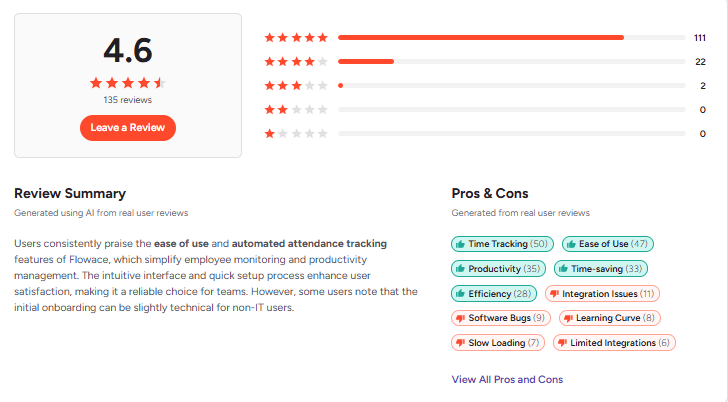
Across multiple review platforms, Flowace consistently scores high for usability, value, and customer support. On SoftwareAdvice, overall ratings show users find it easy to use and valuable for managing employee productivity both in remote and in-office settings.
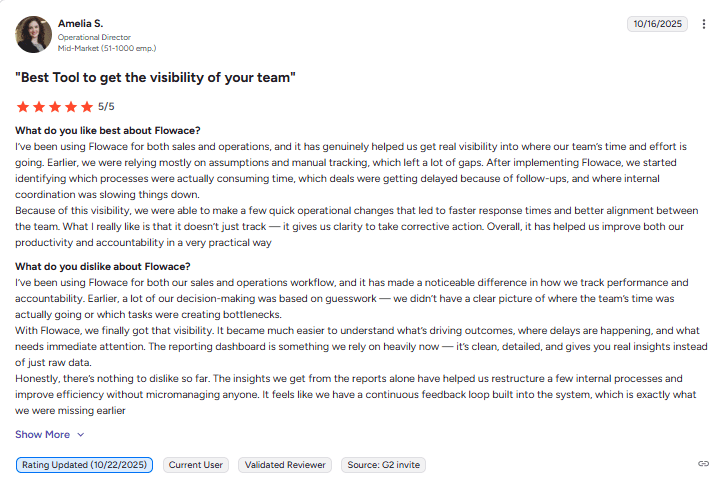
A Gartner Peer Insights review also highlights Flowace’s ability to transform detailed activity logs into decision-ready insights, helping leaders move from raw tracking data to clear, actionable workforce decisions.
2) Keka
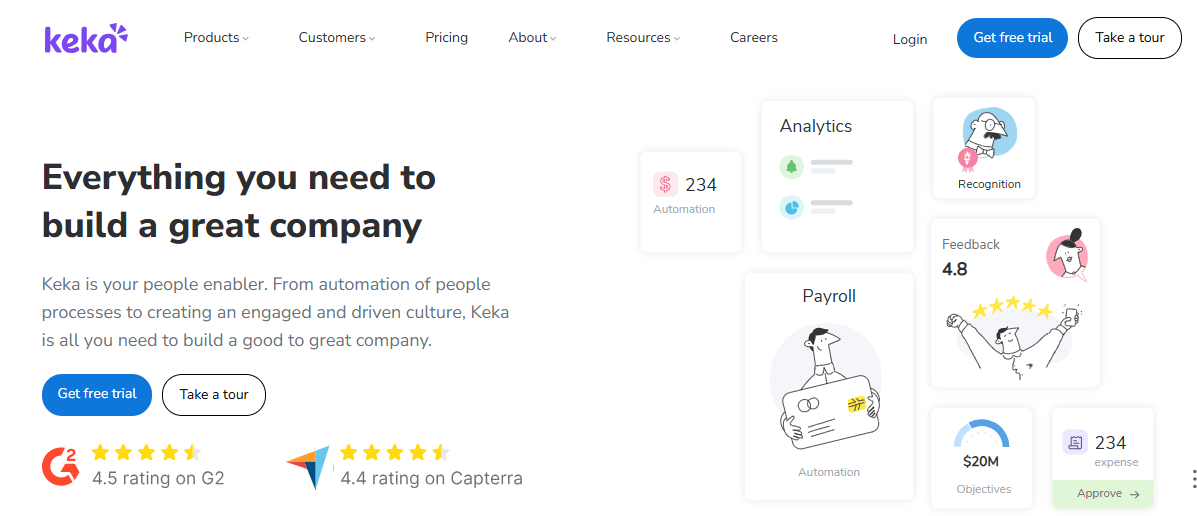
Keka is a comprehensive HR and payroll management platform popular with Indian and global businesses for managing people processes from hire to payroll to performance. It centralizes HR functions like attendance, leave, payroll, compliance, employee self-service, and performance reviews into one cloud-based system, helping HR and finance teams reduce administrative burden and improve accuracy.
Keka is especially strong in payroll automation and statutory compliance for Indian employers, making it a go-to option for HR teams looking for a unified solution tailored to India’s regulatory landscape.
Key Features:
- Time & Attendance Management: Tracks attendance via mobile GPS check-ins, biometric inputs, web punch-ins/outs, and continuous location tracking.
- Payroll & Compliance: Automates payroll processing, integration with statutory calculations (PF, ESI, TDS), and generates payslips and reports reliably.
- Leave & Shift Management: Configurable leave policies, real-time leave balance views, and automated shift assignments.
- Mobile App & Self-Service: Employees can clock attendance, access payslips, submit leave requests, and view HR info directly on mobile.
- Performance Management: Goal setting, continuous check-ins, 360-degree feedback, and competency frameworks for structured reviews.
- People Analytics & Reporting: Dashboards and reports that help HR teams track trends in attendance, engagement, turnover, and performance.
- Employee Experience Tools: Company wall, pulse surveys, and recognition features to boost engagement.
Why choose it:
You should consider Keka when you want a single HRMS platform that simplifies payroll, attendance, compliance, and performance tracking under one roof. Its attendance features (including GPS mobile attendance) make it useful for teams with distributed or hybrid setups. Keka’s strong focus on Indian statutory requirements and automation reduces payroll errors and compliance risk.
User Reviews & Ratings:
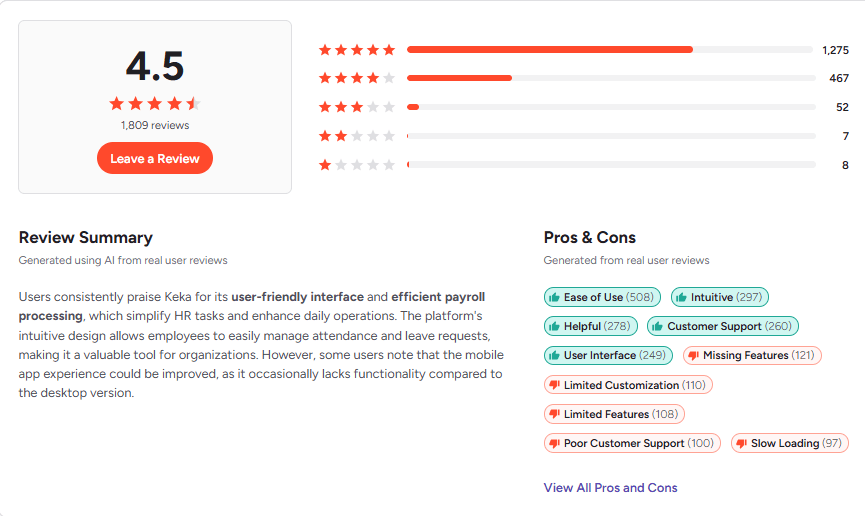
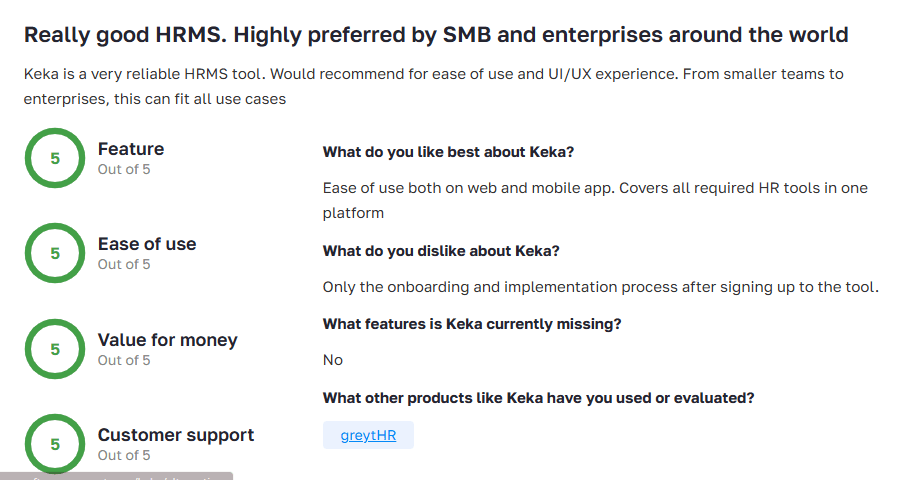
User feedback on review platforms highlights Keka’s ease of use and effectiveness in streamlining HR functions. Comments from Indian users also praise the tool for reducing time spent on routine HR tasks and offering a clean mobile clock-in experience. However, some users mention that customer support response times can be slow during peak periods and that the interface could be more modern.
3) Time Doctor
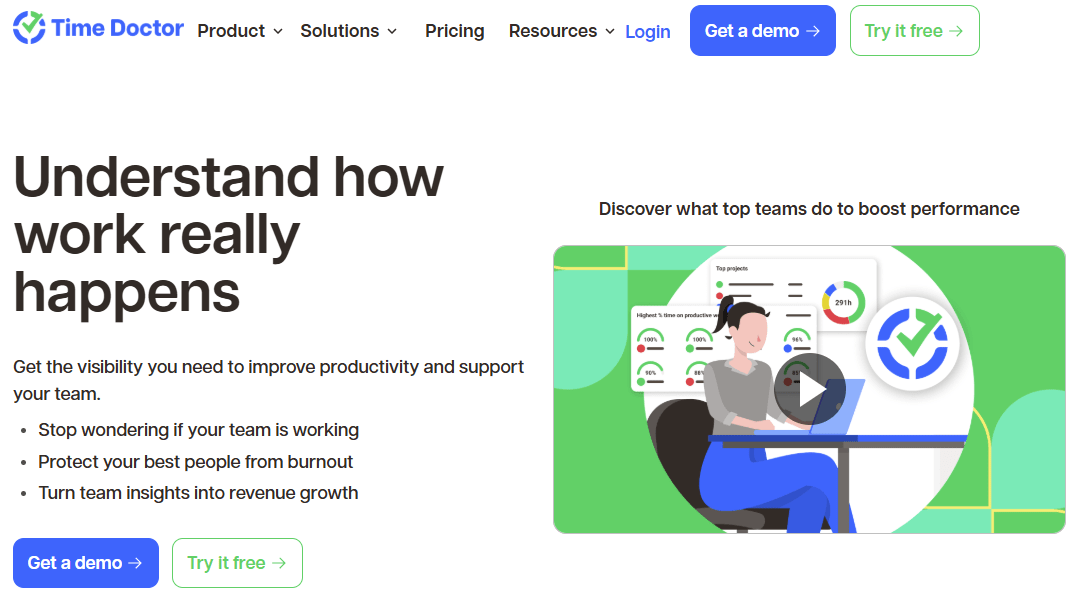
Time Doctor is a widely used time tracking and employee monitoring platform that gives managers detailed visibility into how teams spend their workday. It combines time tracking with productivity analytics, app/website usage monitoring, screenshots, and reporting tools designed for remote and hybrid teams. Time Doctor is often chosen to improve accountability, streamline payroll integration, and help managers spot workflow inefficiencies, especially in distributed work environments.
Key Features:
- Accurate Time Tracking & Task Reporting: Logs hours spent on tasks, projects, and clients with detailed timestamps.
- Screenshots & Activity Monitoring: Optional screenshots and keyboard/mouse tracking to provide detailed context on how time is used.
- App & Website Usage Insights: Shows time spent on specific apps and URLs to help distinguish productive from unproductive time.
- Integrations: Connects with payroll, project management, help desk, and CRM tools to sync billing and time data.
- Detailed Reporting & Analytics: Exportable reports for teams, clients, and payroll validation.
- Task Management Features: Basic task assignment and time categorization helps align work with client billing or internal projects.
Why choose it:
You might choose Time Doctor if you need a mature tracking solution that captures granular activity data across remote and hybrid teams and integrates with payroll and project systems. Its detailed reporting helps you quantify effort, verify hours for billing, and spot patterns in productivity. Many managers value its robust data capture and visibility for client work and internal accountability.
User Reviews & Ratings:
Time Doctor consistently earns strong overall ratings from users across multiple review platforms. Many reviewers note its usefulness in managing remote work and tracking billable hours.
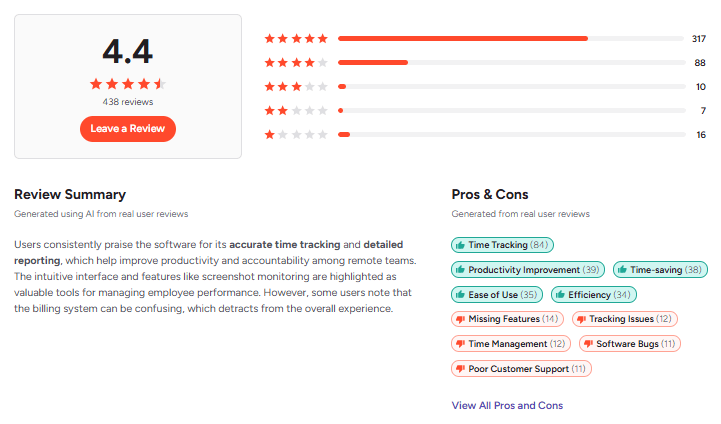
At the same time, reviews highlight some common concerns: the monitoring features, like screenshots and activity logging, can feel invasive or micromanaging if not implemented with clear policies. Some users report occasional UI and performance quirks, and mobile app functionality can be more limited compared to the desktop experience.
4) We360.ai
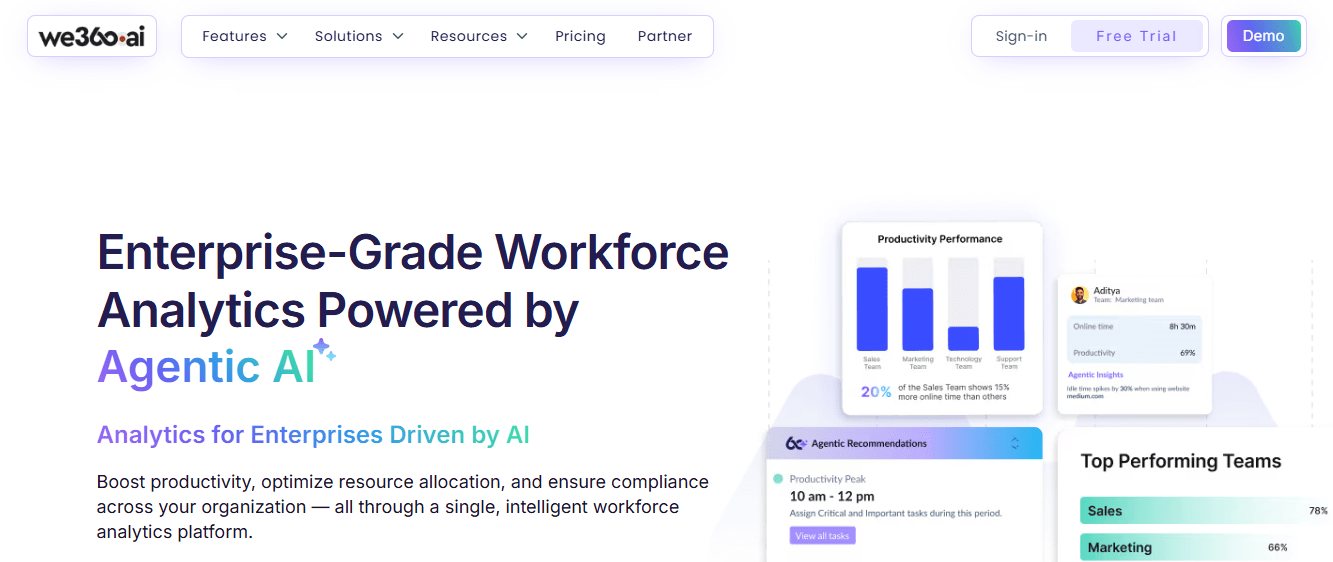
We360.ai is an AI-powered workforce analytics and employee productivity monitoring platform that gives businesses real-time visibility into how their teams work. It brings together activity tracking, attendance, project/task insights, and productivity analytics in one dashboard so you can measure performance, spot bottlenecks, and make data-driven decisions.
Suitable for hybrid, remote, and on-site teams, We360.ai emphasizes AI-driven insights like engagement trends and predictive alerts to help leaders act proactively rather than reactively.
Key Features:
- Real-Time Productivity Analytics & Dashboards: See activity, engagement patterns, and productivity trends across teams instantly.
- Automated Attendance & Time Tracking: Replace manual timesheets with logged work hours, punch-ins/outs, and attendance reports.
- App/Website Monitoring & Screenshots: Monitor app usage and capture periodic screenshots to help understand work context.
- Project & Task Management: Track project progress, deadlines, and task statuses in visual views like kanban and timelines.
- AI-Driven Predictive Insights: Forecast trends such as burnout risks, engagement drops, and productivity dips.
- Holistic Reporting: Over 100 dynamic reports — attendance, activity, productivity scorecards — with scheduled delivery.
- Integration & Scalability: Works with tools like Microsoft Teams, HRMS/payroll systems, and supports enterprise deployment.
Why Choose It:
You might consider We360.ai if your focus is broad workforce analytics with an AI edge. It does not just log hours. But it aims to help you interpret work patterns and predict problems like burnout or disengagement before they escalate. The platform’s rich reporting and visualization options make it useful for HR and operations teams who want to understand why productivity changes.
User Reviews & Ratings:
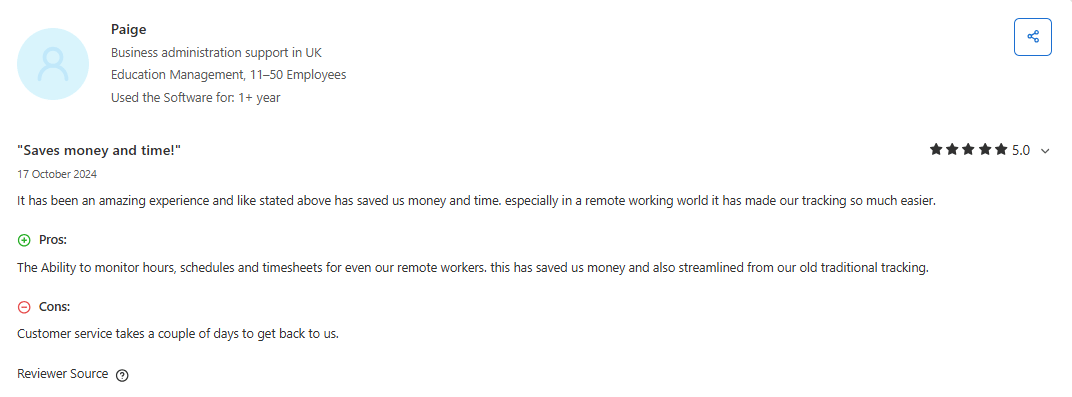
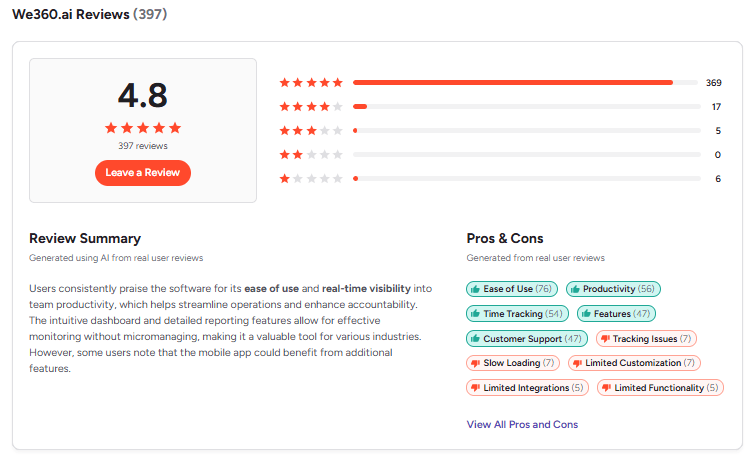
We360.ai earns solid scores on professional review platforms. Users highlight its intuitive dashboards, accurate activity insights, and time savings in audits, reporting, and workforce planning.
5) Hubstaff
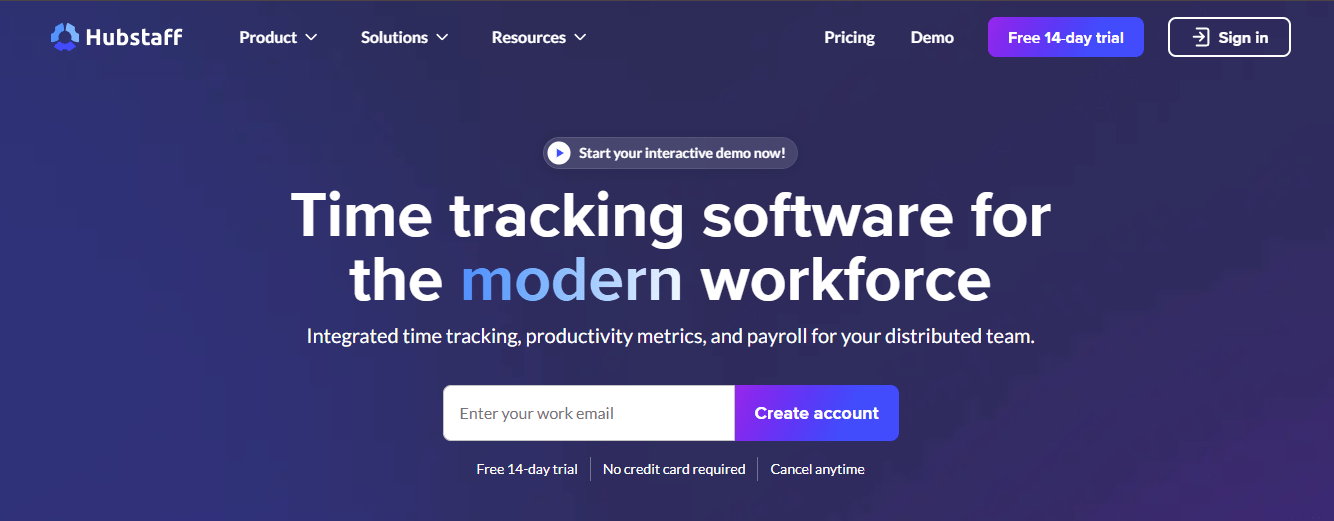
Hubstaff is a well-established time tracking and employee monitoring platform designed to help remote, hybrid, and mobile workforces to stay on top of hours worked, productivity, and project outcomes. It combines real-time tracking, GPS functionality, automated timesheets, and reporting into one system that aims to reduce admin overhead and make workforce data more actionable for managers.
Key Features:
- Accurate Time Tracking & Timesheets: Logs work hours automatically so managers can generate precise timesheets without manual entry.
- Real-Time Productivity Metrics: Provides insights into productivity patterns and helps managers optimize utilization and reduce unnecessary meetings.
- GPS & Field Tracking: Built-in mobile GPS tracking, geofencing, and location trails make it useful for field teams and mobile workers.
- Screenshot & Activity Monitoring: Optional screenshots, activity percentages, and idle detection help verify focus and engagement.
- Offline Tracking: Mobile GPS and time data are captured even without internet and synced when connectivity returns.
- Integrations & Automation: Works with tools like Slack, Trello, QuickBooks, and payroll systems to streamline workflows.
- Reporting & Analytics: Customizable reports on hours, costs, and productivity trends support project billing and team planning.
Why choose it:
You might choose Hubstaff if your priority is accurate and actionable time data across both office and field teams. Its GPS tracking and geofencing give a clear view of where field workers are and how long they spend at job sites.
User Reviews & Ratings:
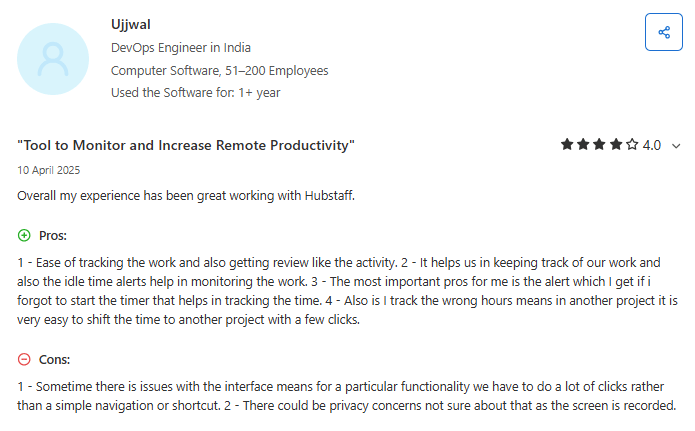
Hubstaff earns generally positive ratings from users across major review platforms. On G2, many reviewers highlight its ease of use for time tracking and clear reporting, noting that it helps teams stay accountable and managers get visibility into remote work patterns.
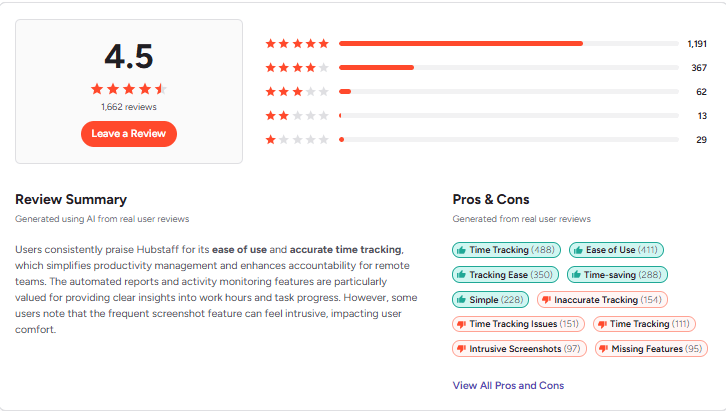
Capterra users also praise Hubstaff for accurate time tracking and productivity insights, though some mention that activity tracking (like screenshots and idle detection) can feel intrusive if not configured thoughtfully.
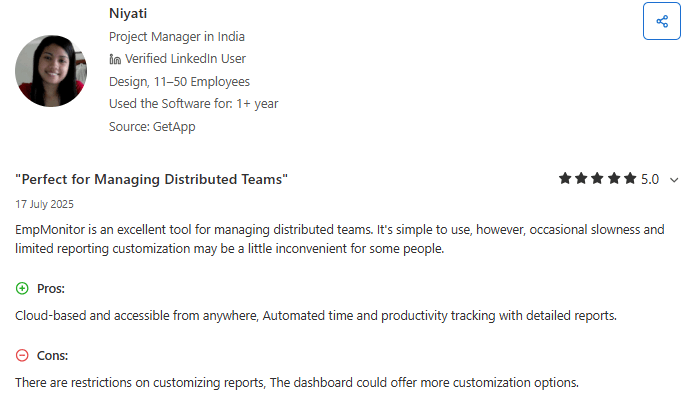
6) EmpMonitor
EmpMonitor is an employee monitoring and workforce management platform aimed at helping businesses track and improve employee productivity, time, attendance, and user activity in real time. Its suite includes detailed reporting, automated time capture, and security-oriented controls like insider threat detection and data loss prevention. EmpMonitor positions itself as an affordable, comprehensive solution for managers who want visibility into daily work patterns across hybrid and distributed teams.
Key Features:
- Employee Productivity Monitoring: Provides detailed breakdowns of employee activity and work patterns to help you understand productive versus idle hours.
- Time Tracking & Timesheets: Automated capture of working hours and idle time with context-rich reports that help simplify payroll and billing.
- User Activity Analytics: Tracks application usage, website visits, and desktop behavior for insight into daily work habits.
- Screenshots & Live Monitoring: Capture screenshots and view live activity to troubleshoot, verify, or coach performance.
- Attendance & HRMS Integration: Simplifies attendance tracking and leverages HR workflows to support leave, shift scheduling, and compliance.
- Insider Threat Prevention & Data Protection: Identifies risky usage and helps safeguard sensitive company data.
- Custom Reporting & Alerts: Generates visual reports and delivers alerts for idle time, productivity thresholds, or unusual patterns.
- Flexible Deployment & Pricing Tiers: Offers tiered plans from small teams to enterprise scale with 15-day free trials available.
Why choose it:
EmpMonitor can be a compelling option if you want affordable employee monitoring software with a broad set of surveillance-oriented tools and productivity analytics. It has strong coverage of desktop activity and reporting features providing detailed insights into how time is spent and want to link that to performance discussion or compliance needs.
User Reviews & Ratings:
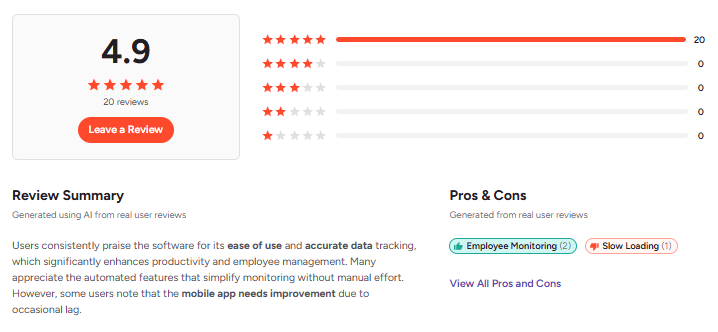
On G2, it holds a high average rating indicating strong satisfaction among reviewers who highlight its monitoring depth, productivity insights, and data analytics capabilities. Conversely, some verified reviews on SoftwareAdvice and Capterra India report concerns around support quality, billing issues, unstable performance, and occasional inaccurate idle time reporting.
7) DeskTrack
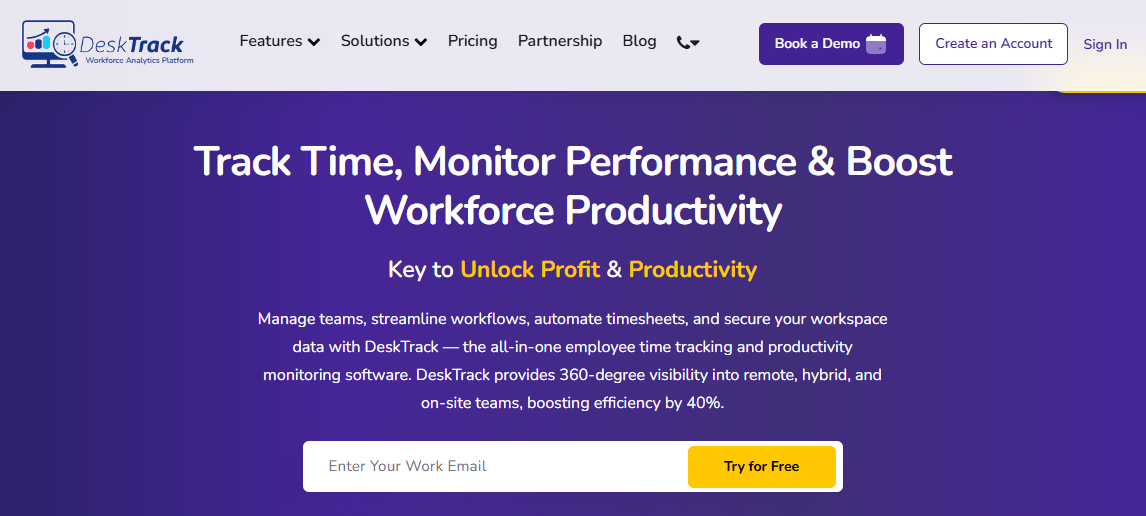
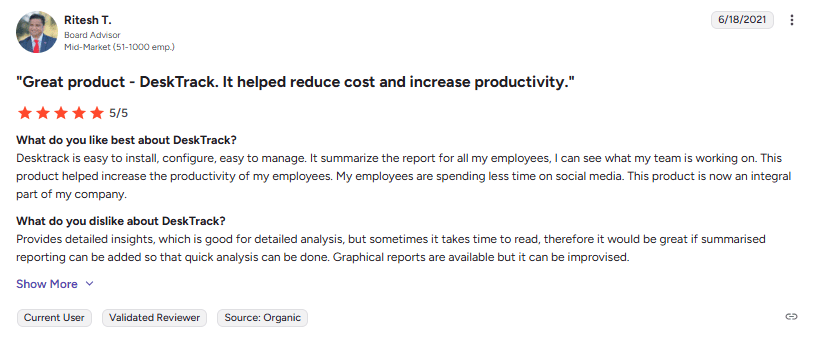
DeskTrack is a productivity monitoring and time tracking software designed to help organizations understand how work happens across remote, hybrid, and office environments. The platform captures time spent on apps, URLs, files, and tasks, and provides real-time dashboards, timesheets, and activity insights to improve workforce efficiency. DeskTrack aims to give managers visibility into daily work patterns, track attendance, and help identify productivity bottlenecks.
Key Features:
- Automated Time Tracking: Tracks how users spend time across applications, URLs, and documents without manual input and logs accurate work hours.
- App & URL Monitoring: Shows which applications and websites were used and how much time was spent on each.
- Real-Time Dashboards & Reports: Offers live views of productivity metrics, idle time, active time, and summary reports for teams and departments.
- Attendance & Workforce Management: Automates clock-in/out, tracks login and logout deviations, and provides attendance visibility.
- Project & Task Tracking: Allows you to assign tasks, monitor progress, and combine project work with time data.
- Cross-Device Support & Offline Sync: Works on desktops and mobile devices and continues tracking even when offline.
- Custom Reporting & Analytics: Generate detailed productivity, idle/active time, and trend reports to support planning and decisions.
Why choose it:
DeskTrack’s strength lies in capturing detailed desktop activity and converting that into reports you can use for planning, HR processes, and accountability discussions. DeskTrack’s mix of time tracking, productivity dashboards, attendance, and task management makes it suitable for organizations that want an all-in-one solution without stitching together multiple tools.
However, if you need advanced mobile-centric features like Field force tracking capabilities or specialised call/communication tracking like WhatsApp call tracking for sales teams, you might find more focused tools offer deeper coverage
User Reviews & Ratings:
DeskTrack earns solid ratings from users on several review platforms. On Techjockey, verified reviewers consistently rate DeskTrack highly across features, value for money, ease of use, customer support, and overall satisfaction, often awarding full marks.
Independent review sites and customer testimonials also echo that DeskTrack is budget-friendly and effective at boosting accountability and productivity through clear activity insights.
8) ProHance
ProHance is an enterprise-grade workforce analytics and employee productivity measurement platform designed to give organizations visibility into how work is performed across teams. It goes beyond simple time tracking to provide deep operational intelligence, enabling leaders to understand workload distribution, employee utilization, and performance patterns in real time.
Key Features:
- Real-Time Productivity Monitoring: Offers live insights into employee activity and workload, helping managers spot inefficiencies and take timely action.
- Workforce Analytics & Reporting: Delivers hundreds of customizable reports on time usage, task progress, and performance trends.
- Automated Work Classification: Automatically categorizes activities into productive, neutral, or unproductive work based on configurable rules.
- Operational Intelligence: Connects productivity data with capacity planning, staffing needs, and utilization metrics for better workforce planning.
- Task & Project Time Tracking: Tracks time spent on tasks and projects, supporting better planning and billing accuracy.
- Cross-Platform Compatibility: Works with Windows, macOS, Citrix, and integrates with third-party systems to unify data streams.
Why choose it:
ProHance is suitable for businesses with large teams, shared services, or BPO operations where actionable insights are critical to operational efficiency. ProHance’s strength lies in turning raw timing and activity data into operational intelligence that supports capacity planning and workload balancing. Its real-time monitoring can help align resources with demand, and its rich reporting engine supports deeper analysis across teams and tasks.
User Reviews & Ratings:
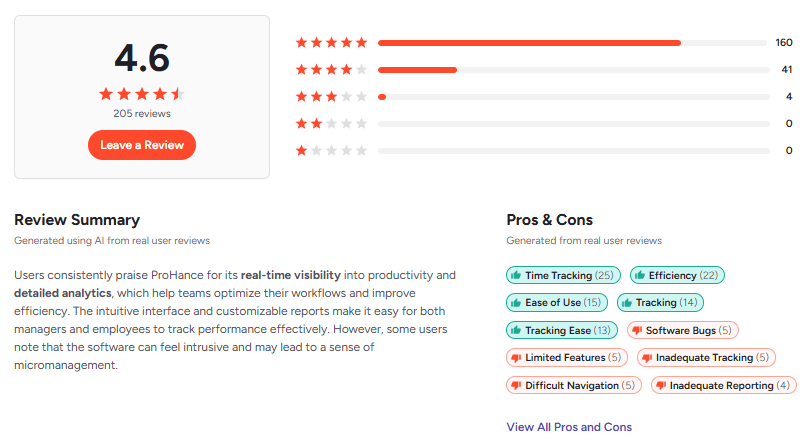
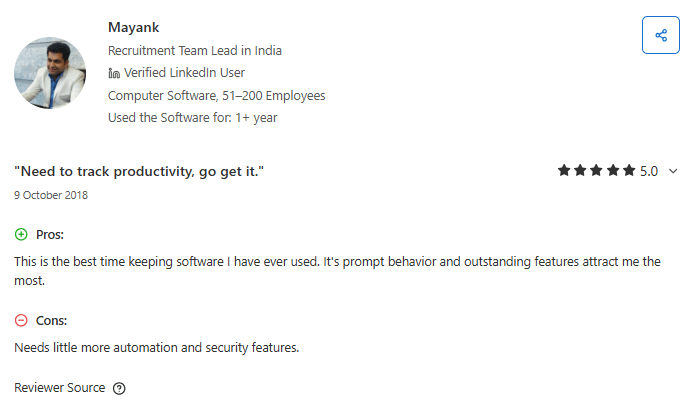
User sentiment on ProHance tends to be positive from buyers focused on enterprise productivity analytics. On G2, the platform has garnered strong ratings, often noted for its comprehensive reporting, real-time intelligence, and operational visibility that help optimize workforce performance. Verified users describe it as informative and impactful for business efficiency.
9) Clockify
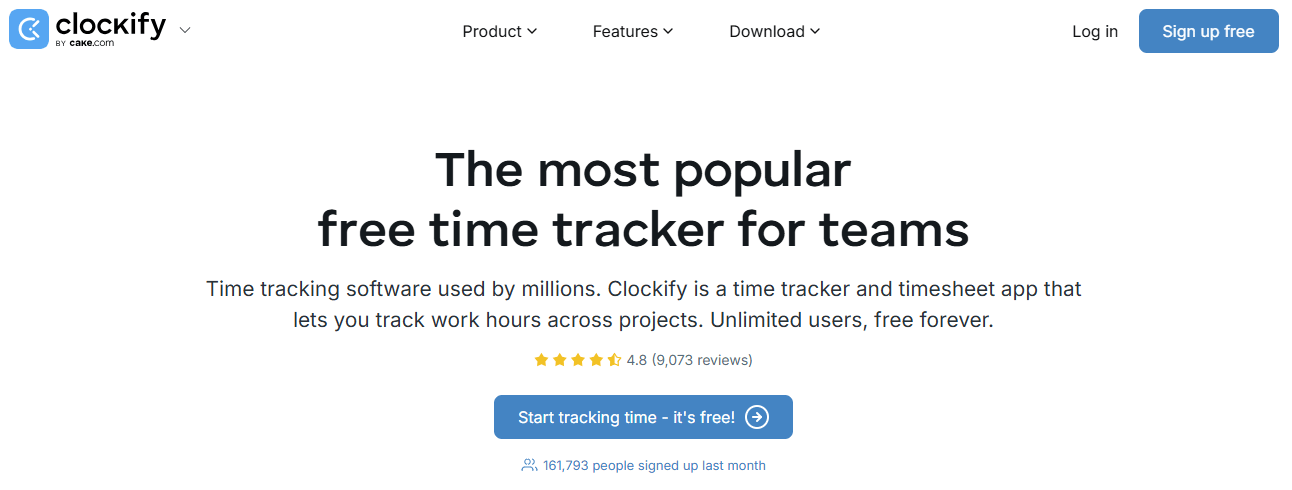
Clockify is a popular time tracking and attendance platform that helps teams and individuals log work hours, monitor project progress, and generate insightful reports. Widely used by freelancers, agencies, and businesses of all sizes, it stands out for offering a free tier with unlimited users and unlimited projects, making it highly accessible worldwide. Clockify’s simplicity and scalability let teams capture hours across devices and locations, sync across platforms, and analyze time usage without needing complex setup or heavy admin overhead.
Key Features:
- Unlimited Time Tracking (Free): Track hours across projects, clients, and tasks with start/stop timers or manual entries — even in the free plan.
- Timesheets & Automated Entries: Populate weekly timesheets automatically or edit entries directly if teams prefer manual input.
- Robust Reporting: Generate summary, detailed, and weekly reports and export in PDF/CSV/Excel to support billing and productivity reviews.
- Cross-Platform Support: Web, desktop, and mobile apps ensure teams can log hours from anywhere, including remote or hybrid work settings.
- Scheduling & Forecasting (Paid): Advanced plans add capacity planning, scheduling, and effort forecasting.
- Integrations With Popular Tools: Sync with calendars and project management apps (e.g., Asana, Trello) to make time logs part of broader workflows.
- Location & Attendance Tracking (Pro/Enterprise): Paid tiers include optional GPS and attendance features, though these are more basic compared with dedicated field apps.
Why choose it:
You might choose Clockify when you need a budget-friendly way to start time tracking immediately. Its free tier with unlimited users and projects is particularly attractive for startups, freelancers, and small teams just getting structured with time data. The straightforward interface and strong reporting options help you understand where time is spent and support billing or internal productivity discussions.
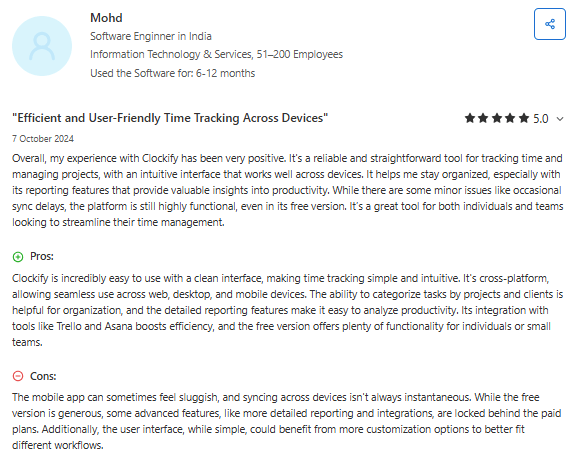
User Reviews & Ratings:
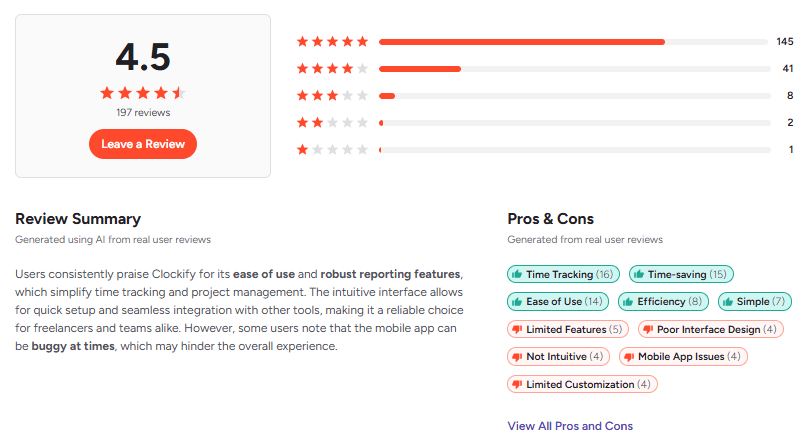
Clockify consistently earns strong user sentiment across independent review sites. Reviewers on GetApp highlight high scores for ease of use and value for money, noting that the free plan’s flexibility and generous feature set are major advantages for small teams. Customer testimonials on Clockify’s own site reflect satisfaction with flexibility, especially for multi-client or multi-project workflows, and ease of exporting time data for analysis.
10) DeskTime
DeskTime is a time tracking and employee monitoring platform built to give teams clear visibility into how work happens day to day. It combines automatic time tracking, project and task allocation, app/URL activity monitoring, and productivity reporting into a single dashboard you can use to understand work patterns, manage time, and support remote or hybrid teams. DeskTime is designed to run quietly in the background, capturing hours without manual input.
Key Features:
- Automatic Time Tracking: Starts tracking when a computer is turned on and stops when it’s shut down, reducing manual start/stop errors.
- Project & Task Tracking: Assigns tracked hours to specific projects or tasks so your billing and budgeting align with actual work done.
- App/URL Usage Monitoring: Logs website and application usage and can categorize them as productive, neutral, or unproductive.
- Screenshots & Productivity Reports: Optional screenshots and visual productivity overviews help managers spot blockages and monitor activity levels.
- Attendance & Scheduling: Includes shift scheduling, absence calendar, and offline time capture to support daily workforce routines.
- Customizable Tracking: Admins can adjust productive/unproductive labels and tracking parameters to reflect your team’s real work behavior.
- Integrations & Reporting: Supports exports and integrates with calendars and project tools to streamline downstream workflows.
Why choose it:
DeskTime is a solid choice if your main priority is transparent time tracking and basic productivity insights across remote and hybrid teams. Its automatic tracking eliminates much of the guesswork and manual entry that plagues traditional timesheets, giving you more reliable data from the outset. You can use it to pinpoint bottlenecks, understand project effort allocation, and generate ready-to-use reports for payroll or client billing. For teams looking for an easy-to-deploy time tracker with built-in monitoring, DeskTime’s guided setup and intuitive dashboards are a strong fit.
User Reviews & Ratings:
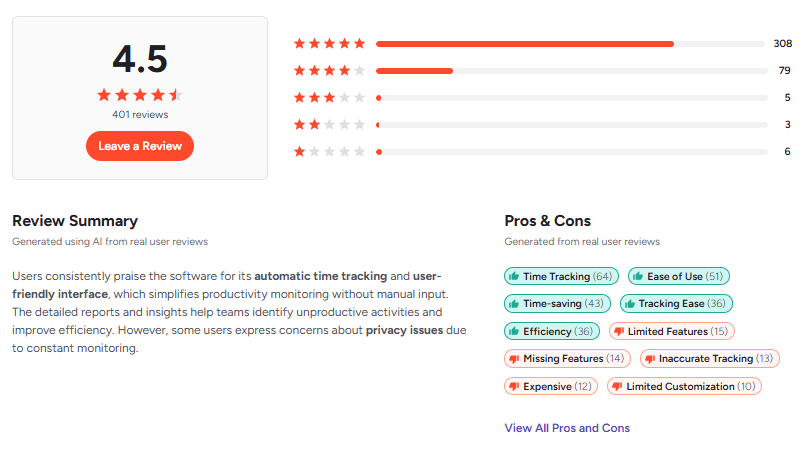
DeskTime scores well on major review sites, indicating broad satisfaction with its core tracking and reporting functionality. Capterra reviews align at roughly 4.5/5, where many users praise DeskTime’s simplicity and productivity visibility for both managers and employees. Frequent positive comments note how it helps identify productive hours and support remote management.
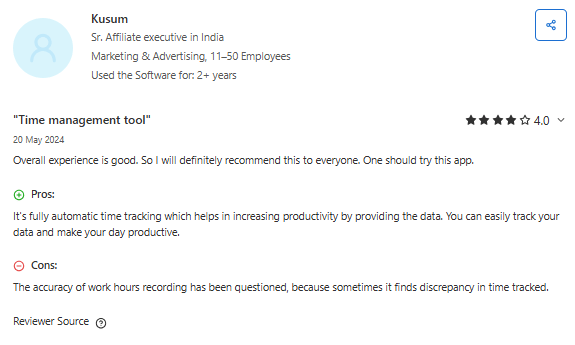
At the same time, some reviewers on Trustpilot express mixed experiences with customer support and occasional setup issues.
Comparison Table: Top 10 Employee Productivity Tracking Software in India
| Tool | Mobile / Field support | Ease of use | Speed & performance | Collaboration features | Free trial / Free plan (verified) | Best for |
| Flowace.ai | High | High | High | Medium | Yes – 7-day free trial | Hybrid, remote & field teams needing deep productivity analytics |
| Keka | High (GPS mobile attendance) | High | Medium/High | Medium (HR & performance modules) | Yes – free trial (sales-enabled) | Indian HR, payroll & compliance-focused organizations |
| Time Doctor | Medium | High | Medium | Low/Medium | Yes – 14-day free trial | Remote teams, billable work & accountability tracking |
| We360.ai | Medium/High | High | High | Medium/High | Demo / trial on request | AI-driven workforce analytics & predictive insights |
| Hubstaff | High (GPS + offline) | High | High | Medium | Yes – 14-day free trial | Field teams, mobile workforce, location tracking |
| EmpMonitor | Low/Medium | Medium | Medium | Low | Yes – 15-day free trial | Budget monitoring, security & compliance-oriented teams |
| DeskTrack | Medium/High | High | Medium/High | Medium | Yes – ~15-day free trial | Desktop productivity tracking on a budget |
| ProHance | Medium | Medium | High | Medium/High | Demo only (enterprise sales-led) | Large enterprises, BPOs, shared services |
| Clockify | Medium | High | High | Medium | Free plan (unlimited users) + 7-day paid trial | Startups, freelancers, SMBs |
| DeskTime | Low/Medium | High | High | Low/Medium | Yes – 14-day free trial | Automatic desktop time tracking |
Conclusion
Employee productivity tracking in India has moved far beyond desktop timers. With work happening across homes, offices, phones, and the field, businesses need tools that reflect real workflows, not assumptions.
There is no one-size-fits-all solution. The right tool depends on how your team works, where work happens, and how much visibility you need.
The key is choosing software that delivers complete, reliable time data and turns it into decisions you can trust. Before committing, take advantage of free trials or demos, involve both managers and employees in the evaluation, and assess how well the tool fits your real workflows.
Flowace stands out in India because it was built to track employee activity across devices (including mobile and offline), turns raw hours into automated timesheets, surfaces actionable productivity insights, and flags burnout risks so leaders can act before problems escalate. Add privacy controls and payroll/HR integrations, and you get a system that reduces admin overhead while giving you decision-ready data
Ready to see it in action? Book a demo or start the 7-day free trial with Flowace to test it on your team’s real workflows.
FAQs:
1. What should I look for when choosing employee productivity tracking software?
Look for mobile and desktop coverage, payroll and HR integrations, local support, data residency, and configurable privacy controls. Prioritize tools that map time to tasks and deliverables rather than raw activity counts.
2. Is time tracking necessary for all remote teams?
No. Start with outcome and workflow visibility first, and add time tracking only when you need billing accuracy, compliance, or audit trails. Time tracking should complement, not replace, clear goals and progress signals.
3. How do these tools handle mobile and WhatsApp based work common in India?
Choose platforms with mobile app tracking, SIM call or call-log integration, and offline sync for field work, plus the ability to attach evidence links for WhatsApp-driven sales. Not all tools support WhatsApp call tracking, so verify this specifically.
4. Will monitoring software violate employee privacy laws in India?
It can if you collect more data than necessary or do not obtain informed consent, so involve HR and legal, document policies, and limit data collection to legitimate operational needs. Transparency and purpose limitation reduce legal and trust risks.
5. Can I use a free tool to track remote employees effectively?
Yes, you can get a lot of visibility with free tools like Clockify plus Trello or Notion for task tracking and a Slack channel for async updates. Free tools work best when you enforce structured updates and evidence links.
6. How do I measure whether the tracking software delivers ROI?
Track reductions in manual timesheet work, improvements in billing accuracy, faster issue detection, and changes in delivery consistency over months. Combine quantitative metrics with manager feedback to validate impact.
7. Will tracking tools reduce trust and increase attrition?
If used punitively or secretly, yes, they can erode trust and push people away, so be transparent, limit scope, and use data to coach and support employees. Position tools as productivity support, not surveillance.
8. How long should I trial a tracking tool before deciding?
Run a pilot of at least two to four weeks with real workflows and a representative team, so you can evaluate mobile behavior, payroll integration, and reporting accuracy. Include managers and employees in the trial feedback.
9. Do these tools work for field force and on-site staff?
Many do, offering GPS check-ins, geofencing, offline sync, and activity logs tailored to field operations, but check battery, privacy, and network behavior before rollout. Field tracking needs clear policies and consent.
10. How do I onboard teams to a new productivity tracking system?
Communicate purpose, share written policies, run a short training session, and require a simple update format linking tasks to evidence. Start small, iterate on workflows, and use pilot results to refine rollout.