Key Takeaways:
- Time Doctor vs Hubstaff vs Flowace: These tools may sit in the same category, but they are optimized for fundamentally different outcomes: audit-grade billing, payroll/field operations, and low-friction intelligence, respectively.
- Time Doctor is strongest where billable-hour defense is critical: Its manual task timers, activity tracking, and optional screenshots create defensible audit trails, but accuracy depends heavily on user discipline and acceptance of intrusive monitoring.
- Hubstaff excels in payroll-driven and field-based environments: GPS, geofencing, attendance controls, and built-in payroll automation make it a practical choice for hybrid or on-site teams, though monitoring intensity and add-on costs increase at scale.
- Flowace prioritizes automation over user compliance: Its AI-driven, hands-free time capture removes reliance on manual timers, producing more consistent data with significantly less effort from employees.
- Manual timers are the biggest source of data errors: Both Time Doctor and Hubstaff suffer from gaps when users forget to start or stop tracking; Flowace’s continuous background capture largely eliminates this failure point.
- Productivity signals vary in intrusiveness and usefulness: Screenshots and activity percentages provide context but increase privacy risk; Flowace leans more on AI classification and aggregated signals to reduce noise and surveillance fatigue.
- Reporting quality depends on how time is captured: Audit-heavy tools produce defensible logs, payroll tools produce operational reports, while Flowace focuses on insight-driven dashboards that compare expected vs actual work patterns.
- Total cost of ownership isn’t just the sticker price: Lower automation means higher hidden costs—manual corrections, approvals, and admin time. Flowace’s lower pricing plus automation often reduces real operational cost for knowledge teams.
When you manage professionals who bill for their time, time tracking is no longer just an admin task. The tool you choose influences your team’s work culture, trust, and how work actually happens across your team.
Most employee monitoring tools can look similar on a feature list, but they behave very differently once real people start using them under deadline pressure, client scrutiny, and day-to-day operational constraints.
That’s why comparing tools purely on features misses the point. The real differences show up in data quality, signal versus noise, privacy trade-offs, and how well the system fits into real workflows
In our comparison of Time Doctor vs Hubstaff vs Flowace, we’ll take you through a more practical lens of how time is actually captured, reviewed, and used to make decisions.
Time Doctor Vs Hubstaff Vs Flowace: What Each Platform Does Best
Before going deep into features and pricing, it helps to understand what each platform is fundamentally built to optimize.
Time Doctor (precise, billable-hour proof you can defend)
When every recorded minute feeds directly into client invoices, you need an audit trail that holds up under scrutiny. Time Doctor is built for that use case. Its task-level timers, activity summaries, idle detection, and optional screenshots create a clear record of how work was done. That level of detail makes it easier to justify billable hours, resolve questions before they become disputes, and maintain confidence with both clients and partners.
Hubstaff (field-ready tracking and payroll automation)
If your work involves hybrid staff, contractors in the field, or strict payroll workflows, Hubstaff is built around those needs. You get GPS, geofencing, attendance controls, and payroll/invoicing features that simplify approvals and payments.
Flowace (low-friction, AI-first time tracking and productivity intelligence for remote & hybrid teams)
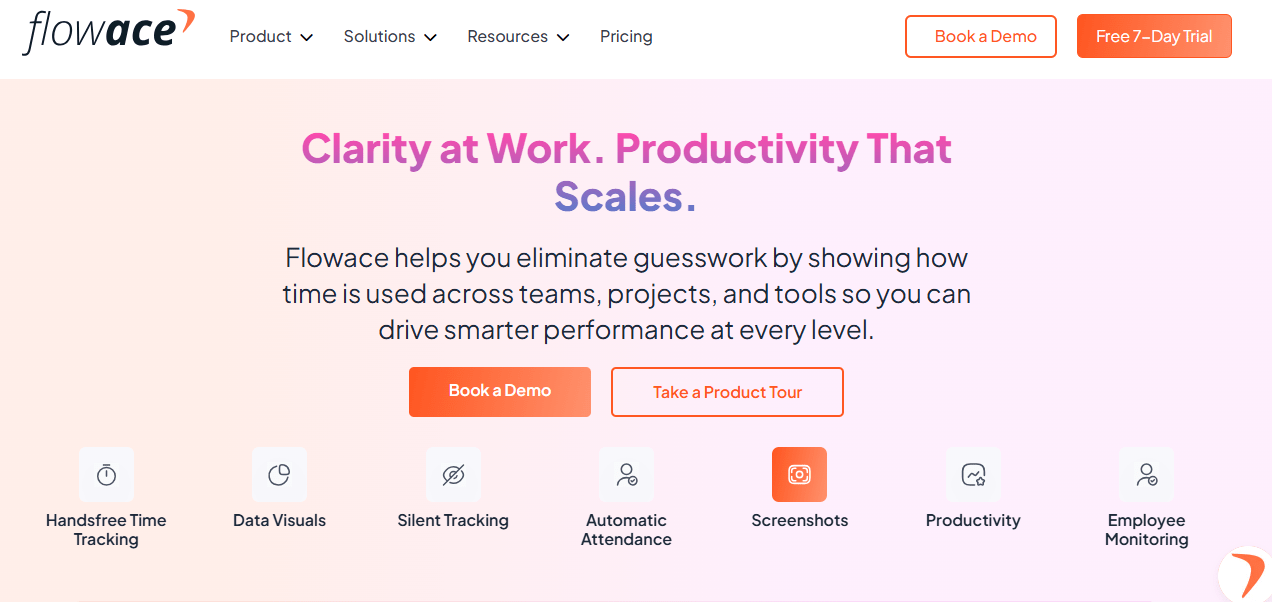
If you want accurate time data without asking your team to constantly remember to start and stop timers, Flowace is built for you. Flowace offers automatic, AI-driven time tracking and classification, which means fewer manual fixes in timesheets and cleaner data to work with. It balances useful productivity insights with configurable privacy controls so you can easily identify work patterns and bottlenecks without crossing into intrusive monitoring. This makes Flowace a strong fit for modern legal teams, agencies, and consulting firms that cares equally about time accuracy, trust, and client confidentiality.
Time Doctor vs Hubstaff vs Flowace: Comparison Table
| Category | Time Doctor | Hubstaff | Flowace |
| Starting Price (per user/month) | ~$8 (up to ~$20 on higher tiers) | ~$7 (up to ~$25 on higher tiers) | ~$2–$3 (up to ~$7–$8 on premium tiers) |
| Free Trial | Yes (limited-duration free trial) | Yes (free trial available) | Yes (7-day free trial, no credit card required) |
| Core Tracking Method | Manual task-based timers (start/stop) | Manual timers (desktop, web, mobile) | Fully automated, AI-driven, hands-free tracking |
| User Effort Required | High – users must remember to manage timers | Moderate – timers must be started | Very low – no timers or manual interaction |
| Time Capture Accuracy | High when used correctly; gaps if timers forgotten | Reliable while timers run | High and consistent due to continuous background capture |
| Screenshots & Monitoring | Optional screenshots and screen recording; highly detailed | Optional screenshots (blur/disable supported) | Optional screenshots only; no live streaming |
| Productivity Signals | App/URL usage, idle time, activity levels | App/URL usage, activity %, idle time | App/URL usage, activity %, idle detection, AI categorization |
| Offline Tracking | Yes (syncs when reconnected) | Yes | Yes (seamless sync) |
| Mobile & Field Support | Limited mobile use | Strong mobile + GPS + geofencing | Mobile support without GPS-heavy focus |
| Attendance & Scheduling | Basic attendance and scheduling | Strong attendance, PTO, shift scheduling | Automated attendance, shifts, leave, alerts |
| Timesheets | Generated from tracked time; manual corrections common | Auto-generated from timers | Fully automated timesheets from real activity |
| Payroll & Invoicing | Via integrations/exports | Built-in payroll & invoicing | Payroll-ready exports + approval workflows |
| Reporting Depth | Detailed, audit-friendly reports | Broad operational and payroll reports | Insight-driven dashboards + AI analytics |
| Privacy Controls | Configurable but monitoring-heavy | Blur/disable screenshots; no keylogging | Privacy mode, exclusions, minimal intrusion |
| Best Fit For | Firms needing defensible, audit-grade billing proof | Field teams, payroll-driven operations | Remote & hybrid knowledge teams prioritizing accuracy + trust |
Time Doctor Vs Hubstaff Vs Flowace: Feature deep-dive
Before choosing a time tracking and employee productivity tool, you need to understand how it handles the core work: how time is captured, how employee productivity signals are generated, how reporting and analytics surface actionable insight, how integrations and payroll workflows fit into your stack, and how admin controls and compliance safeguards protect both your data and your firm’s culture.
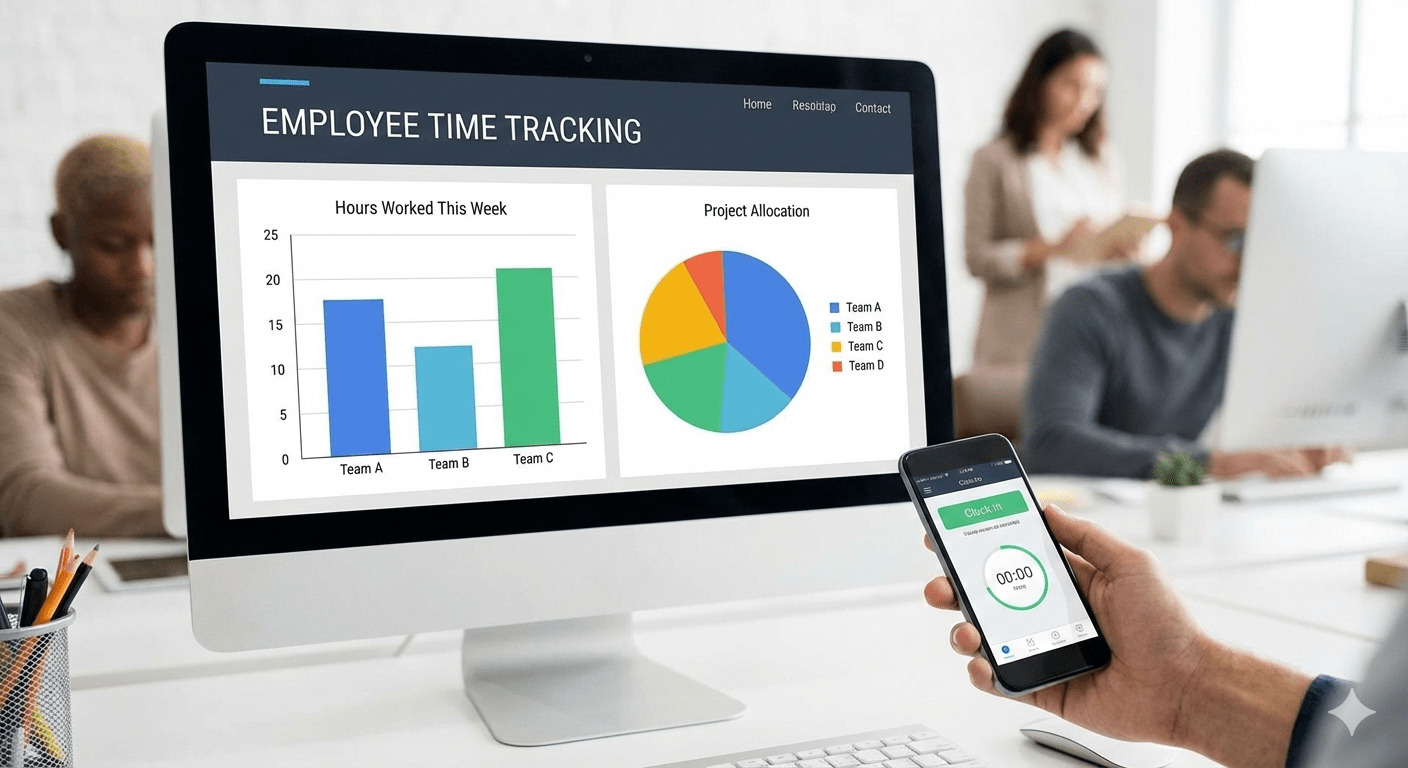
1. Time Tracking & Automation
Time Doctor
- With Time Doctor, you rely on interactive task timers. Your team selects a task and manually starts and stops the clock, which gives you clear, task-level records but depends on consistent user discipline. If tracking is paused or stopped, time is not recorded until resumed.
- Offline time is captured and synced once the device reconnects, and any manual time entries typically require admin approval.
- You also get weekly email summaries for basic oversight, but overall, the system expects employees to actively engage with the tool to keep data accurate.
Hubstaff
- Hubstaff also relies on the user to start/stop timers. Once a user starts the timer, hours are recorded and synced across devices without extra steps. It uses this data to generate timesheets and payroll records automatically.
- Hubstaff also tracks keyboard and mouse usage, app and website usage, and other productivity signals and organizes this into reports that teams and managers can review. You can customize these reports around activity, billable time, budgets etc.
Flowace
- Flowace goes well beyond a simple timer. It automatically captures work time without requiring users to start or stop clocks, so there’s no reliance on manual input or error-prone buddy punching.
- Its AI-enabled tracking quietly logs activity in the background across apps, websites, idle time, and tasks, giving you a continuous, accurate record of work hours without intervention.
- Real-time insights and automated timesheets pull this data together so you can see where time is spent at a glance, reducing administrative overhead and guesswork.
- Flowace also logs call durations and integrates communication time (including digital meeting and call activity) into your time records, and it synchronizes data even when offline so nothing is lost.
- Flowace’s automation extends to automated timesheet creation and approval workflows, where the system compiles daily and weekly hours and routes them for manager approval with full audit trails, reducing errors and accelerating payroll and billing cycles.
- Flowace also automates shift scheduling and attendance without spreadsheets or manual logs. You set expected hours or shifts for each role and the system captures “in” and “out” times, tracks attendance, leaves, and break patterns, and aligns all time data to scheduled shifts so your dashboards and reports reflect real work windows.
Productivity Signals (app/URL usage, screenshots, activity levels)
Time Doctor
- Time Doctor tracks which applications and websites users interact with while a time tracking session is active, and how much time is spent in each. Admins can then classify this activity as productive, unproductive, neutral, or unrated based on the context of the work.
- It monitors keyboard and mouse activity levels during tracked time to gauge engagement and detect idle periods. This gives you a sense of how much of the recorded time reflects actual work versus inactivity, without recording the exact keystrokes.
- Time Doctor can capture intermittent screenshots or video recordings of the screen at configured intervals while the timer is running. Admins can enable or disable these features and adjust frequency, and screenshots may show activity context for deeper insight.
- The system detects and segments idle time when keyboard and mouse interactions pause, and can trigger alerts or prompt users to confirm activity. This helps distinguish between productive engagement and inactivity within tracked sessions.
Hubstaff
- While the timer is running, Hubstaff records which applications and websites your team uses and how much time is spent on each. This lets you see where work hours are actually being spent and supports analysis of productive vs distracting tools. You have to use the Insights add-on to categorize apps and URLs as productive or unproductive.
- Hubstaff measures activity levels based on keyboard and mouse interactions. Higher activity percentages suggest sustained engagement while the timer is running, and idle detection removes inactive periods from productivity reports.
- You can configure Hubstaff to take periodic screenshots during tracked time (often up to 3 per 10-minute block), which provides visual context about what someone was working on. These screenshots can be blurred, disabled entirely, or adjusted by frequency.
- When there’s no keyboard or mouse activity for a configured threshold, Hubstaff flags that as idle time and can prompt actions or omit idle segments from reported productivity.
Flowace
- Flowace captures productivity signals across apps, websites, activity levels, idle time, and screenshots without forcing users to manually start or stop timers.
- Flowace logs web and application usage automatically and includes those details in productivity reports. You can generate Web & App Usage reports that show time spent in each category and map those to configurable productivity ratings like productive, unproductive, or neutral.
- Instead of keylogging, Flowace measures keyboard and mouse activity on a timed sampling basis. It records what percentage of each interval showed active typing or mouse movement. These activity levels are visible in screenshots and reports, giving you a sense of how engaged someone was during tracked hours without capturing specific keystrokes.
- Flowace flags idle periods when there’s no keyboard or mouse movement for a configured interval. You can adjust this threshold to suit different roles and exclude specific apps (like meeting tools) so legitimate work isn’t misclassified as idle.
- While not always mandatory, Flowace can capture screenshots on configured intervals as proof of work context. These images can complement raw time and activity logs, giving reviewers further context into what employees were doing. Flowace deliberately avoids live screen streaming, as it is energy-intensive, intrusive, and often unnecessary. In practice, periodic screenshots combined with app usage and activity signals provide a far clearer and more accurate picture of work, without the overhead or privacy concerns of continuous surveillance.
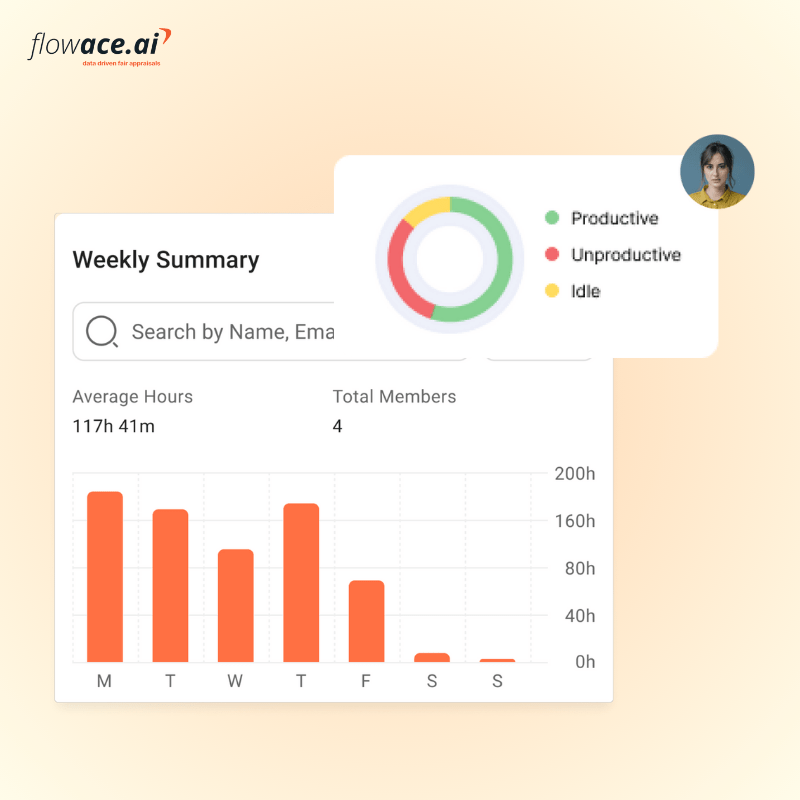
- All of these signals feed into Flowace’s productivity analytics, which categorize hours into productive, unproductive, neutral, and idle segments. That allows you to compare expected vs actual work patterns, spot bottlenecks, and make visual insights available in dashboards without any manual intervention.
Reporting & Analytics
Time Doctor
- Time Doctor provides both individual and team dashboards that give you an at-a-glance view of hours worked, activity levels, and productivity trends over time. Managers.
- Most reports can be exported in CSV, XLS, or PDF formats, which helps with billing, payroll, or deeper analysis beyond the built-in dashboards.
- Beyond static reports, Time Doctor also offers email alerts and reminders to notify you about important productivity changes or deviations (such as low activity levels or missed start times), which keeps leaders informed without constant dashboard monitoring.
Hubstaff
- Hubstaff offers customizable dashboards with drag-and-drop widgets that surface key metrics like hours worked, activity levels, project costs, earnings, PTO, and more. These live metrics help you spot trends and outliers quickly without digging through raw logs.
- Hubstaff provides over 20 report types, including timesheet and work sessions, apps & URL reports, activity percentage and idle times, budget limit reports and time off and break reports.
- Hubstaff Insights add-on enables productive vs unproductive classifications, activity benchmarks, and focus-time analytics that help you compare work patterns across teams or against industry norms.
- Reports can be exported in common formats (CSV, PDF) and scheduled for distribution to clients or stakeholders, making Hubstaff’s analytics suitable for operational reviews.
Flowace
- Flowace turns raw time and activity data into visual dashboards that show productivity trends, workload patterns, and performance metrics across teams, projects, and individuals. These dashboards help you spot bottlenecks and areas for improvement without manual analysis.
- Reports can break down your usage pattern into productivity categories like productive, unproductive, neutral, and idle time. This helps you understand not just how long someone worked, but what kinds of activities dominated their time.
- Beyond aggregate time, Flowace supports project and task-level reporting with comparisons between expected vs actual hours worked. These insights can be critical for billing accuracy, resource planning, and spotting under- or over-utilization of team members.
- Admins can configure metrics and set thresholds for key performance indicators (KPIs). Flowace can generate reports and alerts when thresholds are breached. For example, when idle time rises above expected levels or when actual time diverges significantly from expected time.
- Flowace is expanding into behavioural and AI-driven analytics, including next-generation views into productivity patterns and even conversational querying via an AI assistant (e.g., “Who were the most productive teams last month?”), which simplifies access to insights for leaders without technical skills.
Attendance Tracking, Timesheets, and Scheduling
Time Doctor
- Time Doctor shows real-time presence, who’s currently active, who’s late, absent, or hasn’t started their day, and compares actual hours vs expected hours for individuals and teams right from the dashboard. You can also spot patterns like frequent absences, overtime, or burnout signals using built-in attendance insights.
- It compiles tracked work into accurate, exportable timesheets that align with payroll and project billing. Timesheets reflect start and end times, breaks, idle periods, and attendance status so you can use them for payroll or client billing.
- Time Doctor includes a basic scheduling tool that lets you create and customize work schedules, set minimum hours per shift, and manage multiple shifts per day.
- Time Doctor’s scheduling is functional but not as advanced as dedicated workforce scheduling systems and leave management is fairly basic.
Hubstaff
- Hubstaff also provides real-time attendance tracking. It includes built-in time-off and holiday management, letting employees request PTO directly in the app and managers review, approve, or deny those requests. Attendance alerts notify you about late starts, missed shifts, or abandoned shifts, helping you manage coverage and reduce no-shows.
- Hubstaff generates automated, detailed timesheets as soon as time is tracked via the app, web, or mobile clients. These timesheets include start/end times, project and task associations, activity levels, and optional notes. Users can add or edit time entries with manager approval where needed.
- Hubstaff includes a calendar-based scheduling system that lets you create, assign, and manage shifts by team member or group. You can view schedules by day, week, or month, and set minimum hours per shift to help enforce expected work durations.
Flowace
- Flowace automates attendance tracking so you don’t have to rely on manual check-ins or spreadsheets. It automatically logs “in” and “out” times, hours worked, and idle periods, giving you real-time attendance data across your team without manual input.
- Flowace also includes leave and absence tracking, letting you configure weekly offs, holidays, and leave policies in the system. You can manage leave balances and leave reports for individuals or teams directly, which helps you reconcile schedules and attendance records during payroll or performance reviews.
- Flowace automatically compiles time and activity data into accurate timesheets without requiring manual timer use. Daily and weekly hours are generated based on tracked activity, producing clean timesheet summaries that reflect actual work patterns. This automation drastically cuts down manual corrections and improves reliability.
- Time can be categorized by projects, tasks, billable vs non-billable work. Timesheets can also be routed through smart approval workflows, where managers review, edit, comment, and approve entries with full audit trails.
- Flowace supports shift scheduling and attendance alignment so you can set expected hours or shifts for roles and teams and automatically compare attendance and productivity against those schedules. You can view who’s scheduled when, track compliance with assigned shifts, and adjust schedules as needed without extra systems.
- Automatic alerts help you monitor late logins, missing hours, and shift adherence, giving you visibility across distributed or hybrid teams.
Time Doctor Vs Hubstaff Vs Flowace: Integration Support
Time Doctor gives you the broadest set of native integrations so your time data flows straight into the tools you already use. It connects with tools like Asana, Trello, Jira, Slack, Zendesk, BambooHR, Gusto, browser extensions, and an open API for deeper work.
If your priority is payroll and operational automation, Hubstaff fits better: it connects cleanly to accounting and payroll tools like QuickBooks, PayPal, Wise, and Gusto, and you can extend workflows without code using Zapier.
If you run a bespoke tech stack or operate under strict HR and compliance requirements, Flowace fits naturally. It connects with a wide range of tools your teams already use, without forcing you to change how you work.
You can link Flowace with project management tools like Asana, Jira, GitHub, and Azure DevOps. It integrates cleanly with communication platforms such as Slack, Microsoft Teams, and Google Meet, as well as Google and Microsoft calendars. File and office tools like Dropbox, Word, Excel, and PowerPoint are also supported, alongside CRM systems like Salesforce.
When an off-the-shelf integration isn’t enough, Flowace goes a step further. The team builds custom connectors so employee data, attendance, and timesheets sync precisely with your internal systems. That keeps your time data consistent, compliant, and aligned across your entire stack.
Time Doctor Vs Hubstaff Vs Flowace: Pricing & Total Cost Of Ownership (TCO)
Time doctor: Time Doctor pricing starts at $8/user/month and higher tiers costs upto $20/user/month.
Hubstaff: Hubstaff’s pricing ranges from $7/seat/month to $25/seat/month.
Flowace: Flowace pricing plan starts around $2–$3 per user per month, with premium tiers up to about $7–$8/user/month.
Time Doctor lists tiered per-user plans and lands in the mid range for full monitoring features, so you often pay more as you unlock attendance, advanced reports, or SSO.
Hubstaff can appear cheaper at entry level and is strong where payroll and GPS features are needed, but operational features typically sit behind higher tiers and per-seat billing can add up as you scale.
Flowace positions itself with lower starting prices and builds in AI automation that reduces manual timesheet cleanup, shift reconciliation, and approval overhead. It often lowers real TCO for remote and knowledge teams even if list prices look similar.
Time Doctor Vs Hubstaff Vs Flowace: Privacy & Ethics
Time Doctor gives you strong, detailed visibility: app and URL tracking, activity levels, optional periodic screenshots, and even screen recording capabilities when enabled. That makes it excellent for defensible billing and audits. At the same time, that level of capture is intrusive by design, so you must be explicit about purpose, retention, access, and consent to stay ethical and compliant.
Hubstaff balances monitoring with configurable privacy controls. It collects app/URL usage, activity percentages, and optional screenshots, and adds GPS and geofencing for field teams. Hubstaff provides blur/disable options and emphasizes no keystroke logging and no webcam capture, which reduces some privacy concerns. Still, location tracking and screenshots require careful policy design and legal checks. Use Hubstaff when location verification or payroll automation is essential, but limit location retention and document the lawful basis for time tracking.
Flowace focuses on background AI capture, productivity classification, and configurable screenshot policies. It offers silent or privacy modes, app/URL categorization, idle detection, and controlled screenshot intervals so you get context without heavy surveillance. Flowace also describes configurable retention and exclusion lists for personal apps to avoid collecting sensitive data by default. That design reduces intrusiveness while procuring useful signals for managers. Flowace’s automation reduces the need for continuous screenshots or live streaming, which both conserves device resources and lowers privacy risk.
Key Contrasts You Should Care About:
- Level of capture: Time Doctor can collect the most granular visual evidence. Hubstaff sits in the middle with optional screenshots plus GPS. Flowace aims to minimize noise via AI classification and optional screenshots.
- Privacy controls: Hubstaff and Flowace explicitly provide blur/disable and privacy modes. Time Doctor offers controls but needs stricter admin gating to avoid overreach.
- Data types with legal sensitivity: GPS is a high risk for personal data issues. Screenshots can expose sensitive personal content. Minimize both unless you have a clear legal basis and employee agreement.
Ethical Checklist You Can Act On Now:
- Publish a clear monitoring policy. Explain what data you collect, why you collect it, how long you keep it, and who can access it. Transparency builds trust.
- Use the least intrusive signals that still solve the problem. Favor aggregated dashboards and AI-based classification over constant screenshots or heavy surveillance.
- Control access and retention. Apply role-based permissions and retain data only as long as needed for billing, payroll, or compliance.
- Run a Data Protection Impact Assessment when you track location data, screenshots, or large volumes of personal data. This keeps you aligned with GDPR and ICO guidance.
- Train managers to use data for coaching and improvement, not punishment. Ethical use depends on how insights are applied, not just what is collected.
Note: If you are looking for deeper insights, visit our blogs to explore these tools further:
- Hubstaff vs Time Doctor: A Detailed Comparison
- Time Doctor vs Flowace Pricing Comparison
- 10 Best Time Doctor Alternatives: Complete Comparison Guide 2026
- Hubstaff Pricing: What You’re Really Paying For (And a Better Alternatives
- Hubstaff vs Clockify: A Detailed Comparison for 2026
- 11 Best Hubstaff Alternatives Compared 2026 [Complete Guide]
Final Takeaway:
This comparison makes one thing clear: Time Doctor, Hubstaff, and Flowace are solving different problems, even though they sit in the same category. The right choice isn’t about who has more checkboxes. It’s about how you want time data to be created, interpreted, and used inside your organization.
Here’s the inference that matters most:
Time tracking is a behavioral system.
The tool you choose will quietly shape how people work, how managers manage, and how trust is built or eroded over time.
If your priority is defensible billing and audit-grade proof, Time Doctor is the strongest fit. If your priority is payroll, field work, and operational control, Hubstaff is built for that reality.
If your goal is to get accurate, decision-ready time data without adding friction, micromanagement, or trust issues, Flowace stands out as the most balanced choice. Its AI-first, hands-free tracking gives you cleaner data, automated timesheets, and real productivity insights, without asking your team to constantly manage timers or sacrifice privacy.
That said, every organization is different, and the right tool ultimately depends on your workflows, compliance needs, and culture.
If you’re curious whether Flowace fits the way your team actually works, the best way to decide is to see it in action.
Start a free Flowace trial today or book a free demo to explore how automated time tracking and productivity intelligence can work for you, before making any long-term commitment.
FAQs:
How does Flowace compare to Time Doctor and Hubstaff?
Flowace takes an AI-first approach. It focuses on automatic time capture and productivity classification, which reduces how often your team needs to interact with timers to keep timesheets accurate. Time Doctor and Hubstaff rely more heavily on manual or interactive tracking.
Are screenshots required for effective monitoring?
No. Screenshots can provide context or proof of work, but they also introduce privacy concerns. Many teams get better results by relying on aggregated analytics and using screenshots only when necessary and with clear controls.
Is employee monitoring legal?
In most regions, yes, as long as employees are informed and data is collected and used in line with local labor and privacy laws. You should always review regional requirements and consult legal counsel for your specific jurisdiction.
Will AI time tracking replace manual timers completely?
AI reduces manual effort and common tracking errors, but it should not eliminate human oversight. The best systems still allow manual edits and approval workflows to handle edge cases and ensure accuracy.
Which tool feels least intrusive to employees?
Tools that emphasize aggregated insights and limit continuous screenshots tend to be perceived as less intrusive. Flowace is designed around configurable privacy settings and AI classification to minimize unnecessary monitoring.
Do these tools integrate with payroll and project management systems?
Yes. Hubstaff and Flowace both offer integrations with common payroll, project management, and accounting tools. You should review each vendor’s integration list to confirm compatibility with your existing stack.