Best Hubstaff Alternatives in 2026 for Pricing, Features and Team Size



Published: September 2026 · Last Updated: September 2026 · Last Verified: September 2026
Hubstaff alternatives are time tracking, employee monitoring, and productivity tools that offer similar features to Hubstaff. In 2026, Flowace, Clockify, ActivTrak, and DeskTime are among the main options to consider.
In this article, we compare their features, pricing, and total costs at 25, 50, and 200 seats to find the best value.
Hubstaff Alternatives At a Glance
This quick comparison table gives you the starting price, free-plan limits, best use case, and standout feature for each tool.
|
Tool |
Starting Price (per seat/mo, annual) | Free Plan | Best For | Standout Feature |
G2 Ratings |
|
Hubstaff |
$4.99/seat/mo | No | Global or field teams that need GPS tracking and built-in payroll | GPS and job-site geofencing on Team+ | 4.4/5 (2,317 reviews) |
| Flowace | $1.99/user/mo | No | Teams that want monitoring depth without add-on math | 1-second activity logging on Standard+ |
4.6/5 (143 reviews) |
|
Clockify |
$3.99/seat/mo | Yes, up to 5 users | Freelancers and small teams on a manual timer | Free plan still includes all basic features | 4.5/5 (202 reviews) |
|
ActivTrak |
$10worker/mo | Yes, up to 3 users | Teams that want productivity analytics over surveillance | Behavior benchmarking against your own team | 4.3/5 (341 reviews) |
|
DeskTime |
$6.42/user/mo | No | Teams that want screenshots and shift scheduling together | Shift scheduling included at Premium |
4.5/5 (400 reviews) |
*Updated on 1 September, 2026
Why Do People Actually Leave Hubstaff?
Hubstaff’s time tracking is trusted by 140k global users, per its own website, checked September 2026. Even so, plenty of those searches for Hubstaff alternatives come down for three things: price, plan limits, and the level of employee monitoring.
Hubstaff’s base price can also change once you add features or move to a higher plan, while some teams prefer a lighter approach to screenshots and activity tracking.
What Are People Saying About Hubstaff Alternatives?
Reddit discussions show that price and user experience are common reasons people look beyond Hubstaff.
In this Reddit discussion, a user looks for a Hubstaff alternative with a simpler interface, lower cost, and basic productivity features. The question is a useful context for the comparison because it reflects the same pricing and usability concerns many buyers consider when switching tools.
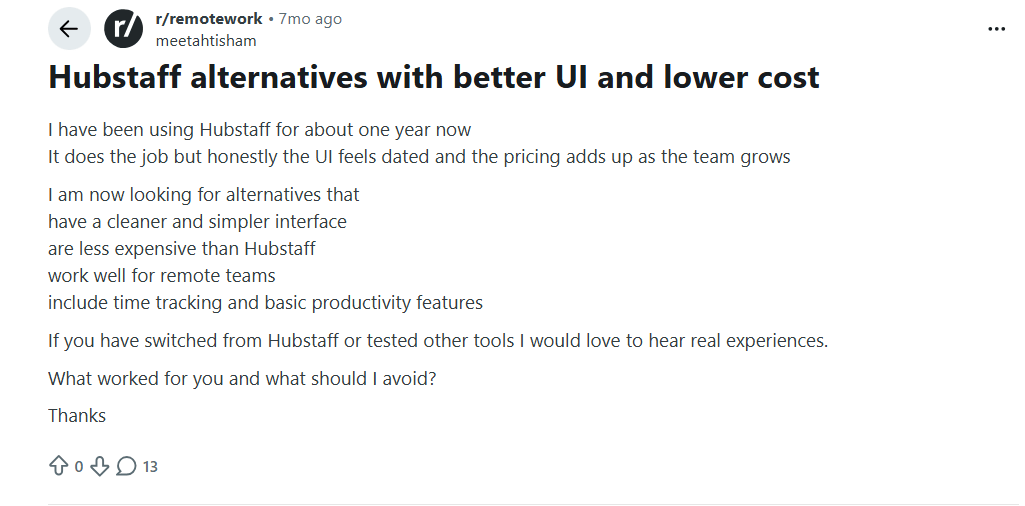
Image alt text: Reddit discussion asking for cheaper and simpler Hubstaff alternatives for remote teams
In another Reddit discussion, a team looking for alternatives described Hubstaff as feeling too intrusive and asked for a simpler tool that supports accountability without feeling like surveillance.
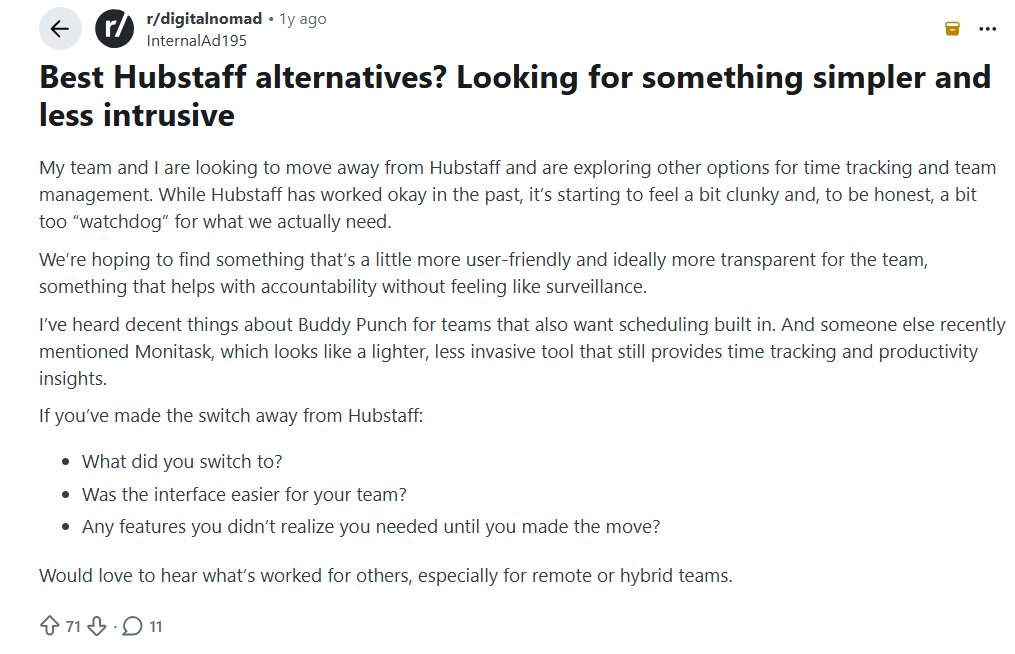
Image alt text: Reddit discussion about finding a simpler and less intrusive alternative to Hubstaff
This discussion highlights another reason teams consider switching from Hubstaff. Here, they want time tracking and accountability without making employees feel constantly monitored.
Those concerns make the pricing worth looking at closely, so here’s what Hubstaff actually costs in 2026.
How Much Does Hubstaff Actually Cost in 2026?
Hubstaff has four paid plans: Starter, Grow, Team, and Enterprise. Pricing is per seat, and Hubstaff requires at least two seats on paid plans.
As of September 2026, the annual prices listed by Hubstaff are:
|
Plan |
Price per seat per month (Annual Billing) | Monthly Billing |
|
Starter |
$4.99 / seat / mo | $7 / seat / mo |
| Grow | $7.50 / seat / mo |
$9 / seat / mo |
|
Team |
$10 / seat / mo |
$12 / seat / mo |
| Enterprise | $25 / seat / mo |
$25 / seat / mo |
*Updated on 1 September, 2026
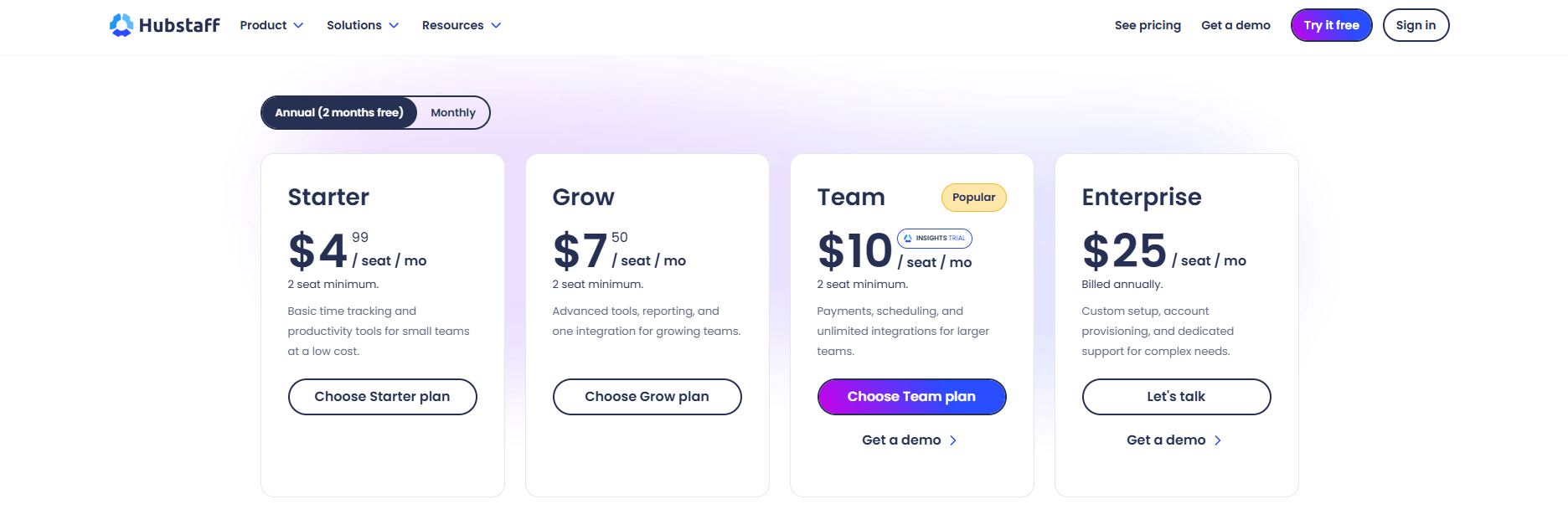
Source: Hubstaff
Hubstaff pricing, captured [September 1, 2026]
What do Hubstaff’s add-ons cost?
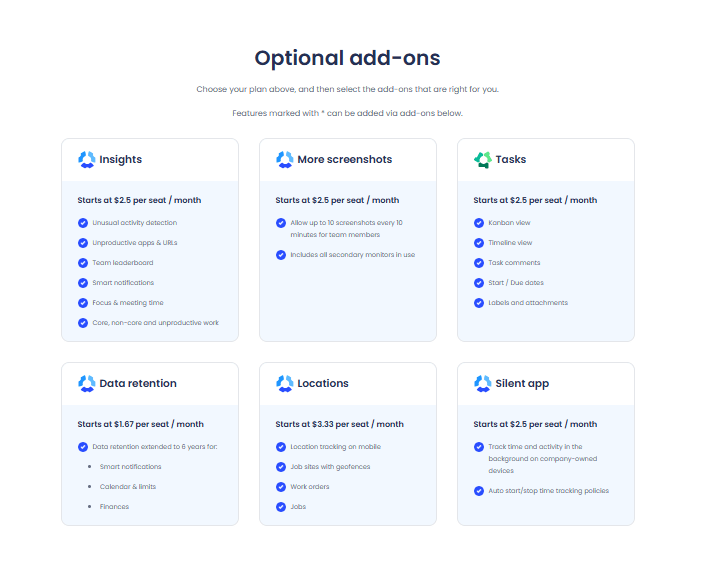
Hubstaff has six paid add-ons. They cost $2.5 to $3.33 per seat per month, depending on the feature.
Source: Hubstaff
Hubstaff pricing, captured [September 1, 2026]
- Insights: $2.5/seat/month. Adds team leaderboards, smart notifications, and unusual or unproductive activity alerts.
- More Screenshots: $2.5/seat/month. Captures up to 10 screenshots every 10 minutes across every screen someone uses.
- Tasks: $2.5/seat/month. Adds Kanban boards, due dates, and task comments.
- Silent App: $2.5/seat/month. Tracks time quietly in the background on a company device.
- Locations: $3.33/seat/month. Adds GPS tracking for phones and job sites.
- Data Retention: $1.67/seat/month. Keeps records for up to six years instead of the standard retention period.
How much does the Hubstaff Team cost with Insights?
Hubstaff Team costs $10 per seat per month, and Insights adds another $2.5 per seat. That brings the total to $12.5 per seat per month.
Insights is the add-on most relevant to this comparison because it brings Hubstaff closer to the automatic productivity tracking included with Flowace, Clockify, ActivTrak, and DeskTime.
For that reason, the comparison below uses Hubstaff Team + Insights at $12.5 per seat per month, rather than the $10 base price.
Compare Hubstaff vs Flowace for a detailed feature and pricing comparison.
Hubstaff vs Flowace vs Clockify vs ActivTrak vs DeskTime: Cost at 25, 50, and 200 Seats
Pricing comparisons get confusing when the plans and add-ons are not stated. So here are the exact assumptions used for this comparison:
- Hubstaff: Team plan + Insights add-on, billed annually. We use this configuration to include the productivity tracking and reporting features covered by Insights.
- Flowace: Standard plan, billed annually. It includes all features in Basic plan including screenshots plus app and website tracking, productivity insights, dashboards, and 1-second activity logs without a separate add-on.
- Clockify: Pro plan, billed annually. We use Pro because screenshots and GPS tracking are available at this plan level.
- ActivTrak: Work Activity Tracking plan, billed annually. ActivTrak lists automatic time tracking, real-time visibility, and app and website activity at this level. Screen Details is a separate add-on.
- DeskTime: Premium plan, billed annually. We use Premium because screenshots are included at this plan level.
For the calculations below, we multiply each listed per-seat monthly price by the number of seats. The comparison uses 25, 50, and 200 seats, and the table does not include Enterprise plans with custom pricing.
|
Tool & Plan |
Price per seat/mo | 25 seats/mo | 50 seats/mo | 200 seats/mo |
|
Hubstaff Team + Insights |
$12.5 | ~$313 | $625 |
$2,500.00 |
| Flowace Standard | $3.99 | $99.75 | $199.50 |
$798.00 |
|
Clockify Pro |
$7.99 | $199.75 | $399.50 | $1,598.00 |
| ActivTrak Work Activity Tracking |
$10.00 |
$250.00 |
$500.00 |
$2,000.00 |
|
DeskTime Premium |
$9.17 |
$229.25 | $458.50 | $1,834.00 |
*Updated on 1 September, 2026
Which is the cheapest tool at 25, 50, and 200 seats?
Flowace Standard has the lowest listed per-seat cost in this comparison at $3.99 per seat per month. At the same seat counts, Hubstaff Team + Insights costs $12.5 per seat, making the Hubstaff configuration about 3.3 times more expensive before any other pricing differences are considered.
The totals follow the same calculation: price per seat × number of seats. For example, 50 Flowace seats cost $199.50 per month at the listed annual-billing rate, while 50 Hubstaff Team + Insights seats cost $625 per month.
Methodology : These figures are based on the plans and add-ons stated above. Check the official pricing pages before buying because SaaS pricing, plan limits, and included features can change.
Want to see the difference on your own team?
Start 7-Day Free TrialThe 4 Hubstaff Alternatives Worth a Look
The best Hubstaff alternative for most teams is Flowace, while Clockify makes more sense for teams that only need basic time tracking. ActivTrak is a better fit for productivity analytics, and DeskTime is a simpler option for automatic time tracking.
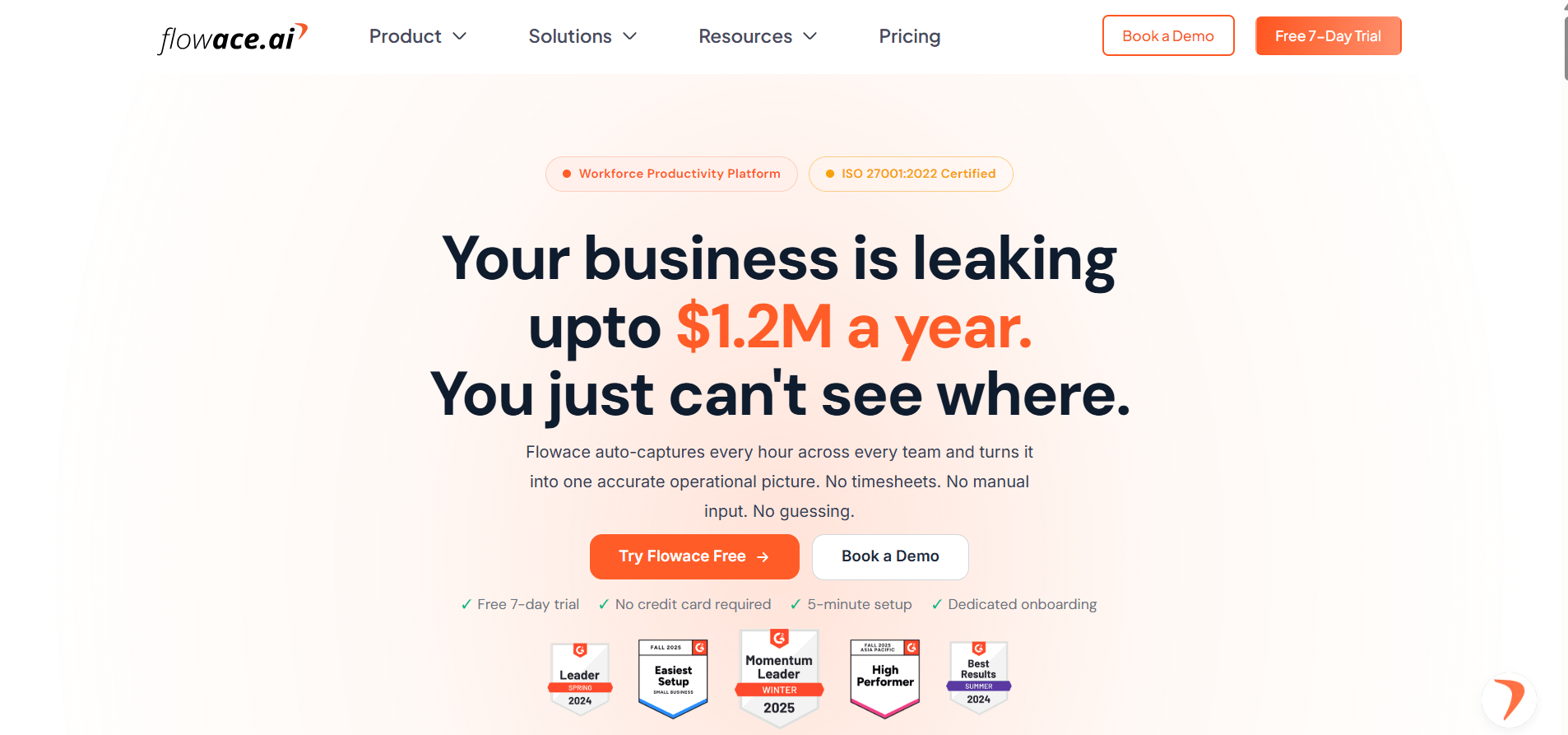
1. Flowace: This tracks time automatically across apps, websites, and projects, so teams don’t have to rely on manual timers.
Source: Flowace
Its Standard plan ($3.99 per seat per month, billed annually) includes all features in Starter plus
- App & Website Tracking
- Configurable Productivity Ratings
- Shifts and Leave Management
- Raw Activity Logs (1-Second Precision)
- Productivity Dashboards and Reports
- 60+ Integrations
without a separate add-on.
The trade-off is setup. Larger teams may need more time to organize work categories and alert rules.
Pricing:
Pricing starts at $1.99 per user per month for the Basic plan, $3.99 per user per month for Standard, and $6.98 per user per month for Premium. All plans are billed annually. Enterprise pricing is custom based on business requirements.
7-day free trial and product demo is available upon request.
G2 Rating:
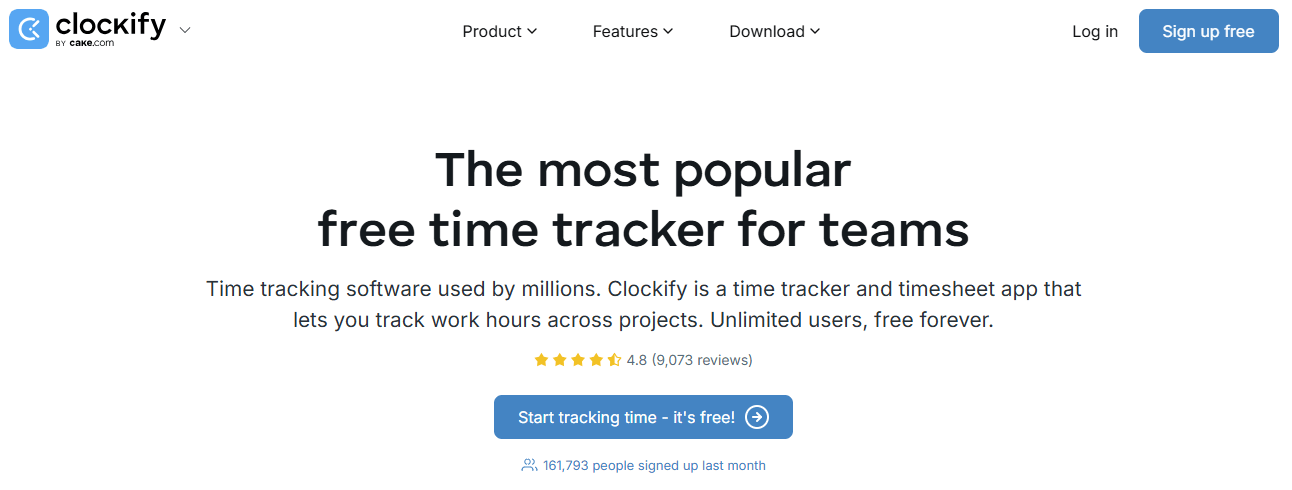
2. Clockify: This is built around manual timers and timesheets, and its free plan supports up to 5 users. This includes
 Source: Clockify
- Unlimited tracking
- Time tracker
- Timesheet
- Auto tracker
- Calendar
- Mobile & desktop app
- Pomodoro timer
- Idle detection & reminders
- Tracking integrations
- Team activity
- Reports
That makes it a good choice for small teams that only need time tracking and don’t want employee monitoring. Clockify also has an Auto Tracker, but teams should check which reporting and shared-visibility features are available on their chosen plan before comparing it with automatic monitoring tools.
Pricing:
Pricing starts at $3.99 per seat per month for the Basic plan (Administration). The Standard plan (Timesheets & Billing) costs $5.49 per seat per month, Pro (Profit & Productivity) costs $7.99, and Enterprise (Control & Security) costs $11.99. The Cake.com bundle costs $12.99 per seat per month.
All prices are based on annual billing. A 7-day free trial is available.
G2 Rating:
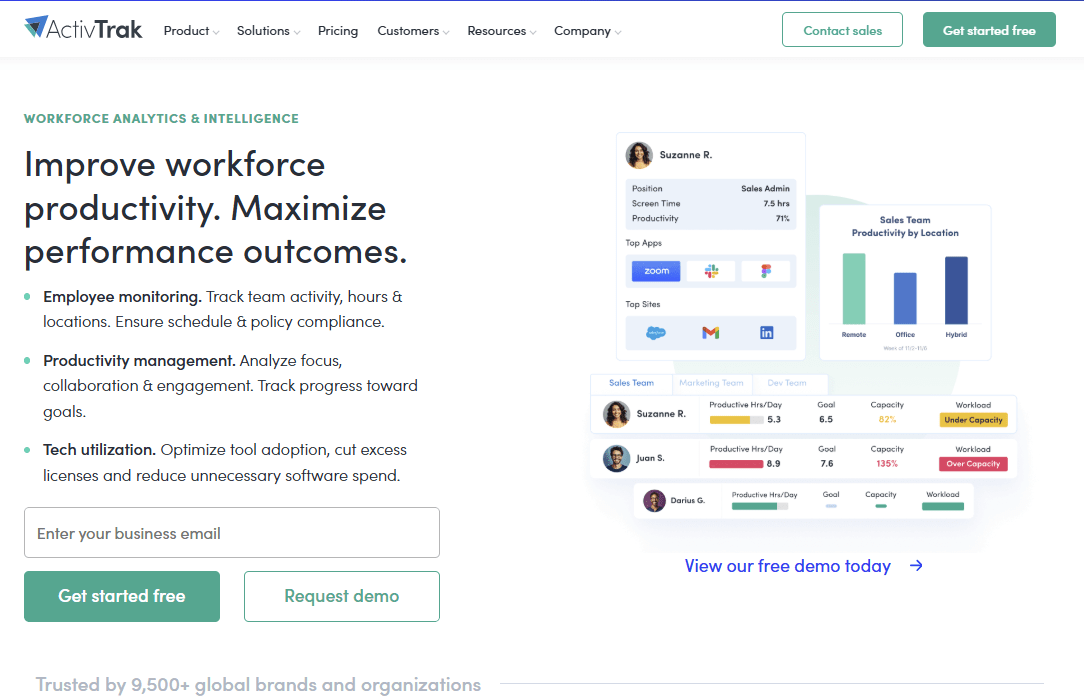
3. ActivTrak: This focuses more on productivity analytics and benchmarking. Its Work Activity Tracking plan is listed at $10 worker per month and includes
Source: ActivTrak
- Automatic time tracking
- Real-time visibility
- Break time identification
- Attendance & schedule adherence
- App & website usage
- Compliance alarms
Screenshots require the separate Screen Details add-on. ActivTrak’s higher Productivity Optimization plan adds organization-wide benchmarks and coaching, which makes it a stronger fit for teams focused on productivity improvement.
Pricing:
ActivTrak pricing starts with a free plan for up to 3 users. Paid plans include Work Activity Tracking at $10 worker per month, Workforce Management at $15 worker per month, and Productivity Optimization at $17 worker per month.
All paid plans include a 14-day free trial.
G2 Rating:
4. DeskTime: This is a straightforward option for automatic time tracking. Its Pro plan covers
Source: DeskTime
- Document title tracking
- Productivity calculations
- Calendar integrations
while Premium adds features such as screenshots, shift scheduling, integrations and API. DeskTime offers a free trial rather than a permanent free plan, so small teams looking for a free option may want to compare it with Clockify and ActivTrak before choosing.
Pricing:
DeskTime’s Pro plan for small teams and startups starts at $6.42/user/month billed annually. Premium plans for hybrid and growing teams at $9.17/user/month billed annually and adds features like screenshots, shift scheduling, and the absence calendar. Enterprise for larger organisations (200+ users) is custom based.
A 14-day free trial is available.
G2 Rating:
Which Hubstaff Alternative Should You Actually Pick?
- Up to 5 seats, with no employee monitoring: Choose Clockify’s free plan. It costs nothing for up to 5 users, making it the simplest option for teams that only need basic time tracking.
- 25 to 200 seats, with automatic tracking and reporting: Choose Flowace Standard. In the pricing comparison above, it has the lowest per-seat cost of the five tools we compared, while including automatic activity tracking and reporting without a separate add-on.
- 200+ seats with SSO or SCIM requirements: Get current quotes from Hubstaff enterprise and ActivTrak’s custom setup or enterprise plan, then compare them with Flowace Premium, which includes SSO at the listed price. Check the current enterprise terms before signing a custom contract.
Author’s pick: Flowace is the better value for teams that need employee monitoring and productivity tracking at 25 to 200 seats. Clockify is the better choice for small teams that only need basic time tracking and do not need monitoring.
Ready to see what Flowace can do for your team?
Explore Workforce Management SoftwareFrequently Asked Questions About Hubstaff Alternatives
1. What is the best Hubstaff alternative?
Flowace is the overall best Hubstaff alternative. It offers automatic time tracking, productivity monitoring, reporting, and workforce insights at a lower listed starting price than Hubstaff.
2. What is the best free alternative to Hubstaff?
Clockify is the free alternative to Hubstaff. Its free plan supports up to 5 users and includes time tracker, timesheet, auto tracker, idle detection and more.
3. How much does Hubstaff cost for a team of 50 people?
For a team of 50 people, Hubstaff costs $625 per month for Team Plan + Insights, billed annually. The calculation is 50 × ($10 Team + $2.5 Insights) = $625 per month. Without Insights, 50 Team seats cost $500 per month.
4. Does Hubstaff have a free plan?
No. Hubstaff offers a 14-day free trial rather than a permanent free plan.
5. What is the difference between Hubstaff and Flowace pricing?
Flowace includes more monitoring and productivity features in its listed plan price, while Hubstaff can require an add-on for features such as Insights.
6. Which Hubstaff alternative is best for a team under 15 people?
For up to 5 users who only need basic time tracking, Clockify’s free plan is the best value. For a small team that needs automatic tracking and monitoring, Flowace Basic is the lower-cost option at the listed annual price.