HIPAA-Compliant Workforce Monitoring for RCM Teams



Key Takeaways:
- RCM monitoring is fundamentally different from generic workforce monitoring. Because teams handle PHI daily, visibility must be designed around compliance, not just productivity.
- More monitoring does not mean better monitoring. Over-collection, especially screenshots and content capture, can create new HIPAA risks instead of solving operational problems.
- Visibility is still essential for RCM leaders. Without insights into throughput, utilization, and workflow bottlenecks, teams are forced to rely on assumptions instead of data-driven decisions.
- The real goal is operational visibility, not surveillance. Metrics like attendance, utilization, app usage, and workflow time allocation provide actionable insights without exposing sensitive data.
- Most productivity issues are process problems, not people problems. Bottlenecks often come from payer delays, rework loops, or system inefficiencies, not employee performance.
- HIPAA-compliant monitoring starts with the “minimum necessary” principle. Collect only what you need, limit access with role-based controls, and maintain audit trails for accountability.
- Generic employee monitoring tools often fail in RCM environments. They are built for broad oversight and tend to capture more sensitive content than healthcare teams can safely govern.
- Workforce monitoring should support both productivity and compliance. The right system helps improve performance while also strengthening audit readiness and reducing PHI exposure.
- A good monitoring tool provides insight without exposing content. Focus on aggregated, role-based, and privacy-aware data instead of intrusive tracking methods.
- Flowace fits as a privacy-aware visibility layer. It helps RCM teams understand productivity, attendance, and workflow patterns without relying on surveillance-heavy tracking.
- The best outcome is balanced visibility. When done right, workforce monitoring improves efficiency, accountability, and compliance without compromising patient trust.
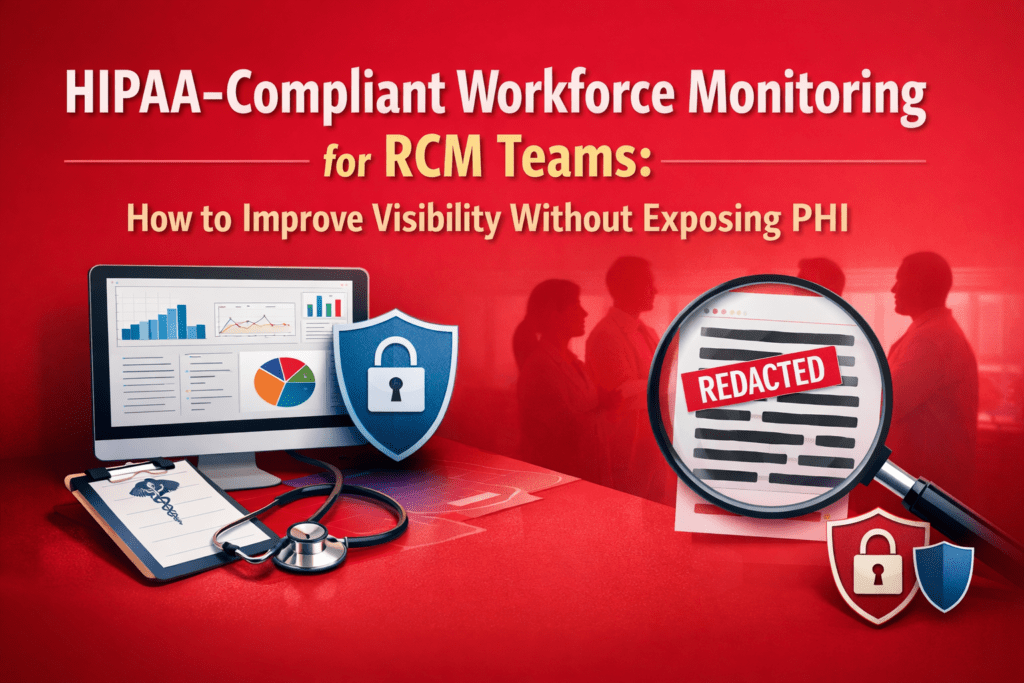
Most workforce monitoring conversations start with productivity. In RCM, they should start with compliance. Your teams process claims, payments, coding workflows, and patient-linked financial data all day long. So while leaders do need visibility into throughput, workload, and process bottlenecks, they also need to avoid exposing PHI through careless monitoring practices. That is the balancing act: more visibility without more risk.
In this guide, we’ll break down why RCM teams need a different approach, what to avoid in generic monitoring tools, and how privacy-aware platforms like Flowace can support operational visibility without losing sight of HIPAA obligations.
Why Workforce Monitoring Is More Sensitive in RCM Than in Other Teams
RCM work is not a generic back-office function. It is a high-volume, high-variation workflow that touches payer rules, clinical documentation, patient demographics, and billing details. That makes it PHI-adjacent by default.
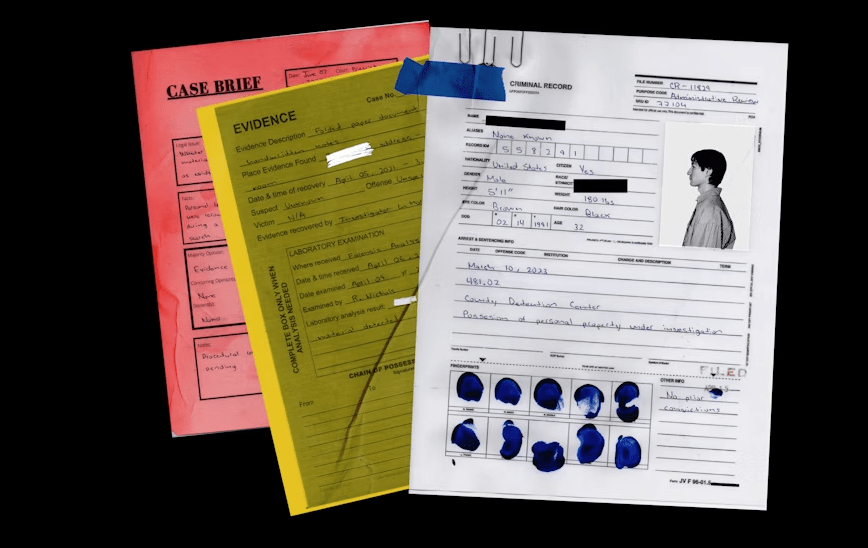
Where PHI Risk Shows Up in Everyday RCM Workflows
Billing teams review patient statements and insurance information, coders validate diagnosis codes, denial analysts rework claims, and account follow‑up teams communicate with payers. Every one of these activities may reveal personal health information.
In 2025, healthcare organizations reported more than 700 large data breaches, and 61.5% of those breaches involved PHI stored on network servers, while 24.9% involved compromised email accounts. Unauthorized access and disclosure incidents also rose 17.4% year over year. These incidents highlight how everyday access to sensitive data can become a compliance issue when controls are weak or workflows are not tightly managed.
Why RCM Leaders Still Need Visibility
RCM leaders still need clear visibility into throughput, workload distribution, SLA adherence, and team performance across distributed operations. If managers can’t see utilization trends or attendance consistency, they can’t allocate work evenly or hold teams accountable. The HIPAA Journal reports that large healthcare data breaches still occur at a rate of about two per day, even after recent reductions in breach counts.
That level of risk demands a proactive approach to operations so that errors and delays are caught early and resolved without creating additional PHI exposure.
Why Generic Employee Monitoring Tools Can Create HIPAA Risk
Many organizations buy employee monitoring tools designed for generic productivity tracking. In RCM, the biggest problem is that most tools capture more sensitive content than the organization can safely manage.

Screenshot‑Heavy Monitoring Is the Wrong Default for RCM
Generic monitoring tools often rely on continuous screenshots to prove “proof of work.” However, screenshots may inadvertently capture patient names, diagnoses, or insurance IDs. Under HIPAA’s Privacy Rule, covered entities must ensure that PHI is “maintained securely and shared only for appropriate purposes.”
Capturing an unnecessary screenshot and storing it in a monitoring server that many managers can access adds to the risk of unauthorized disclosure.
When Monitoring Turns Into a Second Compliance Problem
Storing detailed activity logs indefinitely or giving broad access to employee monitoring data can itself become a compliance violation. Healthcare institutions already face significant penalties for breaches; the average healthcare data‑breach cost exceeded $10 million in 2022. Over‑collection increases the retention burden.
If managers can freely view or export sensitive screenshot data, the organization must treat each manager as having PHI access and ensure they follow HIPAA training requirements. Inadequate role‑based controls turn a productivity‑tracking program into a potential breach waiting to happen.
The Difference Between Content Capture and Workflow Visibility
Capturing screen content is not the only way to understand workflows. Managers need to know if coders are meeting deadlines, how many claims analysts are working on denials, or whether billing teams are spending too long on non‑work websites. Those insights come from high‑level metrics: active vs. idle time, application usage patterns, project or task allocation, and attendance logs.
By focusing on these operational signals instead of raw content, organizations can support data‑driven decisions without exposing patient details. This shift from surveillance to insight is crucial for HIPAA compliance and employee trust.
What HIPAA‑Compliant Workforce Monitoring Should Actually Look Like for RCM Teams
RCM teams do need monitoring. But they do not need the kind that captures everything and sorts out compliance later.
Start With Minimum Necessary Monitoring
The HIPAA Security Rule encourages collecting and sharing only the minimum necessary data. For workforce monitoring, that means capturing core metrics—attendance, active/idle time, app usage categories—without capturing PHI on the screen. Limit logging to metadata (when, where and how long tasks took) instead of screenshot content.
A 2025 survey found 74 % of U.S. employers now use online tracking tools, so monitoring is an integral part of workforce analytics. The differentiator is restraint and purpose: collect exactly what managers need to manage workloads, nothing more.
Role‑Based Access Should Be Non‑Negotiable
Within HIPAA, only individuals whose job functions require PHI access should see PHI. Similarly, workforce monitoring data should be protected and scoped: team leads might see utilization reports, but only a compliance officer needs access to potential violations or anomalies.
Role‑based permissions enforce accountability and prevent voyeuristic data exploration.
Audit Trails Matter as Much as Visibility
Every action, like viewing logs, changing settings, exporting reports, should be recorded in an audit trail. HIPAA enforcement relies on evidence showing that sensitive data was handled properly. Robust monitoring tools provide immutable logs so that when auditors ask who accessed activity data, you have a clear answer. Without audit trails, even well‑intentioned monitoring becomes hard to defend if something goes wrong.
Data Handling Practices Need to Support Regulated Workflows
Data should be encrypted at rest and in transit, retained only as long as operationally necessary, and deleted automatically when retention periods expire. De‑identify or anonymize logs whenever possible.
Healthcare data is a high‑value target. So, make sure that your monitoring repository does not become another entry point for attackers.
What RCM Teams Should Measure Instead of Relying on Surveillance Metrics
RCM leaders do need performance data. But that does not mean they should rely on surveillance-heavy metrics that measure activity without explaining outcomes.
Surveillance Metrics vs. Operational Metrics
Focusing on keystrokes and screenshots draws attention away from the bigger picture. Better metrics for RCM productivity include:
- Attendance consistency: track when employees start and stop work, noting late arrivals and early departures.
- Utilization trends: measure active vs. idle time across the day to identify under‑ or over‑utilization.
- App and website usage patterns: categorize applications (EHR, coding software, payer portals) vs. distractions (social media) without capturing screen content.
- Workflow time allocation: monitor how much time tasks like coding, denial management or payer calls actually take.
- Team‑level output: compare throughput across billing, coding and follow‑up teams to spot bottlenecks.
By choosing these operational metrics, you can monitor performance without crossing into personal privacy.
Productivity Problems Are Not Always People Problems
RCM teams may face slow payer portals, complex denial workflows, or rework loops that drag down throughput. Operational visibility should illuminate these systemic issues so you can fix the process rather than blame individuals.
For example, a billing specialist may appear slow because they are working through incomplete documentation. A denial analyst may seem less productive when the real issue is that denial categories are becoming more complex or appeals require more manual effort.
This is why raw activity data can be misleading when viewed without context.
Better Visibility Helps Surface Bottlenecks, Not Just Watch Employees
When you focus on patterns like idle spikes during certain tasks, long wait times on payer websites, or uneven workload distribution across teams, it is easy to identify the true causes of delays.
For example, if active time drops every afternoon for coders, perhaps the code review process is delayed; if claim follow‑up teams spend excessive time in messaging apps, perhaps payers are unresponsive.
Surfacing these insights allows you to streamline workflows and reallocate resources, improving both compliance and revenue cycle performance.
What to Look for in Workforce Monitoring Software for RCM Teams
RCM teams cannot evaluate workforce monitoring software the same way a generic back-office team would. The stakes are higher, the workflows are more sensitive, and the wrong tool can create as many compliance problems as it solves.
As an RCM leader, you should focus on:
Visibility Without Unnecessary Content Exposure
Ask vendors whether their tool can deliver time, attendance and productivity reports without constant screenshots. The majority of breaches stem from hacking and IT incidents. So, your monitoring tool shouldn’t create new targets. Tools that offer screen‑free tracking, aggregated statistics and PHI‑free dashboards reduce exposure while still giving you the data you need.
Configurable Tracking for Different Roles and Processes
RCM functions are diverse: coders, billers, denial analysts and follow‑up specialists work differently. Choose software that lets you adjust tracking granularity per role. Coders may need code‑classification timers, while claims teams require task‑level breakdowns. A one‑size‑fits‑all approach forces everyone into the same monitoring model and risks over‑collection.
Productivity, Attendance and Utilization Reporting in One Place
Look for unified dashboards that provide attendance logs, idle/active time and app usage patterns together. Without integrated reporting, managers end up stitching together spreadsheets and manual reports, increasing the chance of errors. Consolidated, purposeful dashboards help reduce the need for intrusive oversight and build trust.
Audit‑Ready Visibility for Regulated Operations
Regulated teams need to demonstrate that monitoring data is collected and used appropriately. Choose software that includes audit logs, customizable retention periods, and exportable compliance reports. This not only eases HIPAA audits but also prepares you for ISO 27001 or SOC 2 assessments.
Questions to Ask Before Choosing a HIPAA‑Compliant Monitoring Tool for RCM
Use the following checklist to guide your vendor discussions:
- Does the tool help us manage operations better, or just capture more data? Ask how the system translates raw activity into actionable metrics.
- Can we limit what gets tracked and who can see it? Ensure you can adjust data capture per role and enforce role‑based permissions.
- Will this improve accountability without increasing PHI exposure? Look for features such as PHI redaction, screen‑free tracking and anonymized reporting.
- Does it support both productivity insight and audit readiness? You need both operational dashboards and compliance reports with audit trails.
If a vendor cannot clearly answer these questions, they likely don’t understand the unique demands of RCM and HIPAA compliance.
How Flowace Supports HIPAA‑Aligned Workforce Monitoring for RCM Teams?
Flowace offers an automated, AI‑powered time‑tracking platform that aligns well with PHI‑sensitive environments. Here’s how it fits into the criteria above.
Privacy‑Aware Visibility for PHI‑Sensitive Work Environments
Flowace’s design emphasizes responsible monitoring. Instead of continuous screen recordings, it tracks active vs. idle time, application usage and project/task allocation. Managers see high‑level productivity reports without automatically capturing sensitive content. This approach follows the “minimum necessary” principle and reduces the risk of unauthorized PHI exposure.
Configurable Tracking That Helps Reduce Exposure Risk
The platform lets you enable or disable features by role. For example, you can turn off screenshot capture for billing teams while keeping time tracking and attendance logs. You can also configure idle timeouts, set different app‑tracking rules for coders versus claims analysts, and define custom approvals for timesheets. Role‑based permissions ensure that only authorized managers access granular data.
Operational Insight Across Billing, Coding and Claims Teams
Flowace’s productivity dashboards show how time is spent across applications and projects, enabling managers to spot bottlenecks and redistribute work. Features like project time tracking, automatic attendance logging that prevents proxy and configurable productivity ratings help you understand throughput without micromanaging individuals.
For example, the software can distinguish between work in the electronic health record (productive) and time spent on social media (non‑productive), enabling targeted coaching.
Built for Visibility, Not Surveillance
Flowace emphasizes productivity insights rather than surveillance. Its dashboards highlight trends and patterns so leaders can make informed decisions.
Flowace pricing plan offers affordable plans starting at US $1.99 per user per month for basic time‑tracking and productivity essentials, $3.99 per user per month for standard reporting, and $6.98 per user per month for premium features like keypad and cursor activity, integrations and billing & invoicing. There is also an enterprise plan with custom pricing and dedicated support.
This pricing flexibility allows RCM teams to adopt the level of visibility they need without paying for unwanted surveillance capabilities.
Final Thoughts
RCM teams need accurate, timely visibility into operations to meet revenue goals and ensure claims are processed quickly. However, monitoring in a healthcare setting must account for HIPAA’s strict privacy requirements and employee trust. Generic surveillance tools that capture everything on an employee’s screen create more problems than they solve—potential PHI leaks, employee anxiety and compliance headaches.
Instead, focus on operational metrics (attendance, utilization, app usage) and choose tools that collect the minimum necessary data, enforce role‑based permissions and provide audit trails. Flowace embodies these principles by offering privacy‑aware monitoring, configurable tracking and insight‑driven dashboards. The result is better operational oversight without compromising patient privacy.
Ready to see how privacy‑aware workforce monitoring can improve your RCM operations? Book a free demo or start your free trial with Flowace today.
FAQs
Is workforce monitoring allowed for HIPAA‑sensitive RCM teams?
Yes. HIPAA does not prohibit monitoring employees, but it requires that any captured data containing PHI is handled securely and accessed only by authorized personnel. Tools should focus on operational metadata rather than content that could include patient information.
Can screenshots create HIPAA risk in employee monitoring?
Yes. Screenshots can inadvertently capture PHI such as patient names, diagnoses or insurance numbers. This content becomes subject to HIPAA regulations and must be protected accordingly. Excessive screenshot capture increases the risk of unauthorized disclosure.
What should RCM leaders track instead of invasive monitoring metrics?
Focus on attendance consistency, active vs. idle time, application usage patterns, workflow time allocation and team‑level output. These metrics offer meaningful insight without exposing sensitive information.
What does HIPAA‑compliant workforce monitoring software need to include?
It should support minimum‑necessary data collection, role‑based access controls, secure storage and retention policies, audit trails, and customizable tracking for different roles and processes.
How can RCM teams improve visibility without exposing PHI?
Use tools that provide aggregated productivity and utilization metrics instead of content capture. Configure tracking per role, limit data retention, and ensure audit trails document who accessed monitoring data. Flowace offers these capabilities, helping teams gain insight while safeguarding patient privacy.