Endpoint Monitoring Software for IT Teams



Key Takeaways
- Traditional antivirus is no longer sufficient: It can block known threats, but it cannot detect modern attack techniques that rely on legitimate tools, credentials, and normal user behavior.
- Modern endpoints are more complex and distributed: You are managing remote devices, cloud-connected systems, and hybrid work environments where risk exists across every endpoint, not just inside a network perimeter.
- Endpoint monitoring fills the visibility gap: Unlike antivirus, it gives you continuous insight into device health, patch status, user activity, and operational risks across your entire endpoint fleet.
- IT teams need more than prevention: You need detection, response, patch visibility, device health monitoring, remote support, and policy enforcement to manage endpoints effectively.
- A modern endpoint stack is layered: Antivirus, EDR, UEM, RMM, and usage monitoring each solve different problems. Together, they provide both security and operational control.
- Behavior and context matter more than signatures: Detecting anomalies, usage patterns, and drift is critical for identifying risks that traditional tools miss.
- Key signals go beyond malware: Patch gaps, device performance issues, unauthorized tools, access anomalies, and usage patterns are early indicators of both security and operational risk.
- Endpoint monitoring supports both security and operations: It helps you not only detect threats but also troubleshoot issues, enforce policies, and maintain audit readiness.
- Workforce visibility is a missing layer in most stacks: Understanding app usage, work patterns, and productivity trends gives you context that traditional security tools do not provide.
- Flowace adds the visibility layer beyond core security: It helps you understand how endpoints are actually being used, so you can act on real behavior data and improve productivity, compliance, and accountability.
Traditional antivirus software is no longer enough to stop modern cyberattacks. Today’s attackers move fast, live off the land, and leave signatures that traditional AV simply won’t catch.
What makes this gap more dangerous is that most modern attacks are designed to look legitimate. Instead of dropping obvious malware, attackers use trusted system tools, valid credentials, and normal user behavior to move laterally across endpoints. This “low-and-slow” approach allows them to remain undetected for days or even weeks, often until damage is already done.
At the same time, the endpoint itself has changed. Employees now work across laptops, home networks, cloud apps, and unmanaged devices. The traditional perimeter has disappeared, and with it, the assumption that threats will come from the outside. Today, risk exists on every endpoint, at every moment.
This is why antivirus software, which relies heavily on known signatures and reactive detection, struggles to keep up.
Modern IT teams need more than protection—they need continuous visibility and context.
In this blog, we’ll break down what modern endpoint monitoring software actually looks like beyond traditional antivirus, and why it has become a critical layer for IT and security teams.
What Is Endpoint Monitoring Software?
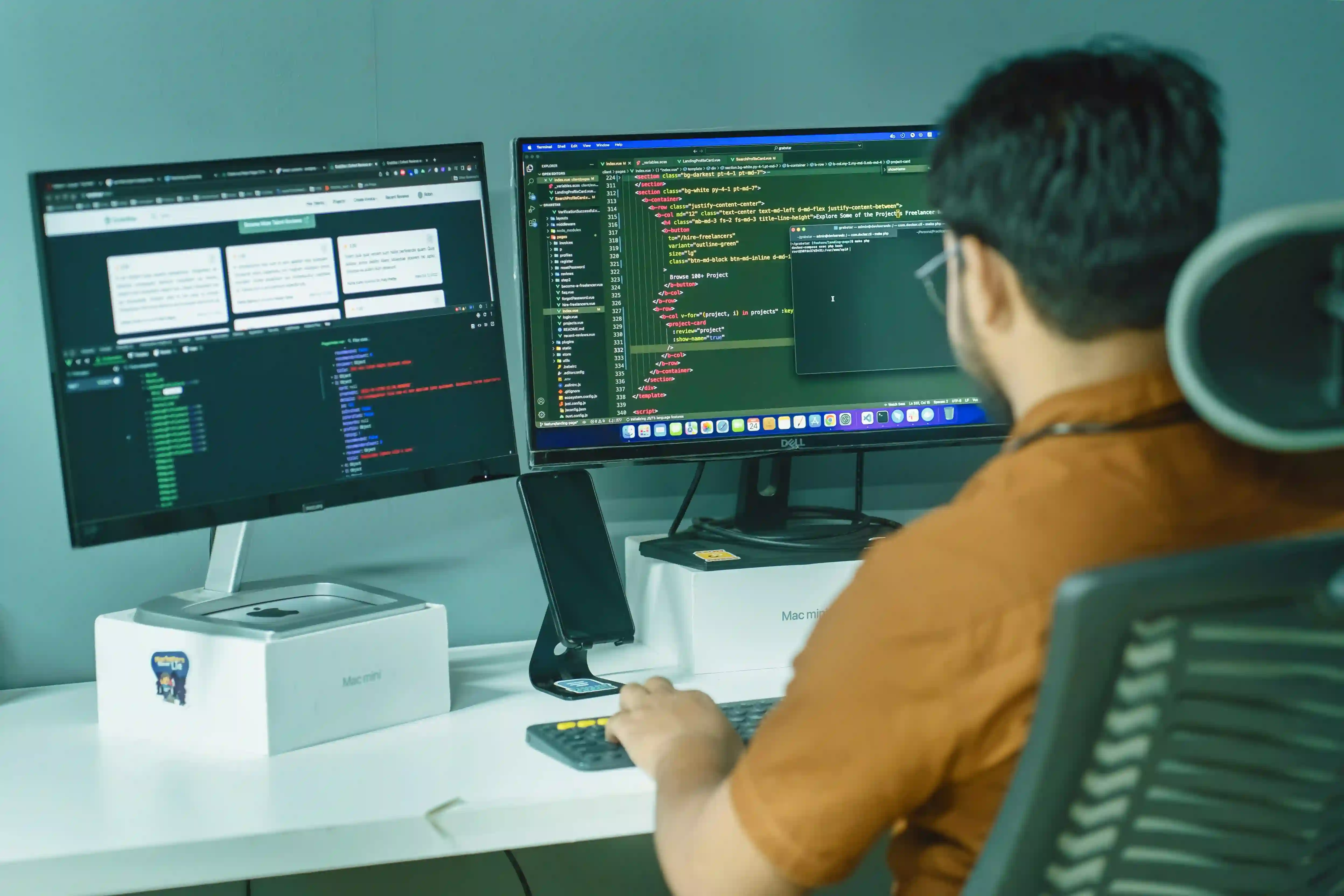
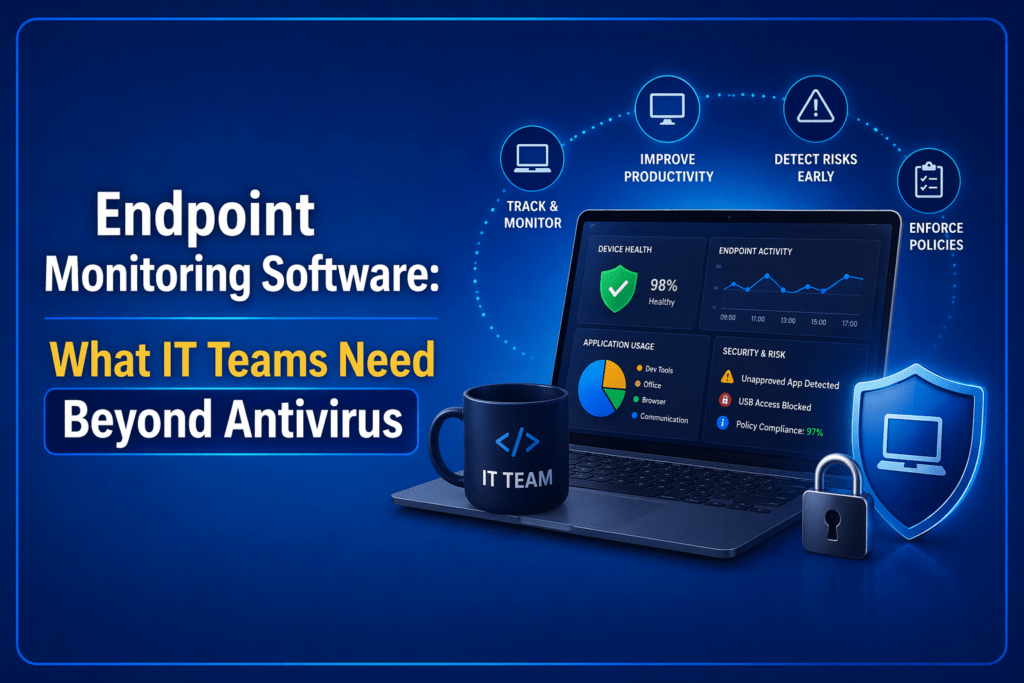
Endpoint monitoring software is the layer that helps your IT team continuously see what is happening across company devices. It monitors endpoints such as laptops, desktops, mobile devices, servers, VMs, and sometimes IoT devices. This software can track things like device health, patch status, suspicious activity, policy violations, remote support issues, and overall operational visibility.
For IT teams, endpoint monitoring software is not just “better antivirus.” It is a broader visibility layer across security, device health, policy enforcement, and day-to-day endpoint operations.
Antivirus is mainly a prevention tool. It looks for known malicious files, signatures, and common malware patterns to block threats before they run. Endpoint monitoring is a continuous visibility layer. It helps IT teams understand what is happening across devices over time, not just whether malware is present.
| Aspect | Antivirus Software | Endpoint Monitoring Software |
| Primary job | Prevent and block known malware | Give you continuous visibility into endpoint security, health, behavior, and operations |
| Core question it answers | “Is this file malicious?” | “Is this device healthy, compliant, behaving normally, and creating any security or operational risk?” |
| Main focus | File-based threat prevention | Ongoing monitoring across devices, users, apps, posture, and activity signals |
| Visibility level | Narrow | Broad and continuous |
| Threat detection style | Mostly signature-based and known-pattern detection | Often includes behavioral monitoring, alerts, anomaly detection, posture checks, and operational telemetry |
| What it usually catches well | Known malware, suspicious files, common viruses | Suspicious activity, patch gaps, posture issues, device drift, unauthorized apps, crashes, and usage-related risk signals |
| What it usually misses | Patch posture, device health, compliance gaps, remote access issues, user-side risk signals, and broader operational visibility | It may still need help from dedicated tools like EDR, UEM, or RMM depending on your use case |
| Coverage scope | Malware protection layer | Security + IT operations + policy visibility + remote endpoint oversight |
| Device health monitoring | Limited | Commonly includes health, performance, patching, and real-time device issues |
| Patch and posture visibility | Usually limited or separate | Common expectation in modern endpoint monitoring stacks |
| Remote troubleshooting support | Usually minimal | Often important for IT teams managing distributed endpoints |
| Policy and compliance monitoring | Basic at best | Often used to track policy adherence, compliance gaps, and audit readiness |
| Role in a modern stack | Foundational protection layer | Decision-making and visibility layer that sits beyond basic protection |
| Best fit | Teams that need baseline malware protection | Teams that need to monitor a growing endpoint estate across security, operations, and privacy-aware visibility |
Why Antivirus Is Necessary but No Longer Enough?
You do need antivirus to prevent malware attacks. But today, your endpoint estate is no longer limited to a few office desktops sitting behind a company firewall. You are dealing with remote laptops, hybrid devices, mobile endpoints, cloud-connected machines, virtual environments, and a growing mix of apps, identities, and access points.
Antivirus can tell you whether a known file or threat looks malicious. It usually cannot tell you whether a device is healthy, patched, compliant, or quietly creating risk in other ways.
For example, an antivirus does not usually show you:
- Which devices are falling behind on patches
- Which endpoints have recurring crashes or performance issues
- Where unauthorized software is being used
- Which devices are drifting out of policy
- Where remote troubleshooting problems are building up
In other words, antivirus helps with basic protection. It does not give IT teams the broader operational and security visibility needed to manage endpoints well.
But modern IT teams need more than basic threat prevention. Today’s endpoint monitoring software includes remote laptops, mobile devices, cloud-connected systems, and a wider range of operational and security risks. Antivirus helps with prevention, but it does not give you enough visibility into device health, patch status, compliance gaps, suspicious behavior, or support issues across your endpoint fleet.
That is why antivirus is still necessary, but no longer enough.
What IT Teams Actually Need Beyond Antivirus?

So what do IT teams actually need beyond antivirus?
- First, they need threat detection and response, because blocking known malware is not the same as detecting suspicious behavior, fileless attacks, or device activity that needs investigation.
- Second, they need patch and vulnerability visibility, so they can see where devices are exposed before those gaps turn into incidents.
- Third, they need device performance issues and health monitoring, because crashes, lag, connectivity problems, and device drift are often operational risks long before they become security problems.
- They also need remote troubleshooting and centralized visibility across distributed endpoints. That is especially important if your team supports hybrid employees, remote laptops, mobile devices, servers, or multiple office locations.
Beyond that, IT teams need software and usage visibility, policy and compliance monitoring, alerts and automation. Antivirus does not usually help much with the day-to-day operational layer, but endpoint monitoring is increasingly expected to.
Endpoint Monitoring vs EDR vs UEM vs RMM: What Problem Does Each One Solve?
Once you realize antivirus is not enough, the next question is usually: What do we actually need next?
At a high level, a modern stack usually has five layers:
- Antivirus or EPP for baseline prevention
- EDR for detecting and responding to threats
- UEM for managing devices and enforcing control
- RMM for remote support, patching, and operational maintenance
- Workforce analytics or usage monitoring for understanding how endpoints are actually being used, where productivity is drifting, and where policy risk is building up.
Each of these solves a specific problem.
Start with antivirus or EPP. This is your first line of defense. It focuses on known threats, signature-based detection, and basic prevention. It is necessary, but it is not designed to give you deep visibility or context.
EDR goes a step further. It focuses on behavior. It helps you detect suspicious activity, investigate incidents, and respond when something goes wrong. If antivirus is about blocking, EDR is about understanding and reacting to threats that slip through.
UEM is about control. It helps you manage devices, enforce configurations, push updates, and ensure compliance across your fleet. Think of it as the layer that keeps your environment standardized and governed.
RMM is operational. It helps you maintain systems day to day. That includes remote access, troubleshooting, patch deployment, and system health checks. If something breaks or slows down, this is the layer you rely on to fix it.
Then there is endpoint monitoring through workforce analytics and usage visibility. This is the layer most teams underestimate. It answers a different set of questions. Not just “Is this secure?” but “What is actually happening on this device?” You get insight into application usage, work patterns, idle time, and behavioral trends that do not show up in traditional security tools.
When you combine these layers, you move from a reactive setup to a complete system. You can prevent known threats, detect unknown ones, manage devices at scale, fix issues quickly, and understand how endpoints are actually being used.
What a Good Endpoint Monitoring Stack Looks Like for a Modern IT Team?
A good endpoint monitoring stack is not just “antivirus plus more tools.” It is a layered setup built around the problem you actually need to solve. The right mix depends on your environment:
Small Teams:
For a small internal IT team, a practical stack may be antivirus, lightweight endpoint management, remote support, patch monitoring, and simple usage visibility. That gives you enough coverage to keep devices healthy, troubleshoot issues quickly, and understand whether endpoints are being used as expected without overcomplicating the stack.
Mid-market Businesses:
For a mid-market hybrid company, the stack usually becomes more layered. You may need:
- antivirus or EPP,
- EDR for better threat visibility,
- UEM for policy and device control,
- RMM for remote support, and an operational visibility layer for app usage,
- attendance patterns, and
- productivity signals across distributed teams.
Compliance Heavy Large Organizations:
For a compliance-heavy organization, the stack needs stronger policy enforcement and audit readiness. In that case, antivirus alone is far too narrow.
You need endpoint visibility into posture, patch status, policy adherence, suspicious behavior, and user-side risk signals, and a privacy-aware monitoring tool so compliance does not slide into over-surveillance.
Which Endpoint Signals Matter Most in 2026?
In 2026, the most useful endpoint signals are the ones that help you catch both security risk and operational drift early.
The signals that matter most are:
- Patch lag and vulnerability exposure because delayed remediation is still one of the clearest predictors of avoidable endpoint risk. CISA’s 2025 incident lessons specifically call out vulnerabilities not being promptly remediated as a core failure point.
- Endpoint health signals such as repeated crashes, lag, failed updates, battery or resource issues, and connectivity instability, because these often show operational trouble before they become security or productivity problems.
- Unusual process behavior including abnormal parent-child process trees, unsigned processes calling out to the internet, unusual employee internet activity, persistence attempts, and suspicious command execution. CISA continues to treat running processes, parent-child process trees, scheduled tasks, and unusual outbound activity as key host artifacts.
- Unauthorized apps and remote tools because shadow IT and unapproved RMM tools remain a live risk. CISA specifically recommends auditing remote access tools, reviewing abnormal RMM execution, and blocking unauthorized portable tools.
- Location and access anomalies such as unusual login context, off-pattern access, or device use that does not match expected geography or behavior. That matters more in hybrid environments where identity, access, and endpoint posture are increasingly linked.
- Repeated idle, crash, and connectivity patterns because in a workforce-visibility lens, these are often the earliest signs of device neglect, workflow friction, misuse, or support bottlenecks rather than outright attacks.
- Suspicious file execution because antivirus still matters, but now it needs to be read alongside behavior, context, and device posture.
- Device inventory drift, including unmanaged devices, changed configurations, missing controls, or endpoints falling out of policy, because attackers increasingly look for unmanaged gaps rather than only obvious malware openings.
Where Flowace Fits in an Endpoint Monitoring Conversation?
Flowace fits best when your endpoint conversation moves beyond pure threat prevention and into workforce visibility, usage analytics, and productivity signals.
That means Flowace becomes relevant when you already have core endpoint security in place, but still lack visibility into app and website usage, ie, policy adherence, productivity signals, and manager-friendly dashboards and alerts. In other words, it fits when the question changes from “Is this endpoint under attack?” to “How is this endpoint being used, and what patterns should managers act on?”
At that stage, the gap is no longer about blocking threats. It is about understanding behavior, improving accountability, and making better operational decisions based on real usage data.
Key Features of Flowace
- Automatic Time Tracking: Captures work hours without manual input, giving you accurate, real-time visibility into how time is spent across tasks, apps, and projects.
- Application and Website Usage Insights: Uses predictive workforce analytics to exactly identify where time goes during the workday, helping you identify productive tools, distractions, and inefficiencies.
- Idle Time Detection with Context: Differentiates between true inactivity and legitimate work patterns like meetings or reading, reducing false signals.
- Productivity Analytics and Trends: Provides clear insights into focus time, work patterns, and productivity shifts across teams, roles, and time periods.
- Attendance and Work Pattern Monitoring: Tracks login time by replacing biometric attendance with automatic attendance tool, work duration, and consistency to help you understand attendance behavior in hybrid and remote setups.
- Manager-Friendly Dashboards: Converts raw activity data into simple, actionable insights that managers can actually use without deep technical analysis.
- Policy and Compliance Visibility: Helps you monitor adherence to work policies, identify anomalies, and maintain audit-ready records.
- Real-Time Alerts and Notifications: Flags unusual behavior, productivity drops, or policy deviations so you can act early instead of reacting later.
- Project and Task-Level Visibility: Connects time and activity data to specific projects, helping you understand effort distribution and improve planning.
- Privacy-First Monitoring Controls: Focuses on transparency and configurable tracking, so you can balance visibility with employee trust.
When you layer Flowace on top of your existing endpoint stack, you are not replacing security tools. You are adding the missing context that helps you understand how work actually happens across your endpoints and where you need to act.
Final Thoughts
Antivirus is still essential, but it is not enough on its own because, you are not just dealing with malware anymore. You are managing remote endpoints, patch gaps, device health issues, unauthorized tools, compliance risks, and productivity blind spots that traditional antivirus was never built to surface. If you rely only on antivirus, you only see a small part of what is actually happening across your environment. Endpoint monitoring gives you the visibility to understand real activity across devices. It helps you spot patterns, gaps, and risks earlier, before they turn into larger problems.
For this, you need a broader stack. You need tools that help you prevent threats, detect unusual behavior, manage devices at scale, support distributed teams, and understand how endpoints are actually being used day to day.
Flowace fits into this as the visibility layer beyond core security. It helps you see app usage, attendance trends, productivity patterns, and policy adherence so you can act on real behavior instead of assumptions.
If you want deeper visibility into how work actually happens across your endpoints, you can explore how Flowace approaches privacy-aware monitoring and gives your team the context needed to improve productivity, accountability, and compliance beyond antivirus.
Book your free demo with Flowace today or start your free trial now to see how Flowace fits into your workflow.
FAQs:
How is endpoint monitoring different from antivirus?
Antivirus focuses on blocking known malware using signatures. Endpoint monitoring focuses on visibility. It helps you understand device behavior, detect anomalies, track performance issues, and identify risks that antivirus cannot see.
Is antivirus still necessary if you have endpoint monitoring?
Yes. Antivirus is still a foundational layer for basic threat prevention. Endpoint monitoring does not replace it. Instead, it complements antivirus by adding visibility, context, and operational insights.
What risks does antivirus fail to detect?
Antivirus often misses fileless attacks, misuse of legitimate tools, patch gaps, device misconfigurations, unauthorized applications, and unusual user behavior. These are increasingly common in modern environments.
Why is endpoint visibility important for IT teams?
Without visibility, you are reacting after issues occur. With endpoint monitoring, you can spot patterns, detect early warning signs, enforce policies, and make better decisions based on real-time data.
Can endpoint monitoring help with compliance and audits?
Yes. It helps track policy adherence, maintain audit logs, monitor device posture, and identify compliance gaps. This is especially useful for organizations with regulatory requirements.
What are the most important endpoint signals to monitor?
Key signals include patch status, device health, unusual activity, unauthorized software, access anomalies, and usage patterns. These help you detect both security risks and operational inefficiencies early.
Does endpoint monitoring impact employee privacy?
It depends on how it is implemented. Modern tools offer privacy-aware controls, transparency, and configurable tracking so you can balance visibility with employee trust.
Who should use endpoint monitoring software?
IT managers, security teams, MSPs, and organizations managing remote or hybrid workforces benefit the most. It is especially valuable when you need both security visibility and operational insight across endpoints.