Key Takeaways:
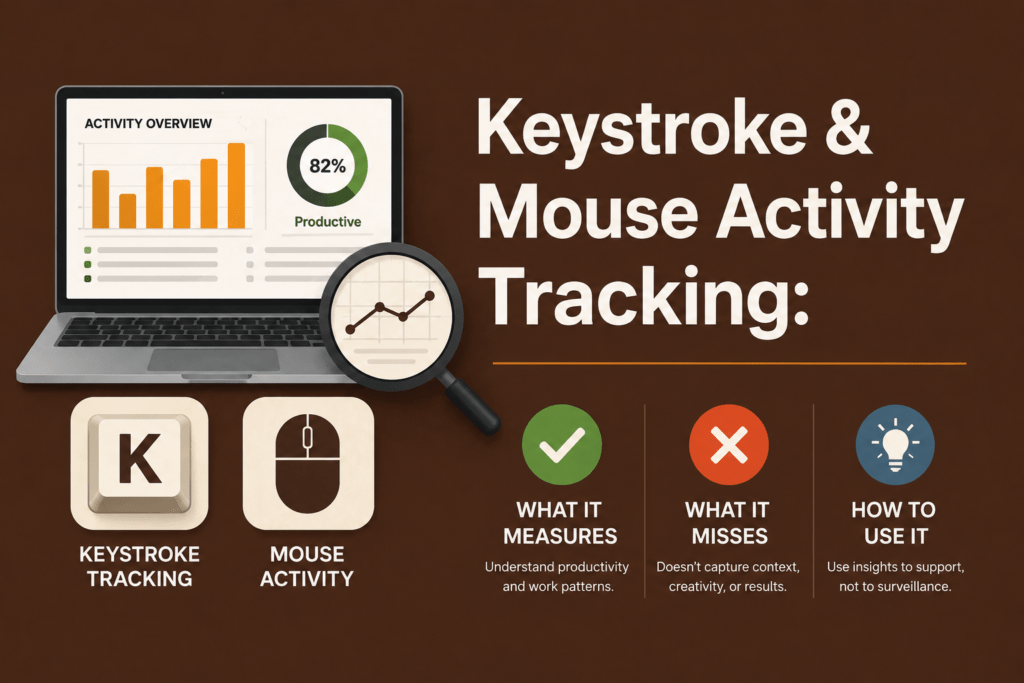
- Keystroke and mouse activity tracking measures interaction, not productivity. It shows when someone is active, not whether the work is meaningful or valuable.
- Activity is a signal, not a score. Treat it as an input for analysis, not a final judgment of performance.
- More activity does not equal better output. High clicks or typing can still result in low-value or unproductive work.
- Low activity does not mean low productivity. Deep thinking, meetings, and offline work often appear as idle time but can be highly valuable.
- Mouse movement alone is unreliable. It can reflect browsing, distraction, or even artificial activity from mouse jiggler tools.
- Context is what makes activity data useful. Apps, websites, projects, tasks, and screenshots are essential to interpret behavior accurately.
- High activity can create a productivity illusion. Without context, busy work, app switching, or distractions can look like meaningful output.
- Project and task alignment matters. Time data becomes valuable only when linked to deliverables, priorities, and business outcomes.
- Patterns matter more than moments. Trends over time reveal workload issues, burnout risks, or disengagement better than isolated activity spikes.
- Responsible monitoring builds trust. Transparency, privacy controls, and combining activity with outcomes prevent micromanagement and improve fairness.
A mouse moving, keys being pressed, and screens staying active can suggest someone is engaged, but they do not reveal the full story. Was the person solving a complex problem, reading carefully, thinking deeply, or just clicking around? That gap is exactly why keystroke and mouse activity tracking is so appealing — and so easy to misunderstand.
In this guide, we will break down what it actually measures, where it falls short, and how to use it without damaging trust.
What Is Keystroke And Mouse Activity Tracking?
Keyboard and mouse activity tracking shows whether an employee is interacting with their computer. It does not automatically show whether the employee is doing meaningful or productive work.
It usually measures:
- Keystroke activity tracking counts the frequency or intensity of key presses, without capturing the content of what was typed. It helps you understand when someone is typing and the overall activity level.
- Keylogging, by contrast, records every character entered, including passwords and private messages. This invasive practice raises serious legal and ethical concerns and should be avoided except in narrow, regulated contexts.
Mouse Activity Tracking Vs Productivity Tracking
Mouse tracking measures movement, clicks, and scrolls. It tells you whether the cursor is moving, but it cannot prove that useful work is happening. High mouse movement may simply indicate browsing or playing games. Low movement could occur during deep thinking or meetings. To understand productivity, you need context from apps, websites, projects, tasks, and outcomes.
What Does Keystroke And Mouse Activity Tracking Measure?
Activity data is best understood as an input signal. It’s useful for identifying patterns, but shouldn’t be treated as an outcome. Here’s what it measures:
Keyboard Activity
Activity trackers log when keys are pressed and how frequently. By aggregating these signals you can see active work sessions, gaps or periods when no typing happens. For example, a call‑centre agent might type continuously during chats, while a developer may type in bursts separated by thinking time.
Mouse Movement And Clicks
Trackers record cursor movement, clicks and scrolls. They detect when someone is navigating or scrolling through a webpage. Abnormal patterns – such as movement without clicks – may indicate idle time or the use of mouse jiggler devices that simulate activity.
Active Time And Idle Time
Most tools define active time as periods when the keyboard or mouse registers input within a certain window (e.g., 5 minutes). Idle time begins after a configured inactivity period, such as no movement for 3 minutes. According to remote‑work research, remote workers report a 13% productivity increase and hybrid teams are 5% more productive, but the difference appears only when measured alongside output rather than just presence.
Activity Levels Alongside Screenshots
Some platforms, including Flowace, pair activity logs with periodic screenshots. This helps you verify whether the activity aligns with work‑related applications. For instance, Flowace can show mouse and keyboard activity next to a screenshot of an Excel spreadsheet, making it clear whether the user is working on a report or browsing social media.
Work Patterns Over Time
Aggregated activity data reveals start and end times, long idle periods, repeated inactivity, workday rhythms and unusual behaviour. For example, multiple late‑night sessions might indicate overtime or burnout risk. In 2026, a study reported that up to 58 % of employees miss productivity targets and face an average of 275 interruptions per day. Looking at patterns helps you identify if interruptions or context switching are affecting your team.
What Keystroke And Mouse Activity Tracking Misses
Activity tracking misses many crucial aspects of work:
It Misses Deep Thinking
Not all productive work involves constant clicking. A developer may spend 20 minutes thinking through a complex algorithm before typing one line of code. A manager may brainstorm a strategy on paper. These moments can be the most valuable parts of the day, yet appear as idle time.
It Misses Meetings And Calls
When you are on a client call, presenting or listening, you may not be typing or moving the mouse. Research shows 53% of remote‑capable workers are hybrid, so meeting‑heavy schedules are common. Flowace allows you to define meeting apps (Zoom, Google Meet) that should not flag idle time. You can also manually add meeting minutes to ensure accurate timesheets.
It Misses Offline Work
Many jobs involve reviewing physical documents, taking handwritten notes, whiteboarding or attending in‑person meetings. Activity trackers will register this as idle time. Flowace lets employees enter manual time entries for offline tasks and syncs with calendars to capture meeting durations.
It Misses Work Quality
You can type furiously but produce meaningless code or sloppy documentation. Activity data cannot evaluate the quality of output. Managers need to look at deliverables, client feedback and project milestones to assess value.
It Misses Business Impact
Activity signals say nothing about revenue, client satisfaction or project priority. Two hours of high activity on a low‑priority internal task may not contribute as much as one hour on a high‑value client deliverable. That’s why Flowace links time to projects and categorises it as billable or non‑billable.
The Productivity Mirage: When High Activity Looks Better Than It Is

High activity can create a false sense of productivity. Here’s how:
High Activity On Unproductive Apps
Someone may be constantly active on social media, YouTube or personal chat tools. A survey found that 41% of work time is spent on tasks with little or no value. If you only look at activity levels, you might mistake unproductive browsing for focused work. Flowace tracks app and website usage and classifies them as productive, unproductive or neutral. This lets you see whether high activity correlates with value creation.
Constant App Switching
Frequent switching between apps may signal distraction or multitasking overload. Employees face an average of 275 interruptions per day, and wasted time context‑switching costs companies billions. Trackers that only measure keystrokes might consider this constant switching “productive”. Contextual data helps you see if tasks progress or if employees are simply stuck in a cycle of interruptions.
Mouse Movement Without Work Progress
Mouse‑jiggler devices and software can simulate movement to prevent idle detection. Although no major study quantifies their prevalence, many employee monitoring tools detect unnatural patterns, such as constant micro‑movements with no clicks or keystrokes. If you rely solely on raw movement, you may be fooled.
Active Time Without Project Or Task Context
Knowing that someone was active for eight hours doesn’t tell you what they worked on. Without project tags or tasks, you can’t tell whether the hours were billable. Flowace links activity to projects, tasks and clients so you can see where time was spent and whether it aligns with priorities.
The Activity Context Stack: How To Read Activity Data Correctly
To use keyboard and mouse data effectively, you need to add layers of context. This “activity context stack” helps you interpret signals intelligently:
| Context layer | What it tells you |
| Keyboard and mouse activity | Whether digital interaction happened |
| Active vs idle time | Whether the user was continuously interacting with the device |
| Apps and websites | Where the activity happened (productive vs unproductive tools) |
| Screenshots | What was visible during the work session |
| Project and task time | Which client, project or task the time belonged to |
| Attendance and timesheets | Whether hours match expected schedules |
| Manual time | Whether offline or meeting work was added |
| Alerts and trends | Whether the issue is isolated or repeated (burnout alerts, idle alerts) |
In a tool like Flowace, you can connect activity data with app usage, screenshots, project time, attendance, manual entries and alerts. Flowace helps you connect all the dots so that you’re not judging work based on movement alone.
How To Use Keystroke And Mouse Activity Tracking Responsibly
Monitoring can feel intrusive if done carelessly. Here’s how you can implement it ethically:
Be Transparent About What You Track
Employees deserve to know what is being measured and why. Communicate your policy upfront: explain that you track activity levels (not content) and use the data to understand workload, plan resources and improve fairness. In some jurisdictions, you may need written consent to monitor employees.
Do Not Treat Activity As The Only Performance Metric
Combine activity data with outcomes, task completion, quality and client feedback. A 2026 survey showed that only 26 % of organisations believe managers are effective at enabling performance. Relying solely on activity can worsen that statistic. Use activity as a trigger for conversations, not a verdict.
Use Trends, Not Isolated Minutes
A single idle period may reflect a meeting, break or brainstorming session. Patterns matter more: repeated long idle periods or late logins may signal disengagement or employee burnout. Combine activity logs with other signals such as project progress or missed deadlines.
Give Employees A Way To Explain Legitimate Offline Work
Encourage manual time entries for offline tasks. Have a clear process for adding meeting minutes and offline research. This reduces mismatches and fosters trust.
Use Privacy Mode And Work Mode Where Possible
Flowace offers privacy mode and work mode. Privacy mode suspends monitoring when employees are off the clock or performing personal tasks, while work mode captures activity only during defined hours. This ensures work‑life balance and prevents over‑tracking.
How Flowace Helps You Use Activity Data With Context
Flowace is an AI‑powered time tracking and productivity platform designed for mid‑sized service businesses, BPOs and hybrid teams. Instead of reducing employees to clicks and keystrokes, Flowace uses the activity context stack to provide a holistic view of work. Here’s how:
From Raw Movement To Productivity Context
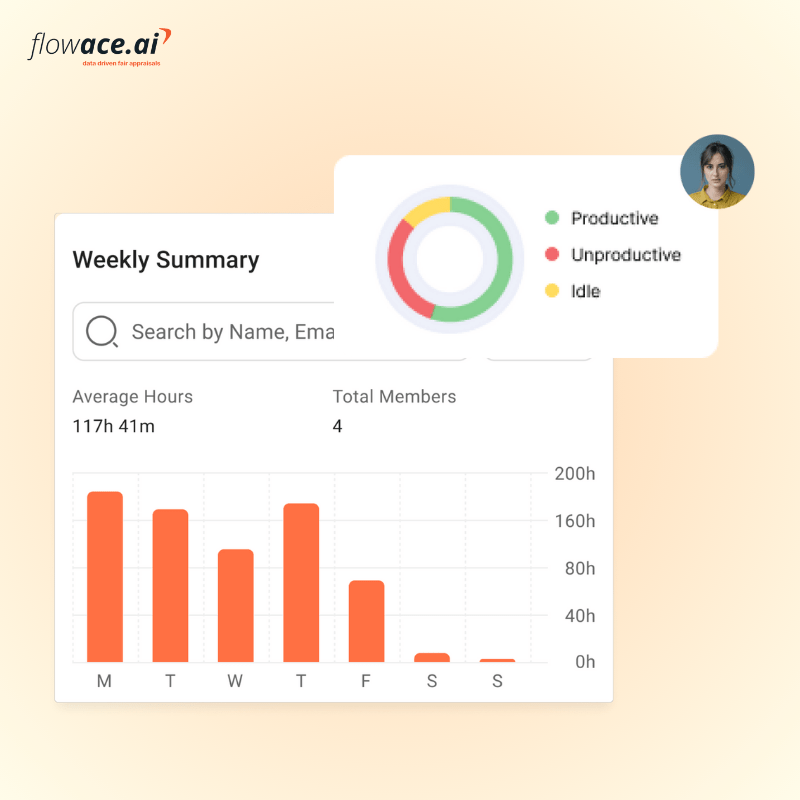
Flowace records keyboard and mouse activity, but it also tracks apps and websites, screenshots, projects, tasks, attendance and manual time. It categorises time as productive, unproductive or neutral and provides daily, weekly and monthly productivity reports. You can see at a glance where hours are spent and whether they are billable.
From Idle Time To Better Workload Visibility
The platform highlights active vs idle time for each employee and sets burnout alerts when someone works excessive hours. Break notifications encourage healthy working patterns. Managers can redistribute workload to prevent burnout and ensure fair task distribution.
From Monitoring To Accountability Without Micromanagement
Flowace offers privacy mode for personal time and supports work mode during defined hours. Employees can see their own dashboards, fostering trust. Managers get real‑time dashboards and alerts without reading raw logs. This aligns with Flowace’s promise: “Track your team’s time without micromanaging”. Flowace pricing is straightforward: Flowace offers a 7‑day free trial and tiers starting from about $2.99/user/month for core features, with premium tiers offering keyboard and mouse activity and deep analytics.
Final Takeaway: Use Activity Data To Ask Better Questions
Keystroke and mouse activity tracking is a helpful signal but an incomplete measure. It shows when someone interacted with their device, not whether the work was valuable, focused, billable or complete. In today’s hybrid workplaces, where only 20% of employees are engaged and remote/hybrid teams are more productive when managed correctly, you need to look beyond raw activity. Combine signals from apps, websites, projects, tasks, manual entries, attendance and alerts to understand the full picture. Tools like Flowace provide this context, allowing you to protect privacy, reduce manual admin, prevent burnout and deliver better business outcomes.
Ready to see how context‑rich activity tracking can help you? Start your free 7‑day Flowace trial or book a demo to discover how you can improve productivity and fairness without micromanaging.
FAQs:
What is keystroke and mouse activity tracking?
Keystroke and mouse activity tracking measures keyboard input, mouse movements, clicks and scrolls to see whether someone is interacting with their device. It helps you understand active and idle time but does not show what work was done or how valuable it was.
Is keystroke and mouse activity tracking the same as keylogging?
No. Keystroke activity tracking counts the frequency or intensity of key presses, while keylogging records every character typed, including sensitive information. Ethical monitoring uses the former and avoids storing content.
Can mouse movement prove someone is working?
No. Mouse movement only proves that the cursor was moving. People can use mouse jigglers or move the mouse while doing unrelated activities. You need context from apps, websites and tasks to evaluate work.
Can employees appear idle while doing real work?
Yes. Meetings, calls, deep thinking, reading and offline tasks can all look idle because there is minimal input. Tools like Flowace allow manual time entries and meeting rules to avoid penalising legitimate idle periods.
How should you use keyboard and mouse activity data?
Use it as a signal, not a score. Combine it with data on apps, websites, projects, tasks, screenshots, attendance, manual time and trends. Always discuss patterns with employees before acting.
Is keyboard and mouse tracking useful for remote teams?
Yes – when used transparently and with context. It helps managers see whether employees are working, identify distractions and spot burnout. However, it must be paired with clear policies and privacy controls to build trust.
What should you look for in activity tracking software?
Look for tools that provide activity‑level tracking (not keylogging), app and website reports, configurable screenshots, manual time, project tracking, automated attendance, alerts, and privacy controls. Avoid tools that only count keystrokes without context.
How does Flowace help with keyboard and mouse activity tracking?
Flowace captures keyboard and mouse activity and pairs it with app usage, screenshots, project time, attendance, manual entries and alerts. This gives managers and employees a clear view of productivity patterns without invasive keylogging.