9 Best Apploye Alternatives for 2026: Time Tracking Software That Delivers More Value
Try Flowace now and feel the impact immediately.



Key Takeaways:
- Many teams outgrow Apploye due to limited reporting, integrations, and rigid idle detection.
- Apploye’s idle-time tracking can mislabel meetings or collaborative sessions as unproductive, frustrating users.
- Many teams outgrow Apploye due to limited reporting, integrations, and rigid idle detection.
- Apploye’s idle-time tracking can mislabel meetings or collaborative sessions as unproductive, frustrating users.
- Choose tools with strong integrations (Jira, Slack, payroll) to avoid double data entry and speed adoption.
- Pick by use case: Hubstaff/QuickBooks Time for field payroll; Harvest for agency invoicing; Toggl/Clockify for lightweight tracking.
- Try before you buy: use free trials to test real workflows — and consider Flowace’s 7-day trial or a live demo.
You’ve probably landed on this article because Apploye isn’t hitting the mark for your team.
Maybe the pricing feels steep when you really break down what you’re getting. Maybe the interface feels clunky compared to what you expected. Or perhaps you’re hearing from your team that the monitoring feels too invasive, and you want something that balances visibility with trust.
Or you’re simply evaluating the top tools to future-proof your time tracking for 2026.
Either way, we’ve put together everything you need to know about the best Apploye alternatives for 2026.
Why Trust Us?
We evaluate each product rigorously based on authentic user reviews from trusted platforms (G2, Capterra, TrustRadius), and real-world implementation scenarios. Our analysis is grounded in what actual users report and what the product delivers in practice.
How Have We Curated This List of Best Apploye Alternatives?
Our team selected these 9 alternatives based on:
- Usability & UX: How intuitive is the platform for managers and employees?
- Feature depth: Does it go beyond basic time tracking to deliver strategic insights?
- Integration ecosystem: Can it connect seamlessly with your existing tech stack?
- Pricing transparency: Are there hidden costs, or is pricing straightforward?
- Customer satisfaction: What do real users say across independent review platforms?
- Market relevance: Is it actively maintained and updated for 2025–2026?
When would Apploye be the right choice for you?
Before exploring alternatives, it’s important to understand what Apploye actually brings to the table. Apploye is a cloud-based time tracking and employee monitoring platform designed for businesses that need visibility into how their teams spend their working hours.
It combines time tracking, activity monitoring, screenshot capture, project management, and basic payroll features into a single dashboard. It also supports project/task management, client invoicing, productivity metrics, and app/URL tracking.
Apploye is a strong fit if you:
- Run a small to mid-sized team and need a simple, all-in-one time tracking and monitoring tool without heavy setup.
- Prefer built-in screenshots and activity monitoring to maintain accountability for remote or hybrid workers.
- Need lightweight project tracking and client billing within the same platform.
- Manage distributed teams and want clear visibility into attendance, productivity, and time allocation.
- Operate in service-based industries where accurate time logs directly impact billing and profitability.
Why Should You Consider Apploye Alternatives?
If Apploye feels too basic, too intrusive (or not intrusive enough), or its pricing doesn’t match your needs, it makes sense to consider alternatives.
Some of the common reasons teams look beyond Apploye include:
Limited Or Rigid Reporting
Multiple Capterra and Jibble-style reviews note that Apploye’s reporting lacks depth and flexibility, making it hard to export timesheets in a way that clearly shows tasks or supports advanced analysis.
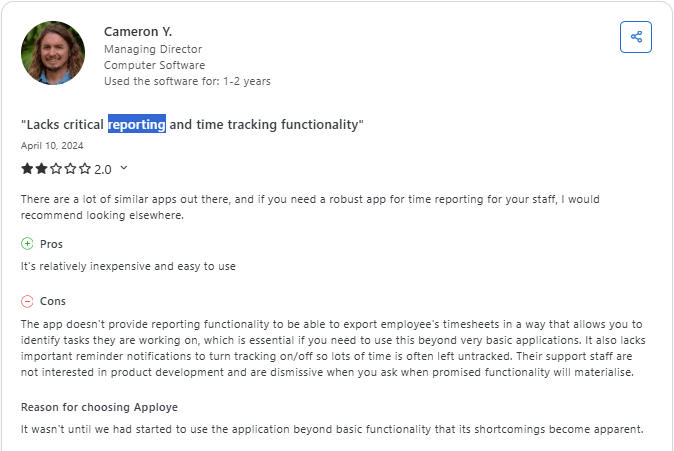
Some users only discovered these limitations after trying to move beyond basic time tracking, which they felt exposed shortcomings in analytics and reporting detail.
Integration And Ecosystem Gaps
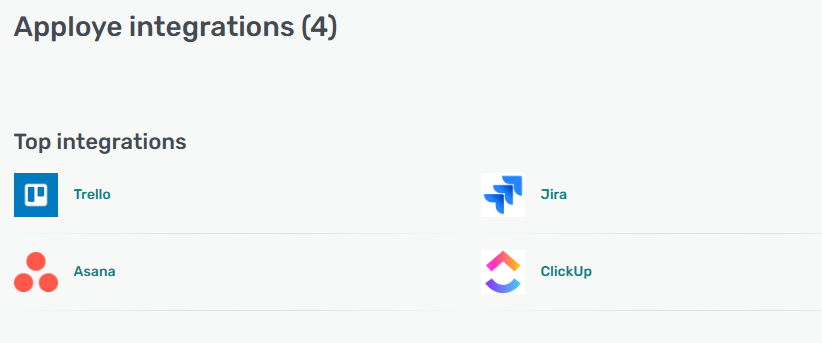
Apploye offers fewer native integrations than leading competitors, which can be a blocker for teams wanting tight connections with project management, HR, or accounting tools.
Idle-Time Detection Often Feels Unfair
Some users find it frustrating that Apploye’s idle-time detection kicks in even during active collaboration. The system marks low keyboard or mouse activity as “idle.”

This becomes a problem during team discussions or strategy huddles. As a result, meeting-heavy or strategy-focused work is often misclassified.
Comparison Table: The Top 9 Apploye Alternatives at a Glance
| Product | Key Features (short) | Ease of Use | Performance | Collaboration | Pricing (indicative) | Free Trial / Free Tier | Best for |
| Flowace | Auto time & attendance, silent monitoring, productivity scoring, shift & leave management, app/website tracking | High | High | Medium | $1.99–$6.99 /user-mo (annual) — $2.99–$10/user-mo (monthly) | 7-day free trial (no CC); free demo | All-in-one productivity + billing insights for SMBs & scaling teams |
| Time Doctor | Auto/manual timers, screenshots, activity & distraction alerts, payroll exports | Medium | High | Low | ~$6.67–$20 /user-mo (depends on tier) | Free trial available | Teams needing audit-ready proof-of-work and deep activity logs |
| Hubstaff | Time + GPS, geofencing, scheduling, payroll & invoicing, screenshots | Medium | High | Medium | $4.99–$12 /user-mo (plans; min seat rules apply) | Free trial / free demo | Field & mobile teams that require GPS and payroll integrations |
| Time Champ | Automatic tracking, screenshots, productivity analytics, attendance & offline mode | High | High | Medium | $2.99–$9.99 /user-mo (typical tiers) | Free trial available | Remote knowledge teams wanting strong auto-timesheets + analytics |
| ActivTrak | Automatic app/website tracking, privacy-first analytics, benchmarking, coaching tools | High | High | Medium | Free → $10–$19 /user-mo (tiered plans) | Free tier (limited); paid trials | Privacy-focused workforce analytics and behavior insights |
| Insightful (Workpuls) | AI time-mapping, auto timesheets, screenshots on rules, process analytics | High | High | Medium | ~$6.40–$12 /user-mo (entry → analytics) | Free trial / contact sales | Teams wanting AI-driven allocation & process improvement |
| Harvest | Manual timers, expense tracking, budgets, invoicing & project profitability | High | High | High | ~$11–$17.50 /user-mo (plans) | 30-day free trial; free single-user plan | Agencies & consultancies focused on billing and project profit |
| Toggl Track | One-click timers, idle detection, tags, calendar sync, simple reports & Pomodoro | Very High | High | High | Free → $6–$10 /user-mo (paid tiers) | Free tier (up to 5 users); paid trial | Creative teams & freelancers who prefer lightweight, trust-based tracking |
| Clockify | Manual timers, unlimited users/projects (free), basic reports, approvals & export | Very High | High | High | Free → $5.49+/user-mo (paid tiers) | Free (unlimited users); paid upgrades | Budget-conscious orgs needing simple, unlimited-user time logging |
Best 9 Apploye Alternatives: In-depth Analysis
To help you make an informed decision, we’ve evaluated the market’s leading platforms based on core functionality, monitoring transparency, ease of use, customization, and pricing flexibility.
Here are the 9 best Apploye alternatives, backed by real-world performance:
1. Flowace
Flowace is a powerful Apploye alternative that gives you an AI-driven, automated approach to time tracking and productivity management. With Flowace, you can track work, understand productivity patterns, and manage attendance without overloading your team with manual tasks or creating a culture of constant surveillance.
By combining automatic timesheets, employee productivity insights, and workforce analytics into a single platform, Flowace makes it easier for you to see how work truly happens.
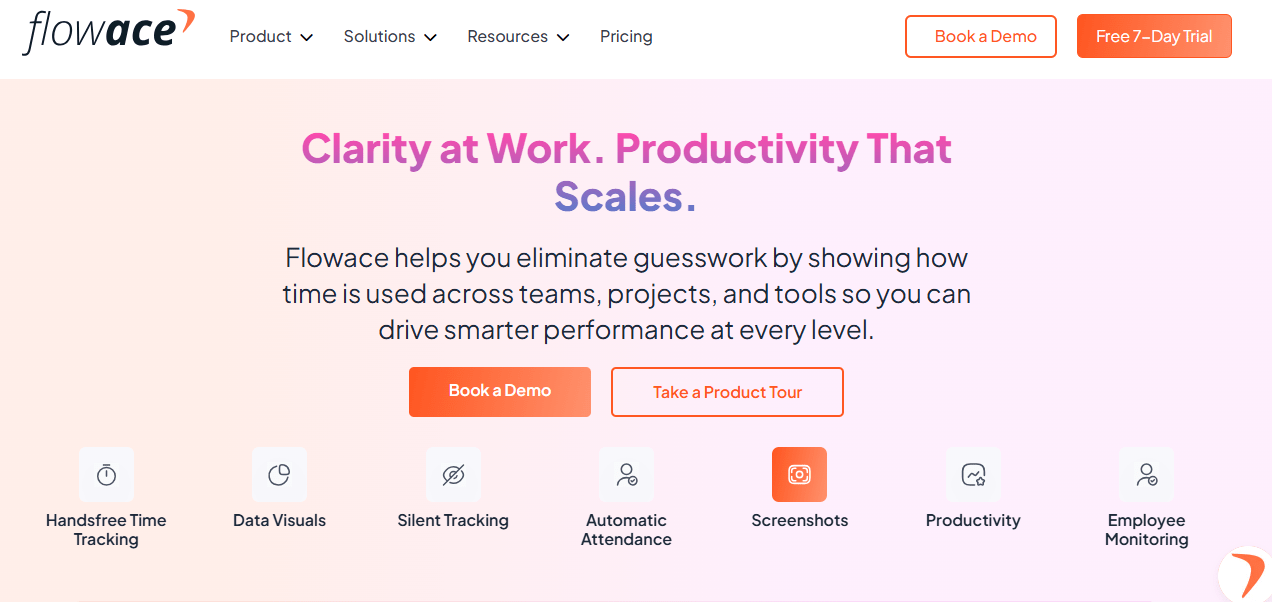
Flowace stands apart from Apploye by offering a more advanced, automation-driven approach to time tracking and productivity insights. It bundles attendance, shift management, alerts, and workforce analytics into one platform—features that often require plan upgrades in Apploye.
Key Features:
- Privacy-aware monitoring with configurable tracking and Privacy Mode.
- Flexible idle-time handling with customizable idle detection and the option to ignore idle time during meetings.
- Productivity classification that categorizes activities as productive, unproductive, or neutral.
- Built-in attendance tracking with auto clock-in/out, shifts, overtime, leave management, and approval workflows.
- Customizable alerts for late starts, idle time, unproductive patterns, burnout, and productivity spikes.
- Advanced workforce analytics offering team/individual insights, work-life balance metrics, workload distribution, and activity patterns.
Pros:
- Flowace automatically tracks usage across apps, websites, and documents with 1-second-precision logs, without needing to start or stop timers.
- Unlimited users and projects, even on the Basic plan, making scaling affordable.
- Privacy-aware monitoring with silent/interactive modes, customizable screenshots, app categorization, and meeting-idle exclusions.
- Strong onboarding & support with guided training and dedicated account managers on higher plans.
Cons:
- Some advanced features are Premium-only, including keyboard/mouse analytics, connectivity reports, exec dashboards, and automatic user provisioning.
- Highly detailed reporting can feel overwhelming at first, requiring some setup to tailor dashboards for different teams.
Pricing:
- Flowace starts far cheaper than Apploye, with plans beginning at $2.99/user/month compared to Apploye’s $7/user/month.
- Flowace delivers more features in lower tiers, such as screenshots, silent tracking, productivity insights, and unlimited projects.
- While Apploye’s pricing jumps by 71% between Elite ($7) to Power ($12), Flowace maintains incremental and predictable upgrades, making scaling more cost-efficient.
- Unlike Apploye’s rigid tier-bundled structure, Flowace provides balanced feature distribution, reducing the need to upgrade just for a single essential capability.
Ratings:
2. Time Doctor
Time Doctor is designed to give you a much deeper level of insight into how your team spends its time. While Apploye covers the essentials (time tracking, screenshots, and simple budgeting), Time Doctor goes a step further. You get access to highly detailed activity analytics, distraction alerts, and strong proof-of-work features that help you manage even fully remote teams.
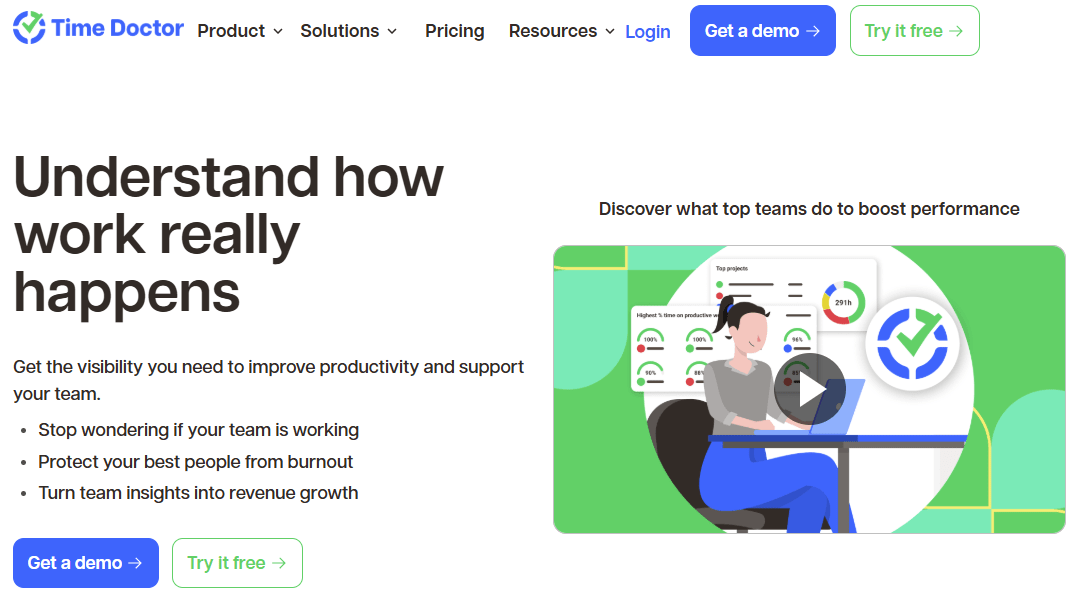
If you’re looking for a more advanced and data-driven alternative to Apploye, Time Doctor is a good choice.
Key Features:
- You can see exactly which apps, websites, and tasks your team is working on, so you know where the team spends most of their time.
- Optional screenshots, screen recording, and activity level tracking help you provide proof-of-work for clients or management.
- You can monitor billable hours separately to refine estimates, protect margins, and improve project profitability.
Pros:
- Configurable screenshots, app and URL tracking, and detailed activity logs allow you to audit exactly what your team is doing during paid hours.
- Ideal for clients or environments that require documented activity, with logs, screenshots, and detailed reports.
- Works with 60+ tools, including project platforms, help desks, payroll, and billing software, so your workflows remain intact.
Cons:
- Team members juggling multiple tasks must remember to switch tasks in the system.
- User feedback shows the mobile app is less polished than the desktop experience, which can impact adoption for mobile-heavy teams.
- As your business scales, it becomes expensive for larger teams.
Pricing:
- Doctor uses a per-user model with three main tiers. The basic tier starts at $6.67/user/month.
- Smaller teams on a tight budget may prefer Apploye, while teams needing detailed audit-ready insights get more value from Time Doctor.
- On a 20-person team, moving from Apploye Standard (~$5/user) to Time Doctor Standard (~$10/user) roughly doubles your annual spend, so you should ensure the extra visibility justifies the cost.
Ratings:
Note: If Time Doctor feels too rigid or overkill for your team’s culture, explore these top Time Doctor alternatives for a better balance of accountability and trust.
3. Hubstaff
Hubstaff is a comprehensive Apploye alternative that goes beyond basic time tracking. It helps you monitor your team across desktop, mobile, and in the field, offering features like GPS tracking, geofencing, scheduling, payroll, and detailed activity analytics.
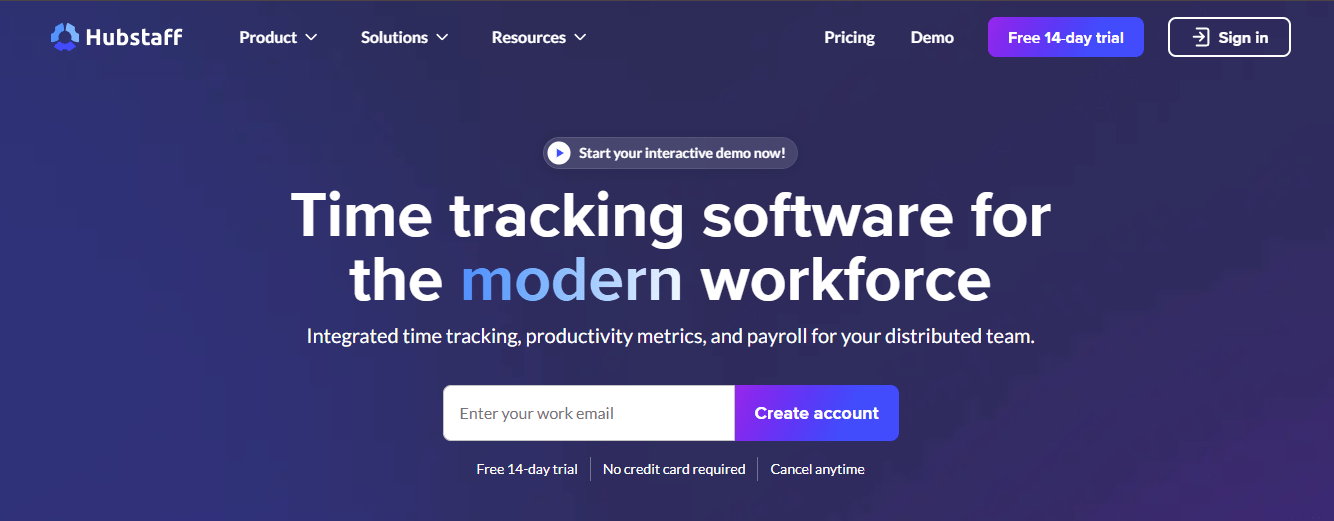
Apploye sticks mostly to desktop time tracking, screenshots, and light GPS. Whereas, Hubstaff adds geofencing, stronger payroll integrations, and shift management to its feature bundle, giving you a more complete workforce management solution.
Key Features:
- You can see who’s working, from where, and on what, with features like GPS tracking, geofenced job sites, app/URL monitoring, and optional screenshots.
- Shift planning, time-off management, and attendance reports help you keep staffing and labor costs aligned without juggling multiple tools.
- While Apploye focuses on desktop time tracking with basic GPS, Hubstaff is ideal if you manage remote, hourly, or field teams needing GPS, scheduling, and deeper integrations.
Pros:
- Connects with 30+ tools, including Trello, Asana, Jira, QuickBooks, Xero, and payroll systems, automating workflows more than Apploye’s smaller integration catalogue.
- Hubstaff has a long track record, frequent updates, and extensive third-party resources.
Cons:
- You’re required to pay per user with a 2-seat minimum, which can be limiting for smaller teams.
- When you add seats mid‑cycle (especially on annual plans), you’re charged a prorated fee for each new seat through the end of that billing period.
- Several long‑time customers describe being charged for “new seats” after deactivating old users and replacing them with new ones, with bills that felt unpredictable and hard to reconcile.
Pricing:
- Hubstaff costs a bit higher than Apploye, starting at $7/seat/month.
- The key features like unlimited screenshots, full tracking, payroll, and scheduling appear at the Team tier ($12/user), which is ignificantly higher than Apploye’s mid-tier plans.
Ratings:
Note: If Hubstaff’s approach works but you’re exploring similar platforms, check out these strong Hubstaff alternatives.
4. Time Champ
If you’re looking for an Apploye alternative that leans harder into productivity analytics and deep monitoring, Time Champ is the right fit for you.
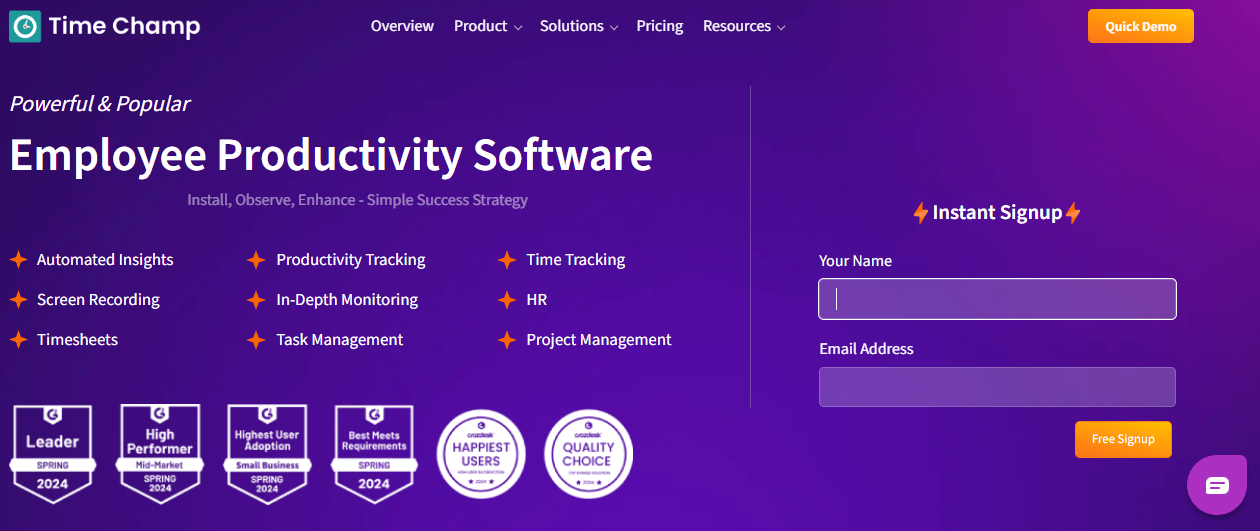
Time Champ goes further than Apploye with features like live video/screenshot monitoring, keystroke tracking, burnout indicators, and granular productivity scoring, while still staying surprisingly competitive on price.
Key Features:
- Automatic time tracking tied to projects and tasks, so you see where hours actually go instead of relying on manual timesheets.
- Automated timesheets and attendance, including clock‑in/clock‑out, breaks, overtime, and offline tracking when someone loses internet.
- Screen activity recording and screenshots, so you can reconstruct what was happening at specific times.
- KPIs and dashboards showing baseline performance, changes over time, and trends that might point to process issues.
Pros:
- Users highlight how it helps manage distributed teams by providing automatic timesheets, attendance, and project-level tracking in one dashboard.
- From auto-timesheets to idle detection to burnout alerts, you spend less time managing the system and more time acting on what it surfaces.
- Reviewers note the team actively adds requested features like better inactivity handling and richer reporting, showing they’re invested in iteration.
Cons:
- Live screen capture consumes large amounts of energy, which can easily drain your system.
- Users report app crashes, inaccurate idle detection (e.g., marking reading time as idle), and delays in screenshot loading, requiring occasional manual fixes.
- While dashboards are solid, creating complex custom reports or slicing data by multiple dimensions simultaneously can feel limited compared to more mature tools.
Pricing:
- Time Champ starts at roughly $3.90 / user/month, billed annually. You can also opt for a quarterly or 3-year plan.
Ratings:
Note: Still deciding if Time Champ is your best bet? You might want to see how it stacks up against these Time Champ alternatives.
5. ActivTrak
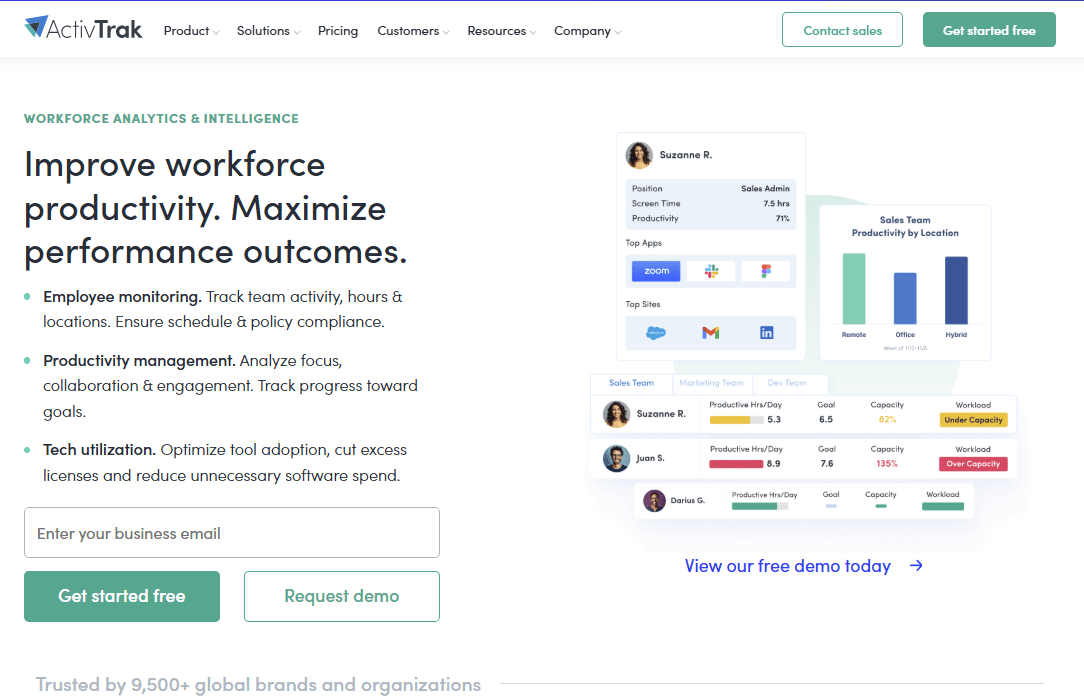
ActivTrak is a workforce analytics platform that automatically tracks employee computer activity to deliver productivity insights, focus trends, and organizational health metrics. It stands out by shifting from Apploye’s screenshot-heavy monitoring to privacy-respecting behavioral analytics. It helps you optimize workflows through data patterns rather than constant visual surveillance.
Key Features:
- Automatic time tracking across apps, websites, and documents for precise usage logs.
- Real-time activity dashboards showing focus time, distractions, and work patterns by individual or team.
- Team productivity benchmarks and goal tracking for performance comparisons.
- USB device and file transfer monitoring for security insights.
Pros:
- Privacy-focused monitoring with no screenshots or keystrokes, building better employee trust.
- Strong AI analytics turn raw data into actionable workflow recommendations.
- Customizable productivity classifications tailored to your industry or role.
Cons:
- No screenshots mean less visual proof for strict compliance needs.
- Pricing jumps significantly after the free tier.
- Support varies; some users report slow responses on complex issues.
Pricing:
- ActivTrak paid plan starts at $10user/month.
- For small teams, ActivTrak’s free plan offers better value than Apploye, while larger teams end up paying more for its non-visual analytics.
Ratings:
Note: Love some parts of ActivTrak but not all? Compare it side-by-side with other great ActivTrak alternatives.
6. Insightful
Insightful makes a strong Apploye alternative if you need team productivity patterns and process insights, rather than Apploye’s simpler mix of time tracking, screenshots, and light budgeting tools.
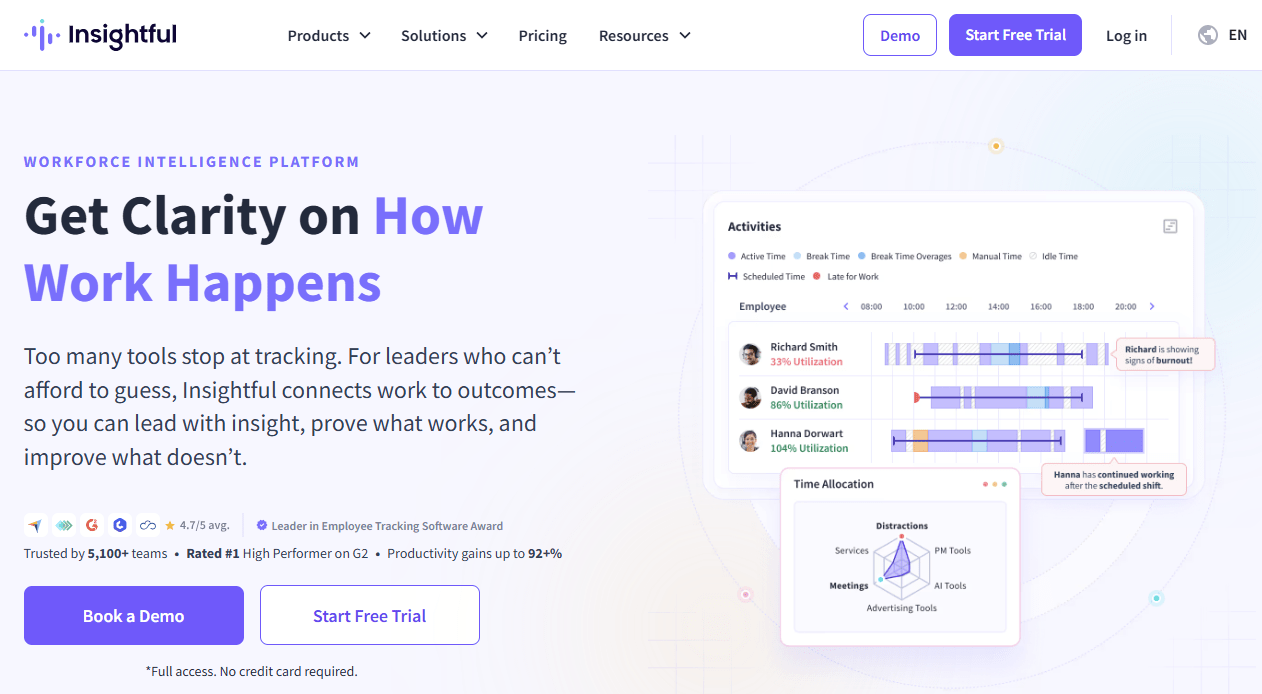
Along with basic time tracking, Insightful offers detailed app/website usage monitoring, idle vs active time tracking, and “work type” analytics to show how work hours translate to actual productivity.
Key Features:
- Insightful automatically tracks active time across apps and websites and maps it to tasks, projects, and categories, so you see where work hours truly go without manual timers.
- Insightful can take automatic, manual, or rules-based screenshots with adjustable frequency and scope, giving you visual context without mandatory “spy-level” recording.
- You can configure work hours, shifts, and rules per team or location, making productivity reports context-aware (e.g., night shifts vs. standard office hours).
- It supports role-based permissions, stealth/silent mode, and configurable visibility, so you can align monitoring with your security and legal requirements.
Pros:
- You can choose between “Productivity Management,” “Time Tracking,” and “Process Improvement” packages, paying only for the depth of insight you actually need.
- You can adjust screenshot frequency, apply rules by team, and even disable screenshots for privacy-sensitive roles.
- Reviews consistently praise Insightful’s interface as easy to navigate and understandable at a glance.
Cons:
- Advanced reporting, deeper process analytics, and future video features sit in the more expensive plans, so costs rise as you want richer insight.
- It’s optimized for desktop and laptop monitoring, so if your team relies heavily on mobile or field work, you may find the coverage lacking.
- Insightful isn’t built to handle invoicing or advanced project budgeting; you’ll likely still need a separate billing tool if that’s core to your workflow.
Pricing:
- Insightful’s entry tier starts at $6.40/user/month, which is a little expensive compared to Apploye’s basic tier, which starts at $5/uer/month.
- Insightful’s mid-tier pricing ($10–$15/user/month) is comparable to or higher than Apploye’s top plans, yet it delivers more sophisticated reporting, productivity trends, and workflow optimization tools.
Ratings:
Note: Even if Insightful works for now, it never hurts to see what other teams are switching to. Explore these Insightful alternatives.
7. Harvest
Harvest is a time-tracking and invoicing platform built for agencies, consultancies, and service teams. If you want an Apploye alternative that focuses less on monitoring and more on smooth billing, cash flow visibility, and project profitability, Harvest is a strong fit.
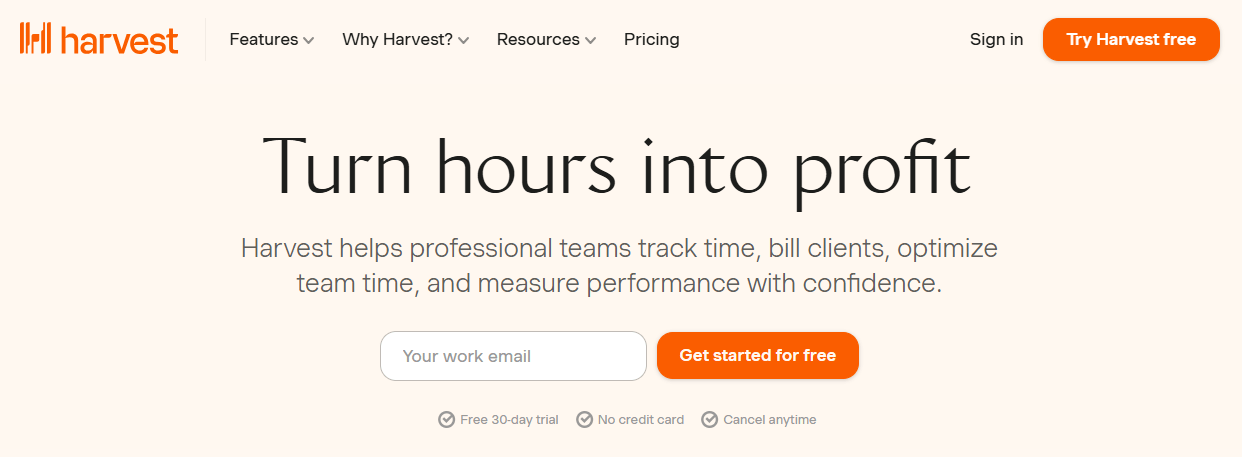
It combines simple time tracking with professional invoicing, expense logging, and detailed budget insights.
Key Features:
- Start/stop timers or add time manually from browser, desktop, or mobile apps, so your team can capture hours wherever they work.
- Organize time by client, project, and task, making it easy to see where billable vs non-billable time goes.
- Generate professional invoices directly from tracked time and expenses, then email them to clients in a few clicks.
- View team timesheets, approve entries, and see who is over- or under-booked across projects.
Pros:
- Reviewers consistently say it “just works,” with minimal training needed for contractors and staff.
- Budgets, costs, and billable hours are tightly linked, helping you quickly see which projects are profitable and which are bleeding.
Cons:
- Unlike Apploye, Harvest doesn’t do screenshots, app/URL tracking, or activity monitoring; it’s not suited if you want proof-of-work tracking.
- At $11–$14 per user, costs grow quickly once you get beyond a small or mid-sized team.
Pricing:
- Harvest costs around $11–$12 per user/month, with unlimited projects, time tracking, invoicing, reports, and integrations.
- You may have to pay a premium for SSO, profitability reporting and even activity logs.
Ratings:
Note: Harvest is perfect for invoicing, but what if you need deeper tracking or automation? Here are top Harvest alternatives.
8. Toggl Track
Toggl Track is a clean, timer-based time tracking tool designed to help you and your team see exactly where time goes without feeling surveilled.
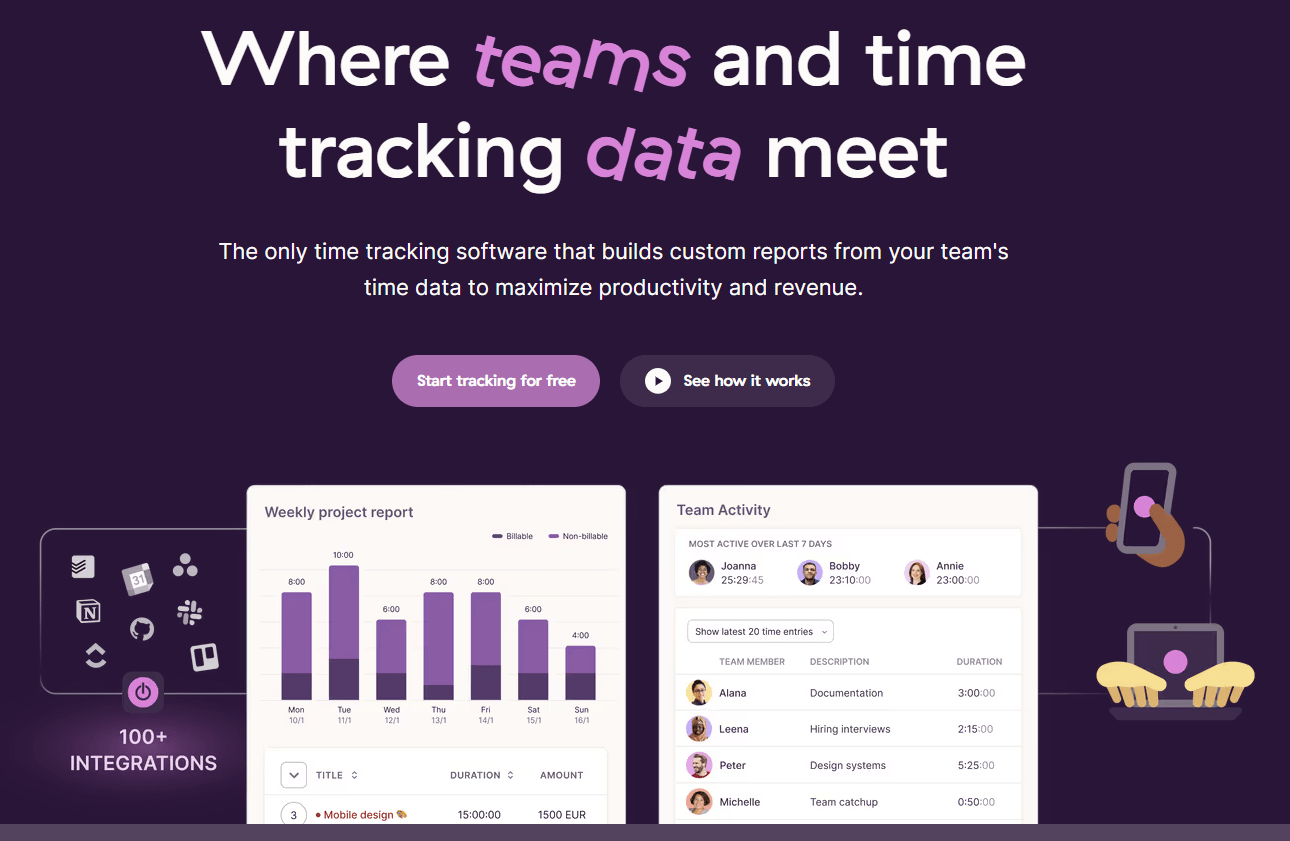
If you’re looking for an Apploye alternative that keeps things lightweight and trust-based, Toggl Track stands out by avoiding screenshots and keystroke logging, focusing instead on fast timers, clear reports, and strong client/project visibility.
Key Features:
- You can start/stop a timer with a single click or add time manually after the fact, which keeps tracking flexible for different work styles.
- Time entries can be organized by client, project, and custom tags so you can quickly see where billable and internal hours are going.
- You can sync Google or Outlook Calendar, then drag calendar events into Toggl Track to convert them into time entries, making meetings easy to log.
- Built-in Pomodoro mode lets you work in focused sprints with reminders, which is helpful if you want time tracking and focus coaching in one place.
Pros:
- Most users say they can get up and running in minutes, which removes the usual adoption friction you see with heavier tools.
- Client/project structure, billable rates, and clear exportable reports make it ideal if you bill by the hour or project.
- The free tier supports up to 5 users with core tracking features, which is great if you’re just starting or testing an Apploye alternative with a small team.
Cons:
- Once you move beyond the free plan, per-user pricing (especially Premium) can feel steep relative to feature depth versus some Apploye alternatives.
- If you need proof-of-work or detailed activity monitoring, Toggl Track will feel too light compared to Apploye’s screenshots and monitoring features.
- Because it’s timer-based and not fully automatic, you can still forget to start or stop timers and lose billable time.
Pricing:
- The starting plan starts at $10/user/month with billable rates, projects/tasks, and basic team features.
Ratings:
Note: Toggl is loved for simplicity, but what if your needs grow? See how these Toggl Track alternatives stack up.
9. Clockify
Clockify is a lightweight, user-friendly time tracker that lets you and your team log hours, tag work by client/project, and pull clean reports without much setup. If you’re looking for an Apploye alternative that feels less like employee monitoring software and more like a simple productivity tool, Clockify stands out.
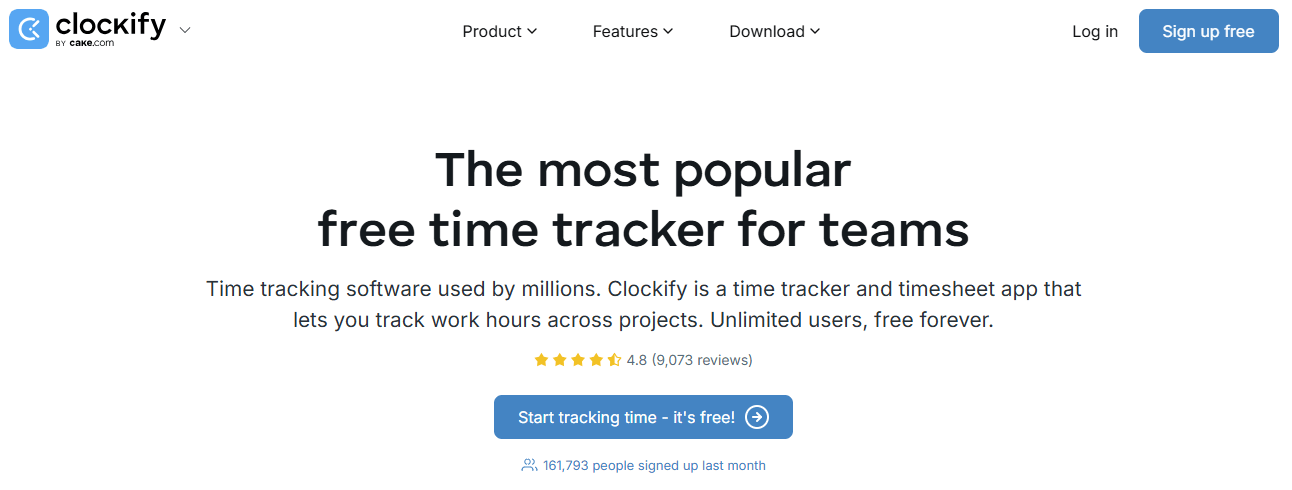
It gives you unlimited users on the free plan, easy timers, and basic reporting, while Apploye leans more into screenshots and monitoring from the start.
Key Features:
- You can add your whole team without hitting a seat limit, which is rare in this space.
- Start/stop timers, add time retroactively, and bulk-edit entries when you need to clean up logs.
- Pull reports by user, project, client, tag, or date range; export to PDF/CSV to share with finance or clients.
- Weekly timesheet views and manager approvals help you formalize time capture without extra tools.
Pros:
- You can invite unlimited users and start tracking for free in minutes, which makes Clockify a very promising Apploye alternative.
- Paid plans are reasonably priced and focus on useful upgrades (audit, kiosk, approvals) rather than locking basics behind paywalls.
- Real-time tracking, manual entry, bulk edit, and mobile/web apps let your team log time the way that fits their workflow.
Cons:
- Because it’s timer-based, you’ll still deal with people forgetting to start/stop timers and fixing entries later.
- Users note that creating tasks and assigning time against them can feel clunky compared to other alternatives.
- Some reviews mention timers not stopping correctly or entries needing manual correction, which can undermine trust in the data.
Pricing:
- Clockify has one of the most generous free offerings along with simple paid tiers.
- The basic plan starts at $5.47/seat/month.
Ratings:
Note:
Note: If you are on the fence between Clockify vs Time Doctor? This detailed comparison breaks down features, pricing, and use cases – so you can pick the right fit with confidence.
What Are The Factors To Consider When Choosing An Apploye Alternative?
When choosing a replacement for Apploye, keep these factors in mind:
- Ease of Use: A friendly interface and quick onboarding save time. If your team spends hours wrestling with complicated settings, you lose productivity. Look for intuitive dashboards and simple mobile/desktop apps.
- Feature Set: Beyond basic time logging, consider what additional features you need: Do you need automated attendance, leave management, invoicing or project budgeting? Prioritize tools that align with your key pain points (for example, if billing is crucial, a tool with invoicing is a plus).
- Integrations: Ensure the alternative plays well with your ecosystem. It should connect to your calendar, project management (Jira, Asana, Trello), communication (Slack), and payroll or accounting software. Seamless sync avoids double data entry and makes adoption smoother.
- Privacy Controls: Check how much employee monitoring is possible. Some tools (like Flowace) offer privacy modes or ethical monitoring settings, whereas others are more heavy-handed. Choose based on your company culture: do you need transparency, or a “trust but verify” approach?
- Scalability & Flexibility: Look for solutions that grow with you. Unlimited users/projects, flexible billing tiers, and enterprise options (SSO, API access) are important if you plan to expand. Avoid alternatives that lock critical features behind expensive user minimums.
- Analytics & Reporting: Decide whether you need raw data logs or high-level insights. Modern tools often include dashboards and even AI-powered suggestions (e.g. flow impact, idle time trends). Think about what metrics matter: employee productivity score, project burn rates, overtime alerts, etc.
- Support & Security: Finally, consider customer support (especially if this tool will be mission-critical) and security (GDPR compliance, data encryption). Time-tracking data can be sensitive, so ensure your choice adheres to relevant standards.
Why ChooseFlowace?
If you’re looking for a time tracking software that’s flexible, cost-effective, and packed with real insights, Flowace is worth a serious look.
1. Powerful Features, Lower Cost
Flowace bundles automatic time tracking, shift scheduling, app and website monitoring, productivity scoring, leave/attendance management, and alerts — all under one dashboard. And unlike Apploye or other tools, many of these features are included in lower-tier plans, making it easy to scale without surprise costs.
2. True Work Visibility, Not Just Activity Logs
With intelligent analytics like productivity scores, burnout alerts, and workload distribution, Flowace helps you understand what’s happening behind the hours. You can actually act on time data, not just collect it.
3. Privacy-First Monitoring That Teams Accept
Flowace offers configurable Privacy Modes, meeting-idle exclusions, silent or interactive tracking, and screenshot controls. You get accountability, your team gets peace of mind, and adoption becomes easier across departments.
4. Less Admin, Fewer Missed Billables
Whether it’s auto-generated timesheets, alerts for late starts or overwork, or syncing with payroll, Flowace eliminates manual processes that cause billing delays and payroll discrepancies.
5. Made for Hybrid, Remote, and On-Site Teams
Desktop and mobile support, offline tracking, multi-time zone handling, and integrations with tools like Jira, Slack, and accounting systems mean you can plug Flowace into your existing workflows without disruption.
6. Real ROI, Backed by Real Reviews
Customers switching from Apploye, Hubstaff, or Clockify often report faster setup, richer reports, and a visible reduction in untracked or misclassified time. Flowace isn’t just easier to use, it delivers better outcomes.
So, if you’re serious about improving productivity without compromising team trust or drowning in admin, Flowace might be exactly what you’ve been missing.
Final Thoughts
The time tracking landscape has evolved dramatically, and so have team needs. While Apploye provides a decent all-in-one solution, its limitations in automation, integrations, and flexibility leave many teams wanting more.
If you want accurate billing, fewer admin headaches, and real visibility into how work actually gets done, Flowace delivers more value for less money. Compared to Apploye, Flowace bundles automatic time capture, built-in attendance and shift management, productivity scoring, privacy-aware monitoring, and deep integrations, often in low prices.
That means you stop losing billable minutes to manual timesheets, you reduce payroll leakage, and you get decision-ready reports without hiring an analyst.
Try Flowace to see the difference for yourself. Start your free trial today or book a free demo with our team to test Flowace with your actual workflows.
FAQs:
- Why should I consider an Apploye alternative?
You might outgrow Apploye due to its limited reporting, rigid idle detection, or fewer integrations. Many teams seek more automation, flexibility, and better value. - What are the best alternatives to Apploye in 2026?
Top alternatives include Flowace, Time Doctor, Hubstaff, Time Champ, ActivTrak, Insightful, Harvest, Toggl Track, and Clockify—each catering to different team sizes and use cases. - Which Apploye alternative offers the best automation?
Flowace offers the most automation with AI-driven productivity tracking, auto-timesheets, and shift/attendance management built-in. - Does Flowace offer better pricing than Apploye?
Yes, Flowace starts as low as $2.99/user/month and includes more features in its lower-tier plans compared to Apploye’s $7 starting price. - What should I look for when switching from Apploye?
Focus on ease of use, integrations, privacy controls, analytics, and pricing transparency to ensure long-term satisfaction and scalability.