Replace Biometric Attendance With a Mobile App



Key Takeaways:
- Biometric attendance systems no longer fit modern work models. They were designed for single-location, on-site teams and struggle with hybrid, remote, and multi-location workforces.
- Mobile attendance apps eliminate hardware dependency. By removing biometric terminals, organizations cut installation costs, maintenance overhead, downtime risk, and scaling friction.
- Privacy and hygiene risks are significantly lower with mobile attendance. Mobile systems avoid storing sensitive biometric data and offer touchless check-ins like GPS, QR codes, and optional selfies.
- Mobile attendance works across remote, hybrid, field, and office teams. A single system can support GPS-based mobile check-ins, automatic desktop attendance, and office-based QR or geofencing workflows.
- Offline attendance is critical for field and remote teams. Mobile apps that log attendance offline and sync automatically ensure no gaps in records due to connectivity issues.
- Shared attendance points are a major weakness of biometric systems. Mobile attendance ties check-ins to individual devices and authenticated sessions, reducing proxy check-ins and group manipulation.
- One platform can replace multiple attendance tools. Unified dashboards eliminate silos between mobile, desktop, office, and remote attendance data, simplifying HR, Ops, and Finance workflows.
- Flowace demonstrates how mobile attendance can work in practice. By combining mobile check-ins, automatic desktop attendance, behavioral monitoring, and audit-ready reporting, it supports modern teams without adding admin burden.
- For most organizations, mobile attendance is a lower risk over time. Compared to biometrics, it offers better scalability, lower total cost of ownership, and greater flexibility as work patterns continue to evolve.
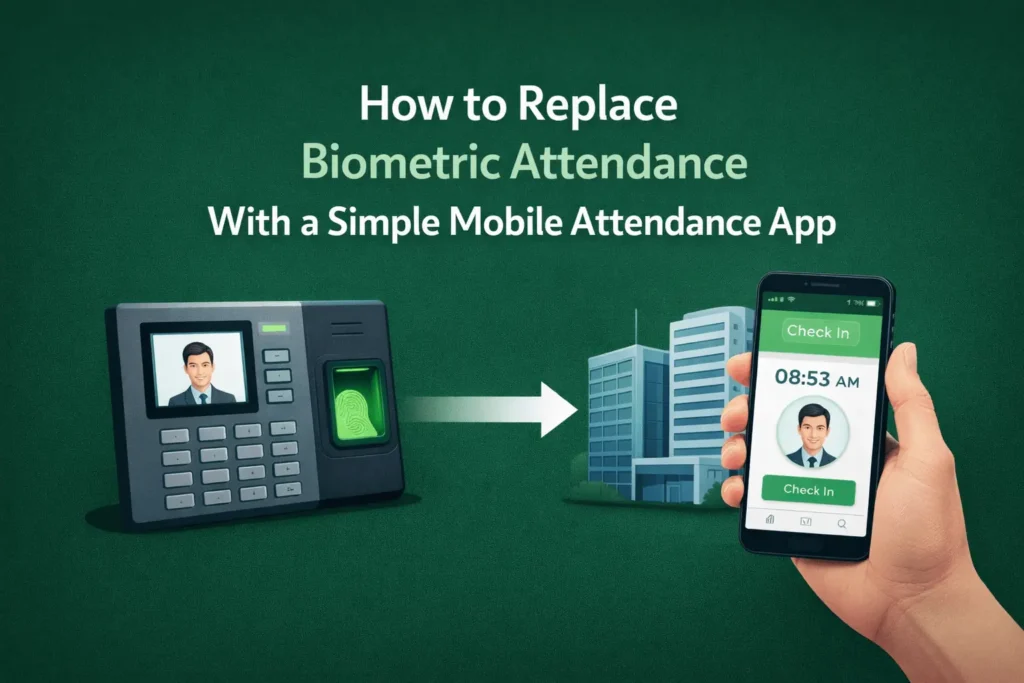
For years, biometric scanners were the standard way organizations tracked employee attendance. But once teams became hybrid, remote, or distributed across locations, those systems fell out of sync with modern work patterns.
If you’re rethinking attendance management for a mobile-first, privacy-aware workplace, switching to a smartphone-based attendance tracking software makes more sense. It removes the hardware friction while still giving you reliable verification and compliance controls.
This guide will walk you through why companies are moving away from biometrics, how mobile attendance apps actually work, and a practical, low-risk process for replacing hardware with a software-first solution like Flowace’s mobile attendance and time-tracking app.
Why Are Companies Replacing Biometric Attendance Systems?
If you manage distributed teams, you understand that attendance tracking becomes harder as locations multiply. Biometric scanners are expensive to maintain, hard to scale, and create privacy concerns. That’s why many organizations are choosing to replace biometric attendance with a simple mobile attendance app.
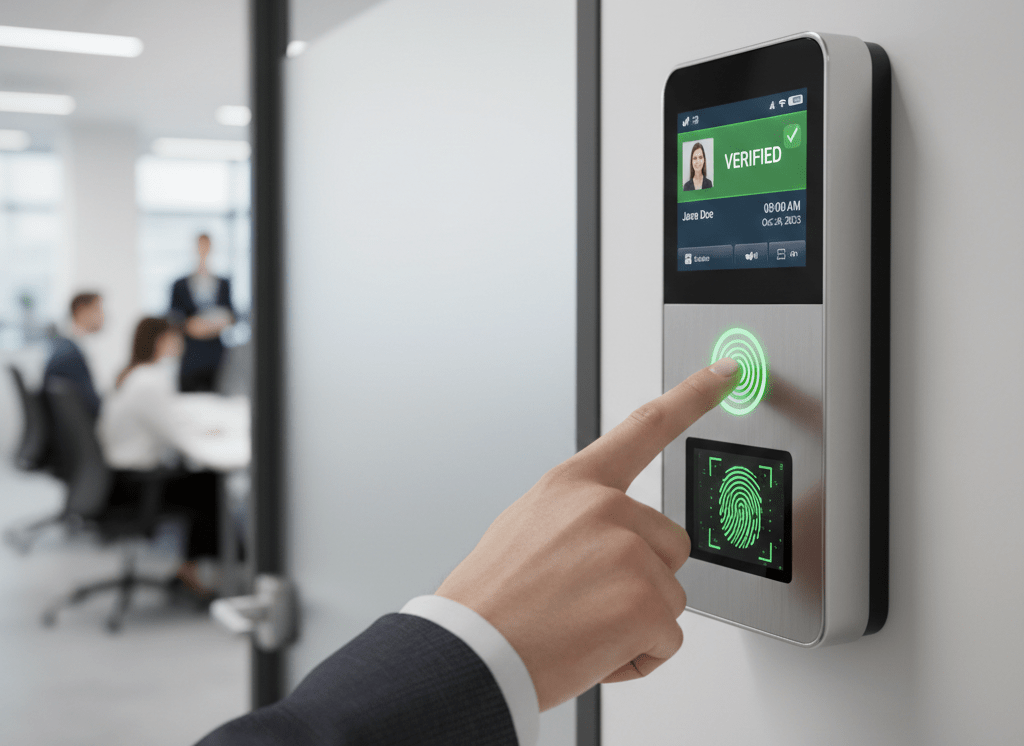
Common reasons why organizations switch to mobile attendance apps:
1. Hardware Maintenance And Installation Costs
Physical biometric terminals require upfront hardware investment, cabling, power backups, and ongoing servicing, all of which add recurring costs that scale poorly as teams and locations grow. Switching to a mobile attendance app removes this CapEx entirely and significantly reduces ongoing operational expenses.
2. Downtime Due To Hardware Failure
When a biometric device fails, attendance for an entire shift or even an entire location can come to a standstill, creating gaps in records and payroll delays. A cloud-based attendance system avoids these single points of failure. Cloud-based systems allow issues to be managed or resolved remotely.
3. Touch-Based Hygiene Concerns
Shared fingerprint scanners and touchscreens raise legitimate hygiene concerns, particularly in high-footfall or regulated environments. Mobile time and attendance systems offer touchless alternatives such as GPS check-ins, QR codes, and selfie-based verification.
4. Privacy And Data Protection Risks
Biometric data, such as fingerprints or facial templates, is classified as highly sensitive and increases compliance risk if stored or breached. An employee attendance mobile app minimizes this exposure by relying on location and device-based verification with clearer data retention and privacy controls.
5. Poor Suitability For Hybrid Or Remote Work
Biometric systems are designed for employees clocking in at a single physical location, making them ineffective for hybrid, remote, or field-based teams. An attendance app for remote teams, combined with GPS attendance, supports flexible work models without manual adjustments or reconciliation.
What Is a Mobile Attendance App and How Does It Work?
A mobile attendance app is a software-based alternative to biometric hardware that allows employees to mark attendance directly from their smartphones. Instead of relying on fixed fingerprint or facial scanners, attendance is captured through mobile time and attendance workflows that are flexible, auditable, and designed for distributed teams.
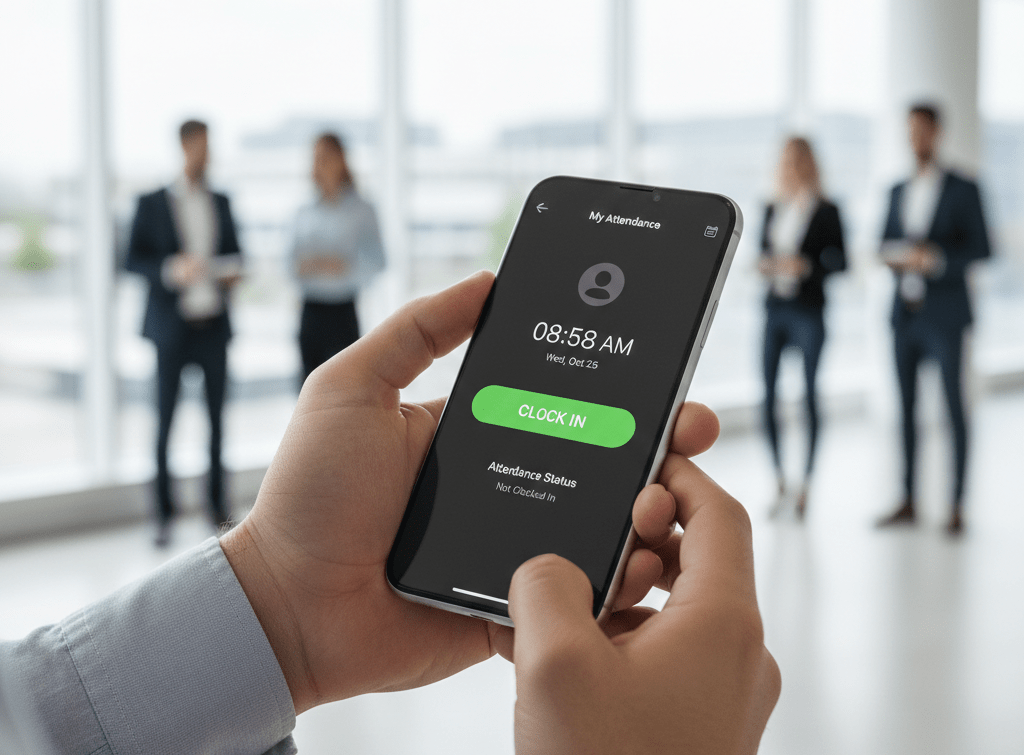
A cloud-based attendance system records when and where an employee checks in or out, validates that action using multiple signals, and syncs the data in real time (or near real time) with centralized dashboards, payroll, and HR systems. This makes it especially effective as a biometric attendance alternative for organizations managing hybrid, remote, or multi-location teams.
A mobile attendance systems include features like:
- GPS location tagging
- QR code scanning
- Selfie-based check-ins
- OTP or geofencing
- Offline logging with sync when reconnected
A mobile attendance app combines these methods to deliver layered verification without the operational risks of physical devices.
What Features Should a Mobile Attendance App Have?
If you’re replacing biometric systems, you can’t afford to pick a lightweight tool that only records timestamps. Hardware-free attendance only works when the software is strong enough to handle fraud risk, payroll accuracy, and compliance at scale.
A reliable mobile time and attendance solution must directly address the operational pain points that biometric systems fail at, while adding flexibility for hybrid and distributed teams.
Here are the non-negotiable features you should look for:
GPS Attendance With Anti-Spoofing Validation
Basic GPS check-ins are easy to manipulate using fake location apps, making “mobile attendance” feel risky. Employees can use fake-location apps, VPNs, or developer-mode overrides to mark attendance from anywhere.
A robust GPS attendance system applies anti-spoofing validation by analyzing multiple signals at once, like device integrity checks, location accuracy, movement patterns, network data, and location consistency over time.
QR Code Attendance or Geofencing For Office Teams
Even in primarily office-based setups, traditional attendance shared biometric terminals lead to queues during peak hours, delays at shift changes, and unnecessary physical contact with common devices. For larger offices or campuses with multiple floors and entry points, enforcing location-bound attendance becomes inconsistent and hard to monitor.
QR code attendance and geofencing offer a cleaner, more scalable way to confirm on-site presence without relying on shared hardware. With QR codes, each office location can display a unique code that employees scan using an employee attendance mobile app. Attendance is recorded only when the scan occurs at the approved location and within defined time windows.
Geofencing adds an additional layer by restricting check-ins to predefined geographic boundaries around the office. Employees can only mark attendance when their device is physically within that boundary. This makes mobile time and attendance apps both location-aware and tamper-resistant.
Optional Selfie Check-Ins With Privacy Controls
In the absence of physical verification, managers often worry about buddy punching and time theft. At the same time, employees are understandably cautious about tools that feel intrusive or constantly “watching” them. Without clear boundaries, attendance systems can erode trust even when they improve accuracy.
Optional selfie check-ins provide an additional identity signal at the moment of attendance without turning the system into continuous surveillance. When enabled, the employee attendance mobile app captures a quick selfie at check-in or check-out and links it to the timestamp, location, and device used. This makes it easier to verify who actually marked attendance, particularly for roles or shifts where identity validation is important.
Offline Support For Field And Remote Teams
Field staff, on-ground teams, and remote employees often operate in environments with unstable or no internet connectivity. A mobile attendance app allows on-ground teams to record check-ins and check-outs locally on the device when connectivity is unavailable. Each entry is time-stamped and stored securely, then automatically synced to the central system once the device reconnects to the internet.
For any attendance app for remote teams, this capability is critical. It ensures attendance data remains complete and consistent regardless of network conditions
Biometric Vs Mobile Attendance: What’s The Difference?
If you’re deciding whether to replace biometric attendance with a simple mobile attendance app, the choice isn’t just about convenience. It’s about risk, scalability, and how accurately you can verify presence across modern work models.
Below is a clear, practical comparison to help you evaluate.
| Attribute / Concern | Biometric Attendance | Mobile Attendance (app) |
| How it verifies | Single-point identity scan (fingerprint/face) at a terminal. | Multi-signal verification (GPS, QR, selfie/liveness, device fingerprint, time rules). |
| Hardware dependency | Requires dedicated terminals, cabling, backups. | Runs on smartphones or shared tablets — no fixed terminals required. |
| Typical cost model | High upfront CapEx (devices) + recurring maintenance and replacement. | Low CapEx, subscription (SaaS) OpEx; occasional device/tablet purchase for kiosks. |
| Setup & scaling time | Site-by-site installation; days to weeks per location. | Per-user onboarding; minutes to hours; new sites require config only (minutes). |
| Support for hybrid/remote | Poor — designed for on-site, fixed-location staff. | Native support — GPS attendance, offline logging, QR/geofence for offices. |
| Downtime & single-point failure | High: device failure can block an entire shift/location. | Low: no single hardware choke point; offline entries sync when online. |
| Hygiene/touch risk | High (fingerprint pads / shared surfaces). | Low (touchless options like QR, geofences, selfies). |
| Fraud surface | Addresses terminal-level fraud but vulnerable to device sharing, proxy check-ins. | Lower when layered (anti-spoofing GPS, selfie+liveness, QR tied to location, device fingerprinting). |
| Privacy & compliance risk | High: stores biometric templates (sensitive personal data) — heavier consent/retention requirements. | Lower: stores location/device metadata and optional selfies with configurable retention and access controls. |
| Integration with payroll/HR | Often manual exports or middleware required. | Typically offers APIs/connectors for real-time sync with payroll and HR systems. |
| Auditability & reporting | Limited context (time + terminal ID); harder to correlate with work activity. | Rich audit trail (time, location, device, photo, validation flags) — easier dispute resolution. |
| Offline capability | Usually none or limited (requires networked terminals). | Offline logging with automatic sync — critical for field teams. |
| Maintenance burden | High: repairs, firmware updates, replacements, physical security. | Low: SaaS updates are remote; minimal on-site maintenance. |
| User experience (employee) | Queues, shared surfaces, fixed entry points; friction for multi-site/hybrid staff. | Flexible: check-in from device, QR scan, or kiosk; better for hybrid and mobile workers. |
| Best for | Highly controlled single-site environments with strict physical security requirements. | Mixed/hybrid/remote workforces, multi-location operations, field teams, BPO/consulting/IT services. |
| Typical migration complexity | N/A (existing infrastructure). Decommissioning is physical and slow. | Low to moderate — pilot → validate payroll → phased decommissioning of hardware. |
| TCO direction over 2–3 years | Often increases (replacement cycles, maintenance). | Typically decreases or stabilizes (subscription + lower ops/hardware costs). |
| When biometrics still make sense | Very high-security facilities where physical identity checks are required by policy/regulation. | When you need operational flexibility, easier scaling, and stronger auditability with less overhead. |
Can Mobile Attendance Apps Prevent Attendance Fraud?
Modern mobile attendance apps can prevent most attendance fraud when they use multiple verification layers instead of relying on a single check.
Here’s how the key fraud-prevention mechanisms work:
Behavioral Consistency Monitoring
Instead of validating a single check-in event, a cloud-based attendance system evaluates attendance behavior over time. It looks at patterns such as start times, session length, location changes, and device usage. Repeated anomalies or unusually perfect patterns are flagged for review.
Flowace implements this approach by aggregating those signals into user-level profiles and highlighting anomalies in the dashboard. You can see trends such as repeated late arrivals, identical shift lengths across different users, or sudden device switches, and the system surfaces these as reviewable alerts with supporting context.
This approach is more reliable than biometric systems, which only confirm physical presence
Attendance Aligned With Work Context
Mobile attendance systems increasingly connect attendance records with actual work signals such as call activity, task timelines, or application usage. When someone marks attendance but shows no corresponding work activity, the inconsistency becomes visible in reports.
With Flowace, this connection is built into the workflow. Flowace can link mobile check-ins to call logs for phone-heavy roles, to task or project timelines for billable work, and to passive activity signals captured by the app. That means you can pull a single report that shows a person’s check-in time alongside the calls they handled, the tasks they updated, and the time spent in relevant apps. If someone clocks in but has no corresponding activity for that shift, the system highlights the discrepancy for supervisors to review.
Removal Of Shared Attendance Points
Biometric systems depend on shared physical devices, which creates opportunities for proxy check-ins and group-based manipulation. An employee attendance mobile app ties attendance to individual devices and authenticated sessions.
Flowace ties attendance to individual devices and authenticated sessions so each check-in carries a device fingerprint, location context, and validation status. This design shift eliminates common issues like group check-ins during shift changes or attendance marked on behalf of absent employees.
Audit-Ready Attendance Trails
Every attendance action in a mobile time and attendance system is logged with time, device context, and rule validation status. These records are immutable and exportable.
Flowace is a practical example of this approach in action. When you use Flowace, each check-in carries a timestamp. Those records are exportable and visible in a central dashboard, so you can pull a defensible report for payroll audits, internal investigations, or regulator inquiries without stitching together multiple data sources.
Can One Mobile Attendance App Handle Attendance for Hybrid and Remote, and Office-Based Teams?
Most attendance tools fail because software assumes everyone works the same way. But modern teams are diverse and distributed. To handle remote, hybrid, and office teams together, one app must support multiple attendance signals.
Here’s how Flowace approaches this.
- Mobile-Based Check-Ins for Remote and Field Teams: For remote, field, and on-the-move employees, Flowace supports attendance directly from the mobile app. Employees can clock in and out from their phones using app-based check-ins.
- Automatic Desktop Attendance for Office and Hybrid Employees: For office-based and hybrid employees who primarily work on laptops or desktops, attendance can be captured automatically as work begins. Login and logout times, active work duration, breaks, and idle periods are recorded without requiring manual punches.
- Hybrid-Friendly Shift and Attendance Policies: Flowace allows teams to define separate attendance rules for office-based, remote, and hybrid employees within the same platform. You can configure shift-based tracking across time zones, flexible hours, half-day and overtime policies, and automated alerts for missed hours or excessive workloads.
Final Takeaway
Biometric attendance systems made sense when teams worked from the same office, on the same schedule, every day. That’s no longer how most organizations operate.
Today’s teams are hybrid, remote, and often spread across cities or time zones. Attendance, in that reality, needs to be flexible and easy to manage.
That’s where a mobile attendance app fits better than fixed hardware. Instead of relying on physical devices that only work in one location, mobile attendance uses software-based verification that scales wherever people work. It supports offline check-ins, adapts to different work models, and generates clean, audit-ready records for payroll and compliance.
When it’s set up properly with layered validation, clear attendance policies, and strong privacy controls, mobile attendance is a more practical and lower-risk option to track attendance
Flowace’s mobile attendance app makes the switch effortless. Flowace is built for remote, hybrid, and on-site teams who need accuracy without admin overload. Don’t wait for the next payroll issue to make a change. Book your free demo with Flowace now and and see it in action.
FAQs:
How do you replace biometric attendance with a mobile attendance app?
You replace biometric attendance by first auditing your current setup, then piloting a mobile attendance app alongside existing hardware. Once GPS, QR, or selfie-based check-ins are validated for accuracy and payroll alignment, biometric devices can be phased out gradually. Most organizations complete the transition within weeks, not months.
Is mobile attendance more secure than biometric attendance?
Yes, when implemented correctly. Modern mobile attendance apps use layered verification such as GPS validation, device fingerprinting, behavioral patterns, and audit trails. This approach often provides stronger fraud detection than biometric systems, which rely on a single physical device and limited contextual data.
Can a mobile attendance app prevent buddy punching?
Yes. Mobile attendance apps reduce buddy punching by tying check-ins to individual devices, locations, and optional selfie verification. Unlike shared biometric terminals, attendance is linked to authenticated sessions, making proxy check-ins easier to detect and investigate.
Does mobile attendance work for remote and hybrid teams?
Yes. Mobile attendance apps are designed for remote, hybrid, and field teams. They support GPS attendance, offline check-ins, and flexible policies, allowing employees to mark attendance from approved locations without manual reconciliation or location-based hardware.
What happens if employees do not have smartphones?
Organizations can use alternatives such as shared tablet kiosks, supervisor-assisted check-ins, or web-based attendance portals. Mobile attendance does not require every employee to own a smartphone, only that attendance data flows into a centralized system.
How does mobile attendance handle poor internet connectivity?
Mobile attendance apps support offline logging. Attendance is recorded locally on the device and automatically synced once connectivity is restored. This ensures complete attendance records for field staff and remote teams working in low-network areas.
Are mobile attendance apps compliant with data privacy laws?
Yes, when designed with privacy controls. Mobile attendance apps avoid storing biometric templates and instead rely on device and location data with configurable retention policies. Features such as consent-based tracking and role-based access help meet GDPR and local compliance requirements.