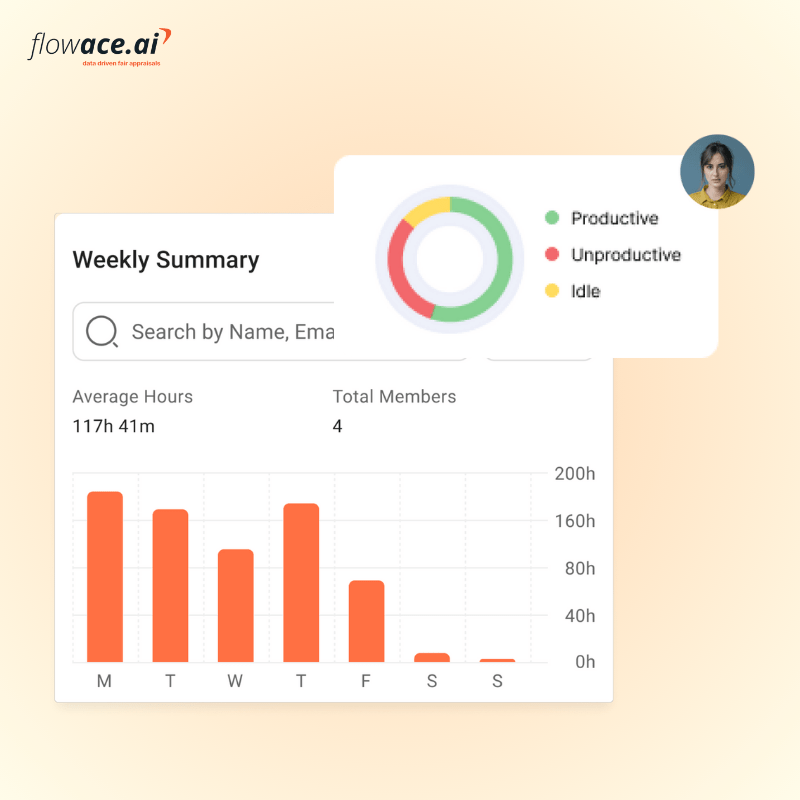
Key Takeaways:
- Hybrid work makes visibility harder, not because people are less productive, but because traditional signals like physical presence no longer apply.
- Monitoring should solve real business problems such as billing accuracy, workload balance, and burnout prevention. It should never be driven by suspicion.
- Transparency is everything. Employees should always know what is being tracked, why it is being tracked, and how the data will be used.
- Ethical monitoring focuses on outcomes and trends, not constant surveillance of every click or keystroke.
- The right system respects boundaries by tracking only during work hours and never on personal devices.
- Role-based access protects employee privacy by ensuring only the right stakeholders can see specific types of data.
- Smart alerts are more effective than constant dashboard watching. They help managers respond to issues without micromanaging.
- AI-powered time tracking can prevent time theft and improve billing accuracy without invasive tactics like 24-hour screen recording.
- Legal compliance requires written notice, purpose limitation, and respect for off duty privacy in every region you operate.
- A privacy-first framework builds trust, improves accountability, and strengthens performance in hybrid teams instead of damaging morale.
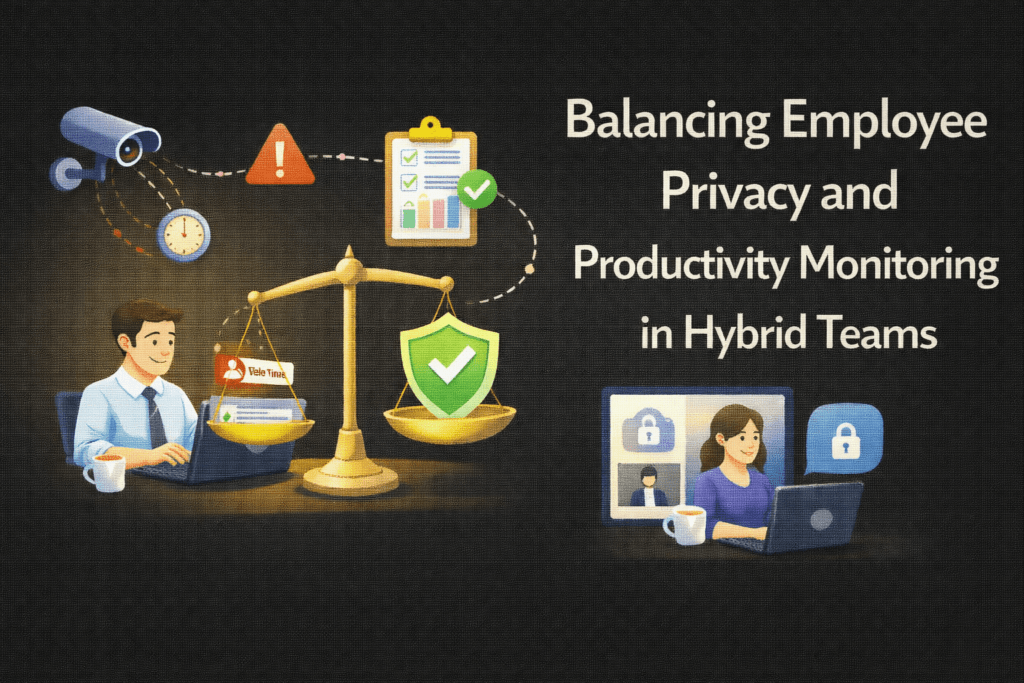
Balancing employee privacy and productivity monitoring in hybrid teams means choosing tools that give managers visibility while respecting personal boundaries. With the right employee monitoring software, you can gain insight into team output without micromanaging. The right system balances oversight with employee autonomy using privacy controls, role-based access, and clear boundaries around work hours.
Why Is Balancing Privacy and Productivity Monitoring Harder in Hybrid Teams?
With flexible work schedules, managers lose casual oversight and may worry about time theft or missed deadlines. Work happens at the office, at home, and across time zones, so the usual face-to-face cues vanish.
Flexible schedules blur the line between professional and personal time. A developer might code early in the morning and step away mid-afternoon. A consultant might attend late evening client calls across time zones. Traditional measures of presence no longer reflect contribution. If monitoring tools are introduced without clarity, employees may assume the worst. They may worry about constant screenshots, keystroke tracking, or activity being recorded outside agreed working hours.
This tension makes hybrid monitoring uniquely complex. You are trying to solve for several variables at once:
- Visibility into actual work output
- Fair distribution of workload
- Accurate billing and time reporting
- Protection against burnout
- Respect for employee autonomy and privacy
Each of these goals pulls in a slightly different direction. If you tighten oversight too much, engagement drops. If you ease off too far, performance risks go unnoticed.
Balancing privacy and productivity, therefore, requires intentional design. You need clearly defined working hours, role-based expectations, and transparent policies about what is tracked and why. You also need to distinguish between activity metrics and performance outcomes.
When you distinguish between activity metrics and actual performance results, you create a system that supports accountability without compromising autonomy.
What Does Ethical Employee Monitoring Look Like in a Hybrid Workplace?
Imagine you run a 60-person IT services company with 40 employees working in a hybrid model. Over the last two quarters, payroll expenses have increased, yet billable utilization has dropped. Attendance logs are inconsistent. Some teams report long hours, while others appear underutilized. From your seat, the picture is unclear.
If you ask: Are people stretched too thin and quietly burning out? Or are hours being underreported? Is work distributed unevenly across teams? Are a few individuals carrying a disproportionate share of client delivery? There is no reliable data to answer any of it.
That uncertainty is what creates pressure to act quickly. But if you respond to a data problem with heavy-handed employee monitoring, you trade one risk for another. The real solution is not to monitor more aggressively. It is to monitor more intelligently.
Ethical employee monitoring in a hybrid setting starts with transparency. Your team should clearly understand what is being tracked, why it is being tracked, and how the data will be used. Monitoring should help you balance workloads, improve billable utilization, and protect margins without undermining employee morale.
The key principles of ethical employee monitoring include:
- Informed Consent: Explain in writing what is tracked and why, and get employee acknowledgment.
- Limited Scope: Only track work-related activity during scheduled work hours. Personal time is off-limits.
- Configurable Privacy: Let users adjust settings (screenshots, timers, etc.) or use a “privacy mode” to pause tracking during breaks.
- Role-Based Access: Only the right people see the data (e.g., HR sees attendance, finance sees billable hours, managers see team dashboards).
Ethical employee monitoring should be open and consensual. It’s NOT live webcam streaming, 24/7 keylogging, or hidden spy modes. Employees should see that tracking is limited to work contexts and know their data is used fairly.
What Should You Monitor in a Hybrid Team?
The core objective of employee monitoring should be to understand productivity without slipping into micromanagement.
You are not trying to observe every click or minute. You are trying to understand whether work is progressing as planned, whether capacity aligns with demand, and whether your team has what it needs to deliver consistently.
What to Monitor (focus on insight):
- Active vs Idle Time: Measure logged-in vs. away time to know if people are at their desks or not.
- App & Website Usage (categorized): Track which apps and websites are used (tagging them as productive, neutral, or unproductive) to see where time goes.
- Project/Task Time: Record time by project or task for accurate reporting and client billing.
- Billable vs Non-Billable Hours: Distinguish client work from internal tasks for transparency in invoicing.
- Attendance/Shift Logs: Use check-ins or clock-ins to verify scheduled shifts, especially for time-zone critical work.
- Burnout Indicators: Flag repeated overtime or missed breaks as early signs of overwork and employee burnout.
- Workload Patterns: Analyze if some team members are overloaded while others have slack.
What to Avoid (to protect privacy):
- No 24/7 Surveillance: Don’t track employees outside contracted hours. Always stop timers at the end of the workday to respect off-duty privacy.
- No Secret Spying: Don’t hide monitoring software or run it in stealth mode. Employees should know when a tool is active.
- No Personal Device Tracking: Limit monitoring to work devices and apps. Do not track personal phones or home computers.
- No Excessive Screenshots: Random screenshots every minute feel like Big Brother. If used at all, keep them infrequent or only on request.
- No Micro-Clicks Logging: Tracking every keystroke or mouse movement creates distrust and data overload. Instead, focus on summary metrics and results.
How to Build a Privacy-First Hybrid Monitoring Policy (Step-by-Step Framework)
If you are going to introduce monitoring in a hybrid environment, you need a structure. Without one, the scope of employee monitoring tools expands beyond their original purpose. A privacy-first employee monitoring policy forces you to be intentional from the start.
1. Define the Objective
Start by clarifying why you need monitoring in the first place. Be specific. Are you trying to improve billable hour accuracy? Ensure compliance? Balance workloads? Prevent burnout? Fix attendance inconsistencies?
When you define the objective clearly, you limit the scope.
You collect only the data required to solve the problem at hand. This prevents mission creep and keeps employee monitoring aligned with business outcomes rather than curiosity.
If you cannot explain the purpose in a few sentences, you are not ready to implement it.
2. Choose the Right Level of Visibility
Once your objective is clear, decide what visibility is actually necessary.
For hybrid teams, you might enable automatic time tracking that runs quietly in the background and logs active work time without constant manual input. Attendance logs can capture logins and logouts or support structured digital timesheets. Productivity tagging can classify apps and websites as productive, neutral, or unproductive based on role context.
Screenshots, if used at all, should be optional and reserved for specific business needs. Idle detection should be configured thoughtfully, allowing reasonable inactivity windows such as five to fifteen minutes before pausing a timer.
3. Configure Clear Privacy Boundaries
This is where trust is either reinforced or undermined.
You should enable work and privacy modes so employees can pause tracking during breaks or personal tasks. Idle thresholds should reflect natural work rhythms. Short inactivity periods, such as standing up or thinking through a problem, should not be penalized.
Scheduled meetings and calls should not trigger idle flags simply because there is no keyboard activity. If screenshots are part of your policy, increase the interval between captures and consider blurring sensitive information. Allow manual time entries for legitimate offline work such as client calls, on-site visits, or research conducted away from the screen.
These boundaries communicate that you understand how real work happens. They also demonstrate that monitoring is structured, not intrusive.
4. Implement Role-Based Access
Access control is essential for preserving dignity and limiting misuse.
HR or operations teams may need high-level attendance and utilization data. Finance may require billable versus non-billable hour summaries for invoicing. Project managers need visibility into project allocation and workload trends for their teams. Administrators manage system settings.
Employees, ideally, should be able to view their own time logs and productivity summaries. When people can see their own data, it stops feeling opaque or adversarial.
Limiting access ensures sensitive details are not widely visible and keeps the focus on operational insights rather than personal scrutiny.
5. Use Alerts Instead of Constant Oversight
You should not have to watch dashboards all day to manage performance. Smart alerts can replace manual supervision.
Late login alerts can flag attendance gaps. Missing hour notifications can highlight underreported time. Idle alerts can surface unusual inactivity during defined work hours. Overtime alerts can signal potential burnout risks. Declines in productive app usage can prompt a supportive check-in rather than a punitive reaction.
Alerts allow you to respond to trends and exceptions instead of monitoring individuals continuously. This shifts your role from overseer to problem solver.
How AI-Powered Time Tracking Prevents Time Theft Without Surveillance
Traditional employee monitoring often relied on screen streaming or aggressive keylogging. Modern hybrid-friendly systems use AI and smart automation instead:
- Automatic Activity Capture: The tool records active work time in the background (no need to start/stop timers), logging which apps and websites were used.
- AI Categorization: It auto-tags activities as productive, neutral, or distracting. For example, coding tools might score high while social media scores low. This generates a productivity score for each interval.
- Project & Task Tagging: Time is tied to specific projects or clients. Employees can adjust entries for offline work (calls or errands) to ensure accuracy.
- Audit-Ready Reports: The system produces reports on total hours, billable vs non-billable breakdowns, and overall focus trends—useful for payroll or client billing, not for micromanaging.
- Burnout & Utilization Flags: The AI analyzes overtime patterns and activity spikes. It automatically alerts if someone’s workload seems dangerously high or strangely low, before it becomes a crisis.
Tools like Flowace are designed around this hybrid-friendly philosophy. The system understands work patterns instead of just recording every keystroke. This shifts focus to real productivity insights and away from invasive surveillance.
Legal Considerations for Monitoring Hybrid Teams
Employee monitoring laws and regulations differ across countries and sometimes even across states. But the underlying principles are remarkably consistent. Wherever you operate, monitoring must be transparent, proportionate, and justified by a legitimate business purpose.
Bear these points in mind as you move forward:
- Written Notice: Inform employees in writing about any monitoring policy. Many places (e.g. NY state law, EU GDPR) require it.
- Purpose Limitation: Only collect data for legitimate business reasons (billing, productivity, security). Don’t collect irrelevant personal info.
- Work-Hours Only: Stop tracking outside of scheduled work times. EU GDPR and California law, for example, demand data minimization and respect for off-duty privacy.
- Consent & Rights: Where required (e.g. GDPR, Illinois BIPA), get explicit consent or legal basis. Allow employees to request their data or deletion.
- Avoid Excessive Surveillance: Laws often penalize secret or overly invasive tracking. For example, New York’s law mandates written notice for electronic monitoring.
Flowace: Privacy-First Monitoring for Hybrid Work
Flowace is built to help you put the privacy-first framework into practice without losing the operational clarity you need. It gives you the right signals to make fair decisions about capacity, billing, and employee well-being without invasive monitoring.
Flowace offers:
- Automatic time tracking: Runs silently in the background to log active time on apps and websites.
- Privacy Mode: Employees can pause tracking when needed (for breaks or private tasks).
- Configurable Idle Thresholds: Set how long inactivity triggers an alert or pauses the timer.
- App & Website Categorization: Classify activities as productive, neutral, or not productive.
- Custom Screenshot Intervals: Choose how often (if at all) to capture screens, with options to blur personal content.
- Break and Inactivity Alerts: Reminds people to take breaks and flags if someone is away too long.
- Billable vs Non-Billable Tracking: Distinguish client work from internal tasks for accurate billing.
- Attendance and Shift Tracking: Log work hours and late/missing punches for attendance compliance.
- Audit-Ready Reports: Generate summaries on time usage, productivity scores, and work patterns.
- Role-Based Access Controls: Limit which roles can see which data (HR, finance, managers, etc.).
- Burnout Notifications: Identify if people consistently overwork so you can support them.
If you want to see how this works in a real hybrid setup, book a quick demo or start a free trial and explore Flowace at your own pace.
FAQs:
1. Is employee monitoring legal in hybrid and remote teams?
Yes, employee monitoring is legal in most regions, but it must follow local labor and data privacy laws. Employers typically need to provide written notice, define a legitimate business purpose, and limit tracking to work-related activities during scheduled hours. In some regions, consent may also be required.
2. How do you monitor remote employees without invading privacy?
The key is focusing on outcomes and trends instead of constant surveillance. Track work-related metrics such as billable hours, project time, and app usage during work hours only. Avoid 24-hour tracking, personal device monitoring, hidden software, or excessive screenshots. Transparency and clear boundaries are essential.
3. What is the best way to measure productivity in hybrid teams?
Instead of measuring presence, measure output. Track project completion, billable versus non-billable hours, workload distribution, and productivity trends. AI-powered time tracking tools can categorize app usage and highlight patterns without recording every keystroke.
4. Does employee monitoring reduce morale?
It can if implemented poorly. Hidden tracking, aggressive screenshots, and constant keystroke logging damage trust. However, when monitoring is transparent, limited to work hours, and focused on workload balance and burnout prevention, it can actually improve fairness and accountability.
5. What should employers avoid when monitoring employees?
Employers should avoid:
- Tracking outside scheduled work hours
- Monitoring personal devices
- Using secret or stealth tracking software
- Capturing excessive screenshots
- Logging every keystroke or mouse movement
Overly invasive monitoring often creates legal risks and employee dissatisfaction.
6. How can monitoring prevent employee burnout?
Modern monitoring tools can flag repeated overtime, missed breaks, and workload imbalances. Instead of punishing employees, managers can use this data to redistribute tasks, adjust deadlines, and provide support before burnout becomes a serious issue.
7. What data should be tracked in a hybrid work model?
Helpful metrics include:
- Active versus idle time during work hours
- Project or task-based time tracking
- Billable versus non-billable hours
- Attendance or shift logs
- Workload distribution across teams
- Productivity trends by role
The goal is operational insight, not personal surveillance.
8. Can AI time tracking prevent time theft?
Yes, AI-powered systems can automatically capture work activity, categorize apps and websites, and generate audit-ready reports. This reduces manual timesheet errors and discourages underreporting or overreporting without requiring invasive monitoring methods.
9. Do employees need to consent to monitoring software?
In many jurisdictions, employees must be informed in writing about monitoring practices. Some regions require explicit consent, while others require a documented legitimate business purpose. Employers should always check local regulations before implementation.
10. How do you create a privacy-first monitoring policy?
Start by defining a clear objective, limiting tracking to what is necessary, establishing written policies, implementing role-based access controls, and allowing employees visibility into their own data. Use alerts and trend analysis instead of constant supervision.