Replace Multiple Workforce Tools With One System



Key Takeaways:
- Fragmented tools create false visibility. Using separate apps for screenshots, time tracking, attendance, and reporting produces conflicting data. You see activity, but not a reliable picture of progress or output.
- Screenshots and hours alone don’t prove work. Screenshots show presence, not contribution. Logged hours show effort, not results. Without context, both can reward the wrong behavior and hide real work.
- Attendance is meaningless without productivity signals. Clock-in/clock-out data only shows availability. It must be connected to actual work patterns and outcomes to be useful.
- Tool sprawl quietly increases cost and risk. Multiple tools lead to reconciliation work, payroll errors, missed billables, rising SaaS spend, and declining trust in reports, especially as teams scale.
- Manual reconciliation is the real productivity killer. HR, finance, and managers lose hours each week cleaning data instead of making decisions. This overhead grows non-linearly as headcount increases.
- One system can replace four if it’s natively integrated. A true all-in-one platform links time, activity, attendance, and reporting from a single data source. This eliminates conflicts and restores confidence in metrics.
- Flowace demonstrates how consolidation works in practice. By unifying time tracking, attendance, activity data, and reporting in one platform, Flowace reduces reconciliation work and helps managers focus on patterns and outcomes instead of chasing data across tools.
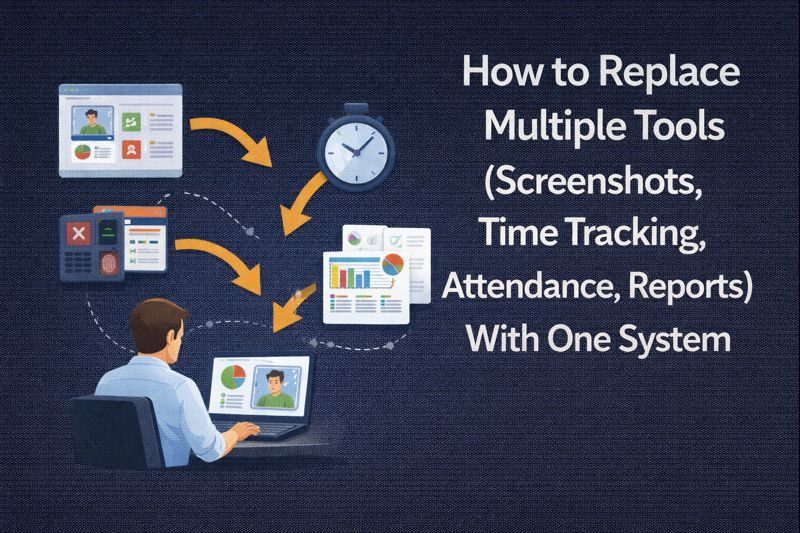
Corporate teams today struggle with several disconnected apps just to get basic visibility into their work. One tool is used for taking screenshots, another to track the working hours, one for attendance, and another for reporting.
The pressure to replace multiple tools with one system is growing because this kind of “tool sprawl” scatters data across platforms, creating blind spots that make real progress hard to measure.
What you actually need is an all-in-one employee productivity platform that tracks attendance, automates timesheets, and provides concrete proof of work. By consolidating these signals into a single system, you get one source of truth. Instead of stitching together reports, you get a connected view of effort, output, and reliability in a single platform.
Why Teams Are Trying to Replace Multiple Tools With One System
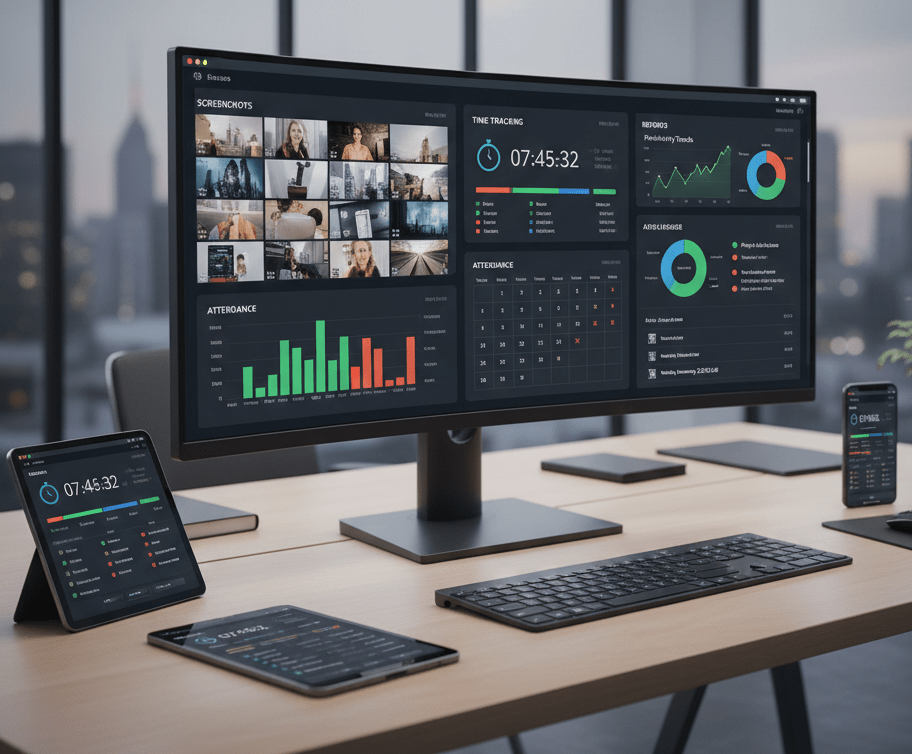
Tool sprawl across screenshots, time tracking, attendance tracking software, and reporting apps create fragmentation. You end up juggling 4–6 overlapping tools (or spreadsheets), each with its own data.
For example, one app may say an employee was “active” 7 hours, another timesheet might say 9 hours, and your attendance log might say 10 hours.
One app’s screenshot may not match another one’s time log.
This fragmentation leads to poor decisions. Eventually, leaders will lack confidence in any single report. Moreover, your employee’s billable hours may get wasted on spreadsheets and data clean-up. As teams grow (50→100+), spreadsheets that once “worked fine” suddenly collapse under the volume.
Modern teams are moving toward an all-in-one workforce productivity system that links time, activity, and attendance into a single comprehensive dashboard.
Platforms like Flowace are designed to bring these signals together so managers can see effort, output, and reliability without stitching data across tools. The result is fewer blind spots, less busywork, and clearer confidence in what’s actually happening on your team.
What Breaks When You Use Separate Tools for Screenshots, Time Tracking, Attendance, and Reports
When you use separate tools for screenshots, time tracking, attendance, and reporting, you don’t just add complexity. You break the flow of information that helps you understand how work actually gets done.
Screenshot Tools Show Proof of Work but Not Productivity
Screenshot apps can prove someone was at their desk at 2 pm, but they miss the actual context. An engineer in a design meeting or a developer doing deep coding might have a blank or slide deck on screen. Yet the work is real.
Sometimes screenshots even reward the wrong behavior. Employees learn to keep screens “busy” instead of doing focused work. Deep thinking, problem-solving, and collaboration become invisible, while shallow activity looks productive. Over time, this distorts your team’s performance.
Over-relying on images can be counterproductive.
Time Tracking Software Alone Doesn’t Explain Output
Traditional time tracking software capture logged hours. An employee might log 8 hours using a manual timer or spreadsheet. But the output may not match the time reported. Without the context of what was actually worked on, the logged hours will tell you very little.
Manual timers and retroactive timesheets are prone to guesswork and error. People forget to stop the clock or fudge entries near deadlines. Over time, these inaccuracies snowball into disputes and missed invoices.
Hands-free, automatic timesheets solve this problem. AI-powered trackers can log work by scanning app and task usage, removing manual entry.
One thing both employers and employees need to understand is that a time tracker is not a micromanaging tool. Its purpose is to create alignment around effort and outcomes, not to police every minute of the workday.
Attendance Tracking Measures Presence, Not Contribution
Clocking in and out only says “here at 9 am, left at 6 pm.” It doesn’t say what happened in between. Did someone spend 4 of those hours in meetings or on lunch?
On its own, attendance data measures presence, not performance. Without connecting it to actual work and outcomes, it’s easy to misinterpret long days as productive ones. That’s why attendance only becomes meaningful when it’s tied with a productivity scorecard with metrics like tasks completed, work artifacts created, or progress made against clear goals.
Reporting Across Multiple Tools Creates Data Conflicts
Relying on multiple tools means maintaining multiple reports. Every payroll or billing cycle turns into a reconciliation nightmare. You export one CSV from the attendance app, another from the time tracker, and a third from your screenshot system. Then someone manually merges them in a spreadsheet, hoping it all lines up. But it rarely does.
All this manual stitching breeds distrust. Duplicated data entry across tools inevitably leads to errors and rework. Instead, when time, attendance, and activity feed into one dashboard, every report (productivity score, billable hours, attendance summary) comes from the same dataset. This prevents conflicts across your team.
The Hidden Costs of Tool Sprawl in Remote and Hybrid Teams
When your workforce is split between home and office, visibility is already tough. Tool sprawl only worsens that.
- Manual Reconciliation and Admin Overhead: Your finance and HR teams waste hours each week chasing down timesheet errors and CSV mismatches. Timesheet discrepancies, file mismatches, and payroll corrections quietly drain team capacity.
- Missed Billable Hours and Payroll Errors: When timesheets and attendance don’t sync, you tend to underbill your clients. A recent study reports that around 20% of payroll has errors, costing about $291 to fix each error.
- Low Trust in Time and Productivity Data: When productivity reports don’t line up, trust goes out the window. One system shows too little, another shows too much; employees feel their effort isn’t accurately reflected, while managers lose confidence in the data.
- Rising SaaS Costs With Poor ROI: Paying for four to six overlapping tools, plus integrations and storage, can cost you a fortune. On average, companies find themselves spending thousands per employee per year on overlapping subscriptions.
Integrating everything in one hybrid team monitoring platform means you spend less time on data cleanup and have more time for actual leadership.
Can One System Really Replace Screenshots, Time Tracking, Attendance, and Reports?
The short answer is a resounding yes!
You want a workflow where clock-ins, activity tracking, and reporting are parts of one continuous chain. In such a system, you don’t add time tracking on top of attendance; they happen together.
Flowace exemplifies this approach. Rather than an add-on, it was created to link time, activity, and attendance natively. So yes, one system can replace four tools and do it better. That’s the promise of an all-in-one solution.
What Does An All-in-One Employee Productivity Software Look Like?
An all-in-One Employee Productivity Software is a tool that gives you a coherent story of work. Below is a concise blueprint of what that platform actually looks like and why each part matters to you.
Automatic Time Tracking Instead of Manual Timers
The tool should automatically capture work without relying on manual clock-ins. Look for AI-powered tracking that logs app and website usage and builds daily timelines. This gives accurate daily work diaries without employee effort.
For example, Flowace’s automatic tracker runs silently in the background, logging breaks and active time so teams don’t have to remember to press “start” or “stop.”
Integrated Attendance Tracking Based on Real Work Hours
Rather than a separate punch clock, attendance should be built on tracked time. The system must record shift adherence, breaks, and overtime automatically. It should trigger alerts for missed hours or excessive overtime.
Flowace does this beautifully by providing real-time attendance visibility.
Contextual Visibility Beyond Screenshots
A modern platform should provide a clear timeline of work activity. You should be able to see apps used, websites accessed, and tasks worked on, all in context. This timeline helps you understand how time was spent without relying on isolated data points.
Flowace functions as an activity log rather than a surveillance tool. It tracks app and website usage and captures screenshots only if you choose to enable them. This allows managers to review productive versus unproductive time when needed, without making constant monitoring the default.
Importantly, it can run quietly in the background. There are no disruptive pop-ups or alerts that interrupt work. The result is contextual productivity data that supports better decisions while respecting employee focus and privacy
Unified Productivity Reports From a Single Data Source
A modern system should generate every report from the same underlying database, not from parallel spreadsheets. You should be able to view individual, team, and company-wide metrics in one place. Hours worked, project time, and attendance adherence should all be calculated from the same backend. When data lives in one system, reports stay consistent and trustworthy.
A unified platform also removes the need for manual exports and reconciliation. This is where platforms like Flowace fit naturally. Flowace provides dashboards, analytics, and data visualizations from a single data source, giving you immediate reporting for remote and hybrid teams without assembling spreadsheets or cross-checking numbers.
How Flowace Improves Visibility Without Increasing Micromanagement
One of the biggest fears leaders have when adopting employee monitoring software is this: Will it turn managers into micromanagers?
Flowace was built to solve a very specific problem: lack of visibility in modern work environments, especially remote and hybrid teams. doesn’t encourage managers to watch employees minute by minute. Instead, it automatically captures work patterns.
When you see patterns instead of isolated moments, you start focusing on measurable outcomes.
Flowace offers:
- Automatic Time Capture: Records work time in the background without manual timers or constant employee input.
- Productivity Trend Analysis: Highlights patterns over days and weeks instead of isolated activity moments.
- Contextual Activity Insights: Categorizes app and website usage to show how time is spent, not every click.
- Unified Attendance, Time & Activity View: Connects attendance, working hours, and activity data in one system.
- Proof of Work Through Patterns: Emphasizes consistency and output over screenshots or “looking busy.”
- Team-First Dashboards: Surface team-level insights before allowing individual drill-downs.
- Automated Reports & Timesheets: Generates accurate reports without manager follow-ups or interruptions.
- Privacy & Control Settings: Supports work-hours-only tracking, personal app exclusions, and role-based access.
When It Makes Sense to Replace Multiple Workforce Tools With Flowace
Replacing multiple workforce tools with Flowace makes sense when visibility comes at the cost of complexity. If your team relies on separate apps for screenshots, time tracking, attendance tracking, and reporting, you’re likely spending more time reconciling data than acting on it.
Switch to Flowace if you are:
- Scaling From 20 to 100+ Employees: If your startup’s 5 tools “worked in early days” but now you feel tangled, it’s time. Larger teams break spreadsheets and manual logs. An integrated system scales by adding seats, not spreadsheets.
- Managing Remote or Hybrid Teams: In-office work could rely on badge-ins, but remote work needs unified tracking. When hybrid complexities cause blind spots, one platform keeps in-office and remote data together.
- Dealing With Payroll Disputes or Missed Billables: If you’re reconciling timesheets every pay cycle or clients are complaining about underbilling, consolidation reduces these errors. Automating attendance and linking it to hours prevents payroll mistakes.
- Lacking Real-Time Productivity Visibility: When decisions are based on hunches or outdated reports, look for integration. The right time to switch is when dashboards and spreadsheets still leave you flying blind. An all-in-one workforce analytics platform gives you real-time insight.
How Teams Typically Move From 4–5 Tools to One System
Here is a common pattern teams follow when they replace fragmented workforce tools with a single platform:
Step 1: Audit Your Existing Tools
List every tool and spreadsheet for screenshots, time, attendance, and reporting. Note which features overlap. This clarifies what to consolidate.
Step 2: Identify Overlapping Features and Gaps
For example, if two tools both do timesheets but neither ties them to billing, that gap needs filling. Decide which features must transfer.
Step 3: Start With Time Tracking and Attendance Automation
Implement the new system’s core – automatic timers and check-ins. Don’t shut down old tools immediately; run them in parallel. Configure the new system to capture the same data (e.g. match project codes).
Step 4: Add Productivity and Reporting Visibility
Once reliable time logs flow in, enable the new dashboards. Train managers to use the single reporting portal instead of separate tools. Compare results with the old reports to validate.
Step 5: Gradually Retire Redundant Tools
When the new platform is trusted (and matches or improves results), turn off legacy tools one by one. Keep backup data for reference during the transition.
Final Takeaway
When you rely on separate apps and spreadsheets for work visibility, you spend energy reconciling numbers instead of understanding what’s actually happening. Before adding yet another tracking tool to your tech stack, it’s worth asking yourself whether a single, integrated system can give you the visibility you’re looking for.
Platforms like Flowace show how this can work in practice. In Flowace, time tracking, attendance, and analytics are designed to operate as one system. With a unified view, you eliminate reporting blind spots and give your team the structure they need to work smarter, not harder.
See how work truly gets done across your organization, without guesswork, blind spots, or micromanagement. Start your free trial with Flowace today or book a free demo now.
FAQs:
1. Can one system really replace screenshots, time tracking, and attendance tools?
Yes — when the platform natively captures time, attendance, and contextual activity and ties everything to the same data model, it can replace separate apps and eliminate reconciliation. You should validate the workflow with a parallel pilot and confirm the platform maps to your existing processes before full cutover.
2. Is all-in-one employee productivity software suitable for mid-sized teams?
Yes — mid-sized teams often get the biggest ROI because consolidation reduces admin overhead and scales reporting without multiplying spreadsheets. Make sure the vendor supports role-based access, compliance needs, and flexible workflows to fit your org as it grows.
3. Does consolidating tools reduce reporting accuracy?
No — consolidation typically improves accuracy by removing manual CSV merges and duplicate records and by producing reports from a single source of truth. That said, accuracy depends on correct setup, clean data migration, and governance during the transition.
4. How does an all-in-one system handle employee privacy?
Responsible platforms use work-hours-only tracking, exclude personal apps, limit access by role, minimize collected data, and enforce retention rules to protect privacy. You should publish a clear monitoring policy, get informed consent where required, and give employees visibility into and control over their own data.
5. Is it risky to replace multiple tools with one platform?
Any migration carries risks like data gaps, temporary workflow disruption, or user resistance, but you can mitigate them with a staged pilot, parallel runs, and transparent communication. Choose a vendor with exportable data, strong integrations, and compliance features to reduce vendor lock-in and operational risk.