Project Cost Tracking for Month-End Close Accuracy



Key Takeaways:
- Month-end close delays are a data problem, not an accounting problem. Organizations with fragmented time and cost data take significantly longer to close than those with structured, automated systems.
- Manual timesheets distort labour costs. Error rates of 15–25% inflate payroll costs, misstate margins, and force finance teams into reactive reconciliation during closing week.
- Missed billable hours quietly erode revenue. Even small daily under-logging gaps compound into hundreds of lost hours per month, permanently impacting margins.
- Idle time without visibility becomes embedded cost leakage. When active and idle hours are not separated, payroll appears aligned while productivity may not be.
- Real-time utilisation tracking prevents month-end surprises. Weekly monitoring of capacity and billable utilisation helps correct under- or over-allocation before it impacts financial reporting.
- Continuous reconciliation shortens close cycles. Syncing payroll, attendance, and project logs weekly transforms month-end from a correction exercise into a confirmation process.
- A simple cost formula requires accurate inputs.
Project Cost = (Actual Hours × Cost Rate) + Overheads + Tool Costs
Without reliable time capture, even the best cost model produces flawed results. - Workforce analytics improves financial accuracy. Real-time dashboards, audit-ready logs, and early warning alerts reduce reconciliation effort and improve forecasting confidence.
- Automation reduces reconciliation errors dramatically. Integrating time capture, billing classification, and payroll sync can cut manual adjustments by up to 95%.
- The fastest closers fix problems before closing week. The difference between a 10-day close and a 4–5-day close comes down to disciplined, real-time project cost tracking throughout the month.
During closing week, you chase missing time entries, track down unrecorded billable hours, and try to reconcile spreadsheets that were never designed to work together. What should be a structured financial review turns into detective work, tracking back weeks of incomplete logs, correcting misclassified hours, and adjusting project margins at the last minute.
The ripple effects go beyond delayed reporting. Revenue recognition becomes unstable because you are billing based on partial records.
The gap between efficient and inefficient closes is significant. In a survey of 2,300 organisations, the bottom 25 percent reported needing 10 or more calendar days to complete the monthly close. Top performers completed the process in 4.8 days or less, while the median organisation required 6.4 days.
If you want accurate month-end closes, the work has to happen before closing week. When you automatically track labour time, structure it by client and project, and validate cost allocations continuously, you change the nature of the close. Instead of correcting errors under pressure, you are confirming numbers that are already aligned.
That shift gives you faster closes and far fewer surprises at the last minute.
What Is Project Cost Tracking in Financial Terms?
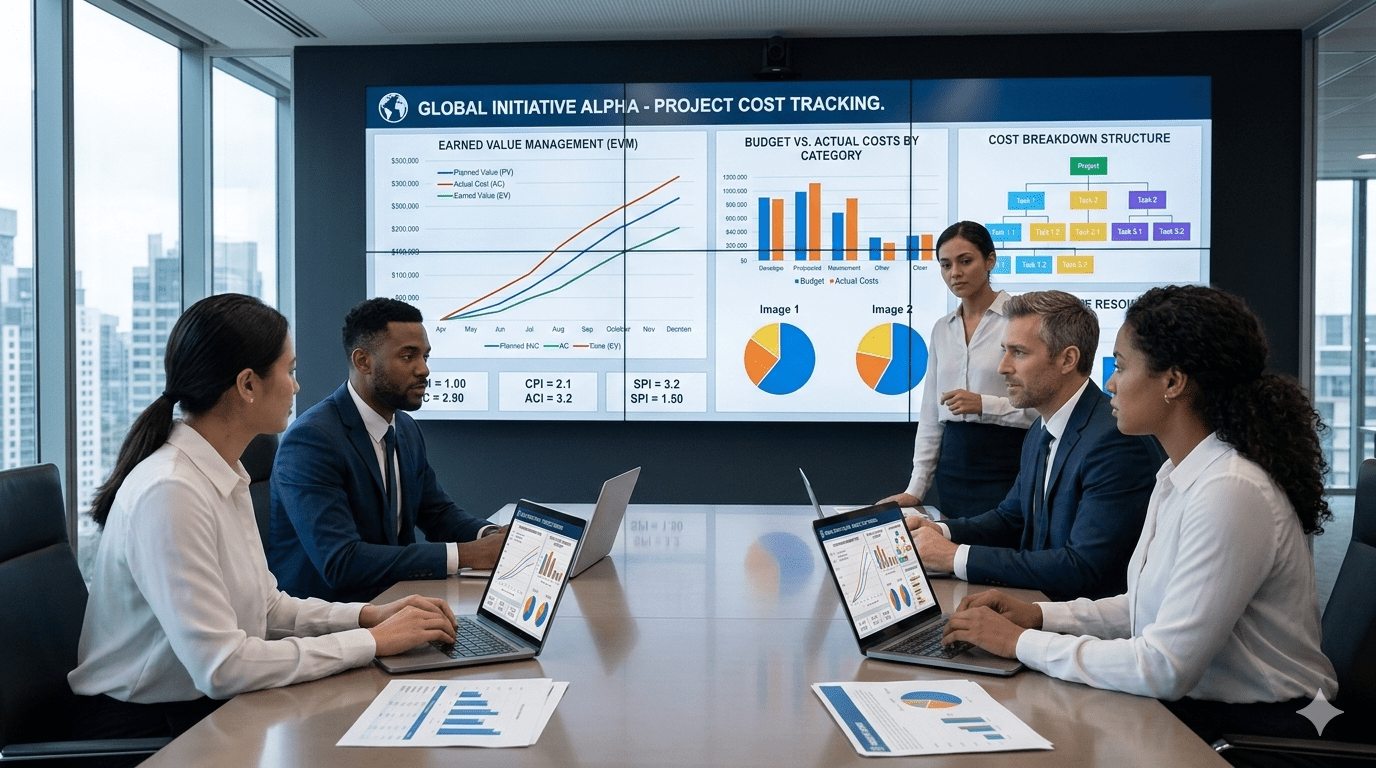
Project cost tracking is the continuous process of monitoring all direct and indirect expenses associated with a project so that it stays within its approved budget.
In financial terms, cost tracking covers:
- Labour costs: multiplying logged hours by cost rates for each role.
- Billable vs non‑billable hours: separating revenue‑generating work from internal activities explains that billable hours are time spent on client projects, while non‑billable hours cover administrative tasks, training, and internal meetings.
- Overtime and idle time: ensuring overtime premiums are captured and idle time isn’t misclassified as productive.
- Tool and software usage costs: allocating subscription fees or per‑seat licences to the projects they support.
- Budget vs actuals: comparing the approved cost baseline with real spending to flag overruns early.
A simple formula many finance teams use to calculate project cost is:
Project cost = (Actual hours × Cost rate) + Overheads + Tool costs.
For example, if ten developers should log eight billable hours a day but only record 6.5 hours each, a 1.5‑hour gap across 20 working days amounts to 300 lost billable hours. Without real‑time tracking, that revenue gap only becomes visible at the month‑end close when it’s too late to recover.
Why Month‑End Close Become Inaccurate in Service Businesses?
Service businesses run on labour. If your labour costs are wrong, your margins are wrong. The labor efficiency ratio, which measures how effectively labour cost converts into revenue, becomes unreliable when time data is inaccurate. Yet the month-end close still stretches longer than it should because the underlying cost data is fragmented.
In most service organizations, month‑end closes often drag on for days because of five common problems:
1. Incomplete Or Backfilled Timesheets
Manual time tracking introduces predictable inaccuracies. Employees forget to log time, reconstruct their day at the end of the week, or rely on estimates. Industry benchmarks indicate manual timekeeping can carry error rates of 15 to 25 percent, while automated systems reduce that to below 2 percent.
When this happens, your finance team nd critical closing days are validating entries, correcting allocations, and confirming what should have been captured accurately in real time.
2. Manual Reconciliation Across Systems
In many organisations, HR data, payroll records, and project tracking exist in separate systems or spreadsheets. Reconciliation then becomes a manual exercise involving journal entries, email approvals, and repeated cross-checks.
Each manual step increases the likelihood of delay or error. Instead of analysing margins, utilisation, and profitability, your finance team is occupied with aligning fragmented data sets.
3. Missed Billable Hours
Revenue leakage in service businesses is often subtle but material. One survey found that, on average, close to one in every five billable hours is never recorded, costing roughly US $63,807 per employee annually in lost revenue. This equates to about US $7.5 billion per day across the sector.
Without structured, real-time capture and validation, missed billable hours become embedded leakage rather than an exception that can be corrected.
4. No Distinction Between Idle And Productive Time
Studies suggest that the average employee admits to wasting 2.09 hours per day, excluding lunch breaks. Even after adjusting for expected downtime, this translates into an estimated 759 billion dollars annually in salaries paid for time that generates no measurable business value.
If your systems do not distinguish between active, productive time and idle time, you lose clarity on true utilisation. Labour costs are recorded in full, but output may not reflect the same efficiency. Without structured visibility into where time is actually spent, these losses remain embedded in payroll and project costs.
5. Lack of Real-Time Utilisation Visibility
When utilisation data is reviewed only at the month’s end, corrective action is already too late. Outdated or incomplete information leads to reactive decision-making and, in some cases, inaccurate financial reporting.
Without real-time visibility into workload distribution and capacity, under-allocation and over-allocation remain hidden until the closing process surfaces them.
A Step-By-Step Framework To Optimize Project Cost Tracking Before Month-End
The following framework helps finance and operations leaders turn chaotic month‑end closes into predictable, data‑driven processes. Each step addresses a root cause of inaccuracies and leans on technology to automate the manual work.
Step 1: Automate Time Capture Instead of Relying on Manual Timesheets
Manual timesheets are inherently unreliable, with error rates that can significantly inflate your payroll cost. Automated timesheets reduce that error margin by clocking work time as it happens, and not reconstructed later.
Modern project cost control platforms, including tools like Flowace, run quietly in the background and record active time, idle time, and application usage automatically. It creates a detailed timeline of your daily work activity, giving organizations a consistent, audit-ready source of truth for payroll, billing, and project costing.
Step 2: Separate Billable and Non-Billable Time in Real Time
For accurate revenue tracking, you need to classify your team’s work as billable and non-billable work. Your system should support project-level tagging and structured activity categorisation so billable and non-billable hours are assigned automatically.
Platforms such as Flowace enable this separation without adding administrative burden. This clarity allows finance teams to see which hours directly drive revenue and which represent operational overhead.
Step 3: Track Idle Versus Active Work
Idle time often hides inside logged hours. Without visibility, payroll costs can appear aligned while actual productive output lags behind.
Advanced tracking systems distinguish between active keyboard and mouse activity and idle periods. They also classify applications and websites as productive, neutral, or unproductive, providing context to time data. Flowace, for example, allows configurable idle thresholds and app categorisation policies, making it easier to identify cost leakage without micromanaging teams.
This visibility is essential for both remote and office-based teams.
Step 4: Monitor Resource Utilisation Weekly, Not Just at Month End
Utilisation reflects how effectively your available capacity converts into productive work:
Utilisation = Actual work hours ÷ Available hours
Reviewing this metric weekly prevents surprises during closing week. Leading practices suggest that a utilisation rate around 80 percent often balances strong output with sustainable workloads.
Real-time dashboards, available in platforms like Flowace and similar workforce analytics tools, allow managers and finance leaders to spot under-allocation or overload early.
Step 5: Reconcile Payroll and Project Logs Before Month End
Aligning attendance records with project logs on a weekly basis shortens the close cycle and improves financial accuracy.
Continuous reconciliation ensures payroll hours match project allocations, supports compliance, and reduces last-minute adjustments. Systems such as Flowace integrate time, attendance, and project tracking in a single environment, making this alignment less dependent on spreadsheets and manual cross-checks.
When this discipline is maintained throughout the month, the close becomes structured and predictable rather than reactive.
What Metrics Finance Teams Should Review Before Closing the Books?
Rather than reviewing everything, focus on a defined set of indicators that reveal efficiency gaps and revenue leakage.
- Logged hours vs Active hours: Highlights discrepancies between recorded time and actual productive effort, helping detect idle time or inflated entries.
- Billable Utilisation Percentage: Measures the share of available hours that generate revenue. A declining rate may indicate under-billing or operational inefficiencies.
- Overtime Hours: Tracks incremental labour costs and signals potential burnout. Controlling overtime protects both margins and retention.
- Idle Time Percentage: Quantifies hidden productivity loss and identifies workflow or behavioural bottlenecks.
- Missing Hours: Flags incomplete time entries that may compromise payroll accuracy and compliance.
Reviewing these metrics weekly, ideally through consolidated dashboards such as those provided by Flowace and comparable analytics platforms, allows finance teams to address discrepancies immediately
How Real‑Time Workforce Analytics Improves Month‑End Accuracy
Traditional spreadsheets and manual systems can’t provide real‑time insight. Prophix points out that relying on outdated data leads to inaccurate financial statements and delayed decisions.
Real‑time workforce analytics solves this by delivering daily employee productivity scorecards, utilisation dashboards, and early warning alerts.
Key benefits include:
- Continuous visibility: Managers see exactly where time is spent, who is over‑ or under‑utilised, and which tasks drive results. This reduces the need to reconstruct histories at month‑end.
- Burnout alerts: Daily analytics spot patterns such as rising overtime or declining productivity so leaders can intervene before exhaustion affects morale and costs.
- Audit‑ready logs: Automatic capture of activities creates a tamper‑proof history, simplifying compliance with labour regulations and client audits.
- Historical benchmarks: With months of time and activity data, finance teams can forecast costs more accurately and refine future budgets.
Where Flowace Fits in Project Cost Tracking
Flowace is a data‑backed time and activity intelligence layer designed to help finance and operations leaders gain complete cost visibility without micromanaging employees. It works by capturing time automatically across devices, categorising activities into productive, unproductive and neutral, and generating billable vs non‑billable breakdowns. Finance teams can view active time, idle time, attendance logs and project‑level reports without relying on manual timesheets.
The platform offers:
- Automatic timesheets: Flowace silently tracks work hours, monitors apps and websites, eliminating manual entry. Its Basic plan starts at $2.99 per user per month and includes unlimited projects, unlimited screenshots and automatic attendance tracking.
- Project & task‑level tracking: Assign work across multiple levels (Client > Project > Task > Sub‑task) and classify activities as billable or non‑billable. The Standard plan (about $4.99 per user per month) adds productivity ratings, break tracking, integrations, and web/app usage reports.
- Resource utilisation reports: Visual dashboards show utilisation percentages and idle time, enabling proactive reallocation.
- Payroll sync: Weekly attendance records and project logs can be reconciled, reducing errors.
- Historical audit logs and burnout alerts: The Premium plan (~$10 per user per month) adds client logins, executive dashboards, internet connectivity reporting and longer data retention.
By layering these capabilities onto existing payroll and accounting systems, Flowace helps you close the books faster and recover missed billables. Flowace helps you gain confidence in your numbers without invasive monitoring.
Ready to improve your month‑end close accuracy? See how automated time tracking transforms your financial reporting. Book a free demo with Flowace or start a 7‑day free trial to review your project cost data before your next close.
FAQs:
1. What is project cost tracking in accounting?
It is the ongoing process of measuring project labor, overhead, and tool costs against budget and revenue so you can report accurate margins and avoid surprises.
2. Why does the month-end close become inaccurate in service businesses?
Because time data arrives late, billable work is misclassified, and finance must reconcile payroll, projects, and invoices manually.
3. How do you reconcile timesheets with payroll?
Compare expected hours to active hours weekly, approve exceptions, and ensure hours map to projects before payroll is finalized.
4. What is the simplest formula for project cost?
Project cost = (actual hours × cost rate) + overheads + tool costs.
5. How do you track billable vs non-billable time correctly?
Define clear tagging rules, enforce them at the time of logging, and audit exceptions weekly.
6. What is resource utilization reporting?
It is reporting that compares available hours to actual work hours so you can detect underutilization or overload early.
7. Should finance teams track idle time?
Yes, but with role-based settings and clear definitions. Idle time is not always waste. It can include meetings and review work.
8. Are spreadsheets risky for month-end close reporting?
Yes. Spreadsheet error research indicates non-trivial error rates, especially in large models, which can harm close accuracy.
9. Does automation actually shorten the financial close?
Research summaries from ISG-Ventana Research link higher automation and workflow use with faster close timelines and fewer delays.
10. Is employee time tracking legal and ethical?
It can be, if you have a clear policy, collect only what you need, and obtain consent where required. GDPR framing emphasizes consent before collecting user data. (Flowace Support)
11. What should you do if teams push back on tracking?
Explain the business problem (billing accuracy and payroll alignment), use aggregated reporting where possible, and avoid invasive defaults.
12. What is the best cadence for project cost control in IT services?
Weekly utilization and cost review, plus a weekly “soft close” reconciliation, works better than month-end-only reviews.