
Flowace over Clockify: Which tool meets your requirements?
Flowace is a leading alternative to Clockify, which increases productivity by 31%. Curious? Get detailed insights on the employee monitoring software's features, benefits, genuine customer reviews, and cost factors to see which fits your needs.

6 Places Where Clockify Falls Short

Limited Automation
Requires manual tracking for many features, making it time-consuming.
No Productivity Ratings
Lacks automated productivity insights and analytics.
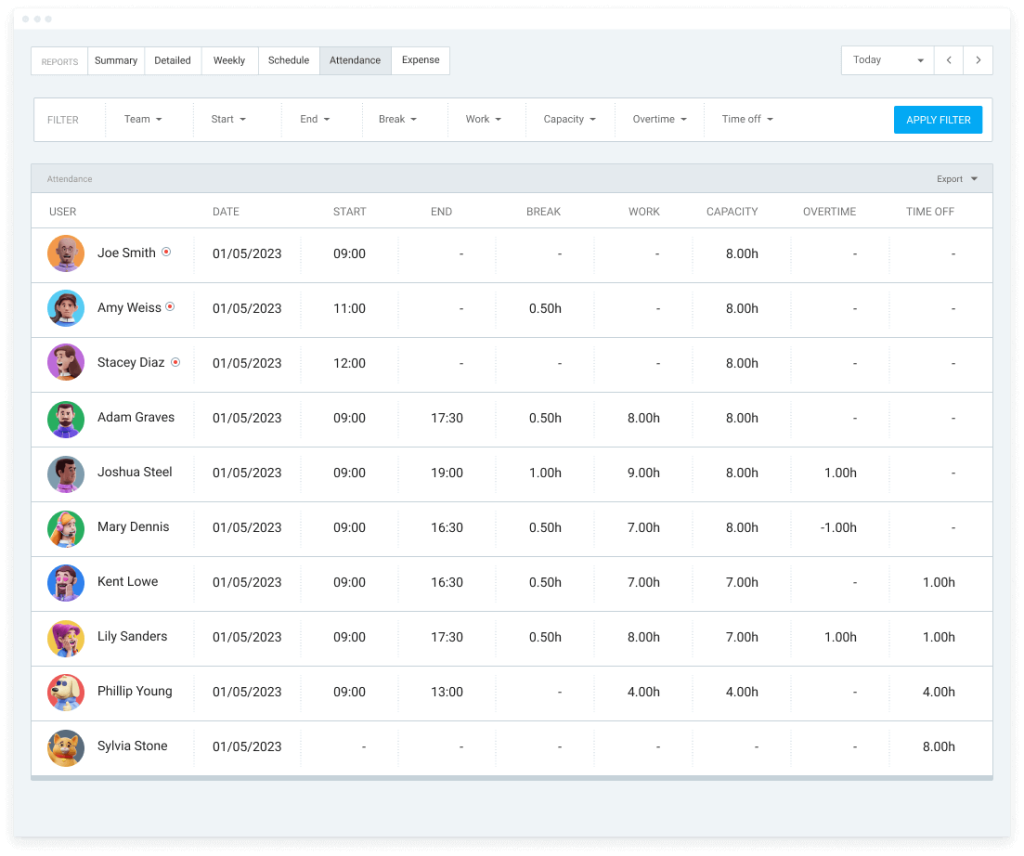
Basic Attendance Features
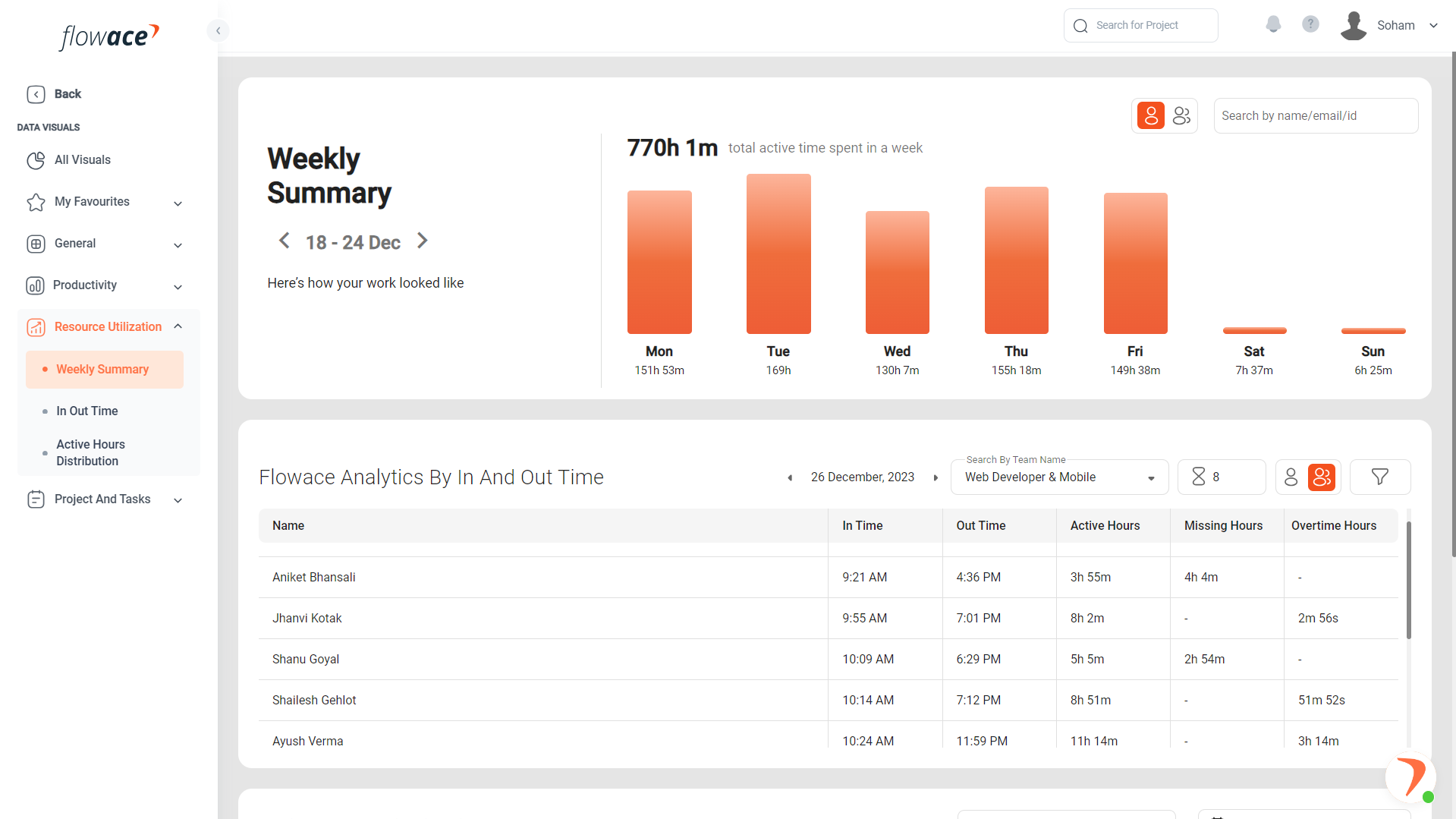
No automatic in/out time tracking, GPS-based attendance, or shift scheduling.
Limited Reporting Capabilities
Reports are not as detailed or customizable compared to Flowace.
No Built-In Privacy Mode
Users cannot enable privacy settings to manage personal activities.
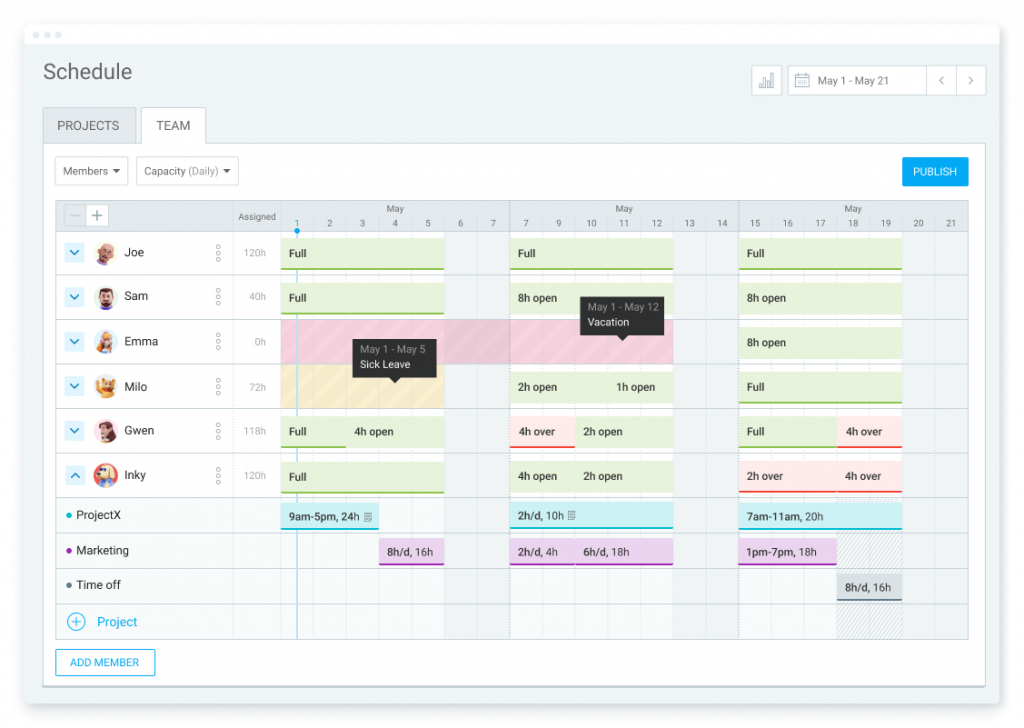
Lack of Comprehensive Project Management
Task and subtask flexibility is limited.
Detailed Comparison


Overview
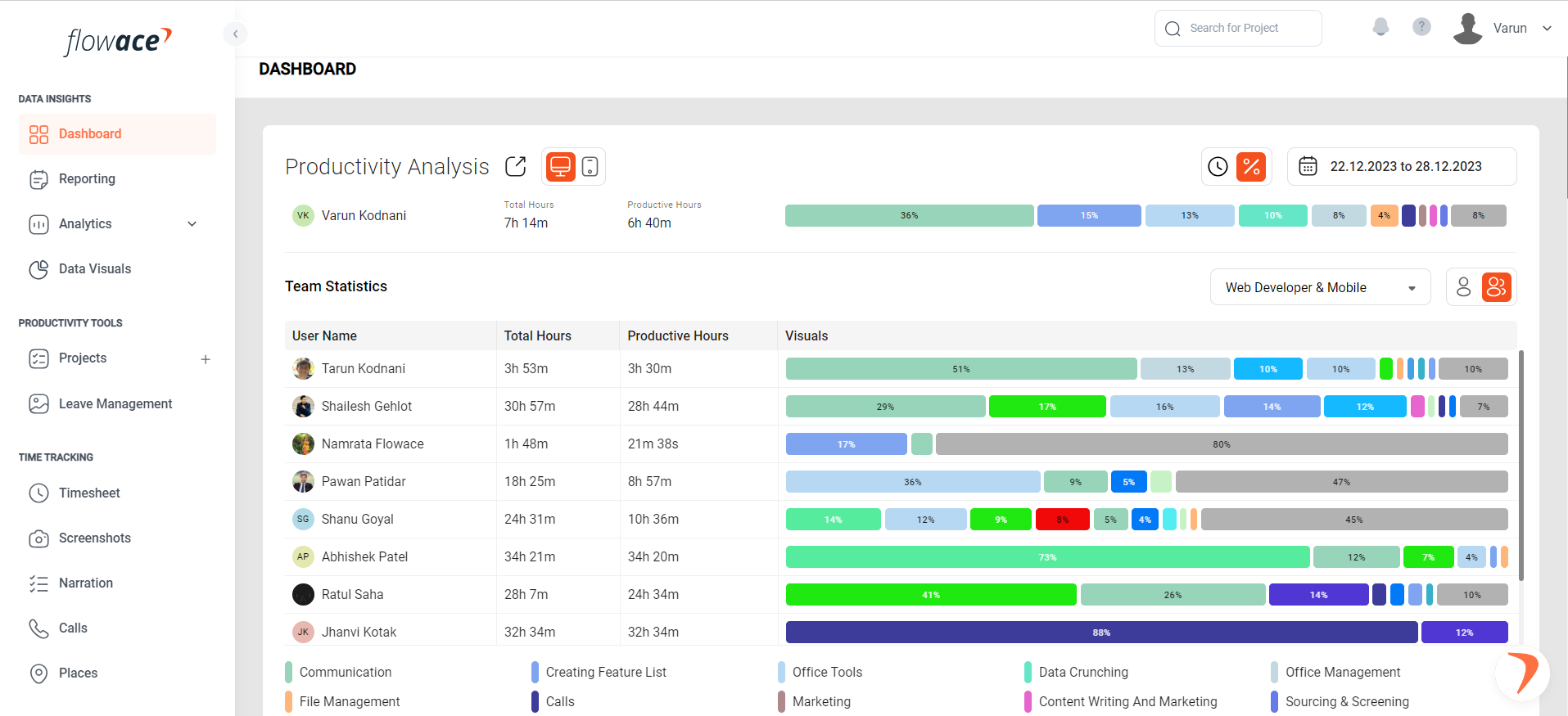
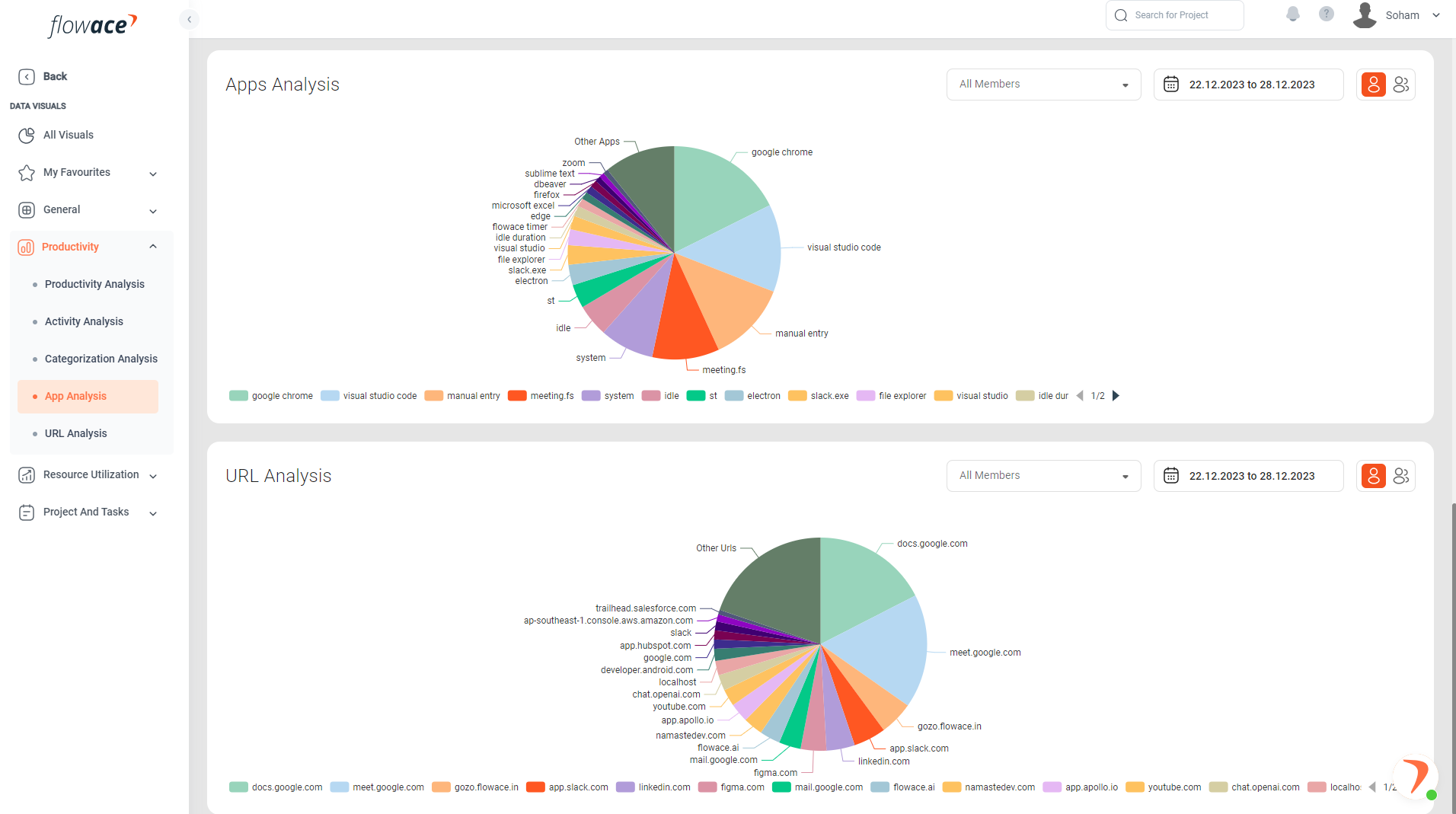
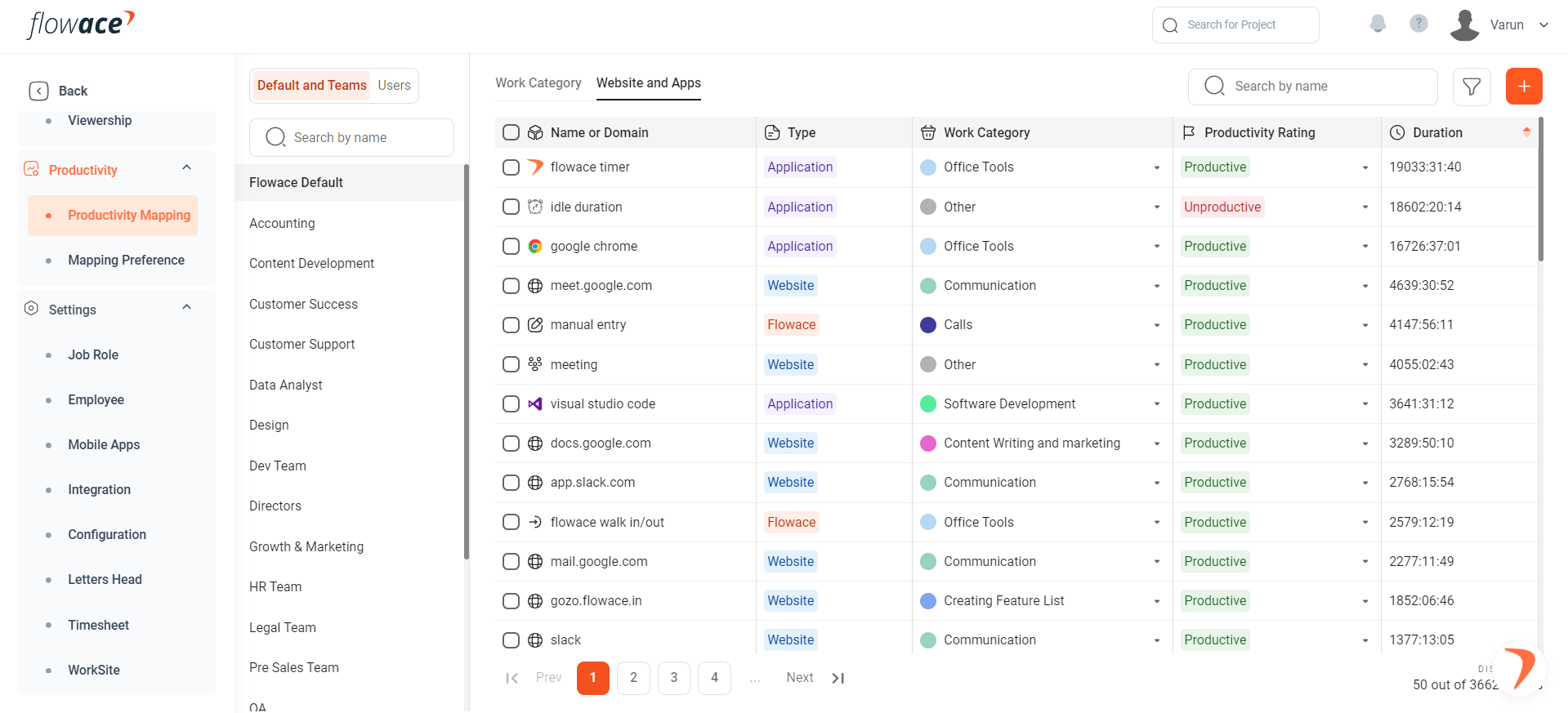
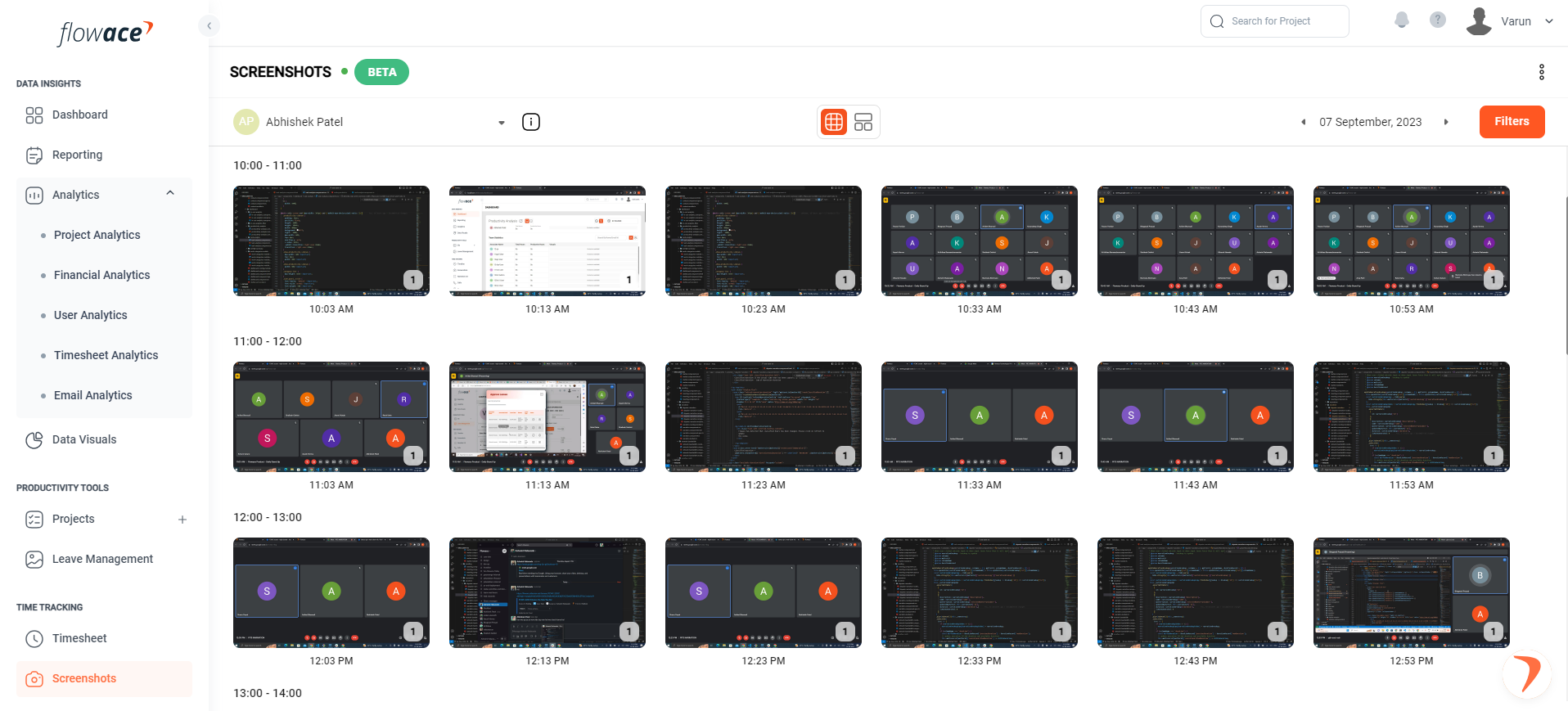
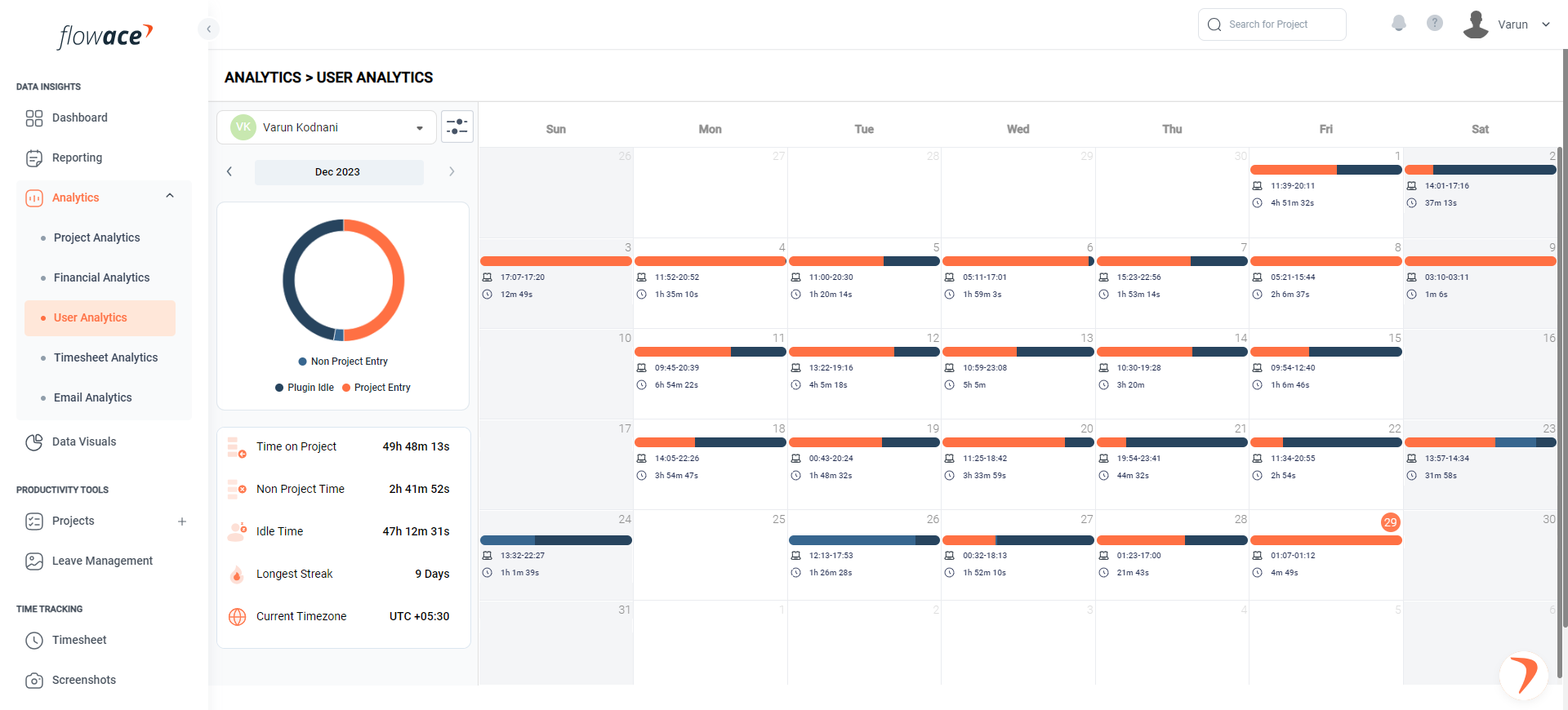
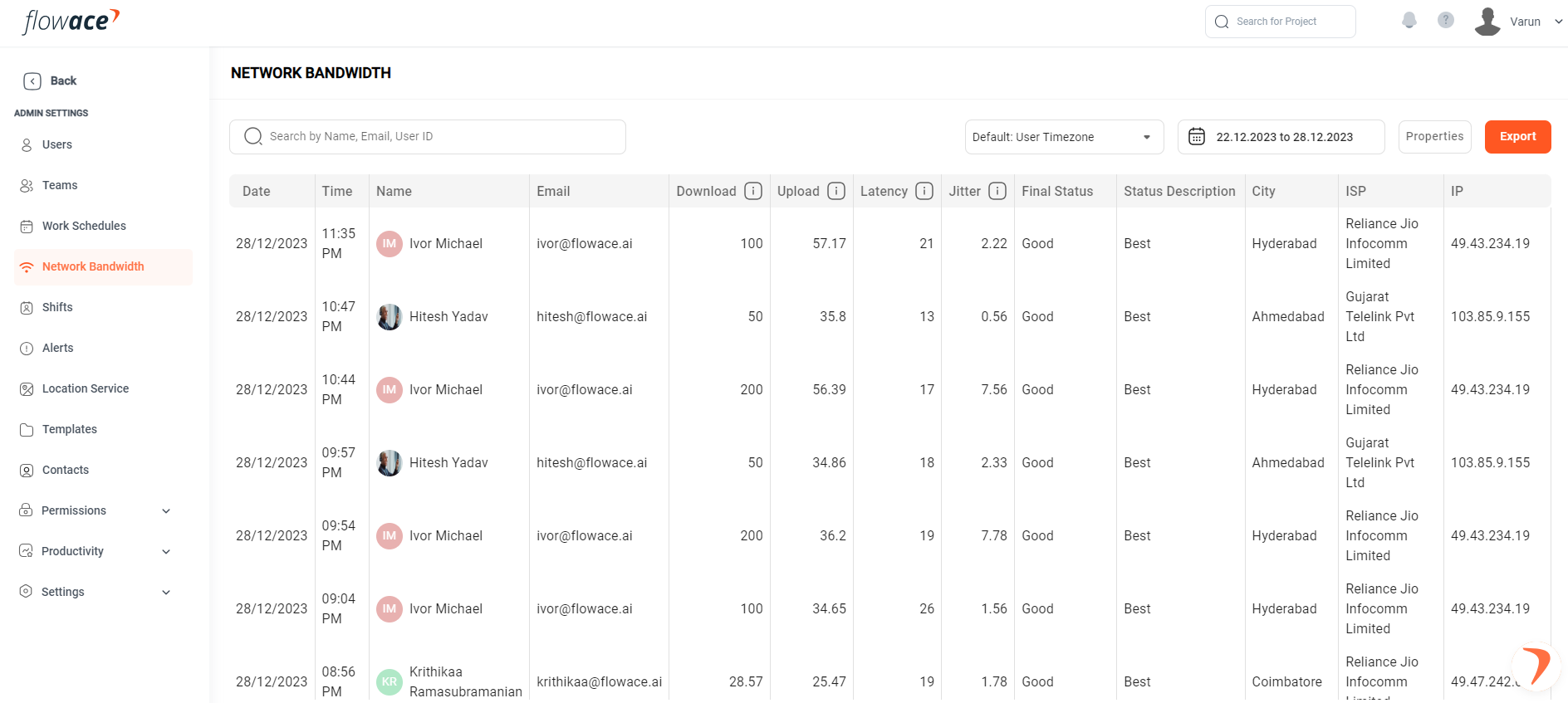
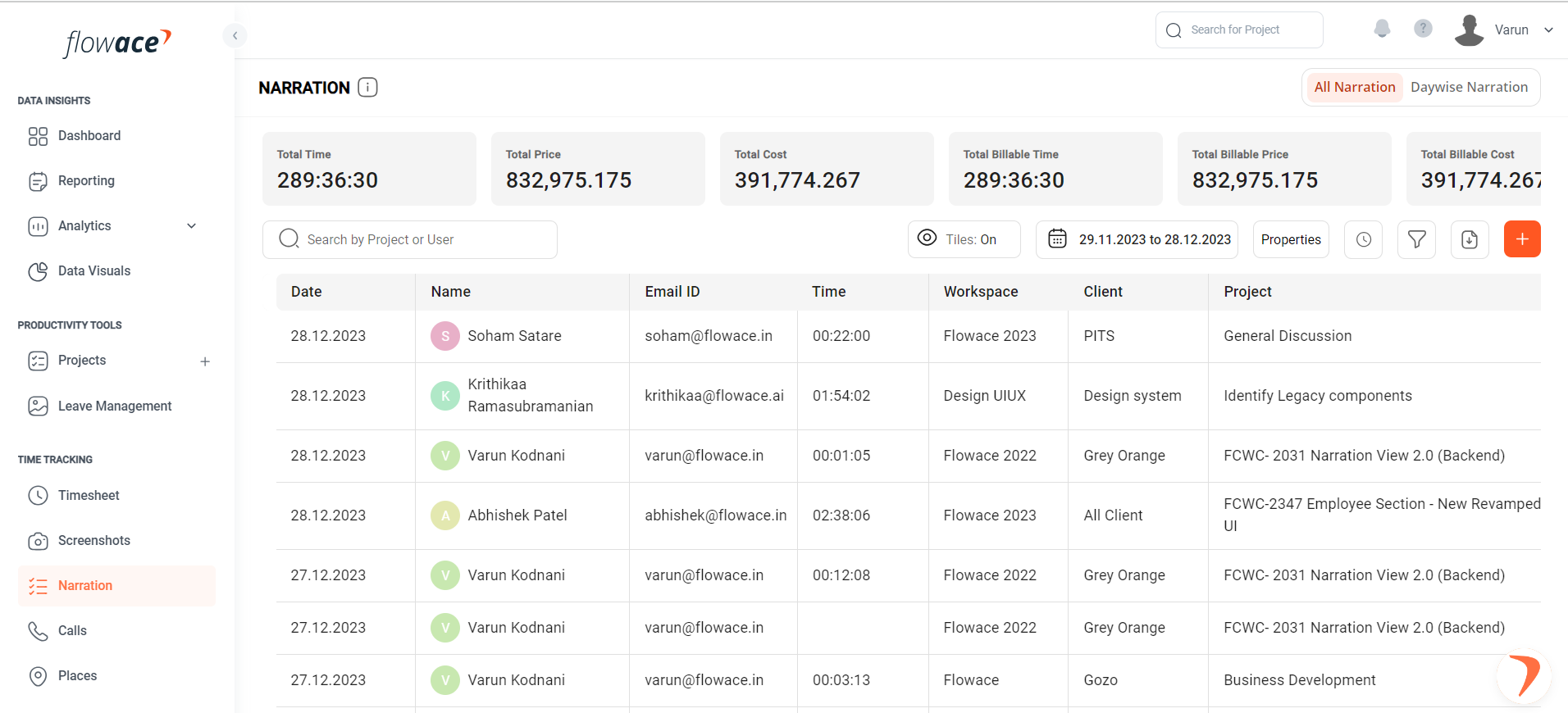
Flowace is a next-gen AI-powered productivity and time management software that helps businesses optimize workflows and improve efficiency. It has proven results — delivering up to 31% higher productivity in just 89 days. What makes Flowace unique is that this productivity boost comes without micromanagement, offering managers and employees a seamless way to align performance with business goals. Some of its most in-demand features include silent mode, automated attendance tracking, project & task management, productivity insights, and network bandwidth monitoring.
Platform Supported
- Windows
- Mac
- Linux
- iPhone app
- Android app
Ideal Customers
- Freelancers
- Small businesses
- Mid-size businesses
- Large Enterprise
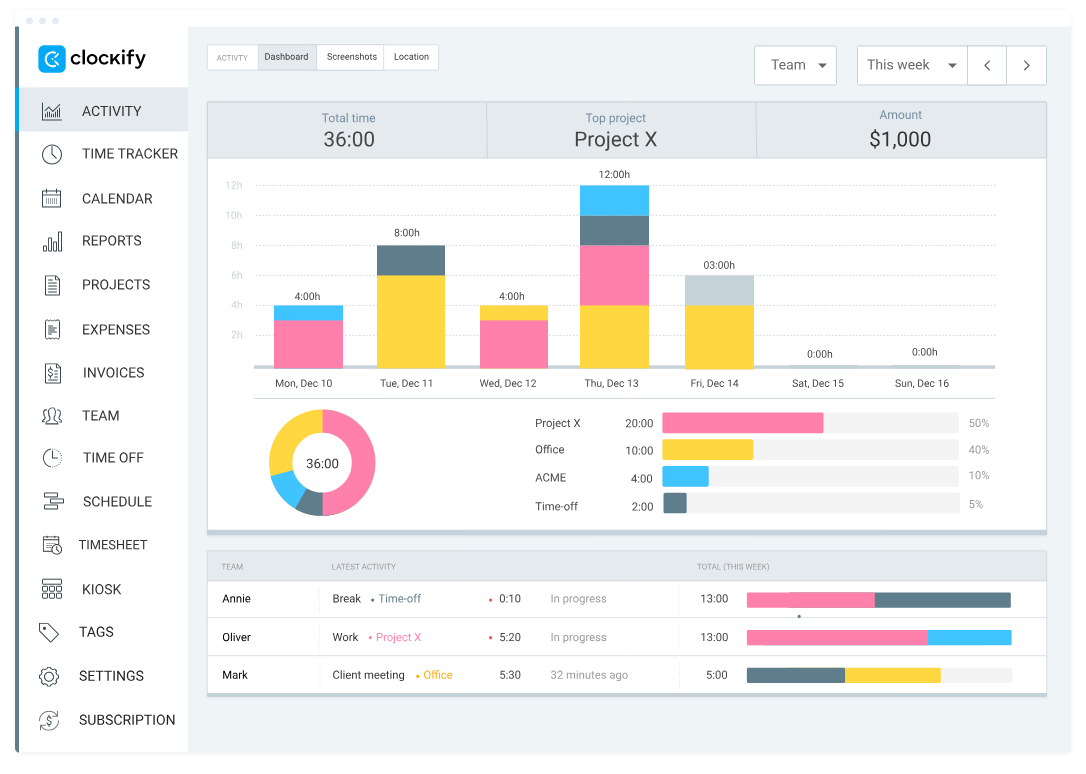
Clockify is a popular free time tracking tool, well-known for its ease of use and simplicity. It enables individuals and teams to log hours, track projects, and generate timesheet reports. Unlike Flowace, which provides advanced AI-driven productivity insights, Clockify focuses more on basic time tracking, manual timesheets, and project-based reporting.
Its straightforward approach makes it ideal for startups and small teams who need a budget-friendly tool to record time but do not require deep productivity monitoring or automation features.
Platform Supported
- Windows
- Mac
- Linux
- iPhone app
- Android app
Ideal Customers
- Freelancers
- Small businesses
- Mid-size businesses
- Large Enterprise
Platform Supported
 Windows
- iPhone app
- Anroid app
 Windows Phone app
Ideal Customers
- Freelancers
- Small businesses
- Mid size businesses
- Large Enterprise
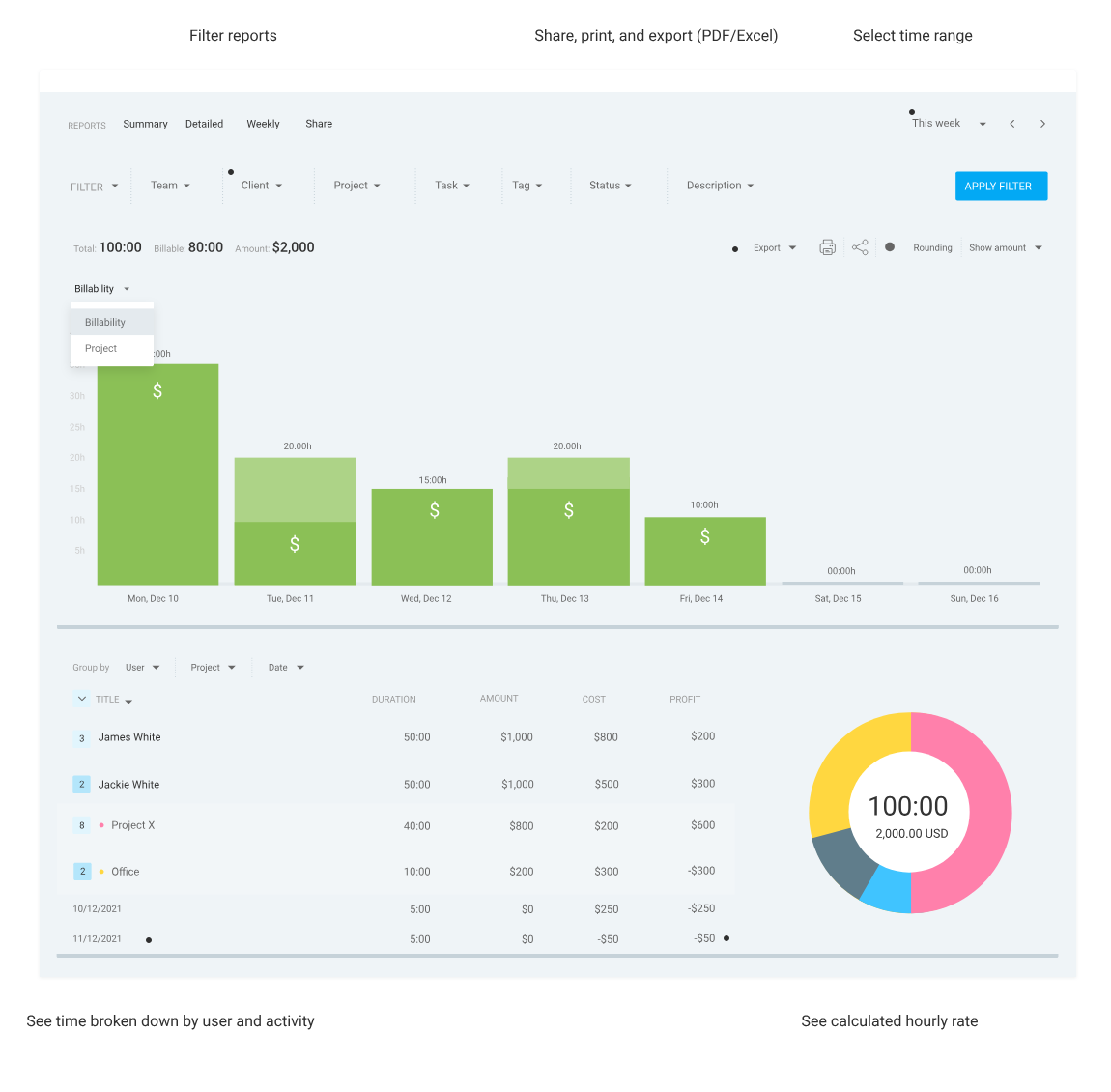
Screenshots
Pros and Cons
- Product Updates
-
Auto Update for Silent App
-
Lags Post Update
-
Monthly Updates
- Product Quality
-
User Friendly
-
Old School UI
-
Ease of Use
- Pricing
-
Expensive
-
White Labelling
-
Customization
Features
Learn More- Employee Productivity
-
Work-Life Balance
-
Privacy Mode
-
Apps and Websites Tracking
-
Productivity Ratings
-
Work Categories
-
Missing Hour Alerts
-
Inactivity Alerts
- Automated Attendance
-
Work Schedules
-
Automatic In and Out Time
-
Manual Check-in/Check-out
-
Work from Home/Hybrid Tracking
-
GPS-based Attendance
- Project Management
-
Clients and Projects
-
Task/Subtask Flexibility
-
Time Management (Expected vs Actual)
-
Team Assignments
Support
-
Onboarding Support
-
In-App Chat Support
-
Email Support
Training
-
Custom Video training
-
Webinars
-
Help Guides
-
Live Training Sessions
-
Videos
Pricing

Badges and Ratings
Meet Requirements
Ease of Use
Ease of Setup
Ease of Admin
Quality Support
Reliable Business Partner
Product Direction (posItive %)
Reviews
Likes
-
“Flowace is a very innovative productivity tool for teams. Its ability to categorize work into custom buckets like Development, Productivity, and Break has really helped us understand how our employees spend their time. The detailed timesheets also make payroll management much smoother.”

Prashant P., Managing Director & CEO
Small Business (50 or fewer employees) -
“The platform is easy to implement and use. Tracking time across different projects is straightforward, and the productivity insights are very detailed. What stands out most is their customer support — they’re always responsive and quick to resolve any issues, which makes it a reliable business partner.”

Dipsankar B., MIS Executive
Mid-Market (51–1000 employees)
Dislikes
-
“Sometimes the tool struggles with synchronization, especially if the internet connection drops. It requires refreshing a few times in the day, which can disrupt the workflow.”
Akash D.
Mid-Market(51-1000 emp.) -
“While Flowace is generally accurate, I’ve had issues where my hours during Skype meetings were not tracked properly. It gets fixed eventually, but it can be frustrating when detailed reporting matters.”
User in Information Technology
Mid-Market(51-1000 emp.)
Likes
-
“Clockify is extremely easy to use and set up. As a freelancer, I appreciate how quickly I can log my hours and generate reports. The clean interface makes switching between projects effortless, and the reports help me present a professional breakdown of my work to clients.”
Diana T., Creative Director
Small Business (50 or fewer employees) -
“It’s a reliable time tracking tool that does the basics very well. For our team, the ability to track hours across multiple projects and quickly export reports has made our workflow more organized. The simplicity of the platform is its strongest point.”
Verified User in Online Media
Small Business (50 or fewer employees)
Dislikes
-
“The mobile app feels buggy at times, and customizing reports isn’t as intuitive as it could be. For detailed reporting, I often need to spend more time than expected.”
Verified User in Online Media
Small Business (50 or fewer employees) -
“When managing multiple projects, the interface sometimes feels cluttered and slow to respond. It still gets the job done, but navigation could definitely be smoother.”
Vimal R., Full Stack Developer
Mid-Market (51–1000 employees)
Integrations
Learn More-
Slack
-
Microsoft Teams
-
Trello
-
Jira
-
Asana
-
HubSpot
-
HRMS Tools
More Companies Opting for Flowace over Clockify
-
26 +
 Companies
 -
8K +
 Users
Users



How Do We Help Companies Shift from Clockify?
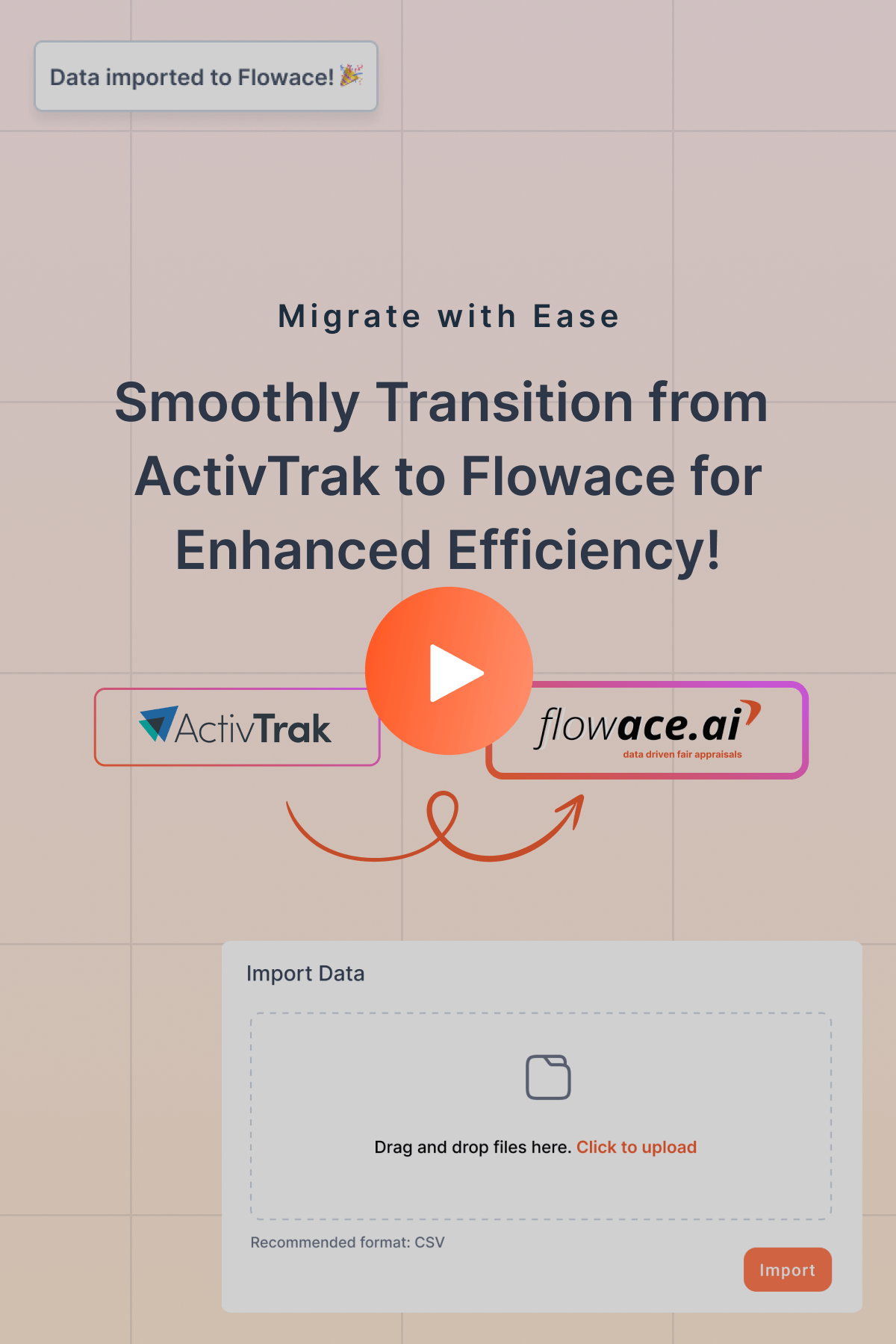
Data Import
Making the move from ActivTrak to Flowace has never been easier! Our user-friendly import process allows you to export your data from ActivTrak and import it into Flowace effortlessly. For any backend support, our implementation team is at your service.
Seamless Migration Experience
Your transition to Flowace is our priority. Access detailed documentation, helpful articles, video tutorials, and instant WhatsApp assistance. We ensure a worry-free migration for you.
Why should you choose Flowace as a Clockify alternative?
- Better ROI
- Top-Notch Customer Service
- Scalability
- Pay Less for More
- User Satisfaction Ratings
- Ease of Use
- Affordability
- Flexibility
- Comprehensive Reporting
Frequently asked questions
Everything you need to know about the Flowace.
Lost Productivity? Let's Fix That!
Don't let efficiency slip away. Discover game-changing tips and tools to keep your team productive and thriving!
Book a Demo
Keep an Eye, Not a Spy!
Discover employee monitoring that's smart, ethical, and productivity-focused. Build trust while boosting team performance!
Book a Demo
Lost Time? Let's Track It Down!
Take control of every second. Discover seamless time-tracking solutions to boost efficiency and get more done!
Book a Demo
Attendance That's Always On Time!
Say goodbye to manual tracking. Simplify attendance management with smart, automated solutions your team will love!
Book a Demo
Clicked Here? We're Tracking That!
Master app and website insights effortlessly. Unleash smarter tracking and watch productivity skyrocket!
Book a Demo
Stealth Mode, Maximum Insights!
Monitor workflows discreetly and ethically. Get the data you need to enhance productivity—no disruptions, just results!
Book a Demo
Streamline Your BPO/KPO Operations!
Tame the hustle with smart tracking and seamless workflow solutions. Boost productivity without the headaches!
Book a Demo
IT Services, Upgraded and Optimized!
Supercharge your IT team with powerful tracking tools. Boost efficiency and keep projects on track with ease!
Book a Demo
Crunching Numbers Just Got Easier!
Optimize your accounting processes with smart tools. Boost accuracy, streamline workflows, and save time—effortlessly!
Book a Demo
Leaving? Let's Make Hiring Easier!
Streamline recruitment and boost team efficiency with smart tracking tools. Hire better, faster, and smarter!
Book a Demo
Legal Workload? Let's Simplify It!
Streamline your legal processes with smart tracking tools. Improve efficiency and keep cases moving forward—smoothly!
Book a Demo
Still Comparing? See Why Flowace Stands Out!
Before you go, check out how Flowace boosts productivity like no other tool. Discover how we can help your team succeed.
Book a Demo


Maximize Your Potential with Flowace!
Experience seamless time tracking and productivity enhancement like never before. Join the Flowace revolution and unlock your full potential. Start your journey to success today!”
