In a Global Capability Center (GCC), your real job is to keep hybrid teams productive and client SLAs stable. India has more than 1,700 GCCs (with 2,975+ operational units reported as of FY2024), and the sector is projected to keep expanding. At such a scale, the timesheet system collapses past a few hundred seats. As your business grows, you need a system that scales with your operations instead of breaking under the weight of growing teams.
That’s why you need a workforce analytics platform that provides real-time visibility into productivity, time usage, and operational performance.
If you are looking for the best employee monitoring software for GCCs in India, the following solutions stand out for their ability to handle large hybrid teams and complex workflows.
Why GCCs In India Use Employee Monitoring Software For Workforce Visibility
We hear GCC leaders often saying:
- “We need better visibility into hybrid work.”
- “Timesheets are unreliable.”
- “We cannot prove billable work cleanly.”
- “Hybrid work created blind spots.”
- “Workload is uneven across pods.”
- “We need tighter compliance reporting for global stakeholders.”
But beneath these statements lies a single operational problem: a lack of clear workforce visibility. GCC leaders need reliable data that shows how work actually moves across teams, projects, and time zones.
Most GCC productivity issues come from these operational realities:
- Hybrid work creates “context fragmentation” (apps, meetings, tasks spread across tools), so self-reported work becomes inconsistent.
- SLA work is often cross-functional, so accountability breaks at handoffs (support to engineering, ops to QA).
- Utilization is measured differently across functions, so leaders argue over definitions instead of fixing bottlenecks.
- Manual time entry is delayed, biased, or rounded, which creates billing disputes and planning errors.
- Over-monitoring increases stress and distrust, which can backfire and reduce engagement.
- Security teams treat monitoring agents as high-risk endpoints, so tool rollout slows unless vendor security is strong.
- The real constraint is often “capacity,” not effort: interruptions and meeting load erode focus even in high-performing teams.
These patterns make one thing clear: traditional tracking systems were never designed for hybrid, cross-functional operations at this scale. As a result, leadership decisions often rely on fragmented or delayed information.
GCCs can no longer afford the pretense that timesheets and spreadsheets are sufficient. So be argumentative about your choice: reject toolchains that prioritize feature lists over data quality and privacy. Demand audit-grade, real-time workforce visibility that translates activity into capacity.
If your goal is to protect SLAs, preserve trust, and run audits without firefighting, adopting a principled workforce analytics platform becomes a strategic necessity rather than a mere convenience.
What To Look For In Employee Monitoring Software For GCC Operational Requirements
A practical way to assess employee monitoring platforms is to look at them through two lenses. First, how well they support day-to-day operational decisions. Second, how well they prevent common failures such as unreliable reporting, audit gaps, or employee distrust.
Below are the capabilities you should prioritize when selecting workforce analytics tools for GCC programs and audits.
Reliable Time Capture For Hybrid Delivery
Start with the fundamentals. You need accurate time data before any analytics can be useful. So, look for automatic time tracking that minimizes manual entry and allows work to be mapped to projects, tickets, or workstreams. When time tracking is reliable, you can measure utilization more confidently, forecast staffing needs, and maintain clear billing records for internal and client reporting.
Workforce Analytics That Explain Capacity
You need dashboards that help you answer a practical question: where did team capacity actually go? Strong platforms allow you to analyze productivity trends by team, role, and process. This makes it easier to identify workload imbalance, process bottlenecks, or teams that are consistently overloaded.
Context Around Application And Website Usage
Activity data becomes far more useful when it has context. Application and website usage insights show where work actually happens. For hybrid GCC teams this often means time spent in ticketing systems, IDEs, CRM platforms, documentation tools, and knowledge bases. This kind of data is usually more valuable than screenshot-based monitoring because it highlights real workflow patterns rather than isolated activity snapshots.
Audit-friendly Governance Controls
GCC environments often operate under strict global governance expectations. Monitoring software should support clear retention policies, role-based access controls, and exportable reporting. These capabilities help you maintain compliance while ensuring the right stakeholders can review productivity data when needed.
Privacy By Design Controls
Monitoring can easily create tension if boundaries are unclear. Therefore, privacy controls should not be optional. Look for tools that provide transparency, configurable monitoring limits, and clear communication about what data is collected and why.
When you evaluate employee monitoring software through these principles, you can identify a system that supports operational clarity, audit readiness, and trust across hybrid teams.
Best Employee Monitoring Software For GCCs: A Comparison
Ratings by Platform
| Tool | G2 | Capterra |
| Flowace | 4.6/5 | 4.6/5 |
| ActivTrak | 4.3/5 | 4.4/5 |
| Hubstaff | 4.5/5 | 4.6/5 |
| Time Doctor | 4.4/5 | 4.5/5 |
| Insightful | 4.7/5 | 4.7/5 |
Pricing Summary (per user/month)
| Tool | Starting Price | Mid-Tier | Best For |
| Flowace | $2.99/user/mo | $4.99/user/mo | Cost-conscious GCCs needing AI analytics |
| ActivTrak | $10/user/mo | $15/user/mo | Analytics-first, knowledge-worker GCCs |
| Hubstaff | $7/user/mo | $12/user/mo | Mixed desk + field GCCs with payroll needs |
| Time Doctor | $7/user/mo | $14/user/mo | BPO/KPO with proof-of-work requirements |
| Insightful | $8/user/mo | $15/user/mo | Enterprise GCCs needing compliance + on-prem |
Best Employee Monitoring Software For GCCs In India
The given list includes employee monitoring tools that are well-suited to support hybrid workforce visibility in GCCs across India.
(Pricing can change. Treat these as “starting points” as of early 2026, and verify your billing terms before committing.)
Flowace
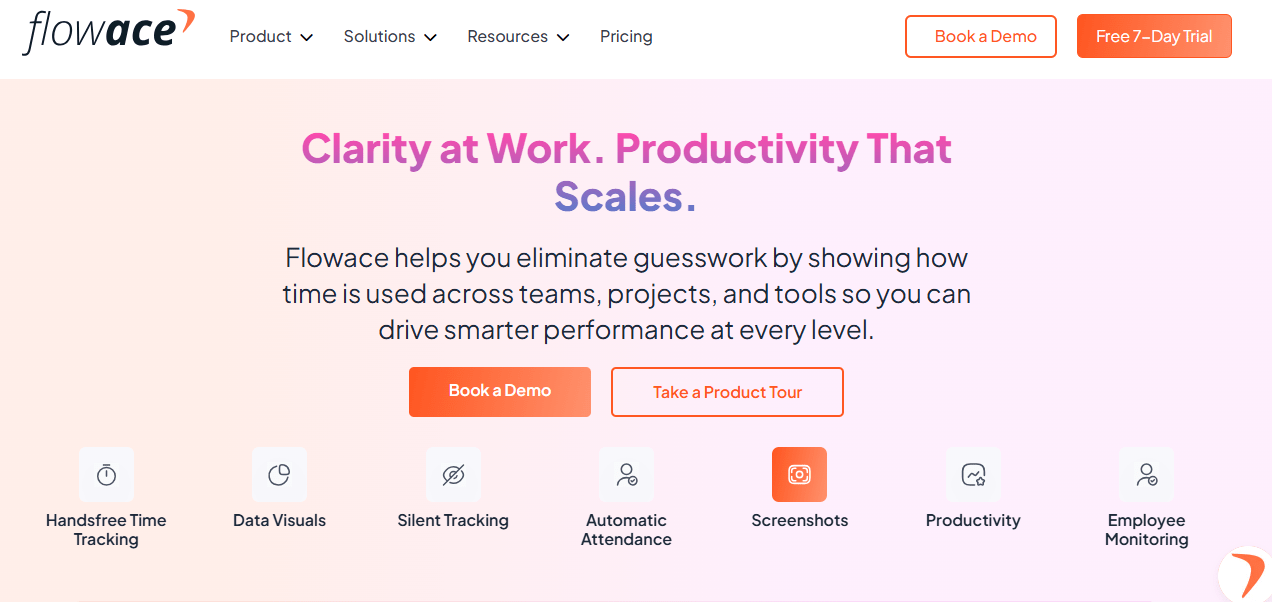
Flowace is an AI-powered productivity and workforce analytics platform built for modern hybrid and remote teams. You’ll see it used widely in IT and ITeS, BPO, healthcare BPM, and professional services environments where operational visibility and cost control really matter.
Flowace helps you move away from manual time entry and assumptions. Instead of relying on self-reported data, you get automated, AI-driven tracking that captures work activity across apps, websites, and projects. This gives you a far more accurate, real-time view of how work actually happens, so you can make better decisions without chasing data or second-guessing your numbers.
Key Features
- AI-powered automatic time tracking: You don’t have to rely on manual entries anymore. Flowace captures work across apps and websites automatically, giving you clean, audit-ready data while removing the risk of timesheet manipulation.
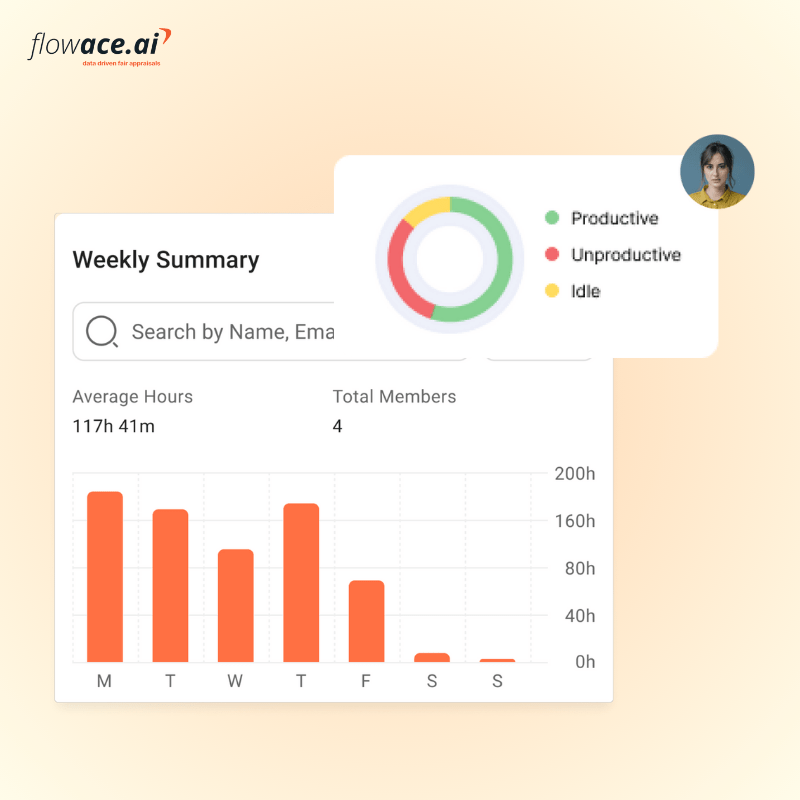
- Attendance and idle time monitoring: You get real-time visibility into login patterns, active hours, and idle time. This helps you enforce hybrid attendance policies consistently without manual follow-ups.
- Productivity scoring and dashboards: You can see how individuals and teams actually perform based on real work patterns. It becomes easier to spot gaps, rebalance workloads, and set fair benchmarks.
- Privacy-first design: You can choose between silent tracking or a transparent mode where employees see what’s being monitored. This helps you maintain trust while staying aligned with data protection expectations.
- Project and task-level reporting: You can map time directly to projects and tasks, so you know exactly where hours are going. This makes it easier to track budget vs actuals and stay on top of SLA commitments.
- Integrations with HR and work tools
You can plug Flowace into tools like GreytHR, Zoho People, BambooHR, Jira, Slack, and Microsoft Teams, so your data flows smoothly into payroll, performance, and billing systems. - Lightweight cross-platform setup
You can run it across Windows, Mac, and Linux. It works offline and syncs later, which is useful if your teams operate from locations with inconsistent connectivity.
Pricing:
Flowace uses a straightforward per-user, per-month pricing model with no base fees or hidden charges. Annual billing discounts of up to 33% are available.
| Plan | Price | Best For |
| Basic | $2.99/user/month ($1.99 annually) | Core tracking, screenshots, attendance |
| Standard | $4.99/user/month ($3.99 annually) | Advanced productivity analytics, app/web tracking |
| Premium | $10/user/month ($6.99 annually) | Full feature access, deeper analytics |
| Enterprise | Custom pricing | Large-scale deployments, SLAs, dedicated support |
Add-ons: SIM & WhatsApp Call Tracking ($2/user/month), Mobile Events Tracking ($2.50/user/month), N-Level Assignment Structure ($3/user/month). A 7-day free trial is available with no credit card required.
Ratings & Reviews
Flowace consistently scores highly across independent review platforms:
- G2 / Capterra: 4.6–4.7/5 — Users highlight ease of setup, responsive customer support, and the value delivered per rupee spent.
- Gartner Peer Insights: Reviewed positively by IT and operations leaders who note the platform’s smooth onboarding and strong analytics capabilities.
Best For
Flowace is the strongest fit for Indian GCCs in IT/ITeS, BPO, BFSI, and healthcare RCM that need a cost-effective, privacy-conscious, AI-powered solution with native integrations into Indian HRMS platforms.
ActivTrack
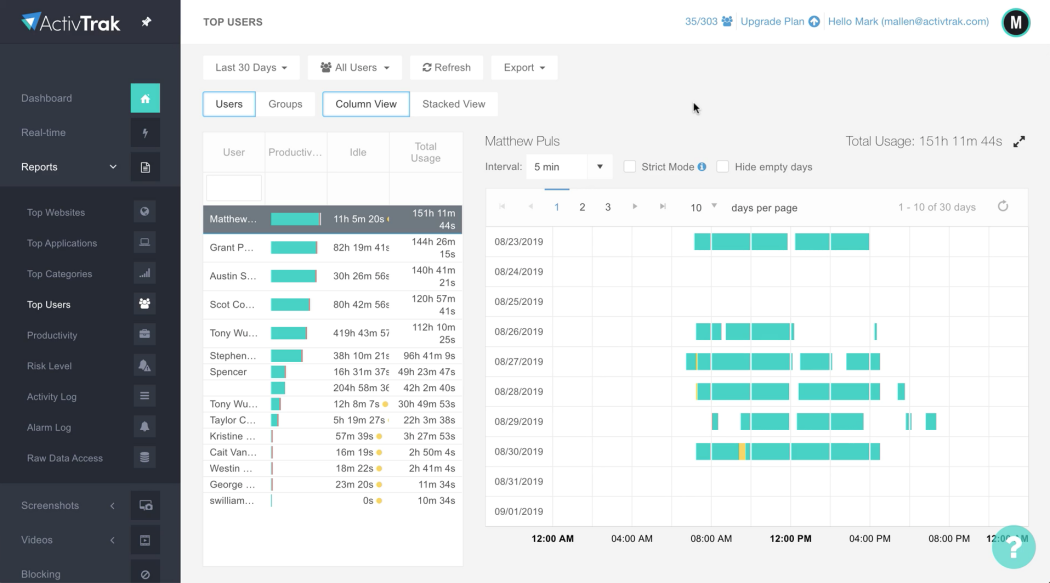
ActivTrack is a US-based, cloud-native platform that focuses on giving you insight into productivity, engagement, and how your teams use technology. You’re not relying on intrusive methods like keystroke logging, email monitoring, or video recording. Instead, you get a clearer view of work patterns in a way that feels more aligned with modern workplace expectations.
It tends to work especially well if you operate in environments like insurance, IT services, or any setup where knowledge workers make up the bulk of your workforce.
Key Features
- Real-time activity and productivity monitoring: You can see how time is spent across apps and websites, with work automatically classified as productive, unproductive, or undefined. It gives you clarity without relying on intrusive tracking.
- AI-driven insights and burnout detection: You get signals on workload patterns, burnout risk, and coaching opportunities. This helps you step in early instead of reacting after performance drops or attrition starts.
- Workload balance and capacity planning: You can quickly spot who is overworked and who has bandwidth. This makes it easier to rebalance teams and plan for shifting project demands.
- Technology utilisation tracking: You get visibility into which tools are actually being used. This helps you cut unused licenses and control SaaS spend more effectively.
- Employee self-service dashboard
You give employees access to their own productivity data, which encourages transparency and helps shift the focus from monitoring to self-improvement.
Pricing
ActivTrack offers a free plan for upto 3 users. After that you get charged based on the features you need. The pricing plan starts at $10/user/month and extends upto $19/user/month which is quiet expensive.
Ratings & Reviews
- G2: 4.3/5: Praised for non-invasive analytics, clear dashboards, and burnout detection capabilities.
- Capterra: 4.4/5: Users value its ease of use and productivity insights. Some note concerns about pricing increases and annual-only billing.
- Key concern: Several enterprise users have flagged that advanced features are progressively placed behind higher-tier paywalls
Best For
ActivTrak is an excellent choice for GCCs in knowledge-intensive industries — software development, consulting, insurance, and financial services — where the focus is on understanding productivity patterns and managing burnout rather than enforcing hour-by-hour surveillance.
Hubstaff
Hubstaff is a comprehensive time tracking and workforce management platform launched in 2012. It is one of the most feature-complete tools in the market, uniquely combining desktop time tracking with GPS and geofencing capabilities, making it especially valuable for companies with both desk-based and field-based employees.
Hubstaff has a strong reputation for reliable time tracking, payroll integration, and scheduling features, and its 20+ customisable reports give managers detailed operational visibility. It is used across sectors, including IT, construction, logistics, and professional services.
Key Features
- Time tracking with automated timesheets: You can track time across desktop, mobile, and browser, and it automatically turns into clean, ready-to-approve timesheets. This removes the need for manual reconciliation and reduces payroll errors.
- GPS tracking and geofencing: You get strong location tracking for field teams. If you manage on-site roles like facilities, support, or sales, this becomes a clear advantage.
- Activity monitoring: You can enable screenshots, app and website tracking, and activity levels to understand how time is spent. It’s flexible, so you can switch monitoring off for specific teams if needed.
- Detailed productivity reporting: You get access to a wide range of reports covering projects, attendance, and activity. You can also schedule reports so stakeholders get updates automatically.
- AI-powered insights add-on: You can go deeper with the Insights add-on, which highlights productivity patterns, focus hours, and utilisation trends when you need more than basic tracking.
- Broad integrations ecosystem: You can connect with tools like Asana, Trello, Jira, GitHub, Slack, along with accounting platforms, so everything fits into your existing workflows.
Pricing
Hubstaff offers a 14-day free trial for solo users and tiered paid plans billed per user per month. Pricing starts from $7/seat/month, and the enterprise price plan costs about $25/seat/month.
Ratings & Reviews
- G2: 4.5/5: Users consistently praise Hubstaff’s reliability, accurate time tracking, and transparency features with clients.
- Capterra: 4.6/5: Reviewers highlight ease of use and the scheduling feature as standouts. Common praise for the screenshot feature’s utility in client transparency.
- Key concern: The add-on-based pricing model can lead to cost inflation for larger teams needing advanced analytics. Some users also note that the GPS tracking can feel intrusive in purely desk-based environments.
Best For
Hubstaff is an excellent fit for GCCs that manage a mix of desk-based and field-based employees, or for those with strong payroll and client billing needs. It is particularly effective for GCCs in IT services, staffing, and professional services that need to map verified hours to client invoices and run payroll directly from time data.
Time Doctor
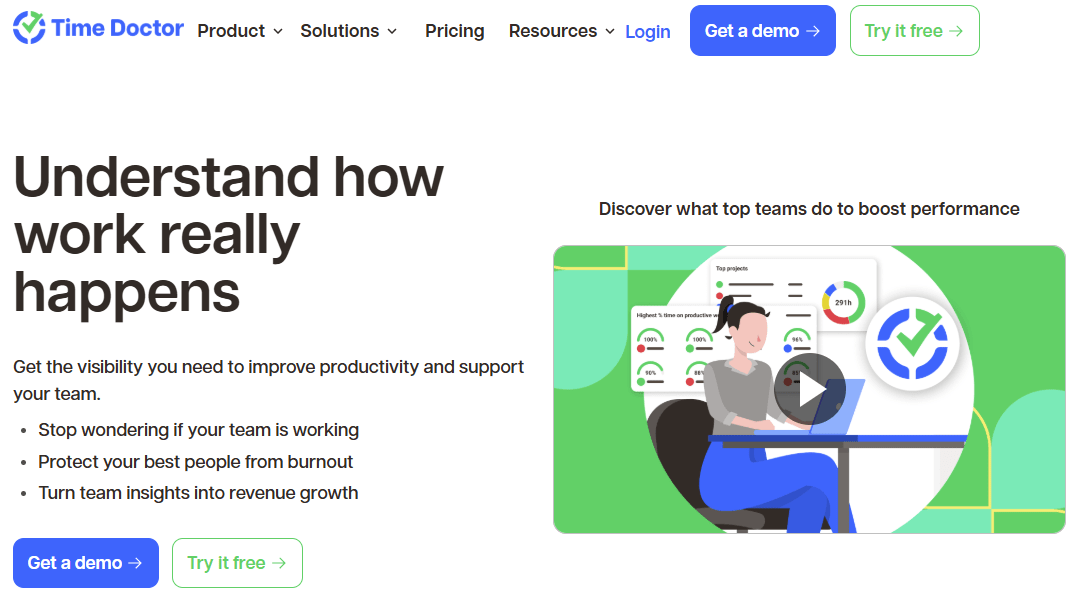
Time Doctor is a detailed employee productivity and time tracking platform that has built its reputation on granular visibility into how employees spend their working hours. Time Doctor offers one of the most comprehensive monitoring feature sets on the market, including distraction alerts, silent tracking, video screen recording, and detailed web and app usage breakdowns.
It is particularly popular in outsourcing, BPO, and remote-first companies where accountability and proof of work are critical deliverables.
Key Features
- Automated time tracking with offline support: You get automatic tracking across online and offline work. Even if connectivity drops, data syncs later so your timesheets stay accurate.
- Real-time distraction alerts: You can nudge employees when they go idle or switch to non-work sites. It adds accountability without constant supervision.
- Detailed web and app usage reports: You see exactly which tools and websites are used and for how long. You can also define what counts as productive, so your analysis stays contextual.
- Screenshot monitoring: You can capture screenshots at set intervals for visibility. There are blur options for sensitive data, and employees can remove screenshots if needed.
- Video screen recording: You can go deeper with full session recordings if required. This is useful in environments where process adherence and audit trails matter.
- Timeline view of workday: You get a clear, hour-by-hour breakdown of each employee’s day, which helps you spot patterns and guide performance conversations.
Pricing
Time Doctor offers tiered annual pricing with no free plan. A 14-day free trial is available. The basic plan costs $6.67/user/month, and the premium plan costs around $16.70/user/month.
Note: You should factor in the higher pricing at advanced tiers. Compared to most alternatives, Time Doctor comes at a premium, and the lack of a free plan can make it harder to run small-scale pilots or initial evaluations.
Ratings & Reviews
- G2: 4.4/5: Users particularly value the granular reports and the distraction alert system as effective tools for managing remote productivity.
- Capterra: 4.5/5: Reviewed positively for its detailed analytics and offline tracking. Some users note that the monitoring can feel more intrusive than alternatives.
Key concern: The screenshot and activity monitoring features can create a culture of distrust if not implemented transparently. Some reviewers note synchronisation issues between mobile and desktop versions.
Best For
Time Doctor is the strongest fit for GCCs operating in BPO, KPO, and outsourced services environments where detailed proof-of-work is a contractual or client expectation. It is particularly well-suited for centres that need to demonstrate billable hours to international clients, manage remote teams with strict accountability requirements, and run integrated payroll from verified time data.
Insightful
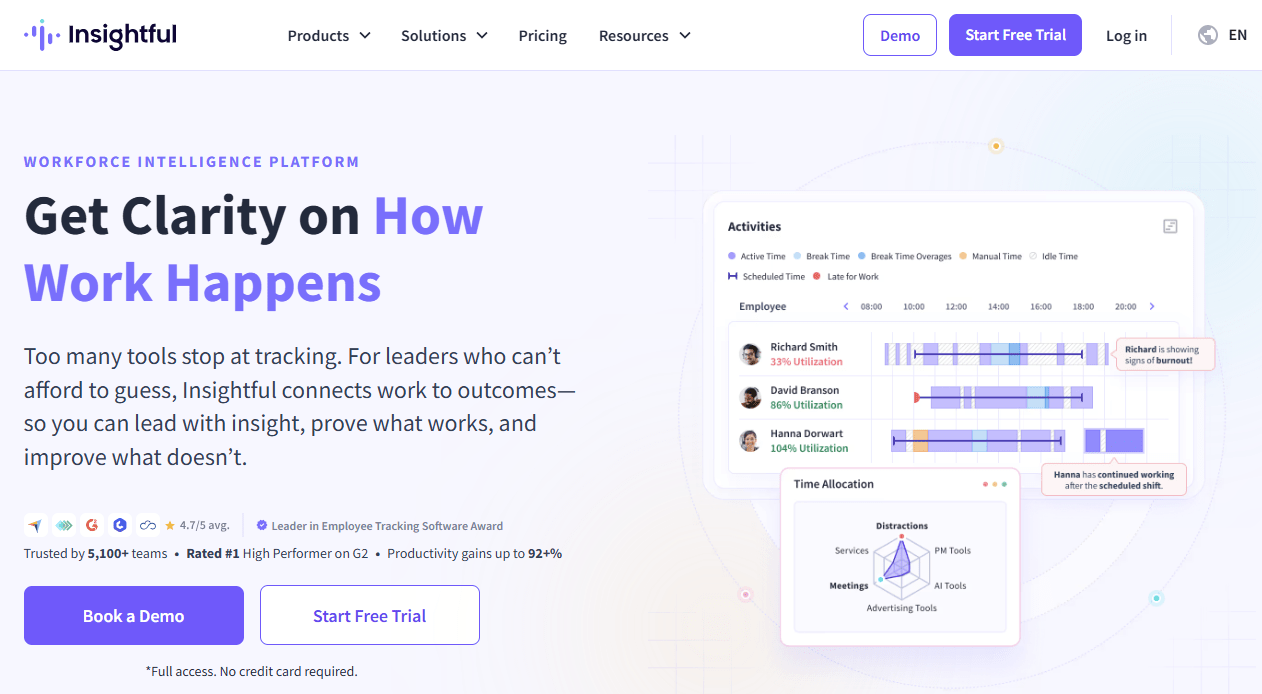
Insightful (formerly Workpuls) is a workforce analytics platform that has carved out a strong niche as an enterprise-grade employee monitoring solution with exceptional usability and a clean visual design.
Used by organisations ranging from fast-growing startups to large enterprise teams, Insightful focuses on converting raw activity data into actionable workforce intelligence, covering time tracking, productivity monitoring, project management, burnout prevention, and insider threat detection. It is particularly well-regarded in the US market and is growing its presence in India-facing GCCs
Key Features
- Automatic activity-based time tracking: You get accurate work hours captured based on actual system activity, so there’s no need for manual clock-ins, and your payroll data stays consistent.
- Real-time productivity dashboard: You can see who is active, what they’re working on, and which tools they’re using at any moment. This is useful when you’re managing large, fast-moving teams.
- AI-powered time mapping: You don’t have to rely on employees to tag their time. The system maps work to projects and tasks automatically based on patterns.
- Burnout and workload monitoring: You can spot overworked employees and early signs of fatigue. This helps you step in before it turns into attrition or performance issues.
- Process and workflow analysis: You can identify bottlenecks across workflows and improve operations using real data instead of assumptions.
Pricing
Insightful uses a functionality-based tiered model, billed per user per month. Its pricing plan ranges from $8/seat/month to $15/seat/month.
Ratings & Reviews
- G2: 4.7/5: One of the highest-rated tools in the employee monitoring category. Users praise screenshot monitoring, auto-time mapping, and the clean, intuitive interface.
- Capterra: 4.7/5: Consistently positive reviews on ease of installation, reporting quality, and responsive customer support.
Key concern: The higher pricing tiers may be a stretch for cost-sensitive GCCs. Some users note technical tracking issues that require patience and support team engagement to resolve. Mobile tracking is also limited compared to desktop capabilities.
Best For:
Insightful works best for large GCCs in sectors like BFSI, healthcare, and technology where data security and compliance are critical. If you need features like insider threat detection or on-premise deployment, it’s a strong fit.
Final Thoughts
If you’re running a GCC at scale, this isn’t really about tracking hours anymore. You’re trying to understand how work actually moves across teams, tools, and time zones. That’s what determines whether you stay ahead of SLAs or end up constantly reacting to issues.
Each of these tools solves a different part of that problem. Some give you deeper analytics, some focus on proof of work, and others are built for strict compliance environments. The right fit depends on where your current system is breaking. It could be unreliable timesheets, poor workload visibility, audit gaps, or rising operational costs.
But the pattern across most GCCs is pretty clear. You need accurate time capture, real visibility into productivity, and a system that can scale without adding friction for your teams.
That’s where Flowace fits in. You get automated, AI-driven tracking that removes the need for manual inputs and gives you clean, reliable data. Instead of chasing reports or second-guessing numbers, you can actually see what’s happening and act on it.
If you want to move away from fragmented tracking and run your operations with real clarity, it’s worth trying it in your own setup.
Start your free trial with Flowace or book a free demo today and see how it works in your environment.