Enterprise-grade security backed by GDPR, HIPAA, ISO 27001 & SOC 2 compliance. Know more

Workforce Productivity Platform

Reports that already know your team.

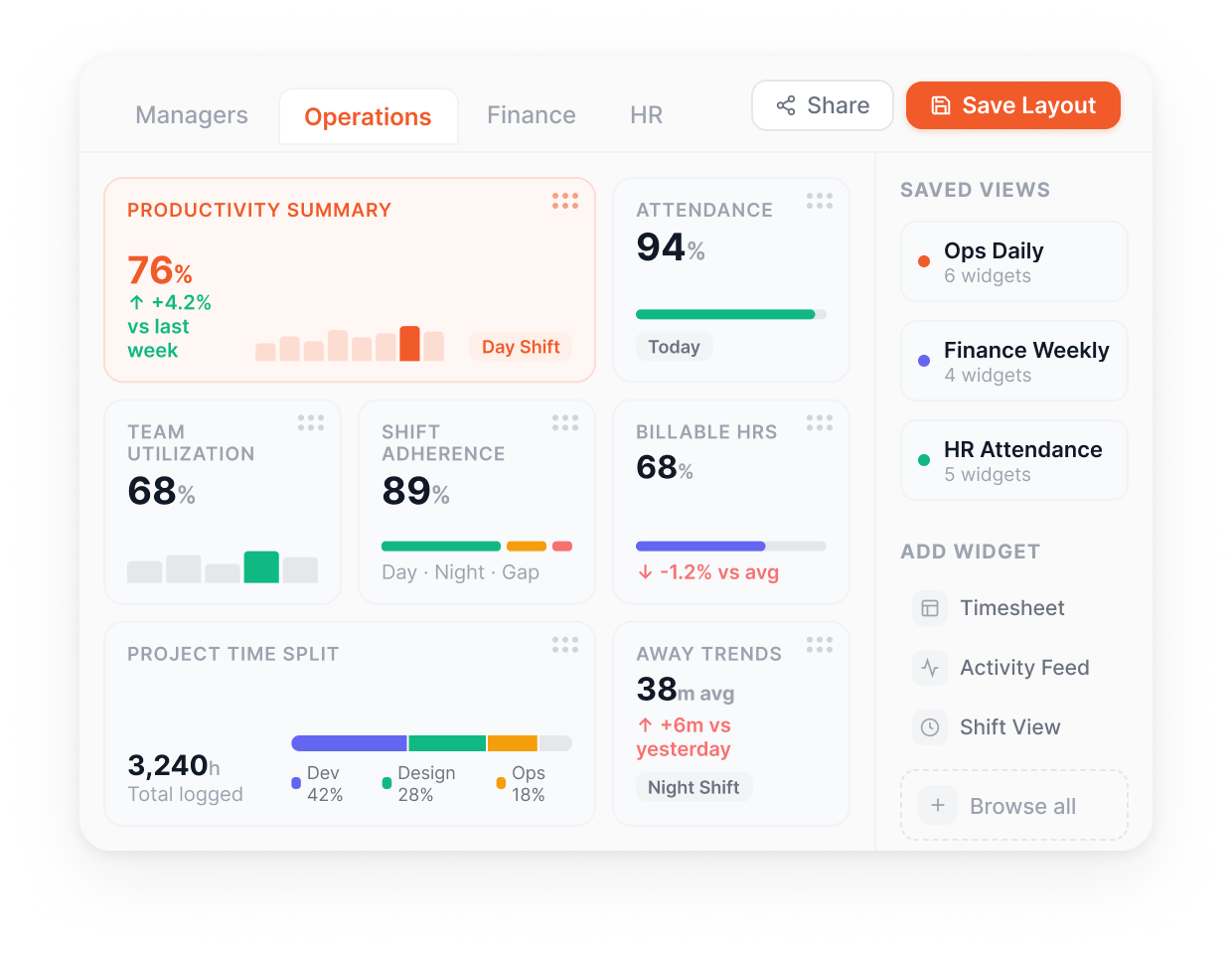
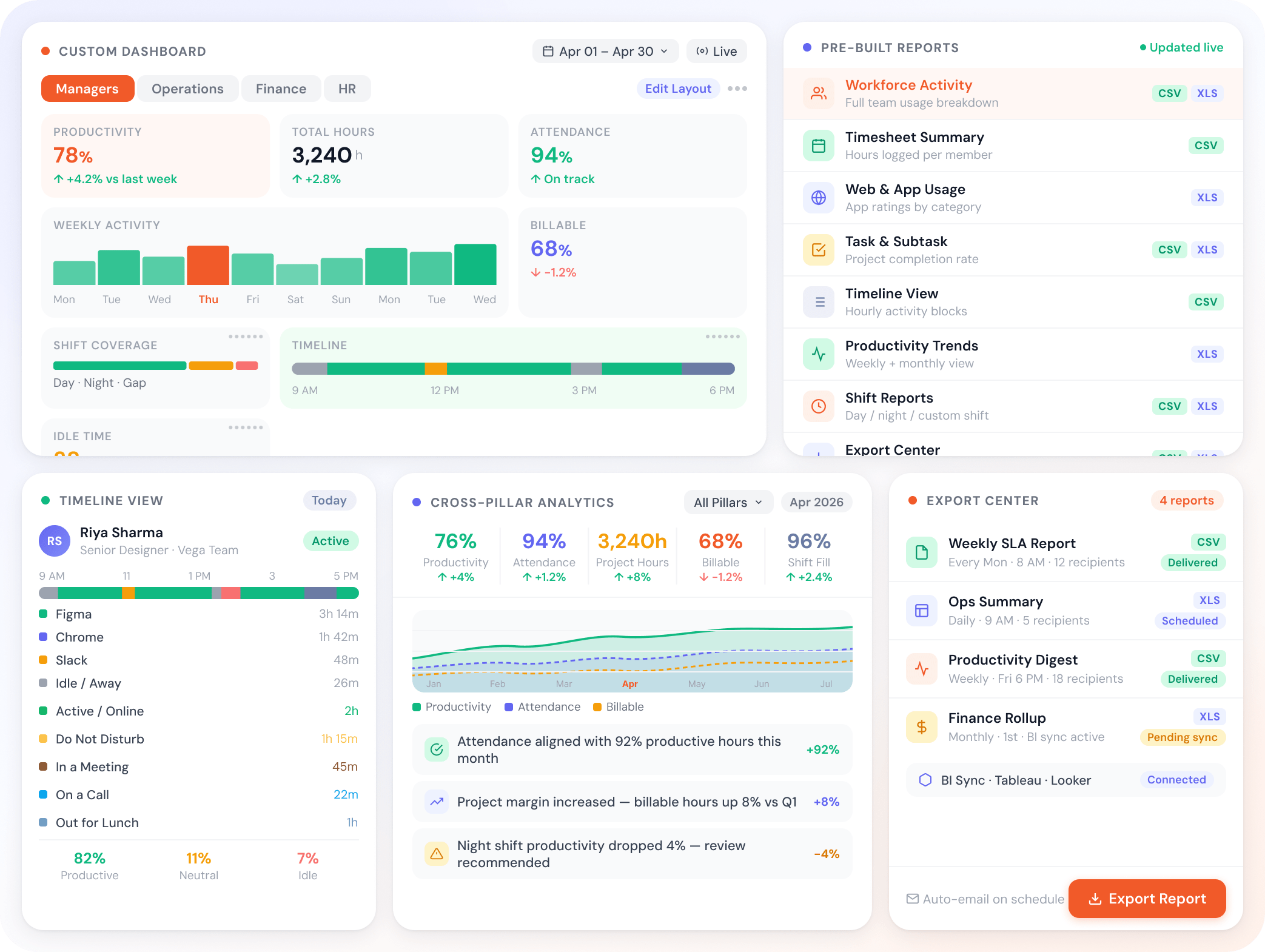
Eight pre-built reports ready for productivity, time, attendance, and projects. Customize dashboards per role. The reports stay current because the platform already tracks the data.
Free 7-day trial No credit card required 5-minute setup Dedicated onboarding
Productivity Insights

Trusted by teams at

Aiwa Japan Logo Uplers Logo Codemantra Logo Anarock Logo Cliantha Research Logo Netscribes Logo Deloitte Logo NCS Logo Knowcraft Analytics Logo Bhuta shah & co Logo Parasoft Logo Spectrum talent management Logo NAIK NAIK Logo PDCOR Logo Aisectindia Logo
How it works

From raw data to decisions, in five steps.

A reporting layer tuned for the real questions managers ask each week.

  1. Step 1: Open a pre-built report

    Eight reports, ready out of the box.

    • Workforce Activity, Timesheet Summary, Web and App Usage
    • Task and Subtask, Timeline View
    • No setup required, just enable
  2. Step 2: Customize the dashboard

    Widgets per role, not per platform.

    • Add, remove, reposition widgets
    • Per-role views for managers, ops, finance
    • Save and share custom layouts
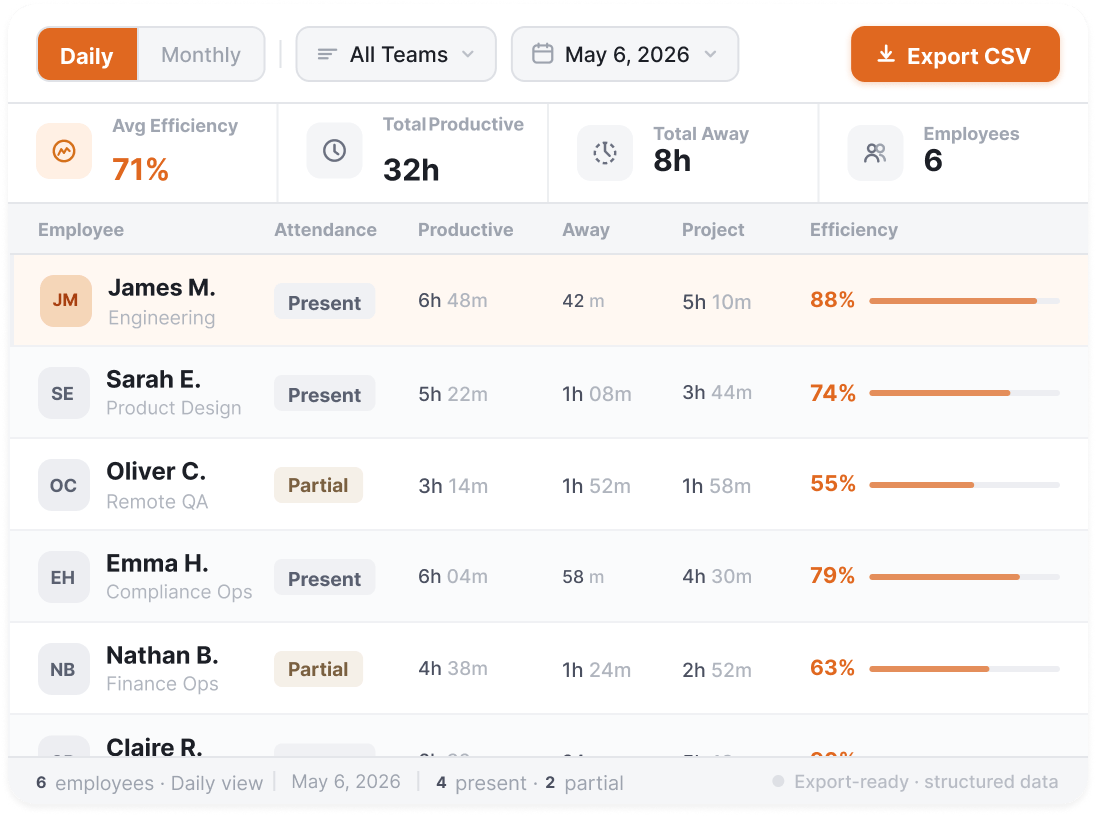
  3. Step 3: Slice by team, shift, or project

    Cut the data the way your business runs.

    • Per-team and per-member breakdowns
    • Shift-aligned data for operations teams
    • Date range filters for any view
  4. Step 4: See what others can't

    Same data, every angle.

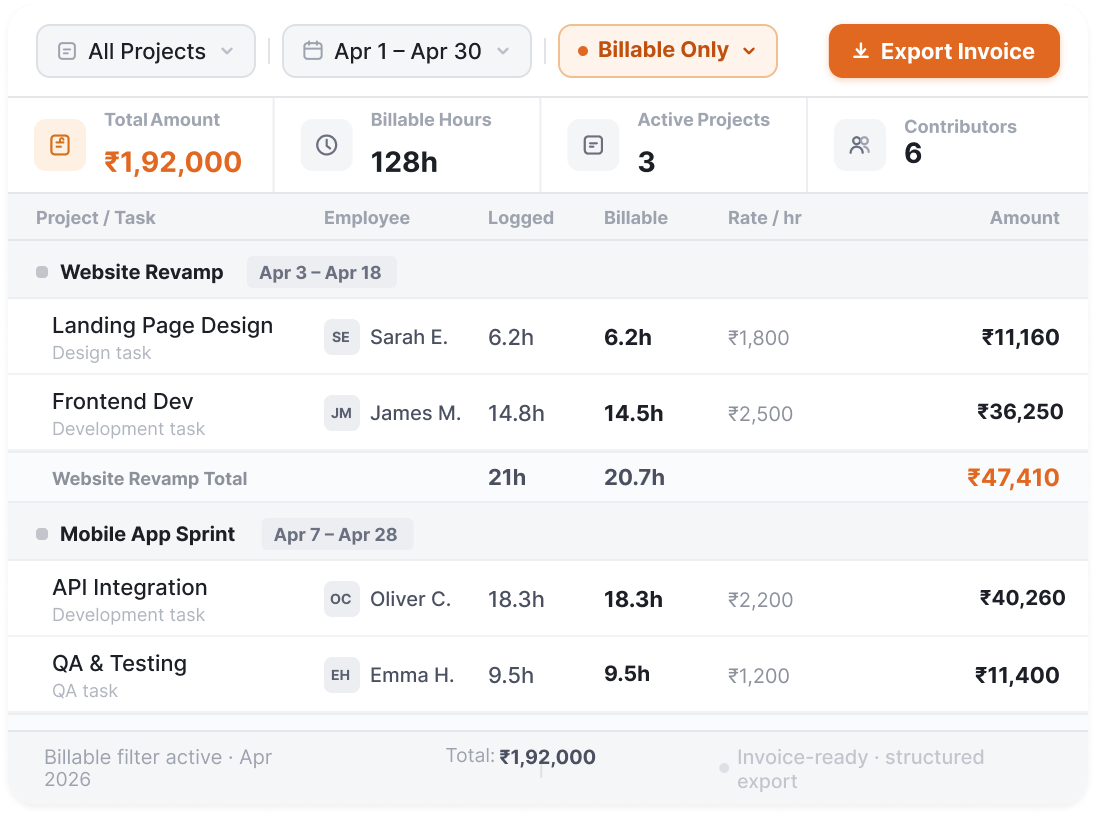
    • Productivity reconciled against time tracked
    • Attendance reconciled against actual work hours
    • Project costs against billable hours
  5. Step 5: Export when you need to

    CSV or Excel, no enterprise tier required.

    • One-click CSV and Excel export
    • Send to BI tools or finance systems
    • Available on every report
All features

Every capability in Reports and Dashboards.

Everything you need to surface the right view to the right person, at the right cadence, in the right format. Pre-built for the common patterns, configurable for everything else.

Feature Image Feature Image Feature Image

Other Features

Web and App Usage Report

Detailed app and website usage export by user, team, and date range.

Task and Subtask Report

Task-wise or member-wise project detail report.

Timeline View

Visual timeline of daily activity patterns for any team or member.

Shift-Aligned Data Across Widgets

All widgets reflect shift-specific data for per-shift comparisons.

Exportable Reports

Export any report as CSV or Excel. No enterprise tier required.

Built for your industry

Four industries deliver these reports to their clients. One doesn't.

BPO, healthcare RCM, IT services, and KPO ops all send reports out to clients as part of their operating model. Legal keeps reports inside the firm. The format, cadence, and consumer change accordingly

  • Healthcare

    One dashboard your billing team and your client both trust

    What this industry watches for

    • Coder output
    • Payer mix
    • Denial rate by shift

    RCM ops lead + client billing director
    Denials by encounter type, coder throughput by shift, payer AR aging, one view you run on and clients expect.

  • IT Services

    Delivery visibility your clients ask for before you offer it

    What this industry watches for

    • Billable hours
    • bench ratio
    • SOW burn rate

    Engagement manager + client stakeholder
    Delivery managers get the ops view; clients get the progress view, from the same data.

  • Accounting / KPO

    Engagement health visible before the partner meeting, not during it

    What this industry watches for

    • WIP aging
    • preparer utilization
    • filing pipeline

    Lead + senior manager
    WIP aging, utilisation against seasonal targets, and pipeline status, surfaced before the critical moment.

  • Legal

    Matter economics visible to the firm. Invoice visible to the client.

    What this industry watches for

    • Matter margin
    • timekeeper mix
    • WIP exposure

    Managing partner + finance director
    Clients see what they're billed; partners see what it costs to get there.

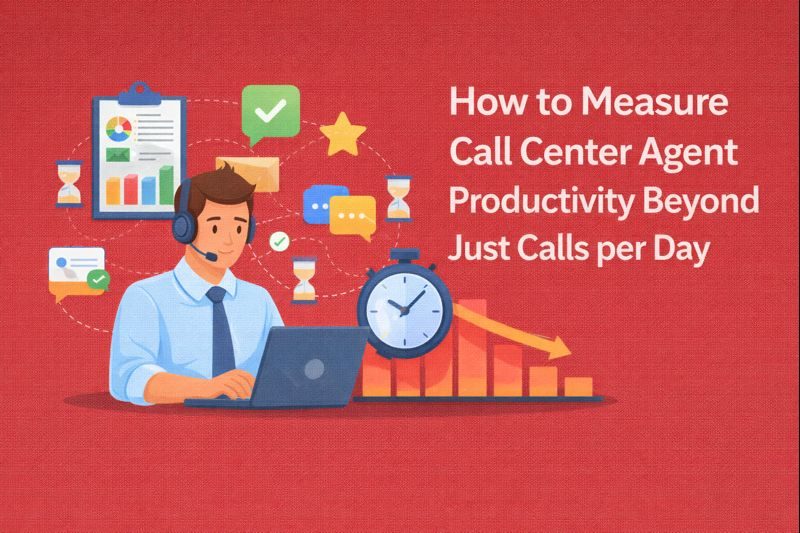
  • BPO / Call Centers

    The report your client reads before deciding to renew

    What this industry watches for

    • SLA attainment
    • productive hours
    • QA scores

    Client success lead + ops director
    SLA by LOB, productive hours against contracted FTE, QA by campaign, the MBR pack, straight from ops data.

Ready to see every angle of how your team works?

Free 7-day trial.
No credit card required.
Live in under 5 minutes.
Frequently asked

Everything else, answered.

Flowace Reports and Dashboards is the consumption layer of Flowace's workforce intelligence platform. Eight reports cover the most common patterns: Workforce Activity, Timesheet Summary, Web and App Usage, Task and Subtask, Timeline View, plus three more focused on customizable widgets, shift-aligned views, and exports. All ready to enable, no setup required. Customizable Dashboard Widgets handle whatever your team builds beyond that.
Yes. Customizable Dashboard Widgets let you drag, drop, add, and remove widgets to build the dashboard your role actually needs. Per-role views can be saved and shared. The pre-built reports cover the common patterns; the widget-based dashboards handle whatever your team builds beyond that.
From the same activity, time, attendance, and project data that Flowace already tracks across the platform. No separate data integration. No reporting database to maintain. Reports stay current because the platform already captures the data they're built on.
Yes. Every report exports to CSV or Excel with one click. No enterprise tier required. From there, the data flows into BI tools, finance systems, or wherever your stakeholders need it. API access is available for direct integration.
Reports and widgets can slice data by shift schedules, not just by calendar dates. For BPO and operations teams running multiple shifts (early, late, night), this surfaces per-shift productivity, attendance, and activity comparisons that calendar-based reports miss. Configurable per team.
Same destination, different framing. Productivity Dashboards is what we call the productivity-specific views (productive vs. unproductive ratios, app/website breakdowns, daily and weekly productivity trends) when surfaced inside the Productivity Insights pillar. They live on this Reports and Dashboards page along with all other reporting capabilities. One canonical reporting layer for the whole platform.
Yes. Custom layouts saved per user, per team, or per role. Managers see manager dashboards. Operations teams see ops dashboards. Finance sees timesheet and billing dashboards. HR sees attendance and leave dashboards. Same data, different views.
That's the universal concern, and the reason eight reports ship pre-built rather than asking you to design from scratch. The pre-built reports cover the patterns most teams actually need; the customizable widget dashboards layer on top when a specific role or team needs a different cut. Start with the pre-built reports for the questions you ask weekly; ignore the rest. Configure custom dashboards only where the standard views don't fit. Most operations teams settle on three to five views they use regularly, not the full library.
BPO and call centers (real-time SLA scorecards on the ops floor, weekly client reports), healthcare RCM (daily night-shift ops scorecards, weekly throughput packs to onshore clients), IT services (sprint retrospectives for delivery teams, monthly project status for clients), accounting and KPO firms (Monday-morning partner dashboards plus engagement reports for KPO clients), and legal practices (weekly partner dashboards kept inside the firm). Four of those five send reports to clients; legal is the exception where reports stay internal.

Reports that already know your team.

Try Flowace free for 7 days.
No credit card.
Live in under 5 minutes.