What Is Workforce Management Software?



Published: October 2026 · Last Updated: October 2026 · Last Verified: 26 October 2026
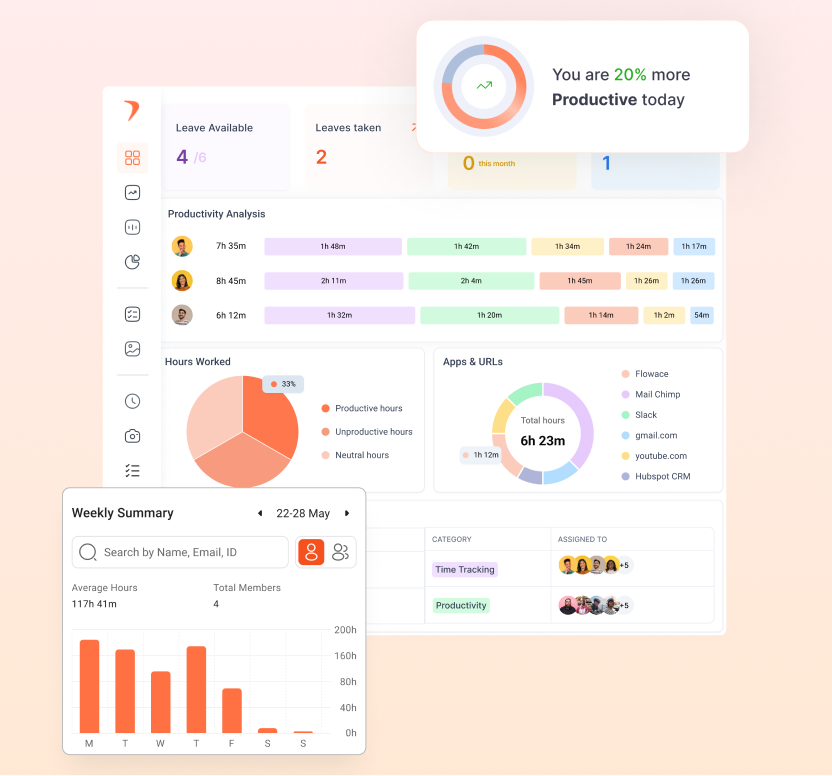
Workforce management software helps businesses plan employee schedules, track working hours, record attendance, manage time off, and review work-hour data in one place.
It also turns this data into reports that help managers spot staff shortages, track attendance, control labor costs, and plan work more effectively.
Some workforce management systems, especially those used in retail and contact centers, also forecast how many workers a business will need at different times. Flowace’s workforce management features cover attendance, scheduling, leave, time tracking and analytics.
What Are The Five Core Components of Workforce Management Software?
The five core components of workforce management software are attendance management, employee scheduling, leave management, time tracking, and workforce analytics.
Together, these functions help businesses plan shifts, record working hours, manage time off, and understand how staff time is used.
1. Attendance Management
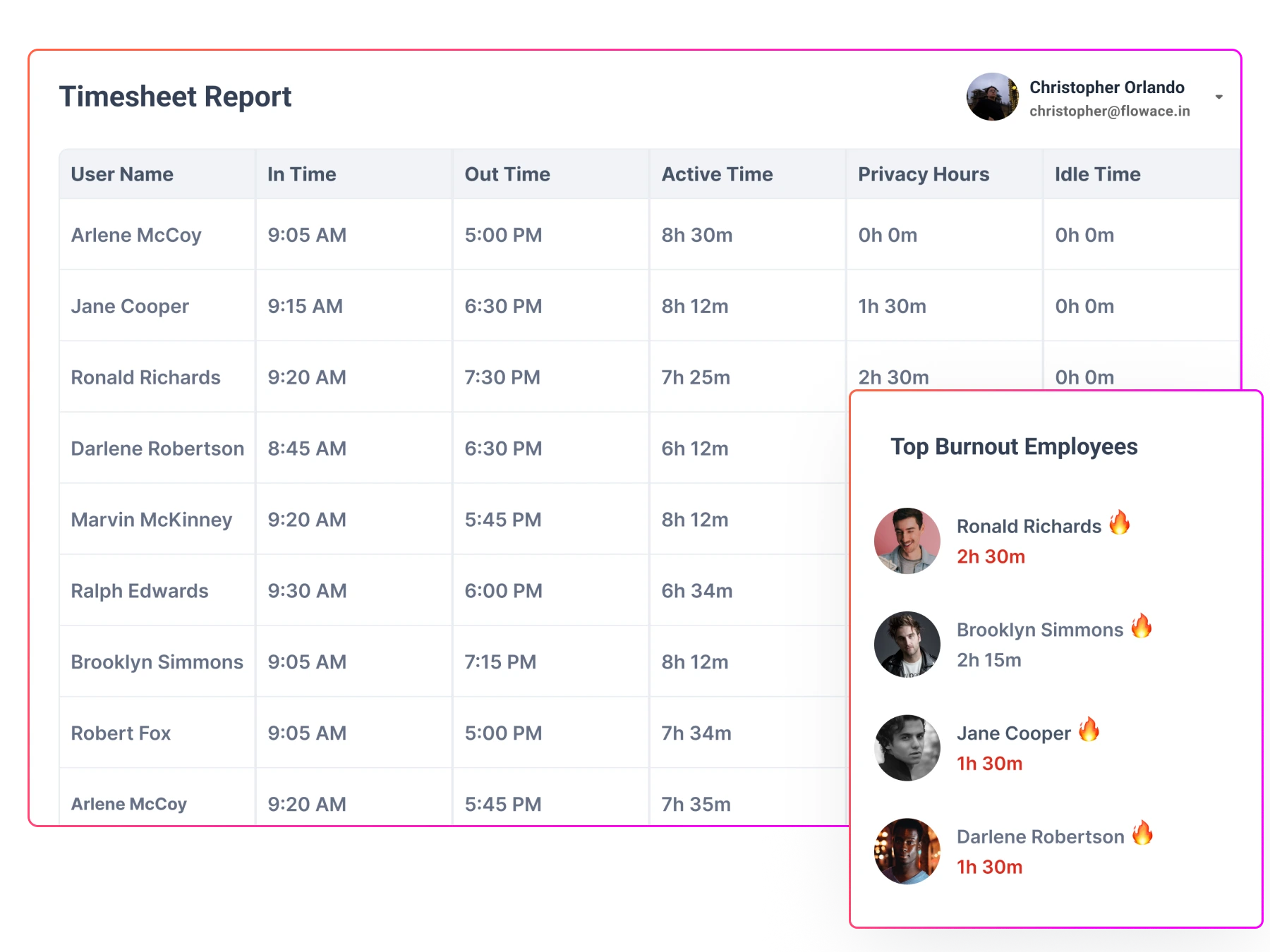
Attendance management records when employees start and finish work. Depending on the software, it can use computer logins, badge scans, biometric devices, or location-based check-ins to record attendance.
For example, Flowace uses computer activity and login data to help track attendance for teams that work mainly on computers. Other businesses may need physical time clocks or mobile check-ins.
Accurate attendance records help managers review working hours, spot missing records, and prepare data for payroll processing.
2. Employee Scheduling
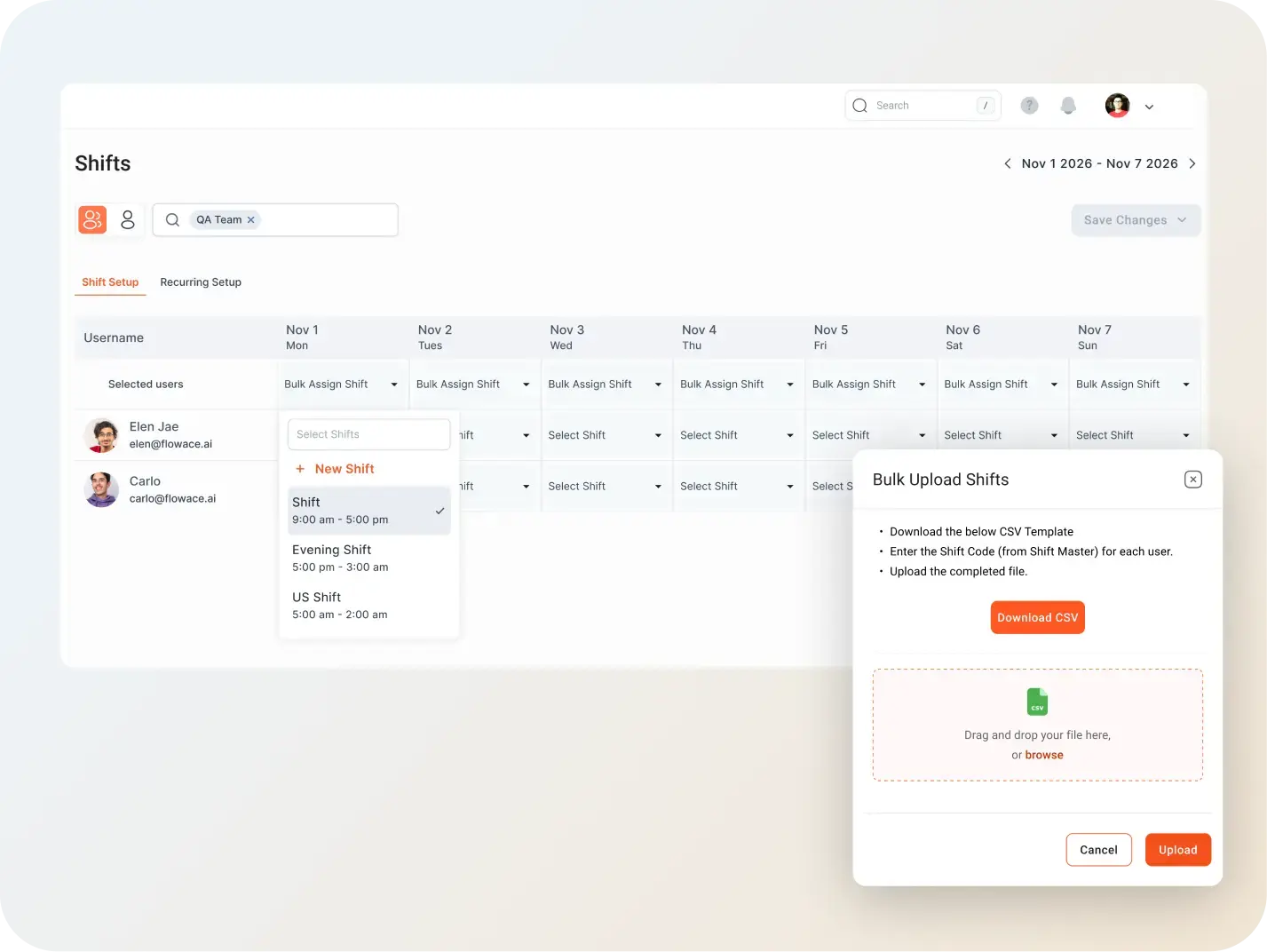
Employee scheduling helps managers create, share, and update work schedules. It can include shift times, repeating weekly rosters, and holiday calendars.
A good scheduling process also lets managers compare planned shifts with actual attendance. For example, they can see whether employees arrived on time, worked their assigned hours, or missed a scheduled shift.
This comparison helps managers find staffing gaps and adjust future schedules. Some tools also offer automatic scheduling and demand-based planning, depending on the product.
3. Leave Management
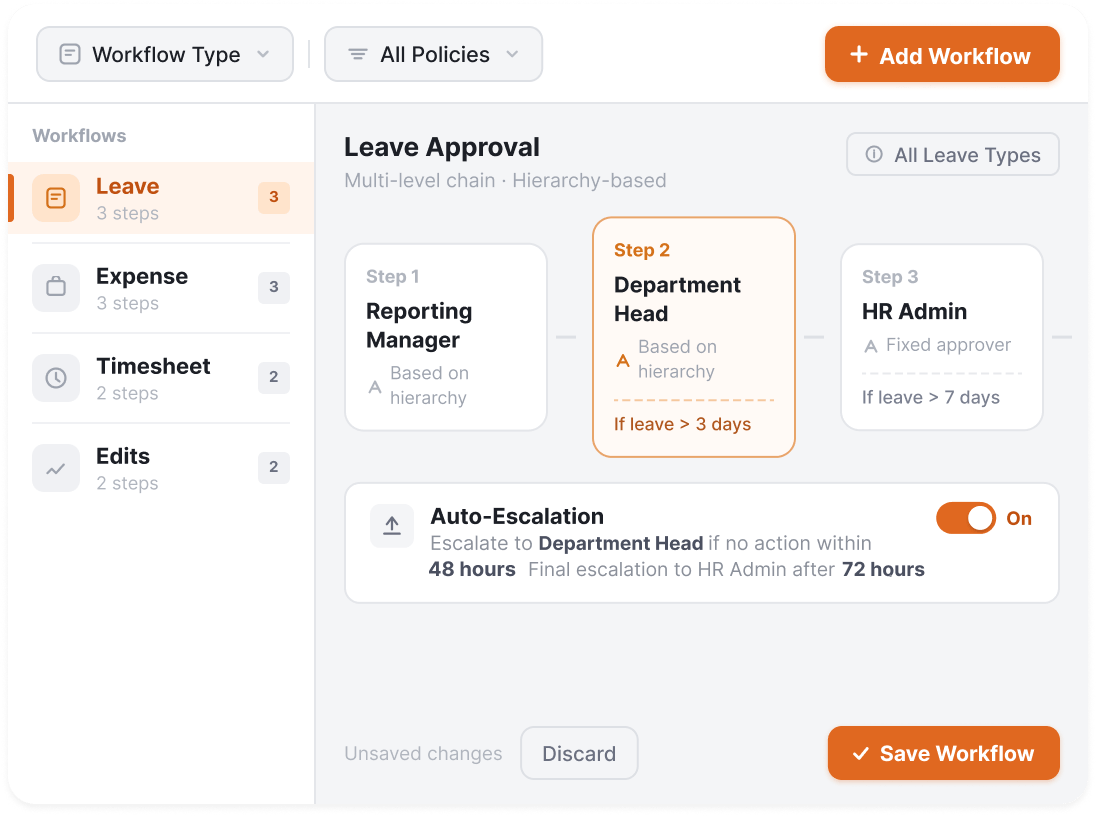
Leave management helps employees request time off and lets managers review and approve those requests. Depending on the software, it can also track leave balances and apply company leave policies.
For example, a manager can check who is on leave before assigning shifts for the following week. Approved leave can also be reflected in the work schedule to help prevent staffing gaps.
Available leave types and approval rules vary by company, country, and software provider. Businesses should check whether a tool supports their specific leave policies.
4. Time Tracking
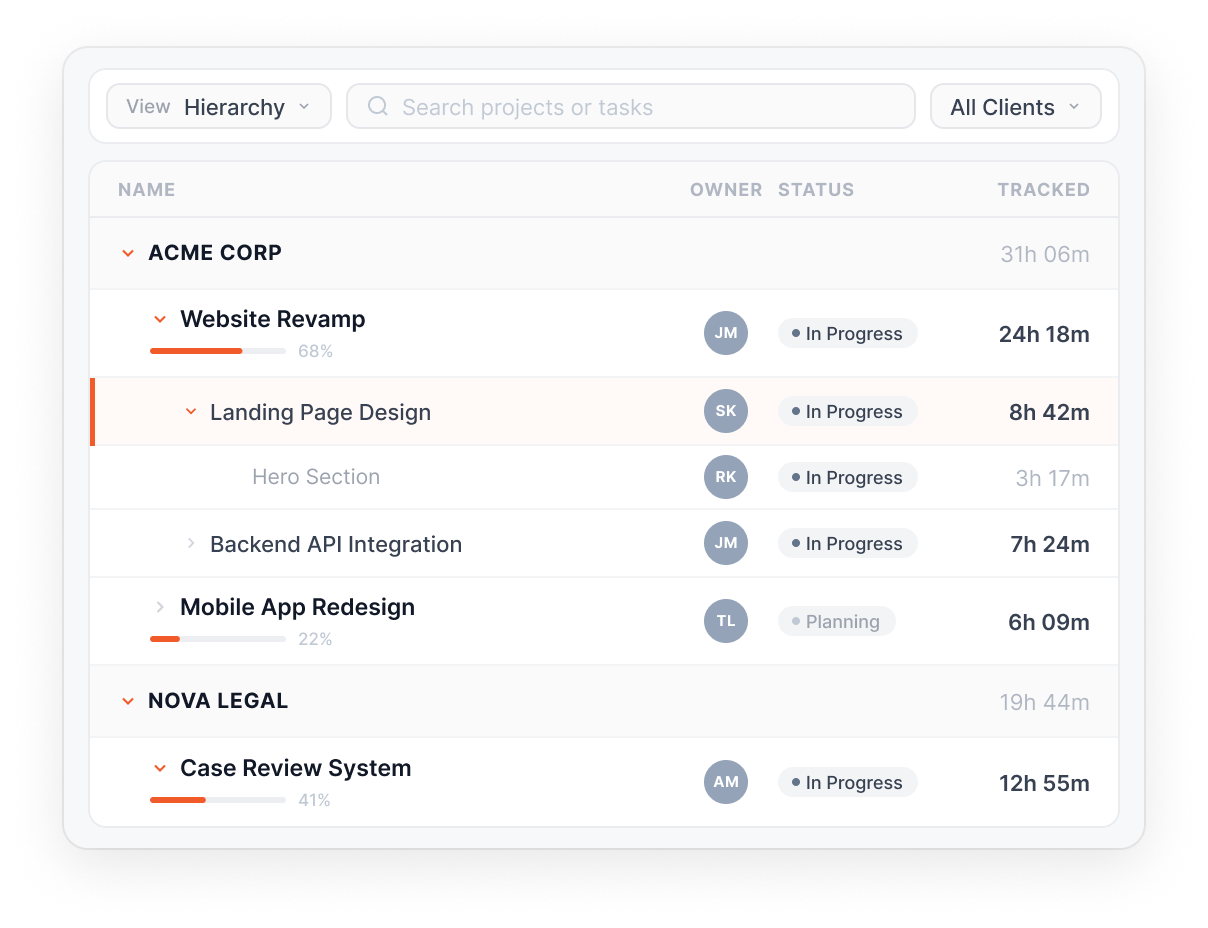
Time tracking records the hours employees spend working. Some tools track total working hours, while others also record time spent on specific projects, clients, or tasks.
Managers can use these records to review workloads, estimate project costs, and prepare information for payroll or client billing.
Flowace offers its automatic time tracking feature alongside attendance, shifts, leave, expenses, and approvals.
Businesses should also check whether time tracking connects with their payroll or billing systems. Many tools provide the working-hour data needed for these processes, while payroll calculations and payments may be handled by separate software.
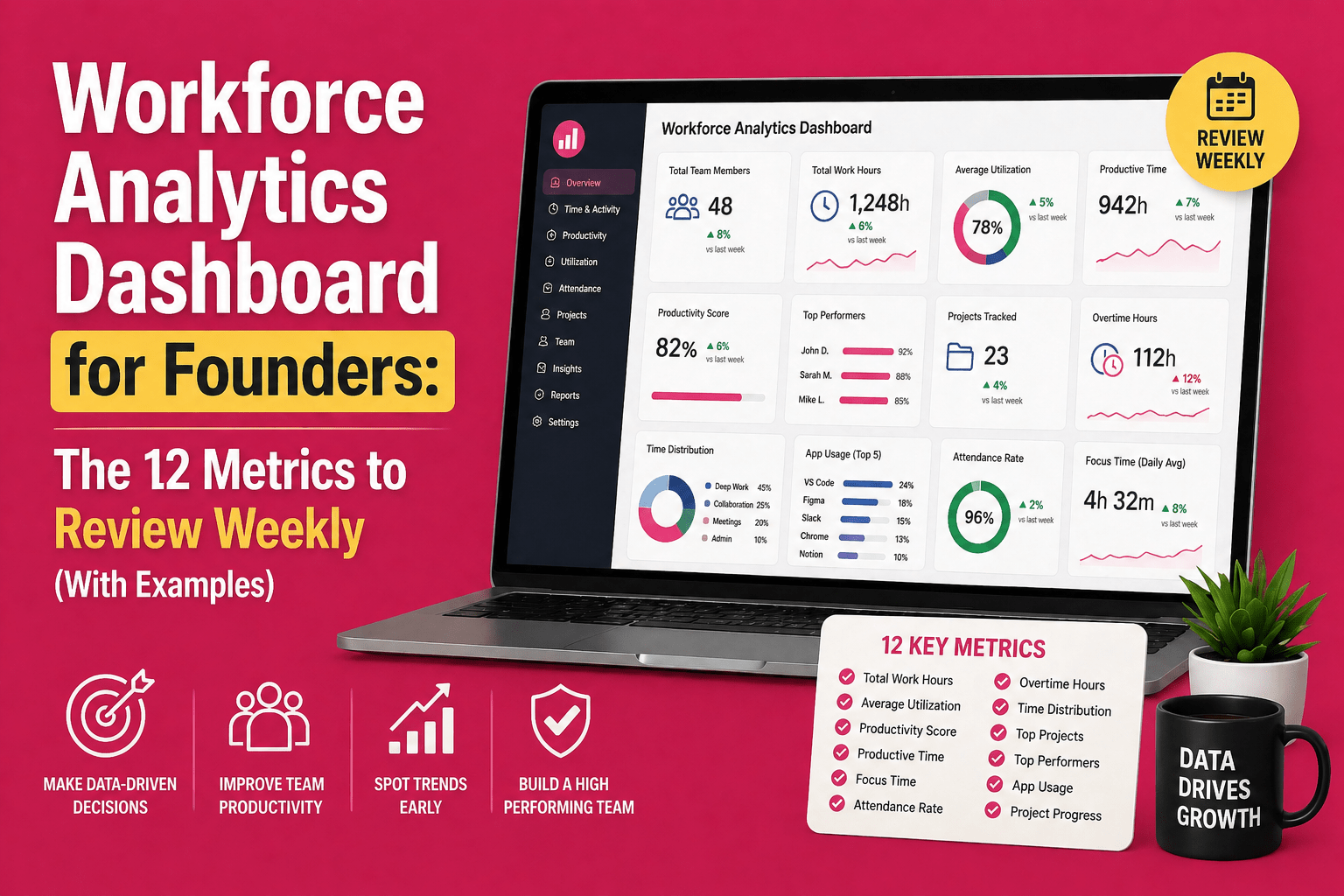
5. Workforce Analytics
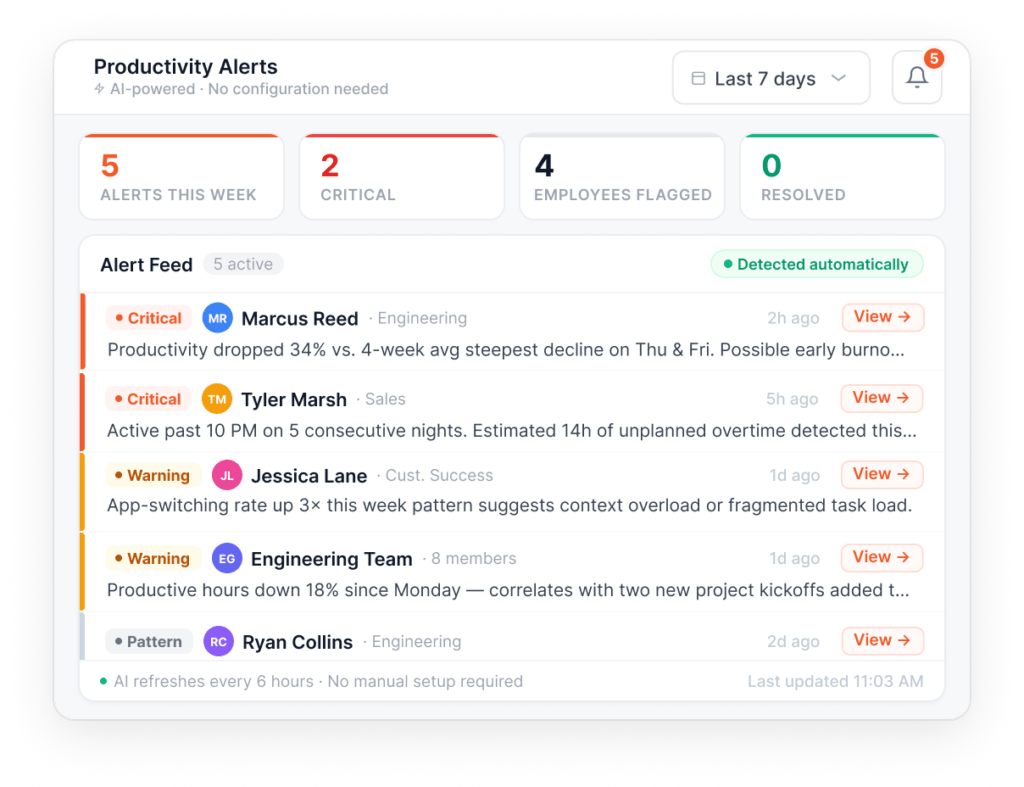
Workforce analytics turns attendance, scheduling, leave, and time-tracking data into reports that help managers make better staffing decisions.
For example, a report might show which teams regularly lack enough staff, where overtime is increasing, or how working hours are spread across projects.
These insights help managers spot patterns, review staffing costs, and plan resources more effectively. The reports available depend on the data a tool collects and the features it offers.
For a deeper explanation, see our guide to workforce analytics.
How Workforce Management Software Differs From Similar Tools
Workforce Management vs. Employee Monitoring
Workforce management helps businesses manage attendance, shifts, leave, and working hours. Employee monitoring tracks work activity, such as app usage and time spent on tasks. Some platforms offer both sets of features, but each serves a different purpose.
Flowace treats them as related but separate capabilities on one platform. One covers operations. The other covers activity visibility. They are not folded into a single feature.
Workforce Management vs. a Full HRMS
A full human resource system is often called an HRMS or HCM platform. It usually covers payroll, hiring, performance reviews, and benefits too. Workforce management software on its own tends to stay narrower. It sticks to attendance, scheduling, leave, and time.
Some vendors bundle both under one roof. Others keep them apart. Flowace is one of those. It keeps workforce management separate from payroll and hiring on purpose. Instead, it connects with the HR systems a company already uses.
Neither approach is the industry standard. The right fit just depends on what a business wants, one combined system, or a few connected ones.
Seeing the category defined is one thing. Seeing it run inside a real team is another. Flowace’s workforce management platform is one example of a tool scoped to the five components above.
This example shows what better workforce visibility looks like in practice.
TRST01 used Flowace to track 8,239 remote work hours, replacing guesswork with clear workforce data.
Read the TRST01 Case StudyAnother useful way to judge workforce management is to measure what the data reveals about actual working hours and attendance.
How to Measure Scheduled-Hours Attendance (With a Worked Example)
Many articles describe workforce management software without showing what its data can measure. This section walks through one practical benchmark you can run on your own team, and how to read it.
What Does the Scheduled-Hours Attendance Rate Measure?
The scheduled-hours attendance rate measures the share of scheduled work hours that employees actually logged during their shifts. It uses schedule records and work-session data, such as device login activity, to connect scheduling, attendance, and time tracking in one measure.
This rate is different from contact center schedule adherence, which measures whether agents follow their assigned activities at the right times, often using automatic call distribution (ACD) data.
The scheduled-hours attendance rate only measures logged hours within scheduled shifts. It cannot confirm whether employees performed the right activities during those hours. For how contact centers measure schedule adherence, see our guide to schedule adherence in a call center.
Device login data also has limits. An active session shows that a device session was running, but it does not prove that an employee was actively working every minute.
A low scheduled-hours attendance rate may point to staffing gaps or a mismatch between schedules and actual hours. However, the rate only counts logged hours within scheduled shifts, so it cannot measure overtime or detect burnout. Those questions require other data and measures.
How Is the Scheduled-Hours Attendance Rate Calculated?
To calculate the scheduled-hours attendance rate, divide the hours logged within scheduled shifts by the total scheduled hours, then multiply by 100.
The calculation uses three inputs, based on your own team’s records.
- Your scheduled hours: Total scheduled hours for your team over the period you want to measure, a month or a full quarter works well.
- Your logged hours:. Total hours your team actually logged within those scheduled shifts, based on your own attendance or time tracking records.
- Unit:. A percentage, your logged hours divided by your scheduled hours, multiplied by 100.
For example, suppose your team scheduled 1,200,000 hours over 12 months and logged 1,068,000 of those hours within their shifts. That works out to 1,068,000 ÷ 1,200,000 × 100 = 89%, an illustrative figure used only to show the math, not a Flowace benchmark.
What Does the Result Tell You?
A lower rate may point to staffing gaps or schedules that do not match actual working hours. A rate close to 100% suggests that logged hours closely match planned hours within scheduled shifts.
The result has a couple of limits.
- Device data: Work done away from a computer, such as field visits or phone calls, may go unrecorded and lower the measured rate.
- One-time patterns: A rate pulled from an unusually busy or quiet stretch may not reflect a typical month, so it is worth checking more than one period before drawing conclusions.
Use the rate as a reference point for reviewing schedules, not as a universal target for every business.
How Do You Know If Your Business Needs Workforce Management Software?
Your business may need workforce management software if employee schedules, attendance, leave, and working hours are becoming difficult to manage manually.
Common signs include the following:
- Schedules are hard to maintain. Teams rely on spreadsheets that become outdated when shifts change.
- Attendance records do not match payroll. Managers spend time fixing errors before payroll is processed.
- Leave tracking is unreliable. Leave balances are scattered across spreadsheets, emails, or personal records.
- Working hours are unclear. Nobody can quickly confirm how many hours the team worked last month.
If several of these problems sound familiar, it may be time to review your current process.
Knowcraft Analytics increased billable hours by 12.7% without hiring more staff.
Read the Knowcraft Case StudyFrequently Asked Questions About Workforce Management Software
1. What is a workforce management system?
A workforce management system is software that helps businesses manage employee schedules, attendance, leave, and working hours. It also provides reports that help managers review staffing and workforce data. The terms workforce management system and workforce management software are often used interchangeably.
2. What are the main components of workforce management software?
The five main components are attendance management, employee scheduling, leave management, time tracking, and workforce analytics. Some platforms also offer labor demand forecasting to help businesses estimate how many workers they will need.
3. What are some examples of workforce management software?
Some examples of workforce management software include UKG and Dayforce, which cover a wide range of HR and workforce functions, NICE, widely used for contact center scheduling and forecasting, and Deputy, built mainly for shift scheduling. Flowace’s workforce management features cover attendance, scheduling, leave, time tracking and analytics. The right option depends on a company’s size, industry, and staffing needs.
4. Which industries use workforce management software?
Industries that use workforce management software include BPO and contact centers, IT services, staffing, healthcare, retail, and logistics. Businesses with changing shifts or complex staffing needs may use it to plan coverage, track hours, and manage employee availability.
5. How much does workforce management software cost?
Workforce management software pricing depends on the vendor, number of users, and features included. Some providers charge a monthly fee per user, while larger businesses may need a custom enterprise plan.
6. What does workforce management software help businesses do?
Workforce management software helps businesses plan shifts, track attendance, manage leave, record working hours, and review workforce reports in one place. These features help managers spot staffing gaps, check work-hour records, and make better staffing decisions.
Related Reading: