7 Best Remote Employee Monitoring Software Tools



Published: August 2026 · Last Updated: August 2026 · Last Verified: August 2026
Remote employee monitoring software helps managers track work activity across distributed teams, including time, app and website use, screenshots, and productivity patterns.
Here are 7 best remote employee monitoring tools worth comparing in 2026, with their key features, pricing, pros, cons, and best use cases.
What Is Remote Employee Monitoring Software?
Remote employee monitoring software tracks employee work activity when they work outside the office. It can record login times, active and idle time, apps and websites used, and time spent on projects.
For remote teams, it gives managers a clear view of work activity, time use, and productivity without needing employees in the same office.
Common features include time tracking, activity monitoring, app and website tracking, project tracking, and productivity reports.
For teams with both remote and office-based employees, our computer monitoring software roundup and in-office employee monitoring article cover other workplace monitoring needs.
How Is Remote Monitoring Different From Time Tracking?
Time tracking usually requires employees to start a timer and choose a project. Remote employee monitoring tracks work activity automatically, which means employees have less to enter by hand.
Most monitoring tools record activity at set intervals. Flowace tracks activity every second, so short changes in activity can be captured without being grouped into longer time blocks.
For remote and distributed teams, this can give managers a more detailed view of work activity across different locations and time zones.
Quick Comparison Table About Remote Employee Monitoring Software
A side-by-side look at price, features, and G2 rating for all 7 tools before the full breakdown below.
|
Software |
Best For | Screenshots | Activity Tracking | Key Differentiator | Starting Price (annually) |
G2 Rating |
| Flowace | Budget-conscious remote teams | Optional | 1-second logging | Employee-visible dashboards | $1.99
/user/mo |
4.6/5 (137 reviews) |
| Time Doctor | Detailed reports + payroll | Yes | Standard interval | Payroll and integration depth | $6.67
/user/mo |
4.4/5 (493 reviews) |
| Hubstaff | Field or hybrid teams | Optional | Standard interval | GPS and location tracking | $4.99
/seat/mo |
4.4/5 (2,311 reviews) |
| Insightful | Agencies, workflow analysis | Yes | Standard interval | Workflow bottleneck analytics | $8
/seat/mo |
4.6/5 (381 reviews) |
| ActivTrak | Privacy-conscious teams | Not core | Standard interval | No keystroke logging by design | $10
worker/mo |
4.3/5 (340 reviews) |
| Teramind | Regulated industries | Yes | Deep, includes keystrokes | Insider-threat detection, DLP | ~$14
/seat/mo |
4.6/5 (181 reviews) |
| DeskTime | Small teams, simple setup | Yes (Premium) | Standard interval | Lightweight and fast to set up | $6.42
/user/mo |
4.5/5 (400 reviews) |
*Updated August 2026
7 Best Remote Employee Monitoring Software Tools
1. Flowace
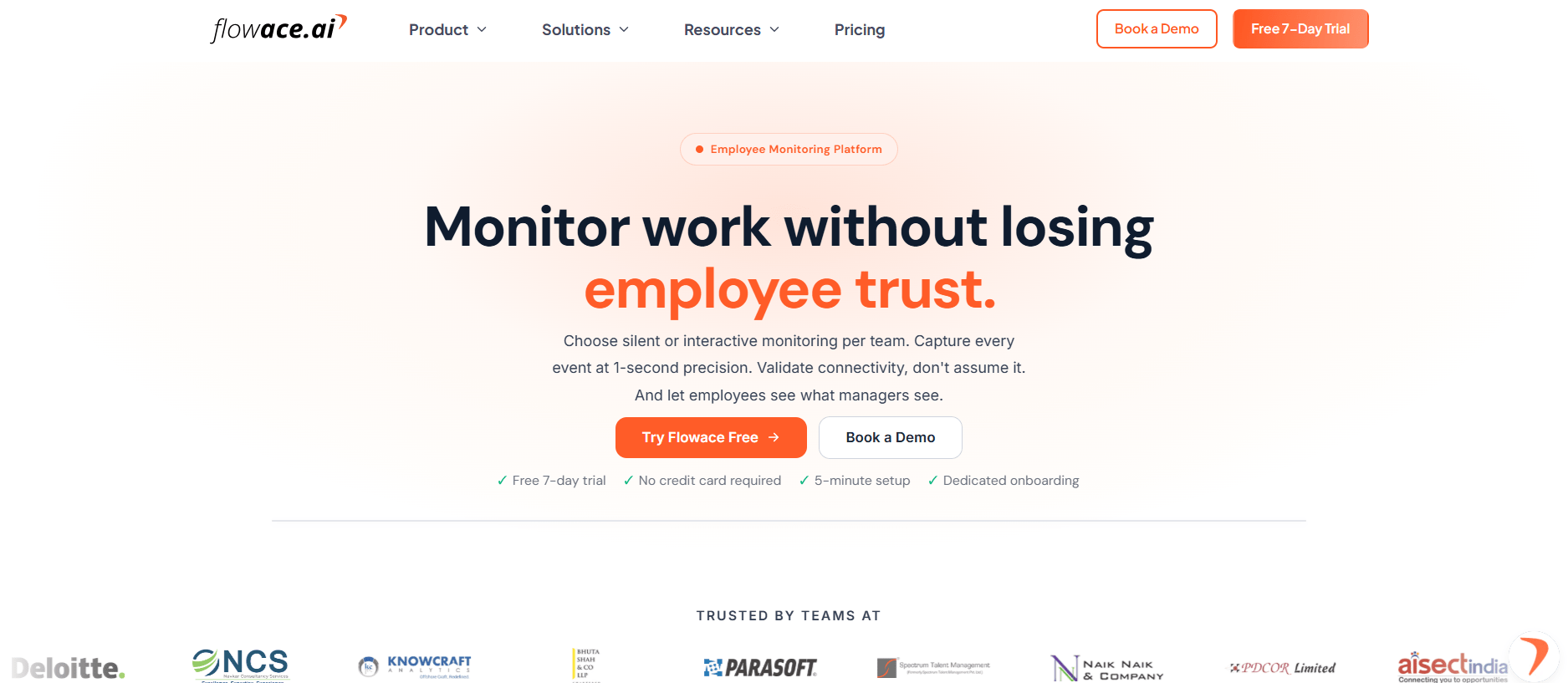
Flowace is designed for remote and distributed teams that want to track work hours automatically. It classifies activity as it happens, so managers can see activity from employees across different cities and time zones in one dashboard.
Best for: Teams that want automatic time tracking and clear reporting without paying enterprise prices.
Key features for remote teams:
- Automatic activity capture with no manual timer
- 1-second activity logging
- Privacy Mode (full opt-out) and Interactive Mode (employee-visible dashboards)
- Shift and timezone-aware reporting
- Keyboard and mouse activity frequency instead of keystroke content
- 60+ integrations
Pros:
- Priced well below most tools on this list.
- Setup takes minutes.
- Employees can see their own dashboards, which most competitors don’t offer by default.
Cons:
- Smaller integration library than Hubstaff or Time Doctor.
- SSO and historical data sit on the Premium tier.
Pricing:
Pricing starts at $1.99 per user per month for the Basic plan, $3.99 per user per month for Standard, and $6.98 per user per month for Premium. All plans are billed annually. Enterprise pricing is custom based on business requirements.
7-day free trial and product demos are available upon request.
G2 Rating:
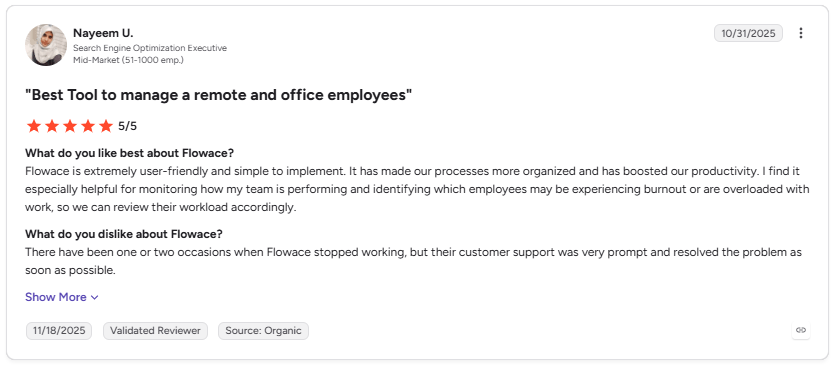
Image alt text: G2 review praising Flowace for team management and productivity.
This G2 review shows how Flowace helps with remote employee monitoring by giving managers a clear view of team performance, workload, and possible burnout.
2. Time Doctor
Source: Time Doctor
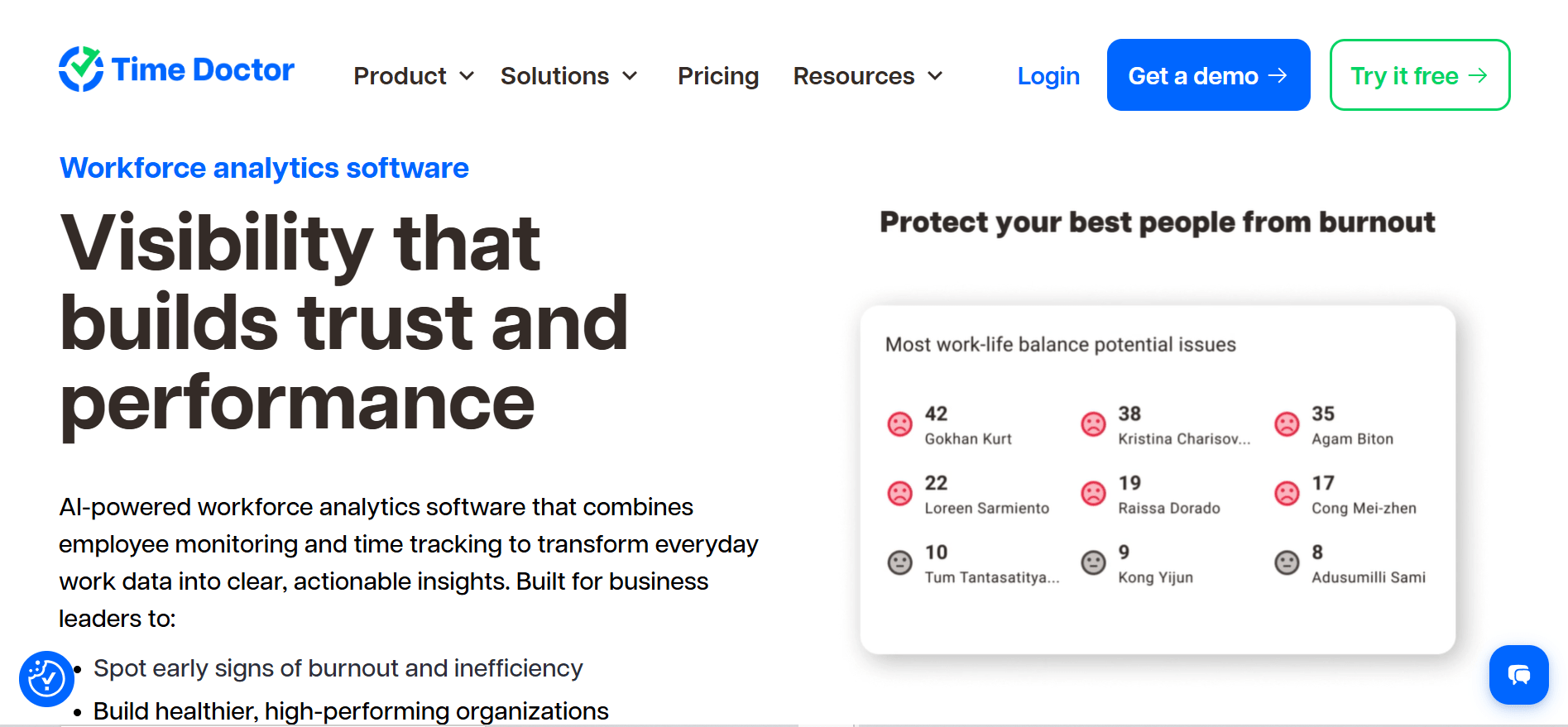
Time Doctor is a good fit for remote teams and BPOs that need detailed time data for payroll and client work. It tracks activity and can capture screenshots and video, giving managers a clear record of work across distributed teams.
Best for: Teams that want detailed reports and payroll depth.
Key features for remote teams:
Time tracking with screenshots, distraction alerts, payroll integration, video screen recording on higher tiers.
Pros:
- Detailed reporting.
- Wide range of payroll and project-tool integrations.
- Long track record with remote-first companies.
Cons:
- More expensive than Flowace at every tier.
- Scheduling and most integrations sit behind the Standard plan and above.
Pricing:
Pricing starts at $6.67 per user per month for the Basic plan, $11.67 per user per month for the Standard plan, and $16.70 per user per month for the Premium plan. All plans are billed annually. Enterprise pricing is custom. A 14-day free trial is available.
See Time Doctor vs Flowace for a full feature and price comparison.
G2 Rating:
3. Hubstaff
Source: Hubstaff
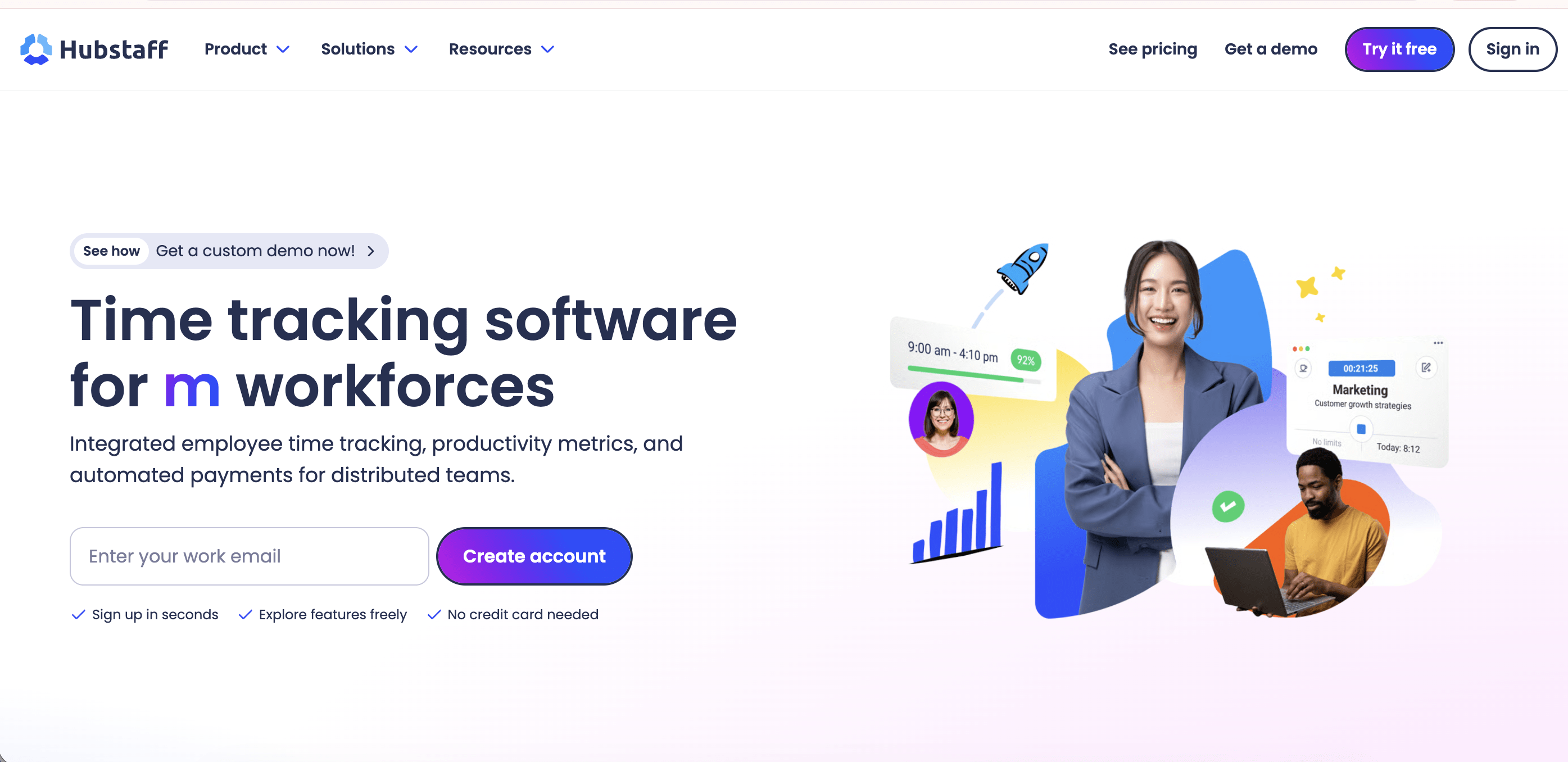
Hubstaff is a good fit for field teams and distributed teams that need GPS tracking along with employee activity monitoring. It helps managers track work across different locations, including remote employees and people working in the field.
Best for: Field-based or hybrid remote teams that need GPS tracking alongside activity monitoring.
Key features for remote teams:
GPS and location tracking, screenshots, scheduling, payroll and invoicing, unlimited integrations on the Team plan.
Pros:
- Strong fit for teams that manage field staff alongside remote employees.
- Built-in payroll features simplify managing tracked work hours.
- Large, mature integration library.
Cons:
- Hubstaff Insights is an add-on, so it costs extra.
- It can feel more focused on tracking activity than giving remote teams a simple view of overall work.
Pricing:
Hubstaff pricing starts at $4.99 per seat per month for the Starter plan. Grow costs $7.50 per seat per month, Team costs $10 per seat per month, and Enterprise costs $25 per seat per month.
All paid plans except Enterprise include a 14-day free trial. Compare Hubstaff vs Flowace for a detailed feature and pricing comparison.
G2 Rating
4. Insightful
Source: Insightful
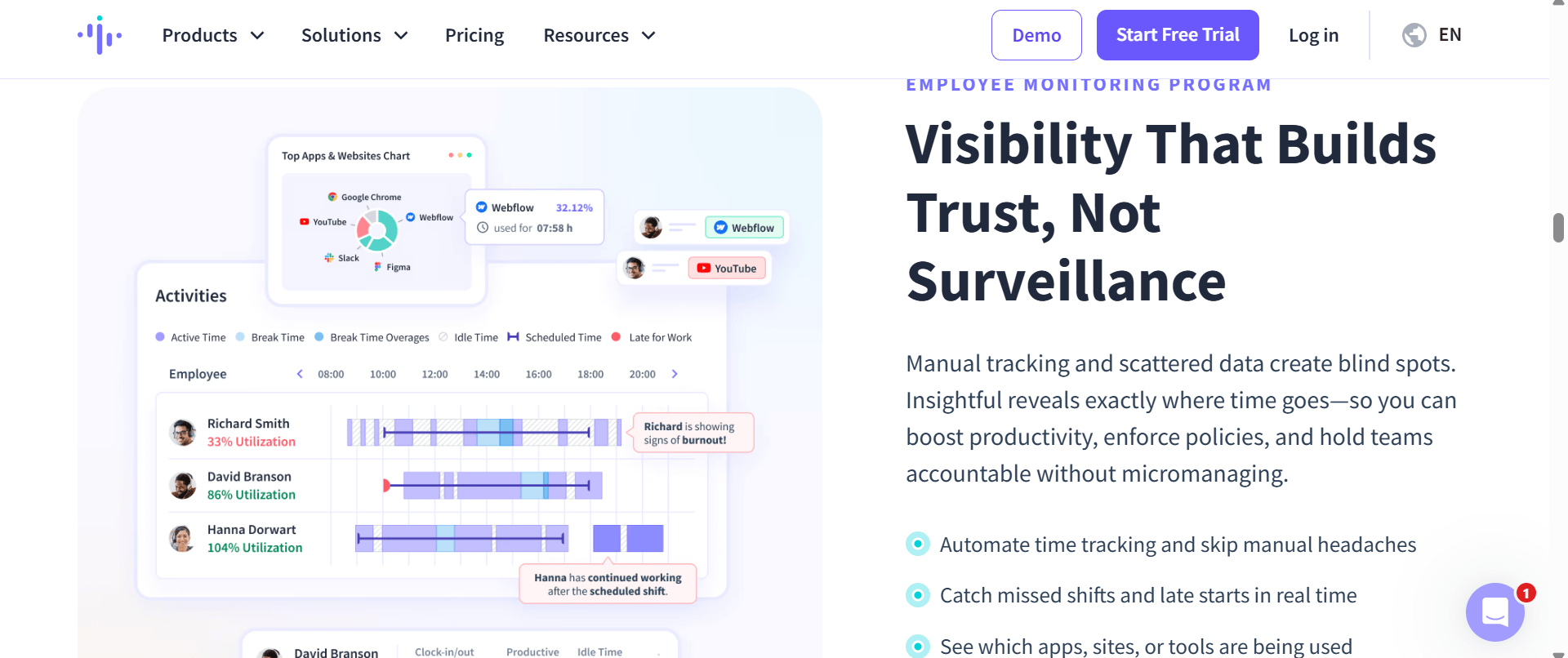
Insightful focuses on workforce analytics for remote and distributed teams. It helps agencies and professional services firms see where work time is spent and where workflows slow down across different teams.
Best for: Agencies and professional services firms that want to analyze workflow, not just track hours.
Key features for remote teams:
Workforce analytics, screenshots, real-time monitoring, workflow bottleneck reporting.
Pros:
- Removes manual timer dependency with automatic activity tracking.
- Combines time tracking with workforce analytics and productivity reporting.
- Provides detailed visibility into team activity patterns.
Cons:
- Some advanced monitoring features, such as additional screenshot and security capabilities, require higher-tier plans or add-ons.
- Teams may need initial setup time to customize dashboards, tracking settings, and reports.
Pricing:
Pricing starts at $8 per seat per month for Workforce Analytics, billed annually. Workflow Optimization starts at $12 per seat per month, Combo plan (Analytics + Optimization) starts at $16 per seat per month, and Enterprise pricing is customized based on business needs.
G2 Rating:
5. ActivTrak
Source: ActivTrak
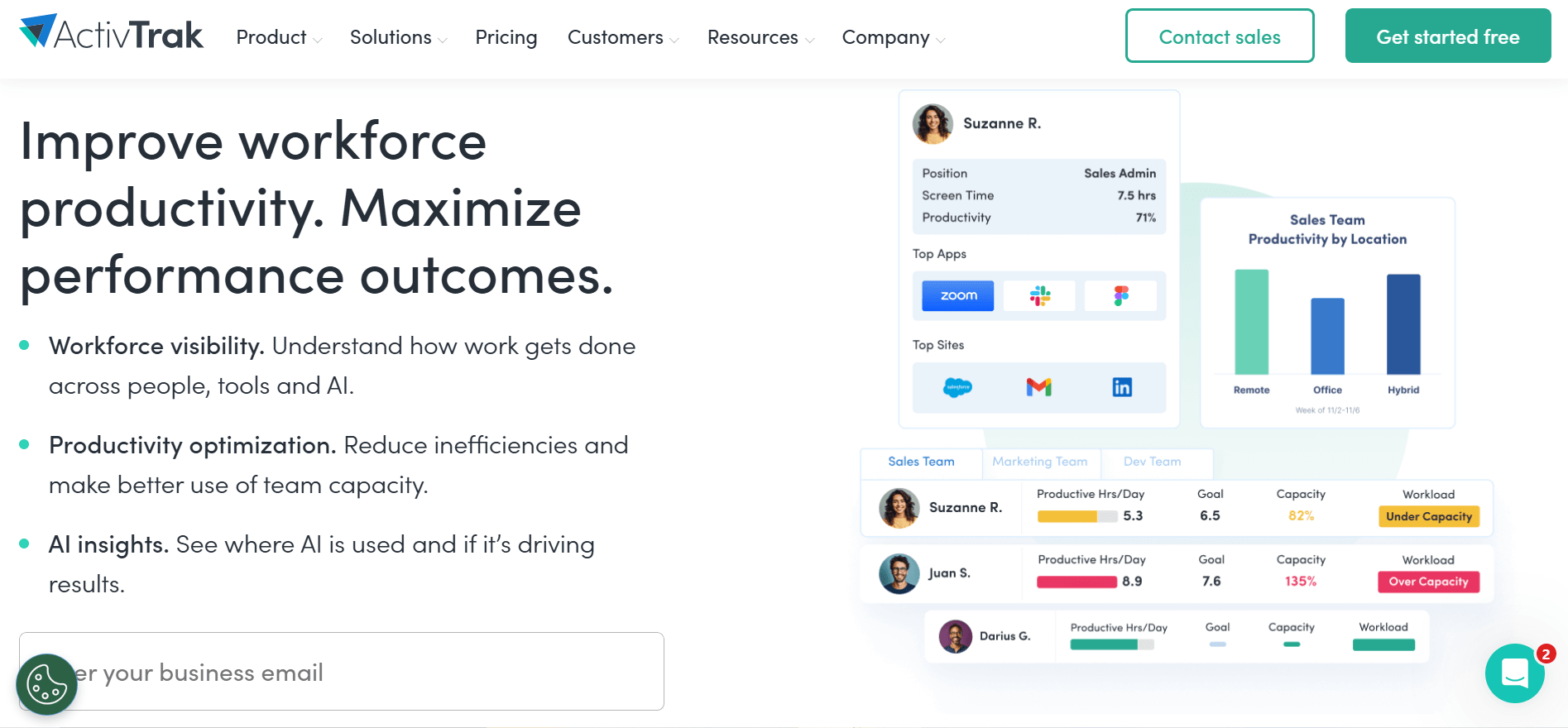
ActivTrak is a good fit for remote and distributed teams that want productivity insights with a privacy-focused approach. It does not use screenshots or keystroke logging by default, which can help teams monitor work activity while giving employees more privacy.
Best for: Teams that want productivity data without screenshots or keystroke logging.
Key features for remote teams:
App and website usage categorization, productivity benchmarking, no keystroke logging by design.
Pros:
- Provides productivity insights without invasive monitoring methods.
- More privacy-friendly approach than most tools on this list.
- Free plan for very small teams (up to 3 users).
Cons:
- Requires manually classifying apps and websites as productive or not, which takes setup time.
- Costs rise quickly past the entry tier.
Pricing:
ActivTrak pricing starts with a free plan for up to 3 users. Paid plans include Work Activity Tracking at $10 worker per month, Workforce Management at $15 worker per month, and Productivity Optimization at $17 worker per month. All paid plans include a 14-day free trial.
G2 Rating:
Put Flowace side by side with other tools on price, privacy, and features.
Compare Flowace’s Features6. Teramind
Source: Teramind
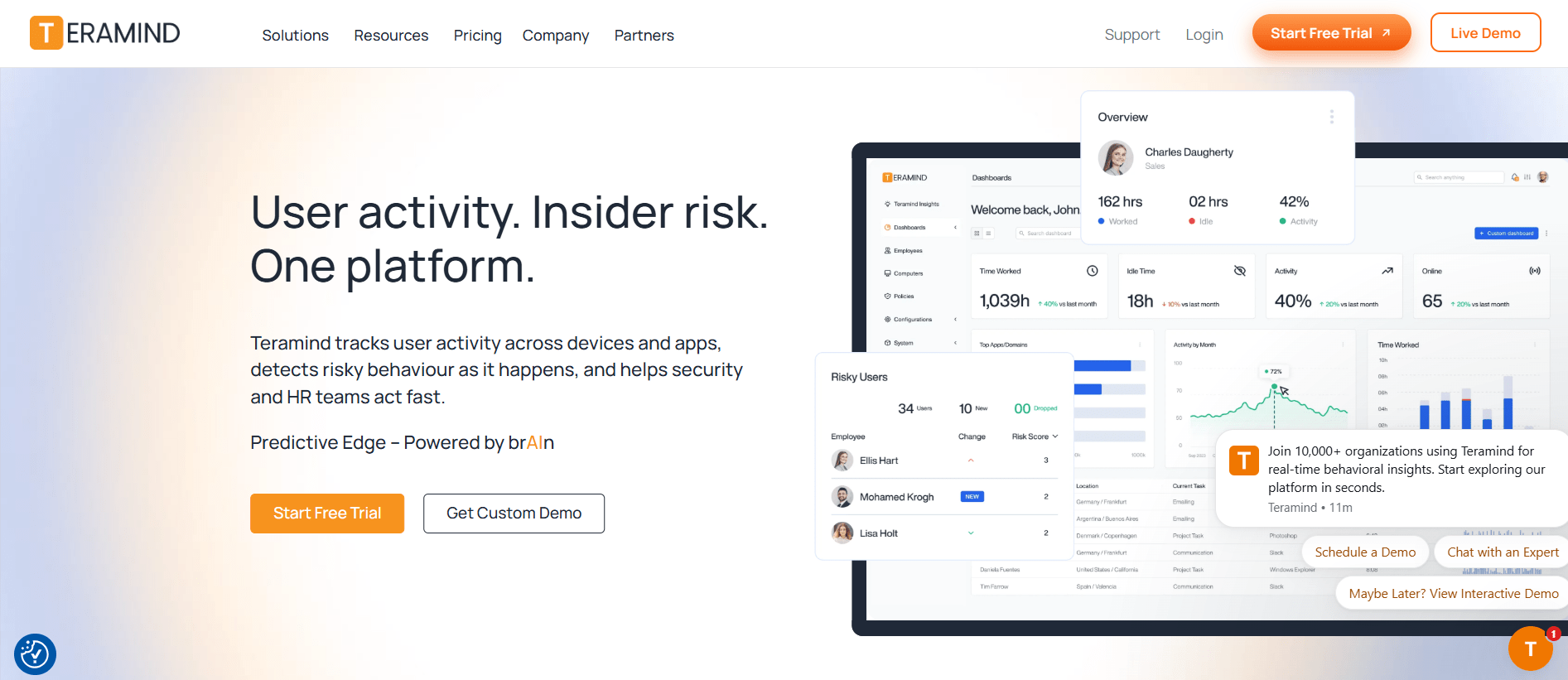
Teramind is another good option for remote and distributed teams in regulated industries. It provides detailed activity tracking and audit logs for teams that handle sensitive data.
It can be useful for finance, healthcare, and government teams that need detailed records of employee activity for security and compliance.
Best for: Regulated industries that need insider-threat detection and data loss prevention alongside monitoring.
Key features for remote teams:
User activity monitoring, screen recording, keystroke logging, rule-based security alerts, data loss prevention.
Pros:
- The strongest security and compliance feature set on this list.
- Supports customizable monitoring policies and automated alerts.
- Built for finance, healthcare, and government use cases.
Cons:
- The most expensive tool here by a wide margin.
- Five-seat minimum.
- Keystroke logging and screen recording are core features, which can feel too intrusive for many remote teams.
Pricing:
Pricing starts at ~$14 per seat per month for the Starter plan, ~$28 per seat per month for UAM, and ~$32 per seat per month for DLP. All plans are billed annually. Enterprise pricing is available on request.
G2 Rating:
7. DeskTime
Source: DeskTime
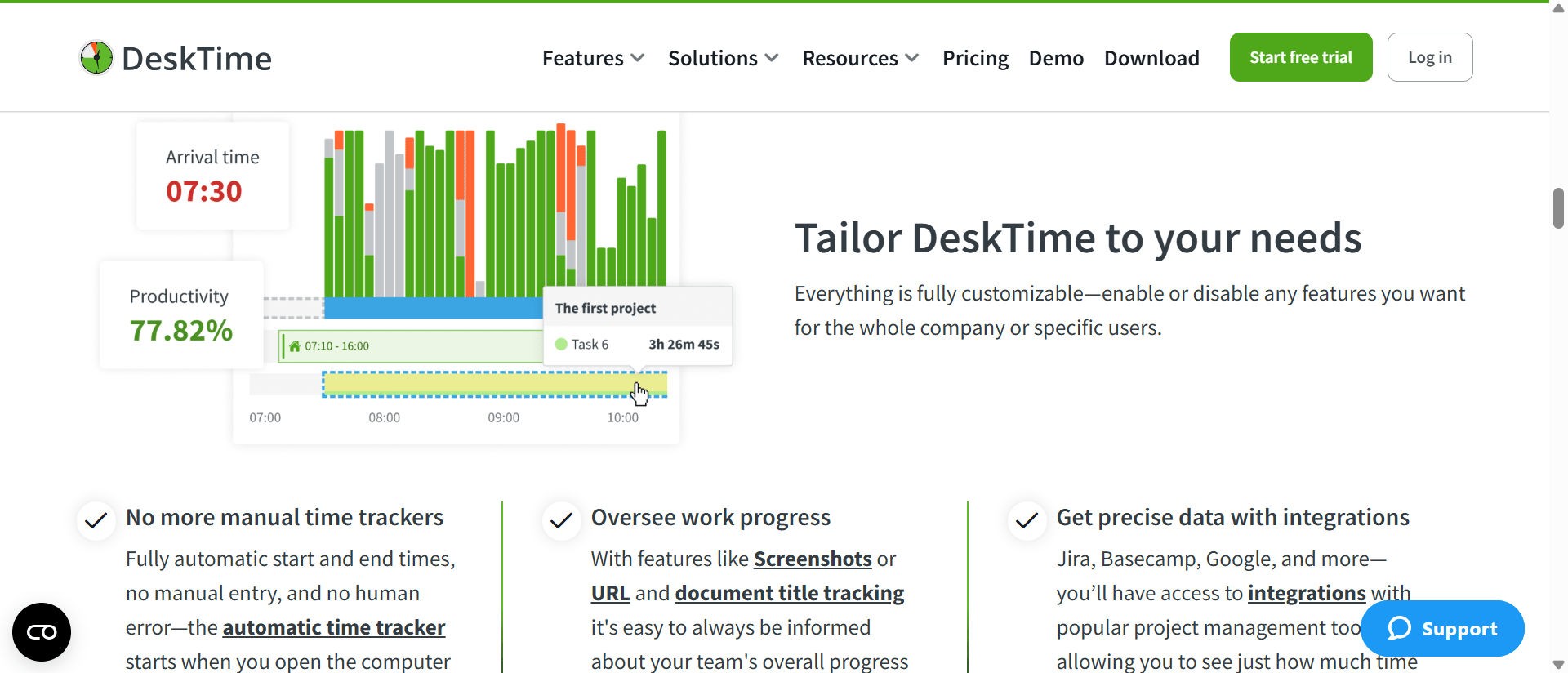
DeskTime is a good option for small remote and distributed teams that want simple activity tracking and an easy setup. It helps teams track work time and activity without adding much complexity.
Best for: Small teams that want simple time tracking without a big learning curve.
Key features for remote teams:
Automatic time tracking, productivity scoring by app and URL, document title tracking for context, calendar integrations.
Pros:
- Provides detailed website and application activity insights.
- Easy to set up with minimal onboarding.
- Strong productivity reporting for managers and teams.
Cons:
- Attendance and scheduling features are limited on the Pro plan.
- Advanced workforce management features require higher-tier plans.
Pricing:
DeskTime’s Pro plan for small teams and startups starts at $6.42/user/month billed annually. Premium plans for hybrid and growing teams at $9.17/user/month billed annually and adds features like screenshots, shift scheduling, and the absence calendar. A 14-day free trial is available.
G2 Rating:
What Does a Remote Monitoring Dashboard Show?
A remote monitoring dashboard shows team availability, average working hours, productivity, and individual team activity. Managers can see who is online, how long team members have been active, and get a quick overview of team status.
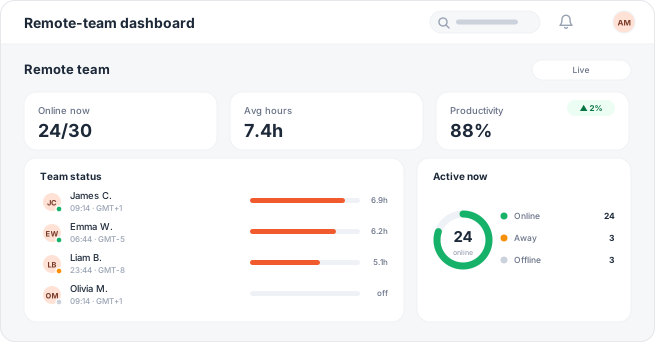
Image alt text: Flowace remote team dashboard showing 24 of 30 employees online, average hours, productivity, and individual team status.
The dashboard gives a quick view of the remote team, including who is online, average working hours, and overall productivity. It also shows individual team members and their current activity status.
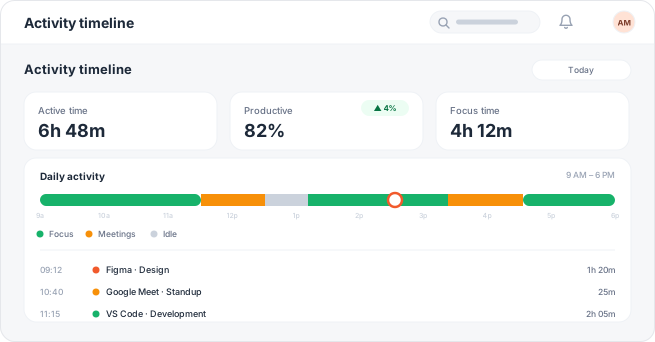
Image alt text: Flowace activity timeline showing an employee’s active time, productivity, focus time, meetings, and idle periods from 9 a.m. to 6 p.m.
The activity timeline shows how an employee’s workday is divided between focused work, meetings, and idle time. It also gives a detailed view of the apps and activities used during the day.
For remote teams working across time zones, these dashboards can also show when employees are online in their local time. For example, a 14-person team with nine people in Bengaluru and five in Austin may have only one or two hours of overlap. A time-zone view can help managers plan handoffs and see whether work is moving smoothly between teams.
See how Flowace’s productivity insights work.
Is Remote Employee Monitoring Legal?
Yes, remote employee monitoring can be legal, but the rules depend on where the employee works, what you monitor, and how you collect the data.
In the US, some states have specific employee-monitoring notice laws. New York requires written notice when employees are hired and a posted notice. Connecticut requires prior written notice and a posted notice. Delaware allows daily notice or a one-time written notice with employee acknowledgment.
Federal law also sets rules for monitoring electronic communications. Other regions have broader privacy requirements. In the EU, GDPR principles include lawfulness, transparency, purpose limitation, and data minimization when processing employee data.
For remote and distributed teams, employers should check the rules that apply where each employee works and clearly explain what is monitored, why it is collected, and how the data is used.
Best practice: Give employees clear written notice before monitoring starts and review the policy with employment or privacy counsel before publishing or using it.
Read more about employee monitoring laws article.
Legal disclaimer: This section provides general information and is not legal advice. Laws can change, so consult qualified counsel about your specific situation.
What Are Employees Concerned About With Remote Monitoring?
Employees commonly raise concerns about screenshots, keystroke tracking, webcam monitoring, privacy, and constant surveillance. Recent online discussions from remote workers also show concerns about trust and how monitoring affects workplace culture.
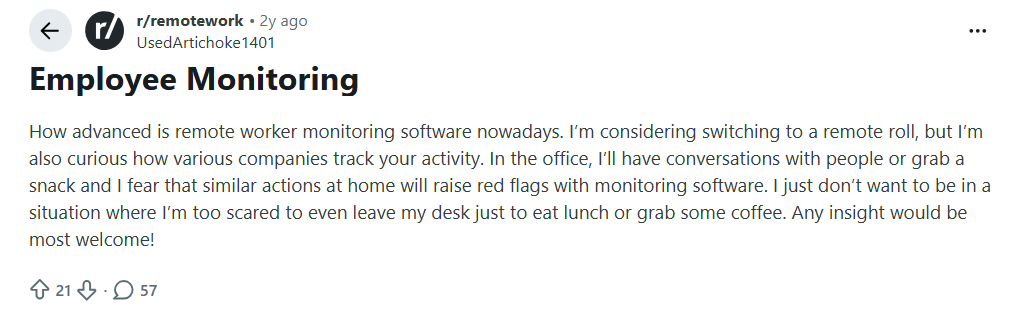
Image alt text: Reddit user asks how remote employee monitoring tracks activity and whether taking breaks at home could raise red flags.
This Reddit user highlights a common concern among remote workers and whether normal breaks, such as getting coffee or lunch, can trigger monitoring concerns.
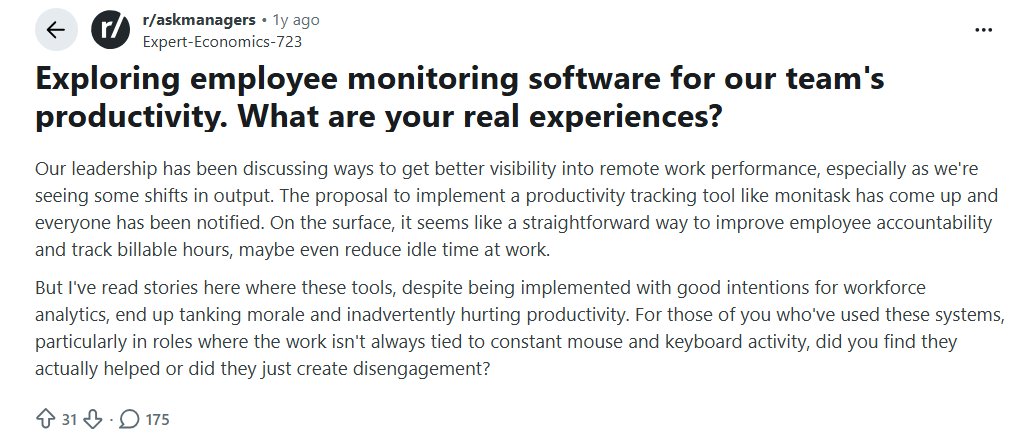
Image alt text: Reddit user asks if remote employee monitoring improves productivity when work isn’t constant keyboard and mouse activity.
Another Reddit discussion highlights a common concern about employee monitoring: activity levels do not always tell the full story of someone’s work. For roles that involve meetings, planning, research, or other offline tasks, constant mouse and keyboard activity may not accurately reflect productivity.
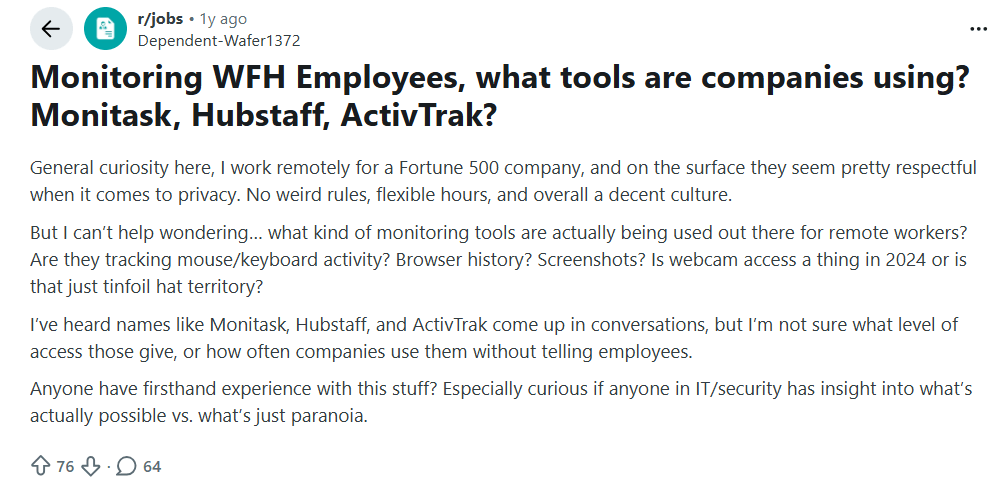
Image alt text: Reddit post screenshot showing a user asking about remote employee-monitoring software.
Another Reddit discussion where a remote worker is wondering how companies keep track of employees working from home. They say their company seems pretty respectful and flexible, but they still wonder what monitoring tools might be running in the background, what these tools can actually see, and whether employees are told about it. They’re also asking IT and security people to share their real experiences and explain what’s actually possible versus what people just worry about.
What Should You Track When Monitoring Remote Employees?
These are the key things you should track and consider when monitoring remote employees:
- Worth tracking: Active and idle time, apps used, projects, and attendance. These show how work time is spent.
- Use caution with: Keystroke content, personal browsing, and webcam feeds. These can raise privacy and legal concerns.
- Flowace: Tracks keyboard and mouse activity frequency to measure active and idle time. It does not record what employees type.
- Check before buying: Monitoring features vary by tool. Teramind, for example, includes keystroke logging as a core feature.
- For remote teams: Use screenshots only when there is a clear business need, such as client proof of work. For many output-based roles, frequent screenshots can affect employee trust.
Where Does Flowace Fit for Remote and Distributed Teams?
Flowace is designed for remote, hybrid, and distributed teams that want to understand where work hours go without enterprise-level pricing. Managers can see work patterns, while employees have options to control their monitoring and view the same data.
Flowace offers two privacy options:
- Privacy Mode: Employees can opt out of monitoring.
- Interactive Mode: Employees can see the same dashboard as their manager.
These options give employees more visibility and control over their monitoring data.
Can Flowace Support Teams Across Time Zones?
Yes. Flowace can organize reports by shift and time zone, helping distributed teams compare activity across different work schedules.
Flowace also has remote support and customer success teams that cover US business hours, including support from regions such as India. This can help companies with India-based delivery teams and US-based leadership get support during US working hours.
What Results Have Companies Seen With Flowace?
A 750-user IT services platform with seven delivery teams found about ~$223K in monthly idle capacity during its first week using Flowace.
The example shows how distributed teams can use time and capacity data to find unused work capacity across multiple delivery teams.
When Should a Remote Team Choose Flowace?
Flowace can be a good fit for teams that want to:
- See where employees spend their work hours
- Track active and idle time
- Find unused work capacity
- Compare shifts and time zones
- Give managers and employees shared visibility
- Keep monitoring costs below enterprise pricing
When Might Another Tool Be a Better Fit?
Choose Teramind if your team needs detailed security monitoring for regulated work. Choose Hubstaff if your field team needs GPS tracking.
For remote and distributed teams focused on work hours, activity, time zones, and cost, Flowace is a strong fit.
Taking the Next Step
Start with the features you actually need, such as accurate time tracking, activity reports, team dashboards, and time-zone support. Then compare tools based on your team size, budget, and privacy needs.
For a 20 to 200-person remote or distributed team, choose a tool that gives you the right level of visibility without adding features you do not need.
Ready to put Flowace to work for your remote team?
Book A DemoFrequently Asked Questions About Remote Employee Monitoring Software
1. What is the cheapest remote employee monitoring software?
Flowace starts at about $1.99 per user per month, making it one of the lowest-cost options in this comparison. DeskTime is another affordable option, starting at $4.99 per user per month.
2. Do employers have to tell employees they are being monitored?
In some US states, employers must notify employees before certain types of electronic monitoring. Rules vary by state and the type of monitoring, so employers should check the laws that apply to their team.
3. Can remote employee monitoring software see your screen or webcam?
Some tools, including Time Doctor and Teramind, offer screen recording. Flowace does not access webcams. Features vary by tool and may require employees or managers to enable them.
4. How much does remote employee monitoring software cost?
Remote employee monitoring software costs from about $1.99 to ~$32 per user per month. Larger teams may also need custom Enterprise pricing.
5. Is remote employee monitoring the same as surveillance?
No. Remote monitoring should clearly define what activity is tracked, when it is tracked, why it is collected, and who can access the data. Clear policies and employee notice can help teams use monitoring responsibly.