7 Productivity Management Techniques That Work in 2026



Productivity management techniques are structured approaches managers use to improve how a team turns time and effort into actual output. Not morale. Not activity. Output.
Most teams struggle with productivity not because people are not working hard but because there is no system for deciding what work to protect, what to remove, and how to tell the difference. These productivity management techniques fix that gap.
This article covers seven productivity management techniques that work at the team level, each with a specific metric so you know within two weeks whether it’s making a difference.
What are productivity management techniques?
Productivity management techniques are structured methods that help teams improve efficiency, prioritize tasks, and make better use of time and resources.
Unlike individual productivity tips, these techniques operate at the systems level, optimizing workflows, processes, and team-wide coordination to improve overall work performance.
The key difference is that productivity management is designed by a manager. Individual time management is done by each person. One works for the whole team, the other only works for one person.
Why do most managers track the wrong productivity metrics?
Most productivity tracking fails because it measures the wrong thing which is activity instead of output. Before applying any productivity management techniques, it helps to understand why that failure keeps repeating.
Measuring activity instead of output. Hours worked, messages sent, and tasks marked in progress may look like productivity data but they are not. Real output is what gets shipped, what gets decided, and what moves forward. Measuring activity while thinking it is output is the main reason most productivity systems fail.
Applying one technique to the whole team. Time blocking works for deep-work roles. It breaks roles that require reactive responsiveness. Blanket rollouts fail because work types are not uniform.
Not measuring whether the technique is working. Teams try something for two weeks, feel uncertain, and drop it before it compounds. Every technique in this article comes with a measurable signal for exactly this reason.
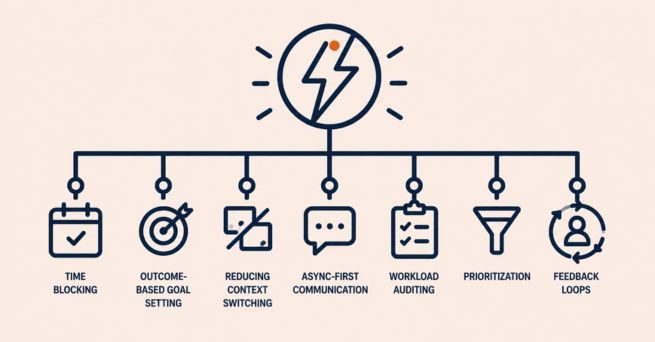
7 productivity management techniques tied to measurable output
1. Time blocking
Time blocking divides the workday into dedicated windows for specific types of work. Most versions stop at the calendar slot. This version adds a 15-minute output checkpoint at the end of each block where the person notes what they completed rather than just what they worked on. This makes it one of the more practical productivity management techniques.
What managers get wrong: They use time blocking to organize schedules and check calendars. But a calendar is not the result. The result is what gets done in each block.
How to implement it:
- Identify two to three work types for each person which include deep focus work, communication, and reactive or administrative tasks. Assign specific windows to each. Schedule deep focus work in the morning for most roles, when concentration is highest.
- At the end of each deep work block, each person writes one sentence about what they completed. This can be shared asynchronously in a doc, a standup tool, or a project management system.
What success looks like: Track completed deep work blocks per person per week. After four weeks, that number should be trending up. Also track meeting encroachment on focus windows. The target is zero.
2. Outcome-based goal setting (OKRs without the corporate theatre)
Outcome-based goal setting means defining what success looks like before the work starts, not after. It borrows OKR structure but removes the quarterly planning overhead that makes most OKR rollouts bloated. This makes it another practical productivity management techniques.
For teams looking to implement this at scale, employee productivity insights software can automate the measurement layer entirely.
What managers get wrong: Most teams write goals that describe activity (“improve customer onboarding”) rather than outcome (“reduce time-to-first-value from 14 days to 7”). When the goal describes activity, any activity satisfies it.
How to implement it:
- For every project or sprint, write one sentence completing this “We’ll know this worked when…” That sentence is your key result.
- Make it binary or numeric. “Better documentation” is not a key result. “Documentation covers 90% of core product flows” is.
- Review key results in the weekly sync instead of waiting until the sprint ends. If a target is missed in week two, it can still be fixed. By week six, it usually cannot be recovered.
What success looks like: Goal completion rate week over week. A healthy team completes 60-70% of key results. Below 50% means goals are too ambitious or work is underestimated. Above 90% means goals are too easy. Focus on the ratio instead of just the number of tasks.
3. Reducing context switching (the 25-tab problem)
Context switching is the productivity cost of moving between tasks, tools, or threads throughout the day. The average worker switches tasks more than 25 times per day (Asana, Anatomy of Work Global Index, 2024).
Research from UC Irvine found that it takes an average of 23 minutes to fully regain focus after an interruption, according to Gloria Mark in 2008, and this finding has been supported by later research. At 25-plus switches a day, most teams are never fully focused on anything.
What managers get wrong: They treat context switching as an individual habit problem and tell people to focus more. Context switching is almost always a systems problem. Too many tools, no communication norms, and a culture where every message needs an immediate reply are what cause it.
How to implement it:
- Audit your tool stack. Count how many places a single work decision requires checking. If the answer is more than three, consolidate as part of productivity management techniques.
- Set clear async windows for communication. Decide when Slack is actively monitored and when the team is in focus time. During focus time, responses should be expected within a two-to-three-hour window instead of a few minutes.
- Establish one protected priority per person per day that meetings and pings cannot touch. Even a two-hour window compounds significantly when it’s consistent.
What success looks like: Tasks completed per day before versus after implementing async communication windows. A two-week before-and-after comparison is enough. Fewer context switches should show as more tasks reach “done” status each day.
Flowace helped unify fragmented workforce operations for a growing enterprise
Read more4. Async-first communication rhythms
Async-first communication means defaulting to written updates, recorded walkthroughs, and documented decisions for everything that does not require real-time discussion., as part of broader productivity management techniques. Meetings are reserved only for decisions that need to live back-and-forth.
According to their Work Trend Index, the number of weekly meetings increased by 153%, and total weekly meeting time skyrocketed by 252% between early 2020 and 2022. This surge in digital communication left the average person spending 57% of their workday just communicating rather than actually creating.
This shift reduces the deep execution time that async-first systems are meant to protect.
What managers get wrong: Async-first is not “no meetings.” It means building a clear framework for when synchronous discussion is necessary. Without that framework, everything defaults to a meeting because no one wants to be the person who under-communicates.
How to implement it:
- Build a two-question decision filter that asks if this requires real back and forth and if it needs a decision within four hours. If the answer is no to both, it is asynchronous.
- Replace status update meetings with a three-question written standup answered before 10 AM: what did you complete, what are you working on, what is blocking you.
- Record decisions in writing. Verbal decisions turn into four different versions of the same conversation. Written decisions are searchable, auditable, and useful for onboarding.
What success looks like: Meeting hours per week per person. Establish a baseline then track reduction after introducing async rhythms. A 20-30% cut in meeting load without a drop in project velocity means it’s working.
5. Workload auditing (the weekly 30-minute review)
A workload audit is a structured weekly review of how tasks are distributed. It shows who is overloaded, who still has capacity, and where work is getting stuck. It helps catch problems early before they turn into missed deadlines or resignations.
What managers get wrong: Most managers have no live view of team capacity. They know who’s complaining about overload. They don’t know who’s quietly drowning until it shows up as attrition. Workload auditing turns reactive management into proactive capacity planning.
How to implement it:
- Once a week, review tasks by person. More than five to seven active tasks often means the person is overloaded.
- Tag each task as high, medium or low effort. Three high-effort tasks can be heavier than seven low-effort ones even if the count looks similar.
- Use time tracking as a second check. If someone logs more hours than their task load suggests, there may be a scoping issue or hidden work. Automated timesheets make this comparison easier without self-reporting. For a broader view of how workforce data reveals these patterns, see how workforce analytics works in practice.
What success looks like: Track the gap between when an overload signal first appears and when you act on it. The goal is shrinking that gap from weeks to days.
Knowcraft increased billable hours by 12.7% without adding headcount
Read more6. Deliberate prioritization: the not-to-do list
The not-to-do list audits everything a team currently owns and deliberately removes the bottom tier of low-impact, high-effort work before adding anything new.
Most productivity management techniques framework focus on what to add. This one works in reverse. Teams accumulate work the way closets accumulate clothes. Things get added because they seem important at the time. They are rarely removed because removal requires an explicit decision that no one makes.
How to implement it:
- List every recurring task or process your team owns which includes internal reports, recurring meetings, review cycles, and documentation maintenance.
- Score each item on two dimensions which are output impact from high to low and effort from high to low. Anything that falls into high effort and low impact should be reconsidered. Before new work is added, something equal or larger must be removed or reassigned. This ensures the team stays within capacity and avoids overload. This is a rule that must be followed.
What success looks like: Hours reclaimed per week from low-impact work. Teams that run this exercise typically find 20-40% of their recurring work is low-impact. Reclaiming half of that creates real room for work that moves outcomes.
7. Building feedback loops into the work
Micro feedback loops bring signals forward by asking three short questions every one to two days in an async format, a simple form of productivity management techniques. These questions are what moves forward, what is blocked, and what needs a decision from someone with authority.
End-of-sprint retrospectives are too late to course-correct on a blocker that appeared in week one of a four-week sprint. The goal of a micro-feedback loop is to surface blockers within 24-48 hours.
How to implement it:
- Introduce a three-question async post every one to two days which asks what shipped or progressed, what is blocked, and what decision is needed and from whom.
- The manager’s job is not to respond to questions one or two. It’s to act on question three within the same business day. A feedback loop only works when it produces action.
- Track blocker resolution time as a team health metric from when a blocker is posted to when it’s resolved.
What success looks like: Average blocker resolution time dropping over successive weeks. Teams running micro-feedback loops consistently should see resolution time drop from three to four days to under 24 hours within a month.
How to choose which productivity management techniques to try first
Not every productivity management techniques fit every team problem. You don’t need all seven, and trying to implement all at once usually leads to no real change.
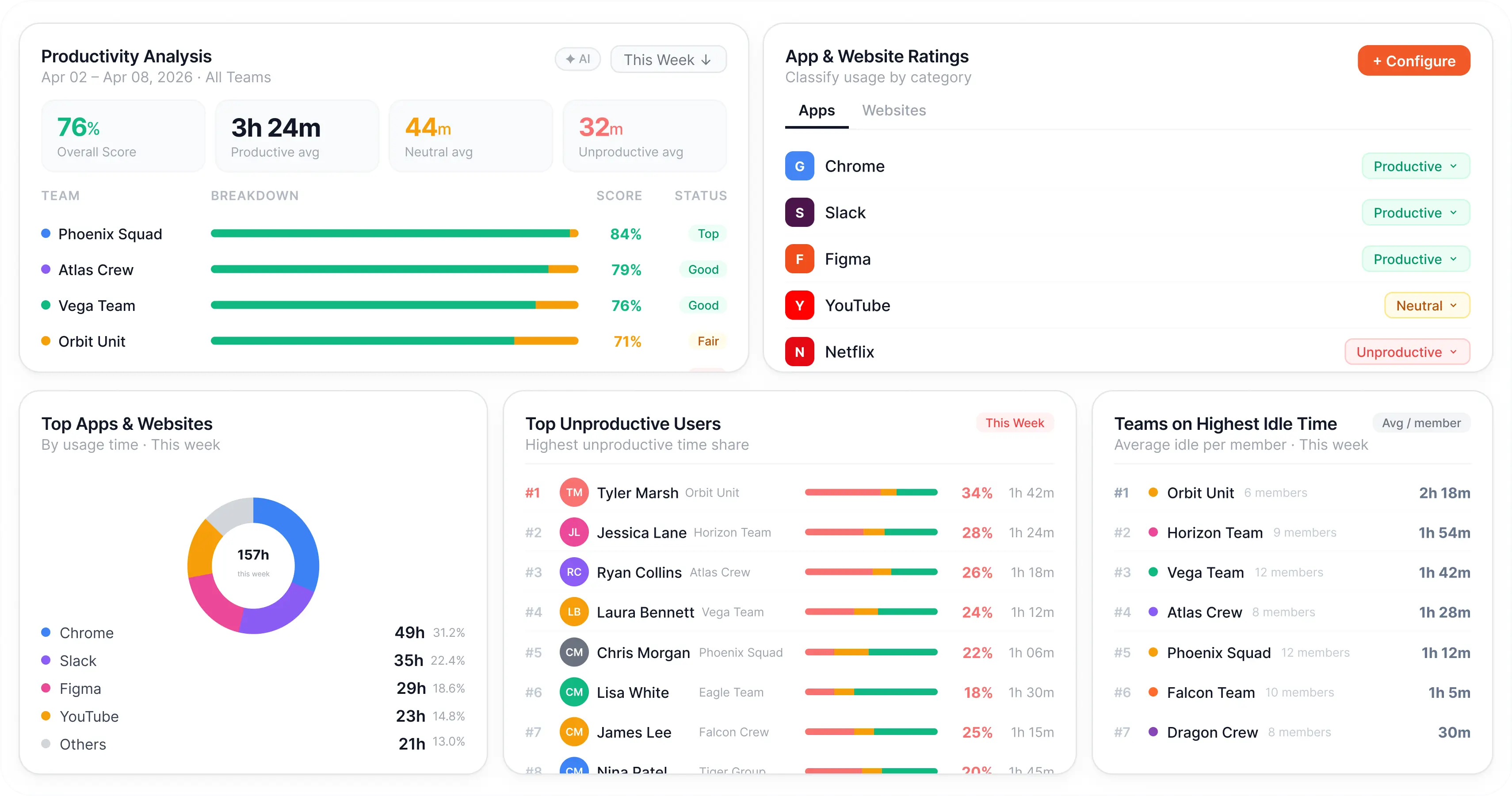
Flowace brings all 7 productivity management techniques into one system by giving visibility into how work actually happens across teams. This makes it easier to identify which problem your team is facing and apply the right technique instead of guessing.
Missed deadlines and unclear priorities: Start with technique 2. Deadlines slip most often because “done” was never clearly defined upfront. Fix the definition of done before anything else.
The team is always busy but nothing is shipping: Start with techniques 1 and 3 together. Busyness without output is almost always a fragmented focus problem.
One or two people are visibly overloaded while others have capacity: Start with technique 5. Uneven workload distribution must be fixed before other techniques can work.
Too many meetings eating execution time: Start with technique 4. Get the meeting load down first. Everything else gets easier when people have actual time to execute.
The team keeps picking up low-value work and struggling to say no: Start with technique 6. Create the capacity budget before adding any new process.
Blockers surfacing too late: Start with technique 7. Speed of information from the team to the manager is the lever most people underestimate.
Pick one of the productivity management techniques from the list above, implement the change, and measure improvement within two weeks.
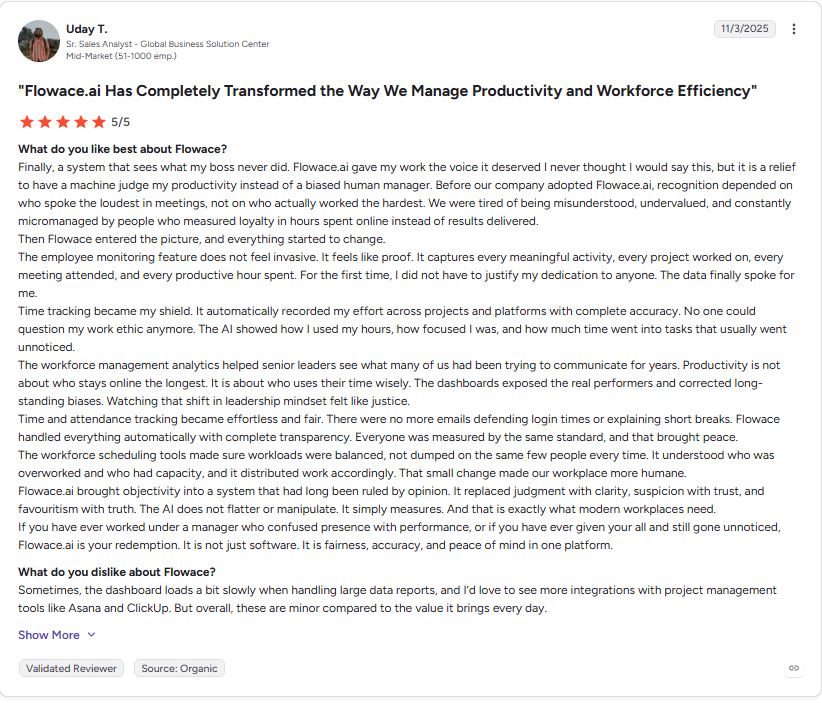
Review highlight: Uday T., Sr. Sales Analyst at Global Business Solution Center of a mid-market company with 51-1000 employees, says Flowace makes work more fair and transparent by showing real performance instead of relying on manager opinions. It tracks time and productivity automatically so effort is clearly visible. It also helps balance workload across teams. A few issues like slow dashboards and limited integrations are mentioned, but overall it is seen as highly valuable.
Flowace finds hidden productivity gaps in just two weeks
See howFrequently Asked Questions About Productivity Management Techniques
1. What are productivity management techniques?
Productivity management techniques are methods used by managers to improve how teams convert time into output. They focus on system-level improvements such as planning, prioritization, communication, and workflow design. Common techniques include time blocking, outcome-based goal setting, reducing context switching, async-first communication, workload auditing, prioritization, and feedback loops.
2. What are productivity management tools?
Productivity management tools are software used to track work, manage tasks, and improve team output. They help managers understand workload distribution, time usage, and workflow bottlenecks. Examples include task management tools like Asana and Linear, time tracking tools like Flowace, and communication tools like Slack and Loom.
3. What is productivity management software?
Productivity management software tracks and analyzes how work happens across a team. It captures data like time spent, focus time, and workload patterns to support better decision-making. Unlike basic task tools, platforms like Flowace provide automatic insights without manual tracking.
4. How do you manage productivity in the workplace?
Managing workplace productivity starts with defining clear output for each role. Then, track how time is currently used, remove blockers in workflows, protect focus time, and review progress regularly. The goal is to improve execution speed and reduce wasted effort.
5. What is the most effective productivity technique?
Reducing context switching is one of the most effective productivity management techniques. Limiting task switching and protecting focused work blocks improves completion speed and reduces mental fatigue within a short time.
6. What are the core productivity strategies for managers?
Core productivity strategies include setting clear outcomes before work begins, protecting focus time, removing low-impact work before adding new tasks, and maintaining fast feedback cycles to catch blockers early.
7. How do managers improve team productivity?
Managers improve team productivity by improving how work is planned and executed. This includes assigning work based on team capacity, removing workflow bottlenecks, reducing unnecessary meetings, and improving focus time for execution. The goal is to simplify work execution and improve completion efficiency.
8. How do you measure team productivity?
Team productivity is measured using output-based metrics such as tasks completed, goal completion rate (around 60–70% of OKRs), blocker resolution time, and the balance between deep work hours and meeting hours. These metrics show actual results instead of activity levels.
9. What is the difference between time management and productivity management?
Time management focuses on how an individual organizes their schedule. Productivity management focuses on how managers design systems that improve overall team output and efficiency. Time management is personal, while productivity management is organizational and scalable.