6 Steps to Conduct Workforce Analysis



Published: October 2026 · Last Updated: October 2026 · Last Verified: 22 October 2026
Workforce analysis helps you understand your team’s skills, staffing needs, and capacity. It uses employee and business data to identify skill gaps, workload issues, and future hiring needs.
This article explains how to conduct a workforce analysis in 6 steps, choose the right analysis method, and use a real-world example to make better staffing decisions.
What is Workforce Analysis?
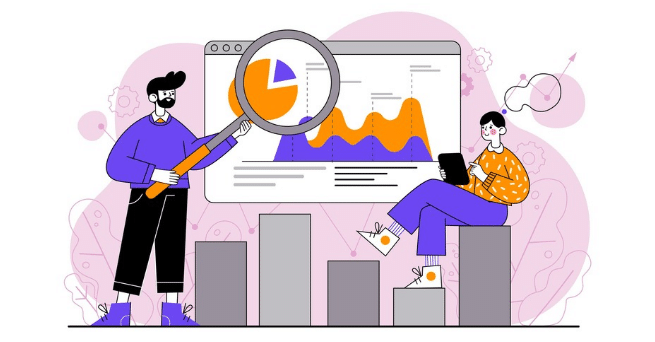
Workforce analysis is the process of reviewing employee and business data side by side, so you can see where your team’s skills, workload, or staffing levels don’t match what the business actually needs.
Why Is Workforce Analysis Important?
Workforce analysis helps answer questions such as:
- Why is employee turnover increasing?
- Why does the company need to hire more people during certain periods?
- Which skills are missing from the team?
- Does the current team have enough time and skills to meet business goals?
These global figures show why employee engagement and productivity matter. Workforce analysis can help a company examine its own staffing, skills, workload, and turnover data to understand where problems may exist.
For example, if employee turnover rises, workforce analysis can help a company investigate possible causes, such as limited career growth, workload issues, or low job satisfaction. The company can then use the findings to decide what to improve.
Workforce analysis delivers four concrete benefits:
- Control staffing costs: Review salaries and other workforce costs to see if your staffing levels match your business needs. This helps you find areas where you may be spending too much or need more staff.
- Find staffing and skill gaps: Identify teams that need more people, skills your employees are missing, and roles that are hard to fill. This helps you plan hiring and make better use of your current team.
- Prepare future leaders: Find employees who have the skills and experience to take on bigger roles. Use this information to plan employee development, promotions, and succession.
- Make better training decisions: Review training costs and employee results to see which programs are helping. This helps you improve training and spend your budget on the skills your team needs most.
Workforce analysis gives you a clear view of your current workforce today. Workforce analytics is what keeps that view current, so the same gaps get caught earlier.
What Is the Difference Between Workforce Analysis and Workforce Analytics?
The difference between workforce analysis and workforce analytics is that workforce analysis is a focused review of employee and business data to answer a specific question or solve a staffing problem. Workforce analytics often involves tracking workforce data over time through reports, metrics, and dashboards.
For example, a company might conduct a workforce analysis to understand why turnover has increased. It could then use workforce analytics to monitor turnover rates and check whether its changes are helping.
The two terms are closely related, and organizations may use them differently. Both help leaders make better decisions about people, skills, and staffing.
How Do You Conduct a Workforce Analysis?

A workforce analysis helps you understand whether your team has the right people, skills, and capacity to meet your business goals. Follow these steps to identify staffing needs, find skill gaps, and plan what to do next.
Step 1: Identify Your Workforce Challenge
Start by deciding what you need to understand or solve. You may need to fill skill gaps, reduce employee turnover, manage a heavier workload, or prepare for business growth.
For example, imagine your company plans to launch a new service in six months. You need to check whether your current team has the skills and time to support the launch or whether you need to hire more people.
Ask these questions:
- Do employees have the skills needed for the new service?
- Which skills are missing from the team?
- Can training help employees develop those skills?
- How many additional employees might you need?
- How will you attract and hire people with the right skills?
- What can you do to retain your current employees?
- Could the launch change workloads or staffing needs in other teams?
Your answers will help you define the problem and decide what workforce data to collect.
Step 2: Collect Your Workforce Data
To analyze your workforce, collect data on your current employees, their skills, workloads, and future staffing needs. This information helps you find skill gaps, plan hiring, and prepare for changes in your team.
Focus on these six areas:
- Staffing levels
Do you have enough employees to meet current and future demand? Identify teams that may need more staff and roles where fewer employees may be enough.
- Employee skills
Which skills does your business need? Find skills that are missing and areas where employees could use their skills more effectively.
- Retirement and succession planning
Are key employees expected to retire during your planning period? Plan how to transfer their knowledge and fill any gaps through hiring or training. Base these plans on expected staffing changes and role requirements rather than assumptions about an employee’s age.
In the US, the Age Discrimination in Employment Act (ADEA) protects people aged 40 and older from age discrimination in covered employment decisions. Other countries have their own rules.
- Employee turnover
How many employees are likely to leave during the planning period? Review past turnover and expected departures to estimate how many roles you may need to fill.
- Workload and capacity
Are some teams struggling with too much work while others have spare capacity? Compare workloads to see where you may need more staff, better planning, or a different way to share tasks.
- Workforce representation and equal opportunity
Review workforce data to understand representation across teams and levels. Where relevant, check for barriers to equal employment opportunities and follow the laws that apply to your location and industry.
How Do You Estimate Employee Attrition?
Employee attrition is the number of employees who leave an organization over a set period. To estimate future attrition, review past departures and consider expected resignations, retirements, and other exits that may affect staffing.
For example, if five employees are expected to leave a team of 50 over the next year, you may need to plan for replacements, train other employees, or redistribute the work. Use past workforce data where available, and treat estimates as forecasts rather than guarantees.
Before using workforce representation data to make decisions, check the employment laws and reporting requirements that apply to your organization. These rules can vary by country, industry, and employer type.
Once you have collected the data, choose a workforce analysis method to compare your current workforce with your future needs and identify the gaps you need to address.
Track workforce trends and turn staffing gaps into ongoing insights.
Read the Workforce Analytics ArticleStep 3: Choose the Right Workforce Analysis Method
Once you have collected the data, choose a method that helps answer your main question. Each method serves a different purpose. You can also combine methods to get a clearer picture of your workforce.
1. Correlation Analysis
Correlation analysis helps you understand whether two factors change together. It can show a link between factors, but it does not prove that one causes the other.
Example: You notice that teams with more training hours also report higher employee engagement. You can study this link further to see whether training may help improve engagement.
When to use it: When you want to explore links between factors such as training, engagement, turnover, and performance.
2. Diagnostic Analysis
Diagnostic analysis helps you investigate why a workforce problem may have happened. It looks for patterns and possible causes in your data.
Example: Your employee retention rate drops after a round of promotions. You review employee feedback, promotion records, and exit interviews to look for possible reasons.
When to use it: When you need to understand why turnover increased, productivity fell, or staffing costs changed.
3. Predictive Analysis
Predictive analysis uses past data and statistical models to estimate what may happen in the future. Some methods also use machine learning to improve forecasts.
Example: You review past hiring patterns, employee turnover, and business growth to estimate how many employees you may need next year. Predictive workforce analytics goes deeper into how this forecasting works.
When to use it: When you need to forecast future staffing needs, employee turnover, or skill shortages.
4. Prescriptive Analysis
Prescriptive analysis uses data, forecasts, and business goals to suggest possible actions. It helps you compare options before deciding what to do.
Example: Your forecast shows that your customer support team may need more staff during busy months. Prescriptive analysis can help compare hiring temporary workers, training current employees, or changing shift schedules.
When to use it: When you need to compare staffing options and choose a suitable plan.
5. Trend Analysis
Trend analysis looks at workforce data over time to identify patterns and changes. It can help you understand whether a problem is growing, improving, or staying the same.
Example: You compare monthly productivity data over six months and notice a repeated drop during a certain period. You investigate workload, staffing levels, and other factors to understand the pattern.
When to use it: When you want to track changes in employee turnover, productivity, absenteeism, or staffing levels.
Step 4: Find the Gaps, Analyze, and Present the Results
Compare your collected data with what your business will need to identify where your workforce has gaps, where capacity may be available, and what changes you may need to make.
After analyzing the data, organize your findings into a clear report or presentation. Explain what you found, why it matters, and what action you recommend.
Use simple charts and tables to help people understand the results quickly. For example, a bar chart can compare turnover rates across departments, while a line chart can show how staffing levels have changed over time.
Your report should cover three key points:
- What did you find? Summarize the main workforce gaps, patterns, and risks.
- Why does it matter? Explain how the findings may affect business goals, workloads, costs, or future staffing needs.
- What should happen next? Recommend actions such as hiring, training, moving work between teams, or changing schedules.
For example, if one department has a higher turnover rate than others, you could recommend reviewing exit interviews, checking workload levels, and improving manager support. Set clear targets so you can measure whether the changes help.
Present the findings to the people who can act on them, such as HR leaders, department managers, and senior management. Clear findings and practical recommendations help your organization make better workforce decisions.
Step 5: Choose the Right Solution for Workforce Gaps
Once you identify workforce gaps, decide how to address them. The right solution depends on your business goals, budget, current staff, and future workload.
Here are four common ways to address workforce gaps:
- Recruit new employees: Hire people when your current team lacks the skills or capacity to meet business needs.
- Train existing employees: Help employees build new skills or prepare for different roles, especially when new technology or business needs change.
- Hire temporary or part-time staff: Bring in extra help during busy periods or for short-term projects.
- Outsource specific tasks: Use outside specialists for tasks such as payroll processing when outsourcing makes sense for your business.
For example, if your team lacks a skill needed for a new project, training current employees may be a good option. If the team has more work than it can handle, you may need to hire new employees or bring in temporary staff.
Compare the cost, time, and expected results of each option before making a decision. This helps you choose a solution that meets your workforce needs without adding unnecessary costs.
Step 6: Monitor and Review Workforce Results
After making changes, track the results to check whether your workforce plan is working. Regular reviews help you spot new staffing gaps, measure progress, and adjust your plan as business needs change.
Set SMART Goals
SMART goals are Specific, Measurable, Achievable, Relevant, and Time-bound. They give you clear targets to track.
For example, if employee turnover is high, you could set a goal to reduce turnover by 10% within the next 12 months.
Track Workforce Data
Collect data that relates to your original workforce challenge. Depending on your goals, you might track:
- Employee turnover and retention rates
- Training participation and completion
- Staffing levels and skill gaps
- Employee workload and available capacity
- Productivity and performance measures
Compare the results with your starting figures to understand what has changed.
Involve Managers and Employees
Ask HR teams, managers, and employees for feedback. They can help explain why a plan is working or where further changes may be needed.
For example, managers may report that a team still has too much work, while employees may identify training needs or problems with how tasks are assigned.
Fix Problems and Update the Plan
If the results fall short of your goals, investigate the reasons and adjust your approach. You may need to provide more training, change workloads, hire additional staff, or review how work is assigned.
Review your workforce plan at regular intervals and whenever major business needs change. This keeps your decisions based on current data and helps your team prepare for future staffing needs.
What Can Your Business Learn From Knowcraft?
Knowcraft Analytics increased billable hours by 12.7% in nine months without hiring more employees. Its non-billable hours also fell by 24% from Q2 to Q3, according to Flowace’s published case study.
Knowcraft is an analytics and data services firm with over 350 employees and more than 30 active client projects. It used Flowace to track work across 250 users.
Before using Flowace, Knowcraft struggled to classify project hours before client margin reviews. Its Head of Delivery had to check reports and follow up on missing details, making it hard to see which teams had spare capacity and which were overloaded.
The results show why businesses should review existing capacity before hiring. By tracking where work hours go, you can find unused capacity, spot workload gaps, and decide whether to hire, train employees, or reassign work.
Knowcraft’s results reflect its own workforce and reporting periods. Your results will depend on your team, projects, and how you measure capacity.
What Makes a Good Workforce Strategy?
A good workforce strategy connects your business goals with the people, skills, and resources needed to achieve them. It focuses on three key principles:
- Plan for the future: Set workforce goals that support your business plans. Look ahead far enough to prepare for future hiring, skills, and staffing needs.
- Focus on key roles and skills: Identify the roles and skills that have the greatest impact on business results. Make sure these areas have the people and support they need.
- Use resources wisely: Compare hiring, training, and outsourcing options to find practical, cost-effective ways to meet workforce needs.
These principles help you build a workforce that can meet current demands and adapt as your business grows.
Make smarter workforce decisions with better visibility into team capacity.
Explore Workforce ManagementFrequently Asked Questions About Workforce Analysis
1. What software helps you decide whether to hire or use your current team?
Workforce analytics software helps you review employee workloads, available capacity, skills, and time spent on projects. These insights can help you decide whether to hire more people, train current employees, or move work between teams. The right choice depends on your workload, deadlines, and business goals. Flowace, for example, automatically tracks billable, non-billable, and idle hours, so these decisions can be based on logged activity rather than estimates.
2. How can you use workforce data to justify a headcount request?
You can use workforce data on workload, overtime, project demand, staffing levels, and available capacity to support your request. Show how long the team has been under pressure, what risks this creates, and why current staff cannot meet demand. This gives decision-makers clear evidence to consider before approving new roles.
3. How can workforce analysis identify overworked and underutilized employees?
Workforce analysis helps identify overworked and underutilized employees by comparing workloads, working hours, project assignments, and available capacity across similar roles. These comparisons can reveal who may have too much work and who may have capacity for more. Before changing assignments, consider deadlines, task complexity, and employee skills.
4. How can workforce analytics help forecast future staffing needs?
Workforce analytics can use historical data on hiring, turnover, workload, and business growth to estimate future staffing needs. Forecast accuracy depends on data quality, the method used, and how much business conditions change. Review forecasts regularly and update them when demand or staffing needs shift.
5. Can workforce planning software compare different staffing scenarios?
Some workforce planning tools let you compare staffing options based on expected workload, available skills, costs, and project demand. For example, you could compare hiring two employees with training current staff or moving work between teams. Check whether a tool supports scenario modeling before choosing it.
6. What’s a good workforce analytics tool for seeing who’s overworked and who has spare capacity?
A good workforce analytics tool tracks utilization and hours at both the individual and team level. Flowace’s Workforce Activity Report, for example, shows productive hours, away time, and project time per team member alongside team and organizational views, making it easier to see where workload is uneven across a team.