ProHance Alternatives Compared On Pricing And Features for 2026



Published: September 2026 · Last Updated: September 2026 · Last Verified: 23 September 2026
If you are comparing ProHance alternatives, you likely want clearer pricing, better reporting, easier tracking, or a better fit for your team. This article compares 8 alternatives by pricing, features, integrations, privacy options, and G2 ratings.
Product details and pricing are checked against each vendor’s available first-party information so you can compare your options with current information.
Quick Comparison Table of ProHance Alternatives
Use this table to compare pricing, key features, integrations, G2 ratings, and best-fit use cases, then shortlist two or three tools for a closer look.
|
Tool |
Positioning | Starting Price (annual, per user per month) | Best Suited For | Key Differentiator |
G2 Rating |
| Flowace | All-in-one productivity, attendance and monitoring platform | 1.99 (Basic); $3.99 (Standard); $6.98 (Premium); custom Enterprise) | Teams of any size wanting automated tracking without keylogging | Silent, fully automatic tracking with 60+ integrations from the Standard tier up, desktop only (Windows, Mac, Linux); no mobile app | 4.6/5 (143 reviews) |
| Time Doctor | Time tracking with screenshots and payroll automation | $6.67 (Basic, excludes payroll/integrations); $11.67 (Standard); $16.70 (Premium) | Remote teams and agencies needing client-facing proof of work | Deepest third-party integration list (60+) once you’re on the Standard plan or above; Basic excludes integrations and payroll entirely | 4.4/5 (497 reviews) |
| We360.ai | India-focused workforce analytics and employee monitoring | ~$4.16 (Pro); ~$6.25 (Pro + AI); custom (Enterprise) | Small to mid-sized Indian teams wanting hands-on, low-cost oversight with cleaner published data than most budget tools | Ties for the highest G2 rating in this comparison | 4.8/5 (509 reviews) |
| DeskTime | Automatic time tracking with productive/unproductive scoring | ~$3.82 (Pro); ~$5.35 (Premium); custom (Enterprise) | Agencies and consultancies wanting simple productivity categorisation | Auto-starts on computer boot, no manual timer at all | 4.5/5 (200 reviews) |
| Time Champ | Workforce intelligence platform with monitoring add-ons | ~$2.08 (Starter); ~$ 3.13 (Professional); ~$5.73 (Enterprise) | Teams wanting monitoring features (screenshots, keystroke data) as an add-on, not a separate product | Ties for the highest G2 rating in this comparison | 4.8/5 (129 reviews) |
| Hubstaff | Time tracking and workforce management for distributed and field teams | $4.99 (Starter); $7.50 (Grow); $10 (Team); $25 (Enterprise) | Remote and field teams needing GPS, scheduling and payroll in one platform | By far the largest, most established review base of any tool in this comparison | 4.4/5 (2,321 reviews) |
| Insightful | Workforce analytics platform (formerly Workpuls) | $8 (Workforce Analytics); $12 (Workflow Optimization); $16 (Combo) | Mid-size to large hybrid teams wanting deeper process analytics | Modular pricing lets you buy only the analytics layer you need, though its $8 entry point is the highest published per-seat starting price of the tools that publish one outright | 4.6/5 (423 reviews) |
| Deltek Replicon | Enterprise time, billing and workforce compliance suite | $6 (Time & Attendance) | Larger enterprises needing payroll, billing and compliance in one system | Only tool here built for both project-based and shift-based workers in one platform | 4.3/5 (793 reviews) |
*Updated on 23 September, 2026
Note: Pricing follows each vendor’s current pricing model and official pricing page at the time of this update. Where a vendor does not publish pricing, the table shows that clearly. Check the vendor’s live pricing page before choosing a tool because SaaS prices and plans can change.
What is ProHance, and What Does it Cost?
ProHance is a cloud-based workforce analytics and operations management platform that helps organizations track productivity, utilization, time, and workforce performance across teams and locations.
ProHance does not publish fixed pricing on its website. Buyers need to contact the company for a quote based on their requirements. They may also vary by plan, contract, region, or customer requirements, so contact sales.
When Should You Choose ProHance?
ProHance may be a good fit for organizations that need enterprise workforce analytics, detailed productivity data, and visibility across large operations. Its official site lists BPO and KPO, global capability centers, healthcare, IT, and banking and finance among its target industries.
- Do you run a large BPO, KPO, or shared services operation? ProHance is built for enterprise operations and specifically supports BPO and KPO teams. Its platform tracks work time, output, workflows, and productivity data across teams. ProHance also publishes examples involving large deployments and shared services operations. If BPO or call-center workflows are your main focus, see our separate guide to ProHance alternatives for BPOs for a deeper look at BPO-specific requirements such as shift scheduling, SLA tracking, and compliance.
- Do you need real-time workforce analytics? ProHance provides real-time visibility into how work is performed across teams. Its platform includes work-time tracking, work-output data, workflow management, and advanced analytics.
- Do you manage a call center or contact center? ProHance has a dedicated contact-center offering and highlights workforce visibility, schedule adherence, workload, idle time, and SLA-related BPO operations. Its site also lists recognition from Everest Group for workforce management in contact centers.
- Do you need to connect workforce data with other business systems? ProHance says it integrates with enterprise platforms and is designed to connect workforce management with HR, payroll, operations, and analytics systems.
- Do you need detailed data on time, output, and workflows? ProHance combines work-time data with work-output and workflow information. It also supports automatic measurement of handle and cycle times for distributed process management.
Who is ProHance most relevant for?
ProHance is most relevant to enterprise teams with complex operations and a need for workforce visibility, productivity analytics, and operational control. BPO/KPO, shared services, GCC, IT, healthcare, and contact-center teams are among the use cases highlighted by ProHance.
Why Consider a ProHance Alternative?
You may want to consider a ProHance alternative if you need more predictable pricing, specific integrations, simpler workflows, or different privacy controls.
1. Pricing may be a consideration
ProHance does not publish fixed pricing on its website. Buyers need to contact the company for a quote.
For teams comparing several products, public pricing can make the first stage of vendor research easier. It also helps to compare what each plan includes rather than looking at the monthly price alone.
Check ProHance vs Flowace breaks down a like-for-like feature and pricing comparison in more depth than fits in this table.
2. Integrations may affect your choice
The integrations you need will depend on your existing workflow. Before choosing an alternative, check whether it connects with the HR, payroll, project management, communication, and other work tools your team already uses.
3. Usability and workflow can also matter
Some ProHance reviewers have raised concerns about the learning curve, interface, or amount of manual work involved in certain workflows. These are user experiences rather than universal product limitations, so they are worth checking against your own requirements and current product demos.
4. Privacy requirements vary by team
Employee monitoring tools collect different types of activity data and offer different privacy controls. If privacy is important to your organization, compare what each product records, which controls administrators have, and how employees can view or manage their data.
The right alternative depends on what you want to change. For some teams, price may be the main concern. Others may care more about integrations, reporting, ease of use, automation, or privacy controls.
What Should You Look For in a ProHance Alternative?
The right ProHance alternative depends on your team size, budget, tracking needs, privacy rules, and existing software. Before choosing a tool, check these key areas:
- How much does the tool cost? Check monthly and annual pricing, per-user fees, minimum user limits, volume discounts, and extra costs for setup, storage, or advanced features.
- Does the tool have hidden fees? Check whether screenshots, extra storage, reports, integrations, onboarding, or premium features cost more.
- Does it offer privacy-friendly time tracking? Look for privacy controls that let you manage screenshots, activity tracking, data collection, and employee visibility based on your company’s policies.
- Can employees clock in and out and track breaks? If you manage shifts or hourly teams, check for clock-in/out, break tracking, attendance, scheduling, and timesheet features.
- Can you track time by project, client, or team? Make sure employees can record time against the projects, clients, tasks, or teams you need to manage.
- Does it integrate with your existing software? Check for native integrations with your HR, payroll, project management, accounting, communication, and other business tools.
- Is the software easy to use? Look for a simple interface that employees, managers, and administrators can learn without extensive training.
- What onboarding and support does the vendor provide? Check whether the vendor offers setup assistance, training, help documentation, live support, and account management.
- How does the tool handle data security? Review data encryption, access controls, data storage, compliance certifications, retention policies, and available deployment options.
- Does it support cloud or on-premise deployment? If your company has strict IT or data requirements, confirm whether the vendor supports the deployment model you need.
- Can it scale with your team? Check whether the platform can support your current workforce and larger teams later, including user management, reporting, integrations, and pricing at higher user counts.
- Does it support the type of workforce you manage? Check whether the tool supports remote employees, office teams, contractors, BPO teams, call centers, or shift-based workers if those use cases matter to you.
Quick checklist for choosing a ProHance alternative
Before you make a decision, compare each vendor on price, time tracking, employee privacy, attendance, project tracking, integrations, ease of use, support, security, deployment, and scalability. Then shortlist the tools that match your team’s actual workflow and budget.
Methodology on How we Selected These 8 Competitors
We selected ProHance alternatives that overlap with its core use cases, such as workforce analytics, productivity tracking, time tracking, and operational visibility. We then compared each tool using the factors that matter when evaluating a new workforce management or productivity platform.
We checked pricing, features, and plan names against each vendor’s official website. G2 ratings and review counts were checked directly on G2 at the time of this update. Where a vendor does not publish pricing on its own site, we say so explicitly and name the source we used instead (a third-party pricing tracker, in Replicon’s case), rather than presenting a third-party figure as if it came from the vendor.
Criteria for evaluation:
- Productivity insights: Does the platform turn workforce and activity data into reports or insights that managers can use?
- Ease of use: How easy is the product for managers and employees to learn and use?
- Integrations: Does it connect with the HR, payroll, project management, communication, and other tools a team may already use?
- Privacy and transparency: What activity data does the platform collect, and what privacy or admin controls are available?
- Scalability and flexibility: Can the platform support growing teams and different work environments?
- Support and reliability: What customer support options are available, and what information does the vendor provide about product reliability?
- Pricing and plan structure: Is pricing publicly available, what does each plan include, and how does the pricing model compare with other alternatives?
Top 8 ProHance Alternatives in 2026
1. Flowace
Source: Flowace
Flowace combines automatic time tracking, project and task tracking, productivity insights, and attendance management in one platform. It is designed for teams that want to track work time, understand productivity patterns, and manage attendance from a single system.
Key Flowace features include automatic time capture, productivity dashboards, project and task tracking, attendance management, and reporting. Silent time tracking can capture work activity without requiring employees to start and stop timers manually.
Flowace does not use keylogging for its time-tracking approach. On the Premium plan, activity data comes from Keypad and Cursor Activity, which measures input frequency, not keystroke content. Teams can use its dashboards and reports to review work hours, productivity patterns, and project time.
In Flowace’s published case study, Leadzen.ai‘s productivity metric moved from 76.5% to 86.9% after adoption. Results like this come from individual customer accounts and will vary by team, workflow and how the platform is used.
Flowace supports teams ranging from individual users and small businesses to larger organizations, and holds SOC 2 Type I and HIPAA-aligned status, across Windows, Mac and Linux desktop clients. Flowace does not currently have a mobile app or mobile monitoring.
If you are comparing ProHance alternatives, consider Flowace when automatic time tracking, productivity reporting, project visibility, and attendance management are important requirements.
Key Features:
- Flowace runs quietly in the background, logging your active work hours without ever requiring you to click “start” or “stop” on a timer.
- Silent time tracking tool captures productivity data unobtrusively without pop-ups or distractions. So your team can focus on their work rather than the clock.
- Flowace records which applications and websites are used throughout the day, giving you clear insight into how time is allocated across tools and tasks.
- Clocking in and out happens automatically as Flowace builds a detailed timeline and generates accurate timesheets that reflect every session without manual entry.
- Managers gain a real-time view of team activity, who’s online, which projects they’re working on, and any idle periods, so oversight is effortless and precise.
- Beyond raw hours, Flowace analyzes patterns and generates productivity scores, helping you identify trends, bottlenecks, and opportunities for coaching or process improvement.
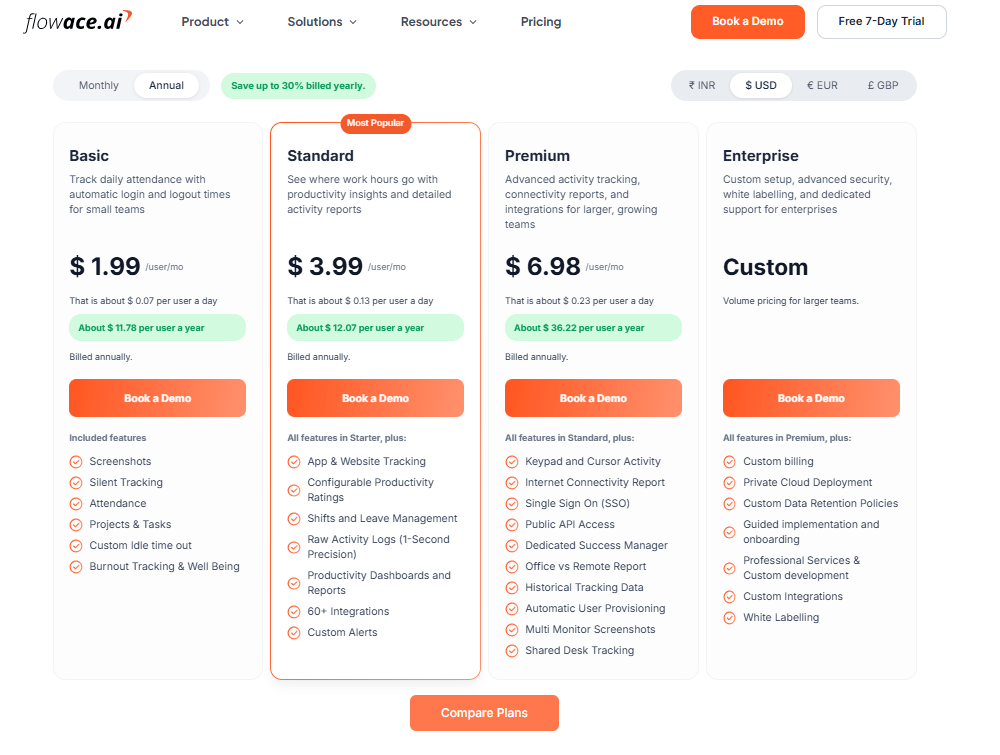
Pricing:
Source: Flowace
Flowace pricing, captured September 23, 2026
No minimum seat count, and a 7-day free trial with full features unlocked, no credit card required.
Ideal For:
Flowace is ideal for remote, hybrid, and in-office teams that want to maximize productivity. Its flexibility makes it suitable for small businesses and startups (who love the low cost and ease of use) as well as mid-size and enterprise companies (who need advanced analytics and integrations).
Industries from IT and software development to BPOs, consulting, legal firms, and HR accounting firms use Flowace to gain visibility into their work patterns.
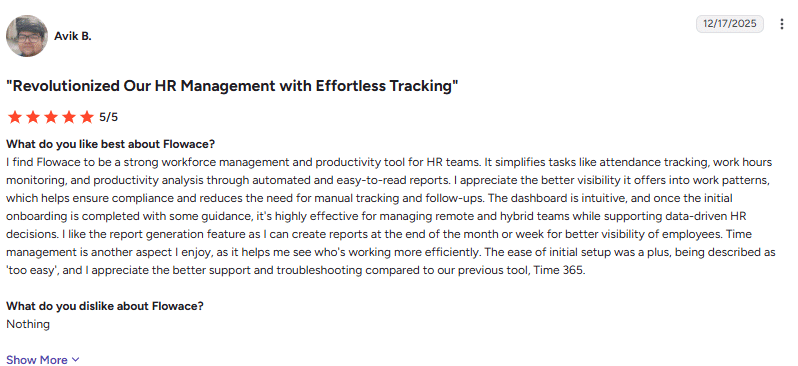
User Rating: 5/5
Image alt text: Flowace G2 review showing positive HR management feedback, automated tracking, reporting, and no reported dislikes., dated December 17, 2026.
“I find Flowace to be a strong workforce management and productivity tool for HR teams. It simplifies tasks like attendance tracking, work hours monitoring, and productivity analysis through automated and easy-to-read reports.” (Avik B., G2 review, December 17, 2026)
2. Time Doctor
Source: Time Doctor
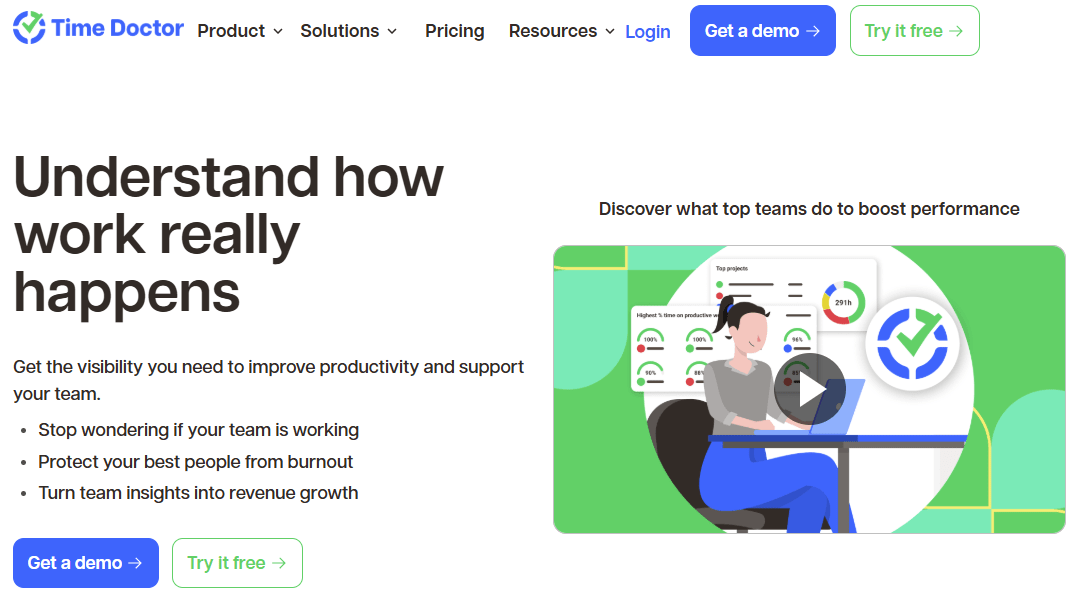
Time Doctor is a popular employee monitoring tool, especially popular among remote teams and freelancers. Launched in 2012, it has since grown a large user base by combining time tracking with screenshot monitoring and basic project management. It works by having users start a timer when they begin work on a task (or use automatic mode) and then recording their activity, including time spent on apps and websites used.
Key Features:
- Task & Project Time Tracking
- Screenshot Monitoring and Activity Tracking
- Distraction Alerts
- Reports and Payroll
- Multi-Device Support on Windows, Mac and Linux
Pros:
- Accurate Time Tracking: Tracks time spent on tasks, projects, and clients with precision. Ideal for billing and productivity analytics.
- Productivity Monitoring: Provides detailed reports, distraction/idle alerts, and monitors web/app usage. Screenshot capture ensures accountability.
- Payroll & Invoicing: Automates payroll based on tracked hours and generates accurate client invoices.
- Engagement & Well-being Tracking: Offers insights into employee work patterns and potential burnout risks, allowing proactive management.
Cons:
- No GPS Tracking: Lacks location monitoring required by some teams (e.g., field workers).
- Limited Communication Monitoring: Does not track emails, chats, or calls which areimportant for some industries.
- Interface & Customization: User interface can be unintuitive, especially for beginners. Customization and report flexibility are somewhat limited.
- Sync Issues: Switching between devices (PC/mobile) can lead to syncing and accuracy problems.
Pricing:
Time Doctor has four plans, billed annually per user per month. Basic $6.67, Standard $11.67, Premium $16.70 and custom pricing for Enterprise. Paid monthly, the same plans run $8, $14 and $20. There is no permanent free plan, only a 14-day free trial with full features.
Ideal For:
Time Doctor is a top-rated ProHance alternative suited for remote teams, outsourcing companies, and freelancers who need accountability.
3. We360.ai
Source: We360.ai
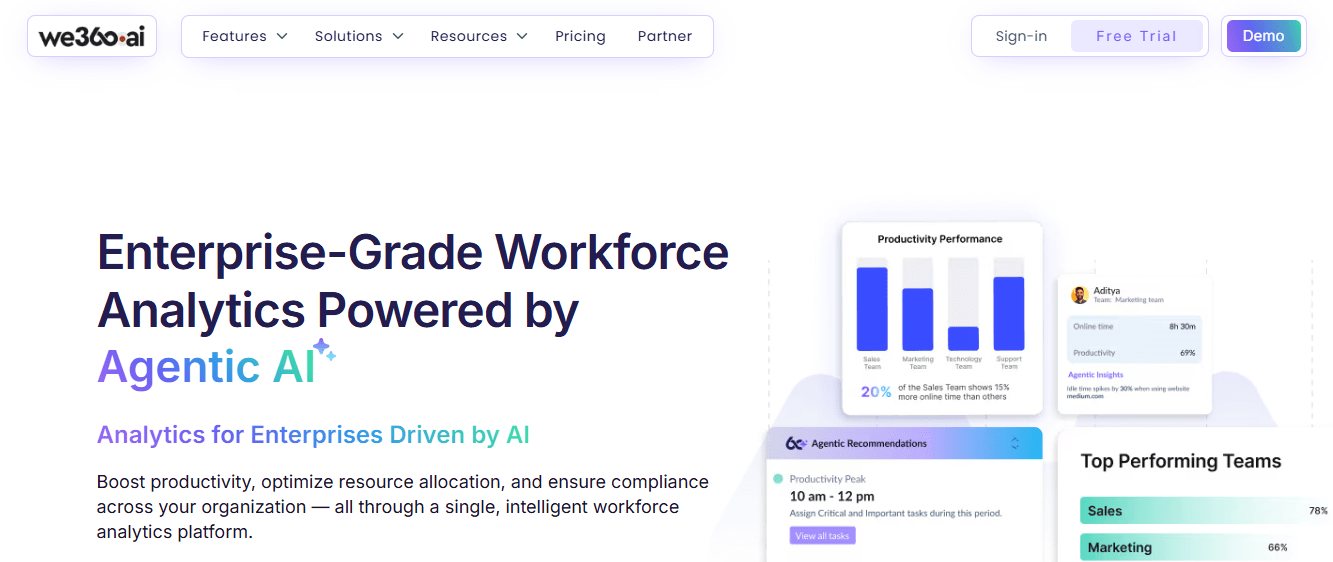
We360.ai is a cloud-based workforce analytics and employee monitoring platform used by over 120,000 users globally, with a strong base among Indian and hybrid teams. It tracks activity levels, application and website usage, attendance and workload distribution in one dashboard, aimed mainly at business leaders and HR teams rather than IT admins.
Key Features:
- Activity and time tracking, with automatic idle-time detection
- Attendance and shift scheduling, plus workload-balance reporting
- App and website usage tracking, with productivity categorisation
- AI-powered workplace assessment and risk scoring, on the Pro+AI plan
- Compliance certifications built in, SOC 2 Type II, ISO 27001, GDPR, HIPAA and India’s DPDP Act
Pros:
- Clear, published per-user pricing in both INR and USD, unlike several budget competitors that only quote on request
- Strong G2 review volume for a tool at this price point
- Native integrations with Keka, Microsoft Teams, Zoho People and greytHR, which matters if your HR stack already runs on one of those
Cons:
- Lighter on project management than dedicated PM-plus-tracking tools; you’ll likely still need a separate task tool
- No built-in client billing or invoicing for service businesses
- Deeper AI features are gated behind the Pro+AI tier rather than included by default
Pricing:
We360.ai has three plans, billed annually per user per month. Pro runs around $4.16, Pro + AI around $6.25 and a custom-quoted Enterprise tier for larger organisations. 7 days free trial is available.
Ideal For:
Small to mid-sized teams, particularly in India, that want hands-on monitoring with cleaner published pricing and a larger review base than most tools in this price bracket.
Flowace is another option worth comparing for your team.
Book A Demo4. DeskTime
Source: DeskTime
DeskTime is a popular time tracking and productivity analysis software that has been around for over a decade. It’s known for its automatic time tracking capability. DeskTime is especially loved for its ability to categorize applications and websites into “productive” vs “unproductive” time. It provides a clear picture of how work hours are spent, making it easier to identify inefficiencies.
Key Features:
- Automatic Time Tracking
- Productivity Scores
- Idle Time Tracking & Pomodoro Breaks
- Screenshots and Document Titles Tracking
- Absence Calendar and Work Scheduling
Pros:
- Automatic & Accurate Time Tracking: DeskTime starts tracking as soon as the computer is turned on, eliminating manual start/stop errors and providing highly accurate records for payroll, productivity analysis, and billing.
- Productivity Insights: Categorizes activities (websites, apps) as productive or unproductive, helping teams optimize their workflow. Snapshot/screenshot features offer visual verification of activity.
- Project & Task Tracking: Allows allocation of time to specific projects and tasks, assisting with resource planning and workflow optimization.
Cons:
- Higher Pricing: Considered expensive compared to some alternatives, especially for larger teams or those with tighter budgets.
- Occasional Technical Issues: Reports of the app failing to autostart, discrepancies in time logs, or screenshot capture glitches. Some users cite reliability issues across platforms, particularly Linux.
- Complex Reports: Some users find in-depth reports overly detailed or complex to interpret; report downloads can be slow.
Pricing:
DeskTime has three plans, billed annually per user per month. Pro runs around $3.82, Premium around $5.35 and a custom-quoted Enterprise tier for larger organisations. A 14-day free trial is available.
Ideal For:
DeskTime is ideal for companies that want to boost productivity and accountability without micromanaging. It’s heavily used in IT and creative agencies, consulting firms, outsourcing companies, and also by freelancers.
5. Time Champ
Source: Time Champ
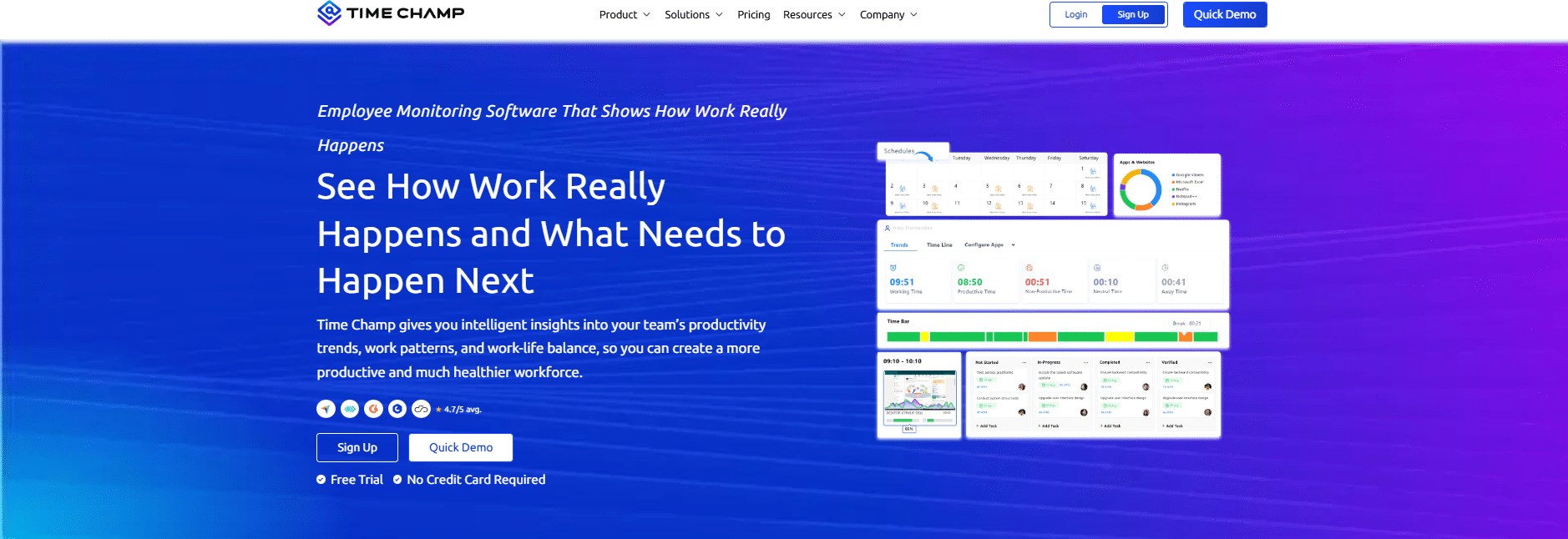
Time Champ is a productivity tracking and employee monitoring software that positions itself as an affordable yet feature-packed solution. Time Champ is available as a cloud service and notably offers an on-premises deployment option, which appeals to companies with strict data security requirements.
Key Features:
- Automatic and Manual Time Tracking.
- Screen Recording & Snapshots.
- Website/App Monitoring and URL Logs.
- Alerts and Burnout Analysis.
- Multi-Platform and On-Premise.
Pros:
- User-Friendly Interface: Clean, intuitive dashboard; supports device integration for on-the-go task management.
- Remote and Hybrid Team Support: Geolocation-based attendance, real-time analytics, and remote-friendly design facilitate monitoring of distributed teams.
- Strong Customer Support: Responsive support team known for quickly resolving issues and providing training or onboarding help.
Cons:
- Idle Time Miscalculation: Sometimes classifies employees as “idle” during meetings or focused tasks without mouse/keyboard activity, leading to inaccurate productivity logs and potential morale issues.
- Occasional Technical Glitches: Users report rare app crashes, slow dashboard load times, or occasional tracking gaps, especially with live streaming.
- Limited Customization: Some users seek more flexibility in customizing leave modules, notifications, or workflow integrations.
Pricing:
Time Champ has three plans, billed annually per user per month. Starter runs around $2.08, Professional around $3.13 and Enterprise tier runs around ~$5.73. A 7-day free trial is available.
Ideal For:
Time Champ is ideal for organizations that want full-spectrum monitoring at a low cost, especially those who aren’t afraid of being a bit “strict” in monitoring.
6. Hubstaff
Source: Hubstaff
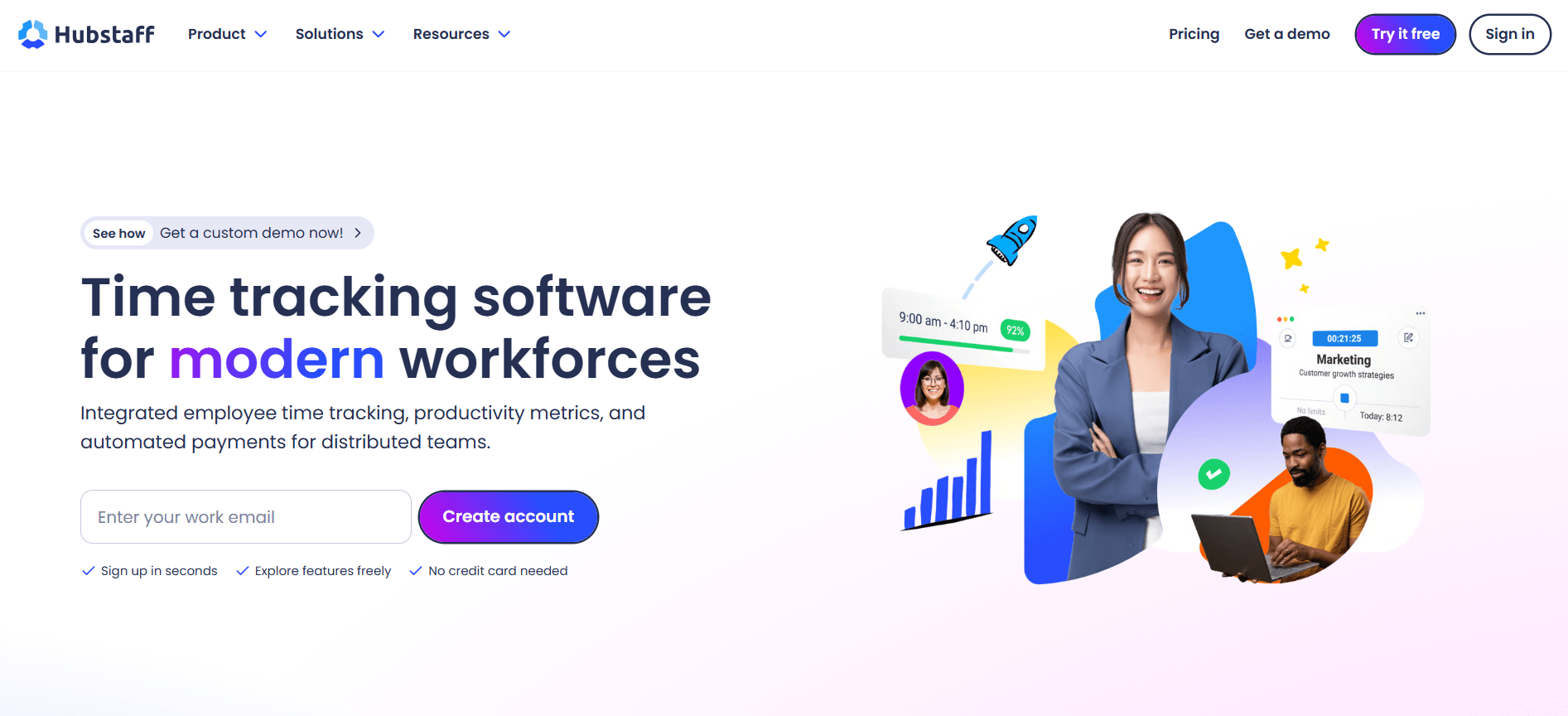
Hubstaff is one of the most widely used time tracking and workforce management platforms on the market, built for remote, hybrid and field teams that need scheduling, payroll and GPS tracking alongside basic time tracking.
Key Features:
- Automatic time tracking with screenshots, and optional idle detection
- GPS tracking and geofencing, for field or on-site teams (Team plan and above)
- Scheduling, time off and payroll support, on higher tiers
- Workforce analytics add-on (Hubstaff Insights), covering unusual activity detection and focus time
- 70+ integrations, including Slack, Asana, QuickBooks, Jira and PayPal
Pros:
- Very large, mature G2 review base, which makes its ratings more statistically reliable than newer or smaller tools
- Genuinely useful for distributed and field teams, not just desk-based ones, thanks to GPS and geofencing
- Clear published pricing with no quote-only tiers
Cons:
- Paid plans require a 2-seat minimum, so a solo user still pays for two seats
- Several useful features, including Insights, extra screenshots and GPS on lower tiers, are sold as separate add-ons rather than bundled in
- Per-seat pricing can get expensive once you add the features most teams actually want
Pricing:
Starter runs $4.99 per seat/month on annual billing ($7 monthly), Grow $7.50, Team $10 (monthly $12), and Enterprise $25, all with a 2-seat minimum on paid plans. A 14-day free trial is available, no credit card required, and there is no permanent free plan for teams (a separate one-person free tier exists for solo users only).
Ideal For:
Remote and field teams that need GPS tracking, scheduling and payroll in the same platform, and are comfortable paying per seat with some features as add-ons.
7. Insightful
Source: Insightful
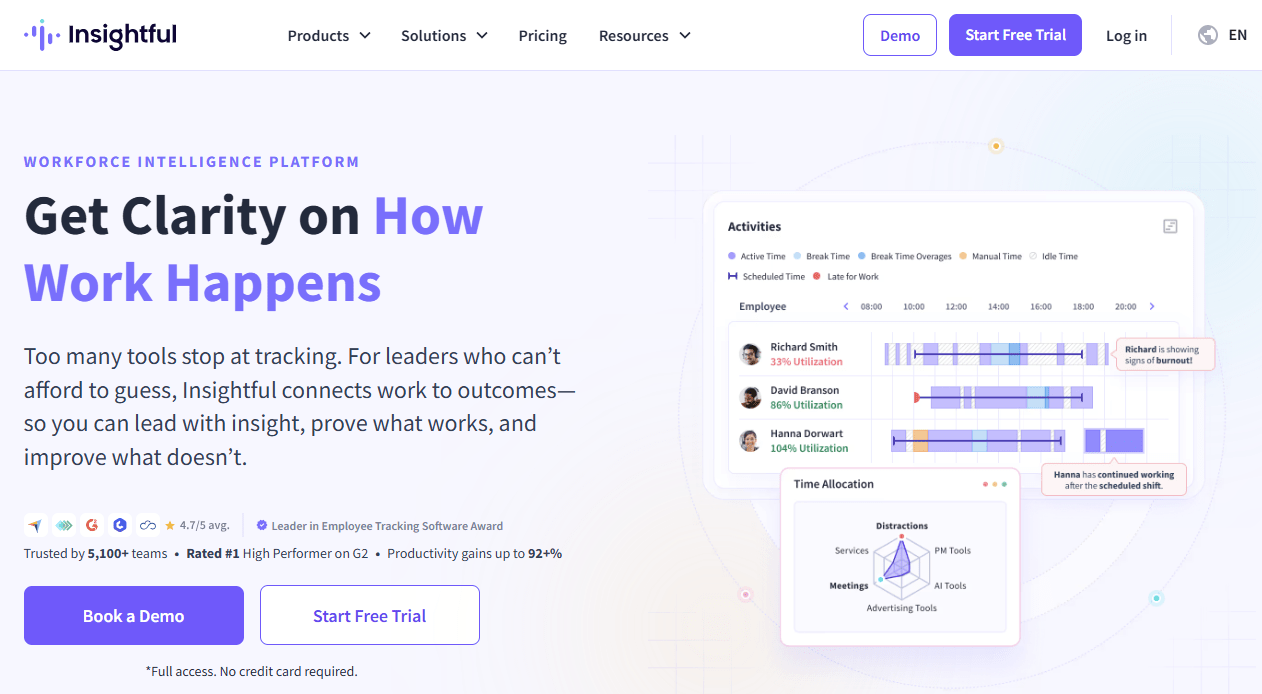
Insightful is a comprehensive workforce analytics and employee monitoring platform. It rebranded to Insightful to emphasize the actionable insights it provides to businesses about their workforce. Insightful aims to deliver workforce intelligence, helping companies understand how work gets done.
Key Features:
- Time Tracking and Automated Timesheets.
- Productivity Monitoring & Analysis.
- Stealth Mode and Visible Mode.
- Process and Workflow Optimization.
- Team Management and Access Controls.
Pros:
- Accurate, Automated Time Tracking: Insightful.io captures time spent on tasks, apps, and websites automatically—reducing manual errors and creating detailed, accurate records for productivity and attendance.
- Real-Time Employee Monitoring: Supports live viewing, automated activity logging, regular screenshots, and categorization of activities, helpful for managers overseeing in-office, remote, or hybrid teams.
- Comprehensive Dashboards and Analytics: Provides detailed, exportable reports and visual dashboards, enabling deep insights into productivity trends, attendance, project allocation, and workforce behavior.
Cons:
- Limited Project Management: Insightful.io focuses on monitoring and analytics, deeper task management and collaboration features require external tools.
- Restricted User Control: Employees often cannot manually pause tracking or activate private time without manager approval; most privacy settings reside with administrators.
- Higher Pricing: Generally more expensive than some entry-level competitors, which may be a barrier for small teams or startups.
Pricing:
Plans start at $8 per seat/month on annual billing for Workforce Analytics, with Workflow Optimization at roughly $12, and a Combo plan bundling both at around $16. Enterprise pricing is custom-quoted. A 7-day free trial is available.
Ideal For:
Insightful is ideal for mid-size to large organizations, especially those with remote or hybrid workforces, that want to optimize productivity and workflows.
8. Deltek Replicon
Source: Deltek Replicon
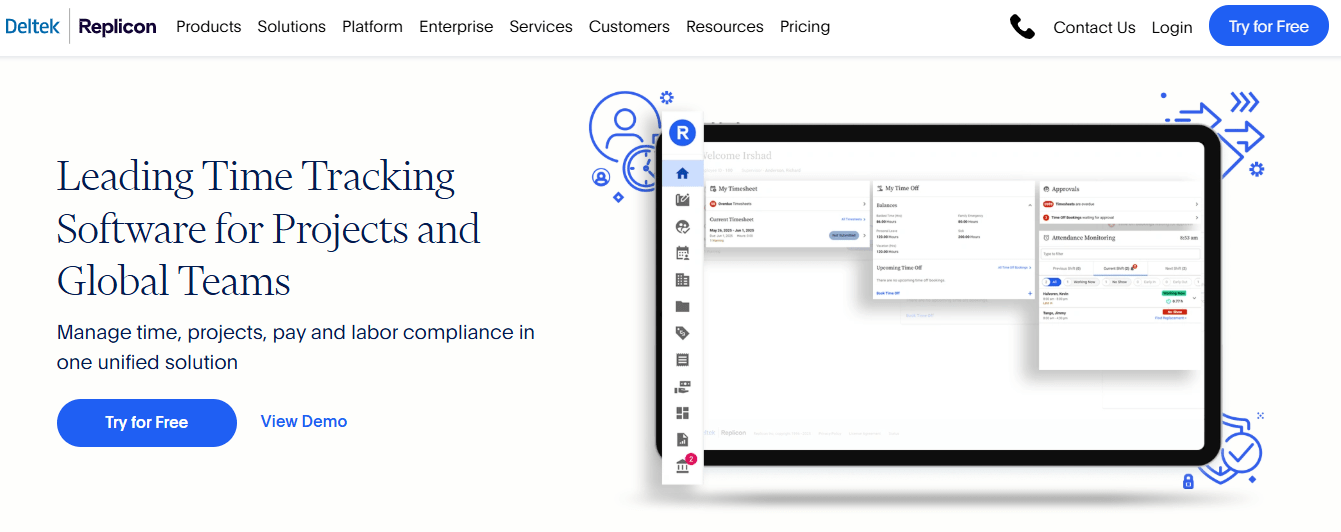
Deltek Replicon is known for its enterprise-grade time tracking, project costing, and compliance solutions. Replicon offers a suite of products that handle time & attendance, client billing, project time tracking, resource management, and more.
Many large organizations use Replicon to centralize all their time data for various purposes (payroll, billing, compliance with labor laws, etc.). It’s highly customizable and often deployed to replace manual timesheets or homegrown systems.
Key Features:
- Project Time Tracking & Billing.
- Time & Attendance.
- AI-Powered Timesheets.
- Compliance and Governance.
- Analytics and Integration.
Pros:
- Feature-Rich and Scalable: Replicon offers comprehensive time tracking, AI-powered timesheets, GPS-enabled clock-ins, advanced project and billing management, shift scheduling, payroll, and compliance automation—ideal for large organizations and enterprises with complex needs.
- Highly Customizable Workflows: Administrators can tailor rules for breaks, overtime, compliance, approvals, and more, supporting multi-location, multi-department operations.
- Excellent Reporting and Analytics: Detailed and flexible reporting/dashboards allow for real-time insights into hours, projects, compliance, and workforce utilization, which aids better business decisions.
Cons:
- Steep learning curve for administrators
- Setup and ERP/payroll integration take real time and technical effort
- No single published all-in price
Pricing:
Based on Capterra, Replicon’s entry-level Time and Attendance plan starts at $6 per user a month, covering workforce management, time and attendance, global time off, global labor compliance, and CloudClock.
Ideal For:
Replicon is ideal for medium to large enterprises that need a unified time management solution covering multiple use cases.
Why Choose Flowace as a ProHance Alternative?
Flowace may be worth considering if you want automatic time tracking, productivity insights, attendance management, and project visibility in one platform. Here are the main areas to compare when evaluating Flowace alongside ProHance and the other alternatives in this guide.
- Time tracking and productivity insights: Flowace combines automatic time tracking, attendance management, application usage data, productivity analytics, and reporting in one platform.
- Published pricing: Flowace publishes its plan pricing on its website. Starting prices should be compared with each alternative using the same billing period and plan features. ProHance requires buyers to request a quote, so the final cost depends on the quote provided.
- Integrations and platform support: Flowace offers integrations with common work and business tools, with 60+ native integrations available from the Standard plan and support across Windows, Mac, Linux, and mobile, according to Flowace’s current product information.
- Privacy controls: Flowace does not use keylogging. Screenshot and keyboard-activity features vary by plan, giving teams options based on their monitoring and privacy requirements.
- Support for different team sizes: Flowace supports teams across different sizes and offers onboarding and support options that vary by plan.
- Customer results: Flowace’s published case studies report measurable gains in areas such as transparency and recovered work hours for specific customers. These results come from individual customer accounts and may vary by team, workflow, and use case.
Curious how Flowace stacks up on your own team's numbers?
Start A Free TrialFrequently Asked Questions About Prohance Alternatives And Competitors
1. What is a good ProHance alternative for overall business?
A good ProHance alternative for an overall business is Flowace, which combines time tracking, attendance management, productivity insights, and reporting in one platform.
2. Why do companies look for ProHance alternatives?
Companies look for ProHance alternatives because they may need different pricing, integrations, reporting, ease of use, or employee monitoring controls. The main reason depends on each team’s needs and workflow.
3. Is ProHance more expensive than its alternatives?
ProHance may cost more than some alternatives, but its official website does not publish fixed pricing.
4. Do ProHance alternatives track time automatically?
Yes, some ProHance alternatives track time automatically. Flowace, Time Doctor, DeskTime, and Insightful offer automatic or background time tracking, so employees do not need to start and stop a timer for every work session.
5. Is employee monitoring software legal?
Yes, employee monitoring software can be legal when it follows the privacy and employment laws that apply to the organization and its employees. Requirements vary by country, state, and the type of data collected, so organizations should check local rules before deployment.