Harvest vs Toggl Track: Which Time Tracker Fits Your Team in 2026?



Published: September 2026 · Last Updated: September 2026 · Last Verified: 23 September 2026
Harvest and Toggl Track are two time tracking tools used by freelancers and teams. Harvest combines time tracking with invoicing and expense tracking, while Toggl Track focuses on time tracking, reporting, and planning.
This article also compares Flowace, which uses automatic time tracking and productivity insights. Read on to compare their pricing, features, and best-fit use cases.
Why Does Time Tracking Matter When Choosing a Time Tracking Tool?
Time tracking helps teams see where work hours go, track project costs, bill clients accurately, and manage team workloads. It can also show when meetings, admin work, or other tasks are taking more time than expected.
For freelancers, accurate time logs can make client billing easier and help track time spent on each project. For agencies and service teams, time tracking can help compare planned hours with actual hours and spot projects that are taking too long.
For managers, time tracking gives a clearer view of team capacity and project progress. It can also help remote teams keep work records in one place.
What Should You Look for in a Time Tracking Tool?
Look for features such as automatic or manual time tracking, project and task tracking, timesheets, reporting, invoicing, team management, and integrations with the tools your team already uses.
These features matter when comparing Harvest vs Toggl Track because the two tools approach time tracking differently. The right choice depends on your team size, workflow, reporting needs, billing process, and the other tools you use.
That’s why this article compares Harvest vs Toggl Track across their key features, pricing, ease of use, reporting, integrations, and team workflows.
What is Harvest?
Source: Harvest
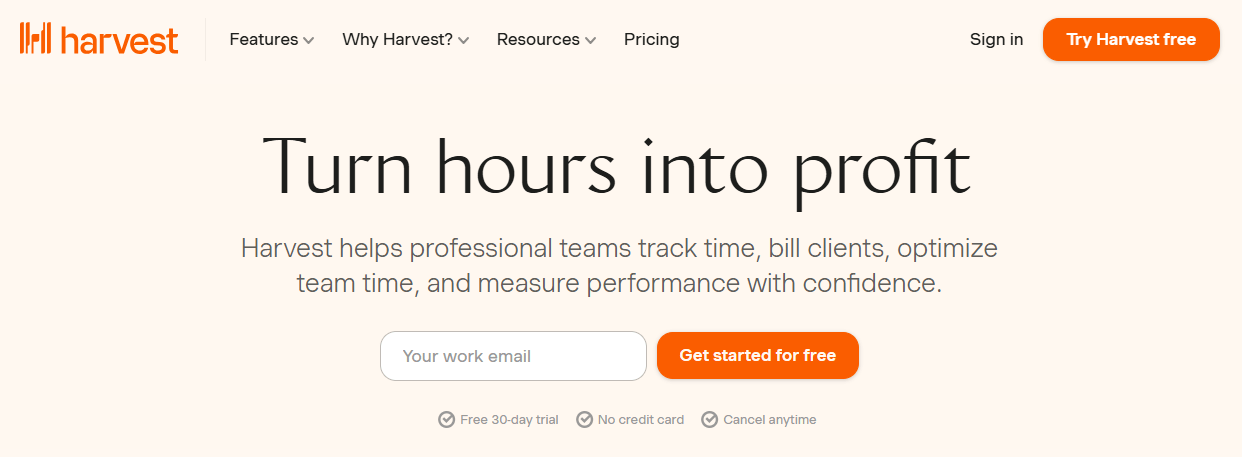
Harvest is a time tracking and invoicing tool for teams that need to track work hours, manage projects, and bill clients. You can track time with a timer, enter hours in a timesheet, or log time from connected calendar events. Harvest also includes expense tracking, reporting, project budgets, invoicing, payments, and team management.
What is Harvest mainly used for?
Harvest is mainly used to connect tracked time with project costs and client billing. Teams can see how much time they spend on clients, projects, and tasks, check project profitability, and turn tracked hours and expenses into invoices.
Who is Harvest for?
Harvest can work well for freelancers, agencies, consulting firms, professional services teams, and other businesses that bill clients based on time or project work. Its current product also includes tools for budgets, team capacity, approvals, forecasting, and workload planning.
What Is Toggl Track?
Source: Toggl Track
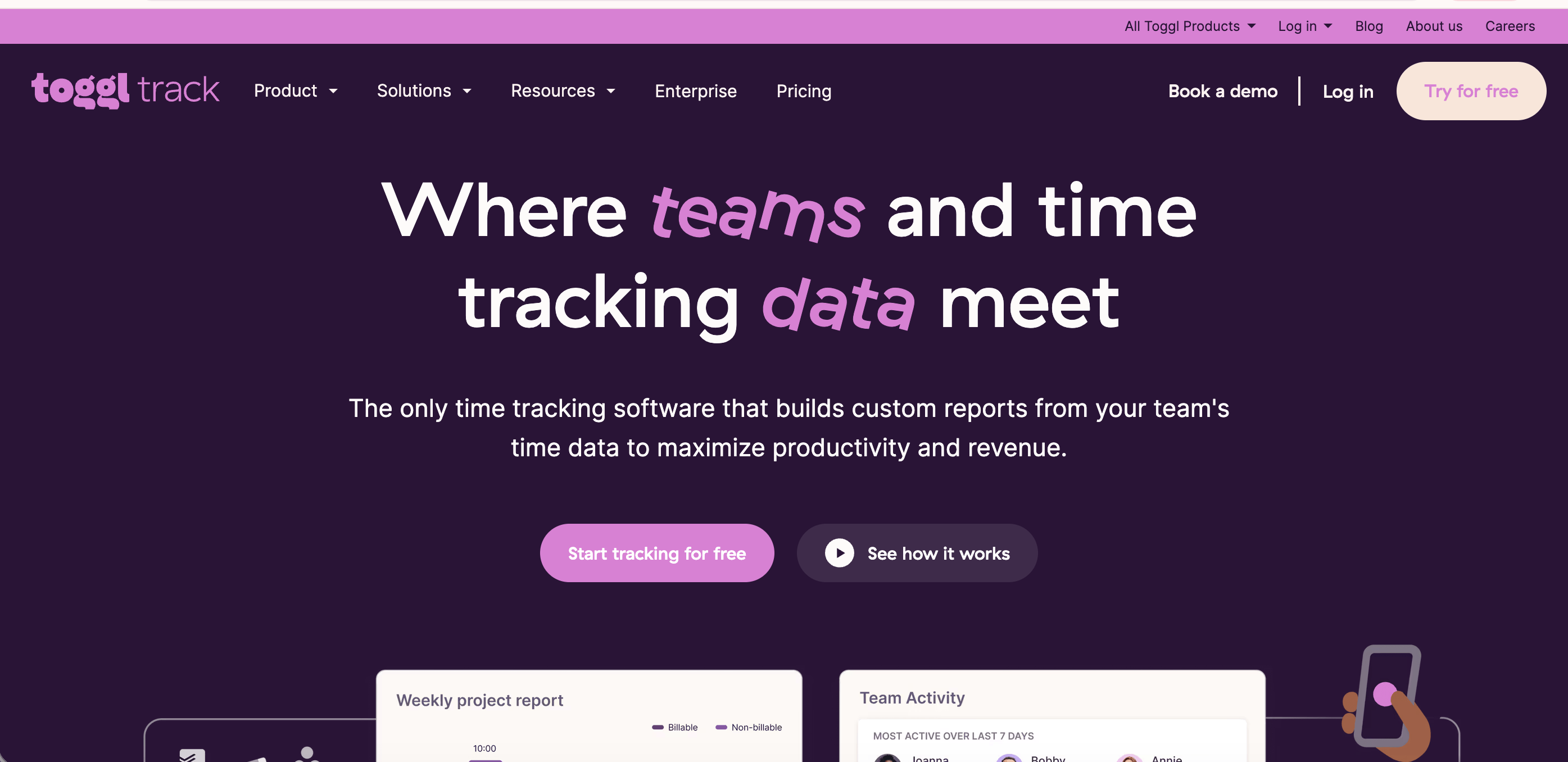
Toggl Track is a time tracking tool that helps people and teams record work hours, create reports, track billable time, and understand how time is spent. You can track time with a timer or manual entries, then organize and report that time by projects, clients, tasks, users, and other details.
What is Toggl Track mainly used for?
Toggl Track is used for time tracking, project reporting, billable hours, and planning. Its current product also supports capacity planning and project planning, while integrations let teams track time from many of the tools they already use.
Who is Toggl Track for?
Toggl Track supports freelancers, growing teams, and larger organizations. The product offers web, desktop, and mobile apps, along with integrations for project management, communication, accounting, and other business tools.
What is Flowace?
Source: Flowace
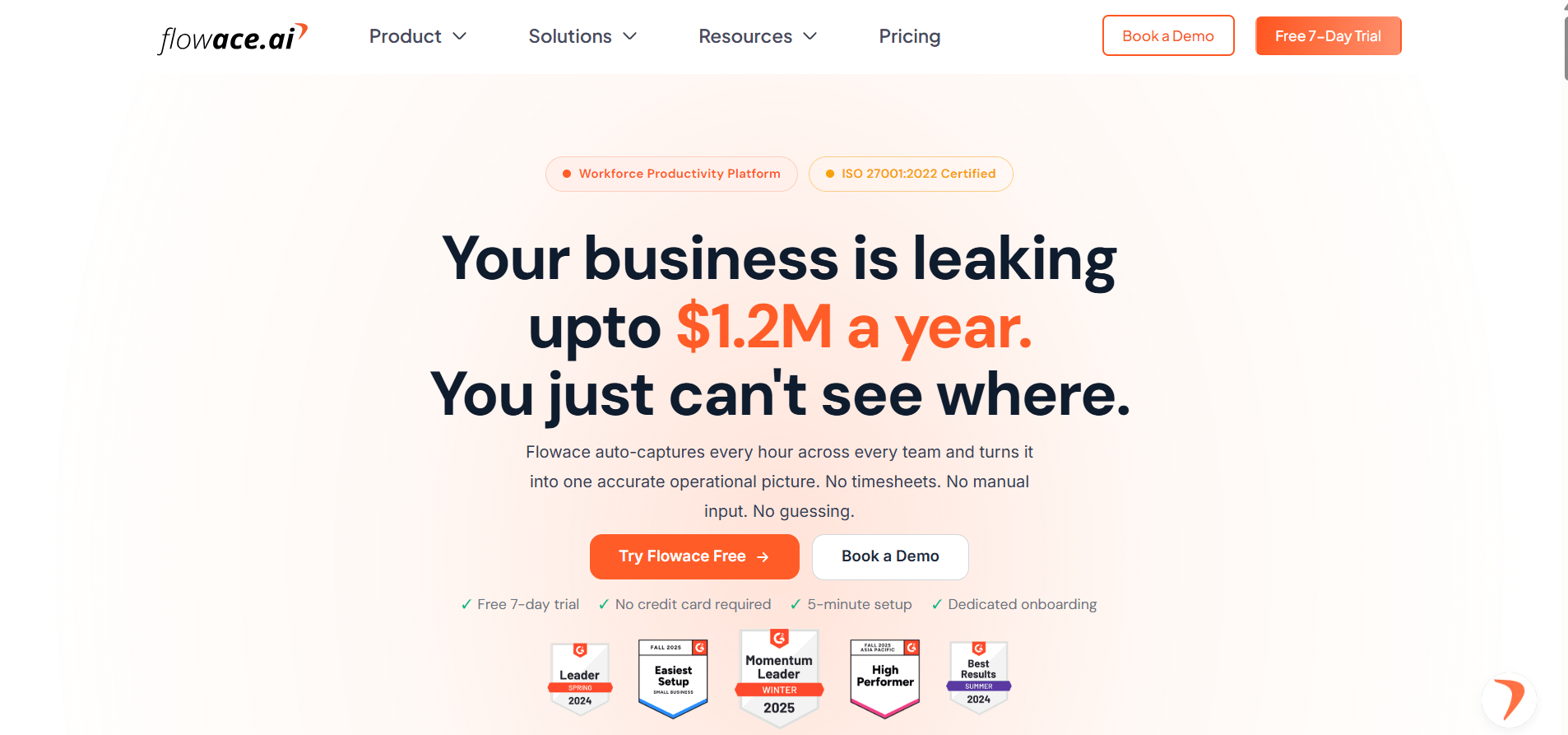
Flowace is an AI time tracking and workforce management platform that automatically captures work time and turns it into timesheets, productivity insights, and project data. It is designed to reduce the need for manual time entries and timers.
How does Flowace track time?
Flowace uses a desktop app to capture work activity automatically. It can record app and website usage and connect that activity to projects, tasks, and clients. Its automatic project timesheets are designed to work without employees starting timers or filling out timesheets manually.
What else does Flowace do?
Beyond automatic time tracking, Flowace includes productivity insights, workforce management, work-pattern analysis, attendance features, project profitability data, and integrations with business tools. Optional screenshots can be enabled for use cases such as quality checks, audits, or client proof, while the platform says it does not log keystrokes.
Who is Flowace for?
Flowace is aimed at organizations that want automatic time capture and a broader view of workforce activity, productivity, attendance, and project performance. It supports remote, hybrid, and in-office teams.
Harvest vs Toggl Track vs Flowace Feature Comparison
Let’s compare Harvest vs Toggl vs Flowace head-to-head, to see how they handle time tracking. Each tool has its own way of doing things, from manual timers to full automation. By the end, you’ll know which one fits your workflow best.
Harvest vs Toggl Track vs Flowace: Time Tracking Methods
How does Harvest track time?
Harvest lets you track time with a one-click timer, enter hours in a daily or weekly timesheet, or log time from connected calendar events. You can also track time through Harvest’s desktop apps, mobile apps, and browser extensions.
If you leave the timer running while you are away, Harvest’s Mac and Windows apps can detect idle time. You can then remove the idle time, keep the timer running, or add the idle period as a separate time entry.
Harvest works well for teams that want a clear link between tracked hours, projects, budgets, and billing. You can track time against clients, projects, and tasks, then use that data for reports, budgets, profitability, and invoices.
How does Toggl Track track time?
Toggl Track lets you track time with a timer, manual entries, calendar events, mobile and desktop apps, and browser extensions. Its desktop app also supports automatic time tracking.
Toggl Track can record the apps and websites you use in the background. This activity stays private on your device until you choose to turn it into time entries. You can also set keywords that trigger a reminder to start tracking a project when you open a matching app or website.
Toggl Track also has idle-time notifications and a Pomodoro timer in its desktop, browser extension, and mobile apps.
So, how does Toggl Track compare with Harvest for time tracking? Both support timers, manual entries, and idle-time handling. Toggl Track adds background activity recording and several ways to turn that activity into time entries.
How does Flowace track time?
Flowace uses automatic time capture instead of relying on employees to start and stop timers. It can automatically connect projects, tasks, and clients to track activity and generate project timesheets.
Flowace can also record app and website activity at one-second precision. Teams can choose a visible tracking mode or run the software quietly in the background. Optional screenshots can be configured for uses such as quality checks, compliance, and client transparency.
Automatic tracking can be useful for teams that want work-hour data without asking employees to remember timers or fill out timesheets. Flowace also connects time data with productivity, attendance, project, and workforce information.
Harvest vs Toggl Track vs Flowace: Invoicing & Payments
Does Harvest have invoicing?
Yes. Harvest can create invoices from tracked time and expenses. You can send invoices to clients, accept online payments, send payment reminders, and manage recurring invoices. Harvest also integrates with payment and accounting tools such as Stripe, QuickBooks Online, Xero, and Deel.
This makes Harvest useful for businesses that want time tracking and client billing in the same workflow. Tracked hours and expenses can move into an invoice without requiring a separate manual process.
Does Toggl Track have invoicing?
Yes. Toggl Track now offers invoicing features for turning tracked hours into invoice-ready data. You can set billable rates by client, project, team member, or task, then export detailed billing data or use supported invoicing workflows.
Toggl Track also supports project budgets, billable rates, profitability reporting, and integrations with accounting tools. Its integrations include QuickBooks Online, where tracked data can be connected to accounting workflows.
Does Flowace have invoicing?
Yes. Flowace’s current platform says tracked project time can be converted directly into client invoices. It also maps tracked time to billing rates so teams can see project and client margins before an invoice is sent.
Flowace also provides exportable reports for client billing and uses automatic time capture to reduce manual time-entry work.
For teams that bill clients by the hour, this means Flowace can connect automatic time capture with billable hours, project profitability, and invoicing.
Harvest vs Toggl Track vs Flowace: Project Management
Does Harvest have project management features?
Harvest provides project tracking, budgeting, reporting, and team planning features. You can organize work by clients, projects, and tasks, set project budgets, compare estimated and actual hours, and monitor profitability.
Harvest also includes team capacity planning, workload management, project scheduling, and forecasting through its planning features.
You can track hours, expenses, budgets, billing rates, project profitability, team capacity, and workload. This gives managers a clear view of how much time and money a project is using.
Does Toggl Track have project management features?
Yes. Toggl Track has expanded beyond basic time tracking. Its current planning features include tasks, boards, timelines, task estimates, milestones, workload views, and project dashboards.
You can compare estimated time with actual tracked time and set alerts for project estimates and budgets. Toggl Track also provides reports for workload, utilization, profitability, and project performance.
Toggl Track now includes several project-planning features, but teams that need advanced task management or a broader work-management system may still use a dedicated project management platform alongside it.
How does Flowace help with project management?
Flowace connects tracked activity to projects, tasks, and clients automatically. This gives teams a detailed view of where work time is going and how much time different projects consume.
Flowace can also show project profitability by mapping tracked time to billing rates. Its integrations connect with tools such as Asana, Jira, Salesforce, Azure DevOps, GitLab, and GitHub.
The main focus is on capturing and analyzing work data. Teams can use that data alongside their existing project management tools rather than treating Flowace as a replacement for every project management function.
Harvest vs Toggl Track vs Flowace: Integrations
How many integrations does Harvest have?
Harvest currently lists more than 70 integrations in its help documentation. These include tools such as Asana, Slack, Stripe, QuickBooks, and Xero.
Harvest also provides browser extensions that let users track time from tools such as Asana, Basecamp, GitHub, Linear, Monday.com, and Notion.
These integrations help teams connect time tracking with project management, accounting, communication, and other work tools.
How many integrations does Toggl Track have?
Toggl Track supports 100+ integrations and can connect with project management, CRM, accounting, communication, calendar, and other business tools.
Examples include Asana, Jira, Salesforce, Slack, QuickBooks Online, Google Calendar, Outlook, Trello, and Todoist. Toggl also provides browser extensions and an API for custom connections.
This lets teams start or record time from many of the tools they already use.
What tools does Flowace integrate with?
Flowace currently lists 60+ integrations. Examples include Asana, Jira, Salesforce, Azure DevOps, GitLab, GitHub, Google Calendar, Microsoft Calendar, Google Meet, Microsoft Teams, WhatsApp, and more.
The main purpose of these integrations is to connect automatic time and activity data with the systems teams already use for projects, calendars, communication, and business operations.
Harvest vs Toggl Track vs Flowace: Best Use Cases
Who is Harvest best for?
Harvest is a strong fit for businesses, agencies, consultants, and freelancers that need time tracking closely connected to project budgets, expenses, profitability, and client invoicing.
It can be useful when your team needs to answer questions such as:
- How many hours did we spend on this client?
- Are we staying within the project budget?
- How profitable is this project?
- Which team members have available capacity?
- Which tracked hours should go on the client invoice?
Harvest is especially relevant for teams that bill clients for time or project work.
Who is Toggl Track best for?
Toggl Track is designed for individuals and teams that want flexible time tracking, reporting, planning, and project data. Its current plans cover individual users and teams, with features such as timers, calendar integrations, tasks, boards, estimates, billable rates, reporting, capacity planning, and profitability analysis depending on the plan.
Toggl Track can suit teams that want to start with simple time tracking and add more planning and reporting features as their needs grow.
Its automatic activity recording can also help people capture work activity without relying entirely on manual timers.
Who is Flowace best for?
Flowace is designed for organizations that want automatic time capture together with workforce management, productivity insights, attendance, project tracking, and work-pattern analysis.
It can be useful for teams that want to answer questions such as:
- Where are employees spending their work hours?
- How much time goes into each project?
- Which apps and websites are being used?
- Where are idle periods or capacity gaps?
- How much billable time was captured?
- Which projects or clients are generating the strongest margins?
Flowace supports remote, hybrid, and in-office teams and offers configurable tracking modes, activity data, screenshots, attendance tools, and productivity reports.
Harvest vs Toggl Track vs Flowace: Free Plan Availability
Does Harvest have a free plan?
Yes. Harvest has a free plan for one seat and up to two projects. The free plan includes time tracking, invoicing, expense tracking, and Mac and iOS apps.
Teams that need more users or projects need to move to a paid plan. Harvest also offers a 30-day free trial of its paid plans without requiring a credit card.
Does Toggl Track have a free plan?
Yes. Toggl Track has a free plan for up to three users. It includes time tracking on web, desktop, and mobile, along with calendar integrations and basic planning features.
Paid plans add features such as billable rates, team reporting, capacity planning, budgets, alerts, profitability reports, timesheet approvals, and other team management features.
Does Flowace have a free plan?
Flowace currently offers a 7-day free trial, rather than a permanent free plan. The trial does not require a credit card.
After the trial, Flowace offers paid plans with different levels of automatic tracking, productivity insights, integrations, reporting, workforce management, and advanced features. As of 2026, the pricing page lists Basic, Standard, Premium, and Enterprise plans.
If a free plan feels too limited, Flowace gives your team more room to grow at a lower cost.
Start Free 7-Day TrialHarvest vs Toggl Track vs Flowace: Pricing Comparison
Harvest Pricing
Harvest’s plans are Free, Teams, Enterprise, and Enterprise Plus. The Teams plan costs $11 seat a month, or $9 seat a month if you pay annually, and it gives you unlimited seats. The Enterprise plan costs $17.50 seat per month, or $14 seat per month if you pay annually. A new Enterprise Plus tier with custom pricing sits above Enterprise for organizations that need custom integrations with your existing tools, product customization, dedicated Customer. Success Manager, custom onboarding support and training, assisted data migration, white labelling, and privileged access to product development.
|
Features |
Free | Teams |
Enterprise |
| Starting price (monthly) | $0 forever | $11 seat per month | $17.50 seat per month |
| Starting price (annually) | $0 forever | $9 seat per month | $14 seat per month |
| Seats included | 1 | Unlimited | Unlimited |
| Projects included | 2 | Unlimited | Unlimited |
| Time tracking | Yes | Yes | Yes |
| Expense tracking | Yes | Yes | Yes |
| Invoicing | Yes | Yes | Yes |
| Reporting basics | Yes | Yes | Yes |
| Team reporting | No | Yes | Yes |
| Accounting & payment integrations | No | Yes | Yes |
| Scheduled phone support | No | Yes | Yes |
| Custom reports | Up to 4 users | Up to 4 users | Unlimited |
| Profitability reporting | No | No | Yes |
| Timesheet approvals | No | No | Yes |
| Activity log | No | No | Yes |
| SAML-based SSO | No | No | Yes |
| Free trial | No | Yes; 30 days | Yes; 30 days |
*Updated on 23 September, 2026
Toggl Track Pricing
Toggl Track still uses a tiered model, now under the wider Toggl platform. Free up to 3 users. Starter costs $12 per user a month, or $9 per user a month billed annually. Premium costs $24 per user a month, or $16 per user a month billed annually. For Enterprise, contact sales.
|
Features |
Free | Starter | Premium |
Enterprise |
| Starting price (monthly) | $0 | $12 per user per month | $24 per user per month | Custom |
| Starting price (annually) | $0 | $9 per user per month | $16 per user per month | Custom |
| Time tracking | Yes | Yes | Yes | Yes |
| Unlimited projects & tags | Yes | Yes | Yes | Yes |
| Billable rates | No | Yes | Yes | Yes |
| Project and task estimates | Yes | Yes | Yes | Yes |
| Fixed fee | No | No | Yes | Yes |
| Timesheet approvals | No | No | Yes | Yes |
| Labour costs | No | No | Yes | Yes |
| Jira & Asana integrations | No | No | Yes | Yes |
| Personalised onboarding & dedicated Customer Success Manager | No | No | No | Yes |
| Multiple workspaces, One organization | No | No | No | Yes |
| Free trial | No | Yes; 30 days | Yes; 30 days | Yes; 30 days |
*Updated on 23 September, 2026
Flowace Pricing
Flowace’s four plans are Basic, Standard, Premium, and Enterprise. Billed annually, they run $1.99 to $6.98 per user a month or $2.99 to $10.00 billed monthly.
|
Features |
Basic | Standard | Premium |
Enterprise |
| Starting price (monthly) | $2.99 per user per month | $4.99 per user per month | $10 per user per month | Custom |
| Starting price (annually) | $1.99 per user per month | $3.99 per user per month | $6.98 per user per month | Custom |
| Silent tracking | Yes | Yes | Yes | Yes |
| Screenshots | Yes | Yes | Yes | Yes |
| App & website tracking | No | Yes | yes | Yes |
| Configurable productivity ratings | No | Yes | Yes | Yes |
| Keypad and Cursor Activity | No | No | Yes | Yes |
| 60+ Integrations | No | Yes | Yes | Yes |
| Client login access | No | No | Yes | Yes |
| Single Sign-On (SSO) | No | No | Yes | Yes |
| Automatic user & group provisioning | No | No | Yes | Yes |
| Private cloud deployment | No | No | No | Yes |
| Free trial | Yes; 7 days | Yes; 7 days | Yes; 7 days | Yes; 7 days |
*Updated on 23 September, 2026
Flowace is significantly more affordable compared to Harvest pricing or Toggl’s higher-tier plans for teams of similar size.
Harvest vs Toggl Track vs Flowace: Pros & Cons
Choosing between Harvest, Toggl Track, and Flowace depends on how your team wants to track time, manage projects, and report on work. Here are the main pros and cons of each tool, based on their current official features and pricing.
Harvest Pros
- Simple time tracking: Harvest offers one-click timers, daily and weekly timesheets, and calendar-based time tracking across desktop, mobile, and web.
- Built-in invoicing and payments: Harvest can turn tracked time and expenses into invoices. It also supports online payments through Stripe and PayPal and connects with accounting tools such as QuickBooks Online and Xero.
- Expense tracking: Teams can record project expenses, attach receipts, mark expenses as billable, and include billable expenses on client invoices.
- Project budgets and reports: Harvest provides project estimates, time and project reports, and team reporting. Its higher plan also adds profitability reporting and custom reports.
- Team management features: Harvest supports timesheet and expense approvals, team capacity tracking, utilization reporting, and workload management on its higher plans.
Harvest Cons
- The free plan is limited: Harvest’s free plan supports 1 seat and 2 projects. It includes time tracking, invoicing, expense tracking, and basic reporting, but larger teams need a paid plan.
- Automatic activity tracking is limited compared with Flowace: Harvest focuses on timers, timesheets, and calendar-based time entry. Its official feature pages do not position it as an automatic app-and-website activity tracker like Flowace.
- Project structure matters: Harvest organizes work around clients, projects, and tasks. Teams need to set up this structure so tracked hours have the right project and task context.
- Paid plans add to the cost: The current Teams plan starts at $11 per seat/month when billed monthly, or $9 per seat/month when billed annually. Enterprise starts at $17.50 per seat/month monthly, or $14 annually.
Toggl Track Pros
- Easy time tracking: Toggl Track supports one-click timers, timesheets, desktop apps, mobile apps, and browser extensions.
- Automatic time tracking: Toggl Track can automatically record desktop activity, including apps and websites used for more than 10 seconds. It can also turn calendar events and selected browser pages into time entries.
- Project budgets and alerts: You can set project budgets in hours or fees and receive alerts as a project approaches its budget. Toggl also supports billable rates and project profitability reporting.
- Strong integrations: Toggl Track works across web, desktop, mobile, and browser extensions, with integrations and tracking options for tools such as Jira, Asana, Slack, GitHub, and calendars.
- Free plan: Toggl Track offers a free plan, and its official site says you can invite up to five team members for free.
Toggl Track Cons
- No full built-in invoicing workflow like Harvest: Toggl Track turns tracked hours into invoice-ready data and lets you export reports for billing. Harvest, by comparison, can create, send, and track invoices inside the product.
- Automatic tracking still needs review: Toggl can record activity automatically, but users decide which activities become time entries and assign them to the correct work.
- Activity data is designed with privacy controls: Toggl says desktop activity data is stored locally and is not shared with other team members. This can be useful for privacy, but teams looking for centralized employee-monitoring features may need a different type of tool.
- Paid seats are charged per license: Toggl’s pricing documentation says organizations are charged for each license, including unassigned licenses. Teams should therefore check the number of paid seats they actually need.
Flowace Pros
- Automatic time tracking: Flowace automatically captures work activity and maps time to projects, tasks, and clients. Its official site says teams do not need to start timers or fill out manual timesheets.
- Automatic timesheets: Flowace generates timesheets from tracked activity and can net out idle time. It also supports manual time edits and approval workflows.
- Productivity insights: Flowace tracks apps and websites, provides productivity ratings and reports, and shows how time is distributed across teams and work activities.
- Employee monitoring options: Flowace includes employee monitoring features, including activity logs and, on some configurations, screenshots. It also provides privacy controls and different monitoring modes.
- Billing and invoicing: Flowace can turn tracked billable hours into invoices and calculate project cost and revenue using billable rates.
- Workforce management: Flowace also covers attendance, shifts, leave, approvals, and workforce reporting, making it broader than a basic time-tracking tool.
Flowace Cons
- More features can mean more setup: Flowace covers time tracking, productivity, employee monitoring, attendance, workforce management, projects, and reporting. Teams looking only for a simple timer may find the wider feature set unnecessary.
- The feature set is aimed more at teams and workforce management: Flowace goes beyond basic time tracking into productivity and employee monitoring. That can be useful for organizations that need those controls, but it may be more than a freelancer needs.
Which tool should you choose?
The right choice depends on what you need from your time-tracking software.
Choose Harvest if you need: time tracking, project budgets, expense tracking, client invoicing, online payments, and accounting integrations in one system.
Choose Toggl Track if you need: flexible time tracking, automatic activity tracking, project budgets, reporting, integrations, and a free plan for a small team.
Choose Flowace if you need: automatic time capture, automatic timesheets, productivity insights, employee monitoring, attendance, workforce management, and automated billable-hour tracking.
The main difference is how each product approaches time data. Harvest combines time tracking with project management, expenses, and invoicing. Toggl Track focuses on flexible time tracking, reporting, and automated activity capture. Flowace adds automatic time capture, productivity analytics, employee monitoring, and workforce management to the time-tracking workflow.
What Are G2 Reviewers Saying About Harvest, Toggl Track, and Flowace?
Harvest
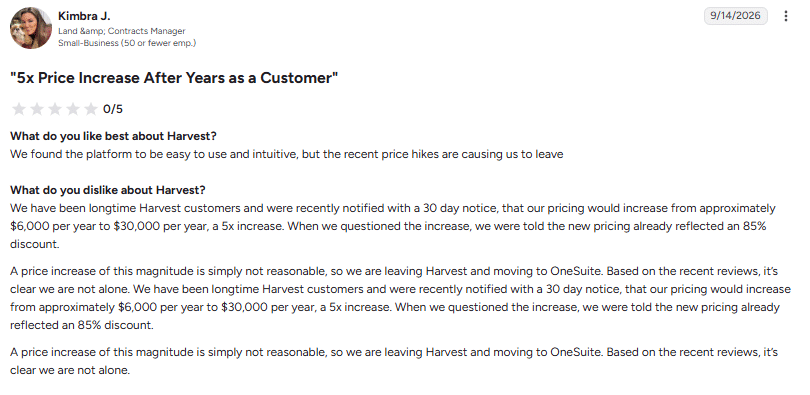
User Rating: 0/5
Image alt text: Harvest G2 review citing a 5x price increase from approximately $6,000 to $30,000 per year, dated September 9, 2026.
“We have been longtime Harvest customers and were recently notified with a 30 day notice, that our pricing would increase from approximately $6,000 per year to $30,000 per year, a 5x increase. When we questioned the increase, we were told the new pricing already reflected an 85% discount.” (Kimbra J., Contracts Manager, G2 review, September 9, 2026)
Toggl Track
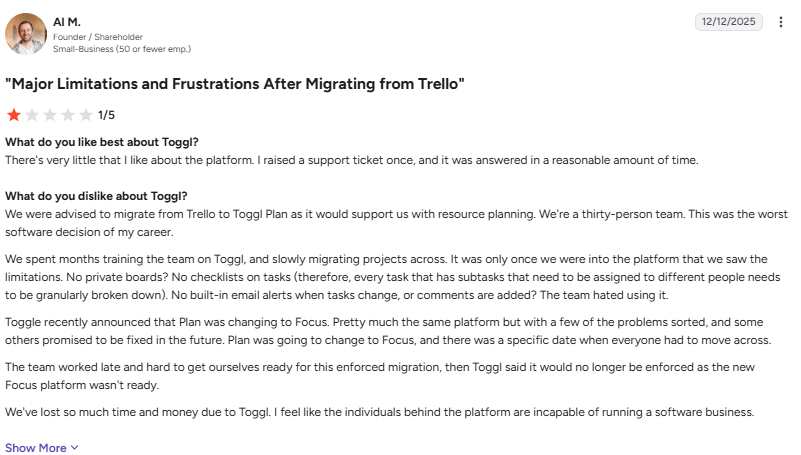
User Rating: 1/5
Image alt text: Toggl G2 review describing major limitations after migrating from Trello, including missing private boards, task checklists, and email alerts, dated December 12, 2025.
“We were advised to migrate from Trello to Toggl Plan as it would support us with resource planning. We’re a thirty-person team. This was the worst software decision of my career.” (Al M., Founder, G2 review, December 12, 2025)
Flowace
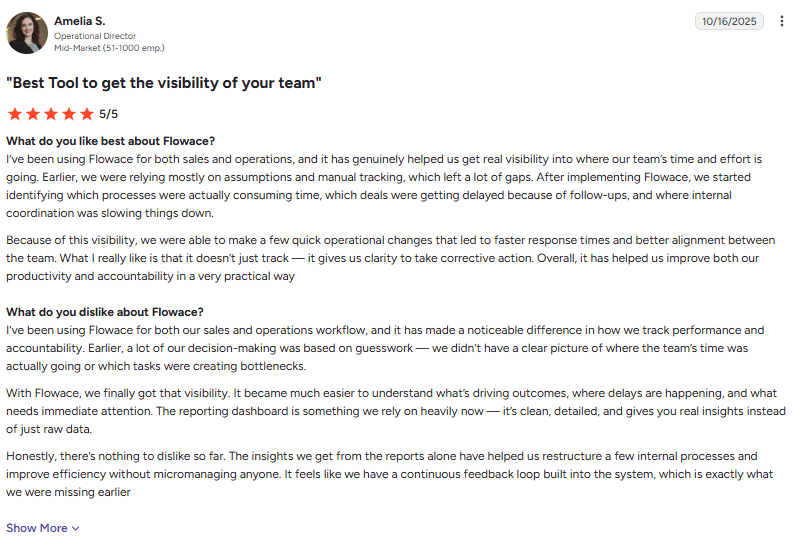
User Rating: 5/5
Image alt text: Flowace G2 review highlighting team visibility, productivity insights, reporting, and improved accountability across sales and operations., dated October 16, 2025.
“After implementing Flowace, we started identifying which processes were actually consuming time, which deals were getting delayed because of follow-ups, and where internal coordination was slowing things down.” (Anelia S., Operational Director, G2 review, October 16, 2025)
Why Choose Flowace for Automated Time Tracking?
Flowace combines automatic time tracking, productivity insights, automated timesheets, and workforce management in one platform. Key benefits include:
- Automatic time tracking: Flowace tracks work activity in the background, including time spent on apps and websites. This reduces the need to start and stop timers manually.
- Automatic timesheets: Tracked activity can be used to create timesheets automatically, reducing manual data entry and giving managers a clearer view of logged work.
- Productivity insights: Flowace categorizes app and website activity into productivity groups and provides reports that show how teams spend their work time.
- Project and billable time tracking: Teams can track time against projects and tasks, monitor billable hours, and use reports to understand project time and costs.
- Workforce management: Flowace also includes features for attendance, leave, schedules, approvals, and workforce reporting, helping teams manage work from one platform.
- AI-powered insights: Flowace provides AI-powered productivity alerts and insights that can help managers identify patterns such as low productivity, missing hours, or workload concerns.
- Reports and dashboards: Managers can view team activity, productivity, projects, timesheets, and attendance through dashboards and reports.
- Free trial: Flowace offers a 7-day free trial, so teams can test its tracking and reporting features before choosing a paid plan.
Overall, Flowace is designed for teams that want to reduce manual time tracking and get more visibility into how work time is being used.
Have questions about how Flowace would work for your team?
Book A DemoFrequently Asked Questions About Harvest vs Toggl Track
1. Do I need to manually start and stop timers in Flowace like I do in Harvest and Toggl Track?
No, Flowace runs fully automatically in the background, tracking your app usage, website activity, and work hours without requiring you to click start or stop buttons. Unlike Harvest and Toggl Track, which rely on manual timer entries (though Toggl offers some semi-automated triggers), Flowace eliminates the need for user intervention entirely.
2. Which is more affordable for growing teams, Harvest, Toggl Track, or Flowace?
On price alone, Flowace is the most budget friendly, starting at $1.99 per user a month on annual billing, compared with Harvest’s Teams plan at $9 to $11 per seat and Toggl Track’s Premium plan at $16 to $24 per seat. For a team of 10 users, Flowace could cost as little as $19.90 a month on the annual rate, versus roughly $90 to $110 a month with Harvest’s Teams plan or $160 to $240 a month with Toggl Track’s Premium plan.
3. Can Flowace generate invoices like Harvest does?
Flowace doesn’t have built-in invoicing features like Harvest, but it automatically captures accurate time data and call logs that you can easily export for billing purposes in your preferred invoicing software. While Harvest excels at invoice generation and payment processing, Flowace focuses on automated tracking and productivity analytics.
4. Which tool is best for monitoring remote and hybrid teams?
Flowace is purpose-built for remote and hybrid teams with features like screenshot monitoring, app/website usage reports, and productivity analytics that Harvest and Toggl don’t offer. While Harvest and Toggl provide basic time tracking, Flowace gives managers comprehensive visibility into work patterns and productivity metrics without micromanaging.