Employee Utilization Rate: What Is It and How To Calculate It




Employee utilization rate shows what share of available work hours employees spend on billable, revenue-generating work. This guide explains the formula, benchmarks by role and industry, and why a high utilization rate does not always mean strong output. You can also use the calculator below to check your own numbers.
What Is an Employee Utilization Rate?
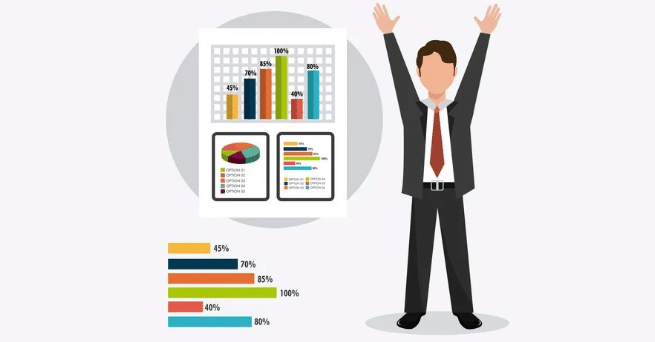
Employee utilization rate shows how much of an employee’s available work time is spent on billable work. It is usually shown as a percentage and helps businesses understand how much time their teams spend on work that can be billed to a client or project.
You calculate employee utilization by dividing billable hours by total available hours and multiplying the result by 100.
For example, if an employee has 160 available hours in a month and spends 120 hours on billable work, their utilization rate is 75%.
Employee utilization rate is especially useful for businesses that bill clients for employee time, including:
- Outsourced contact centers
- Business process outsourcing (BPO) firms
- Knowledge process outsourcing (KPO) firms
- Software development and creative agencies
- Recruitment and staffing agencies
- Professional services firms
- Consulting firms
- Employment consultancies
- Architecture firms
For consulting teams, utilization also plays a key role in protecting margins across client engagements. See our consulting industry guide to learn more.
What Is the Difference Between Utilization Rate and Productivity?
Utilization rate measures how much of your team’s available time goes toward billable work. Productivity looks at what the team produces during that time. A team can have high utilization and still see lower output.
Imagine a dashboard showing 85% utilization across a team. Every bar is green, and most of the team’s time is marked as billable. At first glance, it looks like a strong result.
Two months later, the utilization rate is still 85%. But client work is taking longer, deliverables are slipping, and more work needs to be redone. The team is still logging plenty of billable hours, but the amount of useful work getting finished has dropped.
Why can this happen?
Utilization measures how hours are classified. It does not show everything that happens during those hours. For example, a team member could spend most of the day in billable client calls and still finish fewer deliverables than someone with a lower utilization rate who had more time to focus on the work.
Several things can create this gap:
- Meetings and calls can take up billable hours without producing a finished deliverable.
- Rework and revisions can use many hours without increasing the amount of completed work.
- Burnout can slow work down even when people’s schedules remain full.
- Unclear priorities can send time toward work that has little impact on the final result.
This is why managers should look at utilization and productivity together. Utilization shows where working time goes. Productivity shows what the team produces from that time.
Before acting on a utilization number, ask:
- Has the team’s output changed in the same direction?
- Are deliverables being completed on time?
- Has client satisfaction changed?
- Are hours being logged against the right type of work?
- Have staffing, processes, tools, or priorities changed recently?
Looking at both numbers gives managers more context. A high utilization rate can be useful, but it needs to be viewed alongside the work the team actually completes.
What Are the Different Types of Employee Utilization Metrics?
There are several ways to measure employee utilization, depending on what you want to understand. Billable utilization focuses on client work, while resource utilization looks at a wider range of work. Other measures can help you compare billable and non-billable time or connect billable hours with revenue.
1. What Is Billable Utilization?
Billable utilization measures the percentage of an employee’s available working hours spent on revenue-generating work, such as client work.
Formula
Billable Utilization Rate = (Billable hours worked ÷ total available hours) × 100
Billable utilization can help you understand whether employees are spending enough time on paid work. A very low rate can point to unused capacity, while a very high rate can leave little time for training, planning, or other work and may increase the risk of burnout.
2. What Is Resource Utilization?
Resource utilization looks at how employees spend their available time across billable work, internal projects, and non-billable administrative tasks. It gives you a broader view of how working hours are distributed.
Formula
Resource Utilization Rate = (Total productive hours, both billable and non-billable ÷ total available hours) × 100
Resource utilization can help identify time spent on work that takes up capacity without directly generating revenue. It can also show how employee time is distributed across different types of work.
3. What Is Effective Utilization Rate?
Effective utilization rate, also called revenue-based utilization, connects billable time with the revenue generated from that time. It helps you understand whether billable hours are translating into the expected revenue.
Formula
Effective Utilization Rate = (Revenue generated ÷ (total available hours × billing rate)) × 100
This metric can help businesses check whether their billing rates and billable work are producing the expected revenue. It also gives managers another way to look at utilization alongside hours worked.
4. What Is the Billable vs. Non-Billable Utilization Ratio?
This metric compares the time employees spend on billable work with the time they spend on non-billable work.
Formula
Billable vs. Non-Billable Ratio = billable hours ÷ non-billable hours
This ratio can help managers see how much employee time goes toward billable and non-billable work. A high amount of non-billable time may point to processes that could be streamlined or work that needs to be reviewed, such as excessive internal tasks or client revisions.
Why Track Employee Utilization?
Tracking employee utilization helps you understand how your team is using its available time, where capacity is available, and where workload problems may be building up. It can also help with staffing, project planning, workload management, and identifying work that takes up time without generating revenue.
1. Plan Your Hiring Around Team Capacity
Utilization data can show whether your team has enough capacity for upcoming work. If utilization stays high over time, you may need to start hiring before taking on more projects. If it stays low, you may have room to take on more work with your current team.
2. Find Time Spent on Non-Billable Work
Employee utilization can show how much time goes toward administrative tasks and other non-billable work. If these tasks take up too much time, you can look for ways to simplify processes, automate repetitive work, or move some tasks to administrative staff.
3. Spot Workload Issues Early
A consistently high utilization rate can mean employees have little room for breaks, training, planning, or other work outside client projects. Tracking utilization over time can help you spot workload changes and review whether your team has enough capacity.
A low utilization rate can also be useful to investigate. Before assuming there is a performance issue, look at workload, staffing, project demand, processes, and the type of work being tracked.
4. Identify Training and Upskilling Needs
If utilization stays low after workload and process issues have been checked, the data may point to a need for additional training or support. Look at utilization alongside work quality, output, and project results before deciding that training is the answer.
5. Balance Work Across the Team
Utilization data gives managers a clearer view of how much work each employee is handling. This can help distribute tasks more evenly and reduce the risk of giving too much work to employees who already have high utilization.
6. Improve Project Planning and Billing
Knowing how much time your team spends on billable work can help with project estimates, billable-hour targets, and pricing decisions. Utilization should be reviewed alongside employee costs, billing rates, project scope, and margins when making these decisions.
7. Understand Capacity as You Grow
As your business takes on more clients, utilization helps you understand whether your current team has enough capacity for additional work. A team that is already operating at a consistently high utilization rate may need more people before taking on another large project.
Want a clearer picture of where your own team's hours are really going?
Book A 30-Minutes DemoHow Do You Calculate the Employee Utilization Rate?
To calculate employee utilization rate, divide the total time spent on client-facing tasks by the total time employees were available to work.
Formula
Utilization Rate = Total time spent on client-facing tasks ÷ Total amount of time employees were available to work
For example, if an employee was available to work for 160 hours in a month and spent 120 hours on client-facing tasks, their utilization rate would be:
120 ÷ 160 = 75%
The total time spent on client-facing tasks is the time recorded against client work.
When calculating available time, remove time when employees were not available to work, such as approved time off, sick leave, and public holidays. This gives you a more accurate view of how much of their available working time went toward client-facing work.
What Is a Good Employee Utilization Rate?
There is no single utilization rate that works for every business or role. A good employee utilization rate depends on the type of work, how much time employees need for non-billable tasks, and how the business defines available hours.
For many service businesses, a utilization rate in the 75% to 90% range can be a useful reference point, but the right target depends on the role and industry. Teams should also look at workload, output, employee costs, and business results before setting a target.
How Does Employee Utilization Affect Project Profitability?
Consider two employees with different utilization rates.
|
Employee A |
Employee B |
|
|
Scheduled hours |
40 | 44 |
| Billable hours | 22.2 |
40.45 |
|
Utilization rate |
55.5% |
91.9% |
Employee A works 22.2 billable hours out of 40 scheduled hours, giving them a utilization rate of 55.5%.
Employee B works 40.45 billable hours out of 44 scheduled hours, giving them a utilization rate of 91.9%.
Employee B has more billable capacity based on these numbers. But utilization alone does not tell you whether either employee is profitable. You also need to consider their cost, billing rate, project margin, and the value of their non-billable work.
Looking at utilization across the team can help managers make better resource decisions. It can show where there is available capacity and where employees may already have a heavy billable workload.
How Does Utilization Help With Resource Allocation?
The type of work also matters when assigning people to projects.
For example, a project may involve a large amount of administrative work and require a specific technical skill for its billable tasks. Assigning your most expensive or specialized employee to work that does not require their skill could affect project margins.
Utilization data can help managers consider capacity alongside skills, workload, and project requirements when assigning resources.
What Does a 50% Utilization Rate Mean?
Suppose an employee has 20 hours of client-facing work and 20 hours of administrative work, training, or sales responsibilities in a 40-hour week.
Their utilization rate is: 20 ÷ 40 = 50%
That means half of their available time is being spent on client-facing work.
It does not automatically mean the employee has enough capacity to take on twice as much client work. Managers also need to consider the type of work, project demand, skills, deadlines, and time needed for non-billable responsibilities.
How Does Utilization Help With Hiring Decisions?
Suppose four employees each work 40 hours a week and have an 80% utilization rate.
That means each employee spends around 32 hours on client-facing work, leaving around 8 hours for other work.
If demand increases and the team cannot maintain its current workload without pushing utilization higher, the business may need additional staff.
Utilization can help show when a team is reaching its available capacity, but hiring decisions should also consider project demand, revenue, workload, and the skills needed for upcoming work.
How Employee Utilization Rates Differ by Role

Employee utilization rates can vary a lot by role and industry. The right target depends on how much of the work can be billed, how much time the role needs for planning or support work, and how the business measures available hours.
Utilization Rates for Billable Roles
Consultants, software developers, designers, and other client-facing roles often have higher utilization targets because more of their time can be tied to billable work.
For some billable roles, a utilization rate in the 75% to 90% range may be a useful reference point. The right target still depends on the business model, project mix, role, and time needed for non-billable work.
Utilization Rates for Support Functions
HR, marketing, finance, and other support teams spend more time on work that is not billed directly to clients. Their work can include hiring, planning, reporting, employee support, and internal operations.
Because of this, these teams may have lower utilization rates than billable teams. The rate should be viewed in the context of what the role is responsible for.
Utilization Rates for Senior and Strategy Roles
Senior leaders and strategy-focused employees often spend more time on planning, decision-making, management, and oversight. Much of this work may not be recorded as billable time.
A lower utilization rate for these roles does not automatically point to unused capacity. Their utilization should be considered alongside business outcomes, team performance, and the work they are responsible for.
Utilization Rates for Writers, Designers, and Analysts
Writers, designers, analysts, and other knowledge workers need time for research, planning, creative work, review, and problem-solving.
Setting a very high utilization target can leave less time for this work. Their targets should account for the time needed to produce quality work as well as the time spent on billable tasks.
How Utilization Rates Differ Across Industries
Industry also affects how utilization is measured and what a reasonable target looks like. Different businesses have different revenue models, work patterns, and definitions of available time.
Professional Services and Agencies
Professional services firms and agencies often track utilization closely because employee time is directly connected to client revenue. Billable roles generally have higher utilization targets than internal teams.
Construction and Engineering
Construction and engineering businesses may track utilization through project hours, job assignments, site work, travel, and other activities. The right target depends on how the company defines available and productive time.
Healthcare and Clinical Services
Healthcare organizations may use utilization to understand staff capacity and patient workload. Very high utilization can become a concern when employees have too little capacity for breaks, documentation, or other required work.
SaaS and Product Companies
SaaS and product teams spend time on product development, research, testing, strategy, and cross-functional work. Much of this work is not directly billable, so utilization targets may be lower than those used by professional services firms.
The right utilization target should reflect the role, the way the team works, and how the business creates value. A single benchmark should not be applied across every role or industry.
What Does Resource Utilization Tell You?
Resource utilization shows how your team’s available time is being used. It can help you spot capacity issues, workload imbalances, inefficient processes, and changes in how work is distributed across the team.
A high utilization rate means a larger share of available time is being spent on the work included in your utilization calculation. If the rate stays very high for a long period, it may be worth checking whether employees have enough time for planning, training, internal work, and other responsibilities.
A low utilization rate can indicate available capacity, lower demand, inefficient workflows, or mismatched assignments. It can also be expected during onboarding, training, time between projects, or periods when employees are working on tasks that are not included in the utilization calculation.
The number becomes more useful when you look at it across the team. For example, you may find that some employees are consistently overloaded while others have more available capacity. You may also see recurring tasks or processes that take up a large amount of time.
These patterns can help managers redistribute work, improve project planning, review staffing needs, and reduce unnecessary work.
Track utilization over time rather than judging the team from a single number. Changes in workload, project demand, staffing, and the type of work being measured can all affect the rate.
Used alongside workload, output, project results, and employee costs, utilization gives managers a clearer view of team capacity and where changes may be needed.
How Do You Set Utilization Targets and Find Spare Capacity?
Utilization targets help managers understand how much team capacity is being used and where more capacity may be available. The target should match the role, type of work, project demand, and time employees need for non-billable work.
How Should You Track Billable Utilization Targets?
Set a clear billable utilization target for roles where billable work is a key part of the job. Review the rate regularly instead of waiting until the end of the month.
A weekly or rolling review can help you spot changes early. If utilization stays below the target for several weeks, look at workload, project demand, staffing, and the type of work being recorded before deciding what action to take.
Automatic time tracking can make this easier by recording work as it happens instead of relying on employees to reconstruct their hours later.
How Do You Identify Spare Team Capacity?
Look at utilization trends by team or role over a rolling two- to four-week period instead of relying on a single day’s numbers.
If billable hours remain well below the team’s target and client work is still being completed on time, the team may have capacity for additional work. Before increasing workloads, check whether the available time is already being used for training, internal projects, planning, or other important work.
Looking at capacity at the team or role level can also help managers balance workloads without treating utilization as a measure of individual performance.
How Can You Use Utilization Data to Improve Profitability?
Utilization can help you understand how much of your team’s available time goes toward billable work. To understand profitability, you also need to consider revenue, employee costs, billing rates, and other operating expenses.
Step 1: Calculate Capacity Utilization
Before making changes, measure how much of your team’s available time is being used.
Formula
Capacity Utilization Rate = (actual hours worked ÷ total available hours) × 100
For example, if an employee is available for 40 hours per week and works 32 hours, their capacity utilization is:
32 ÷ 40 × 100 = 80%
The next step is to understand what those 32 hours were spent on. If 20 hours were spent on billable work and 12 hours on internal tasks, the 80% capacity utilization rate does not tell you how much revenue that employee generated.
This is why capacity utilization and billable utilization should be looked at separately when assessing profitability.
Step 2: Calculate Profit Margin
Utilization alone does not determine profitability. You also need to compare revenue with the costs required to generate that revenue.
Formula
Profit Margin = ((Revenue − expenses) ÷ revenue) × 100
For example, if a project generates $100,000 in revenue and costs $70,000 to deliver:
($100,000 − $70,000) ÷ $100,000 × 100 = 30% profit margin
This gives you a clearer view of whether the revenue generated by your team is covering its costs and producing the margin you want.
Step 3: Calculate the Billing Rate You Need
Your billing rate needs to cover the cost of the employee’s time and leave enough revenue to reach your target profit margin.
If the target profit margin is based on revenue, the calculation should account for that margin directly.
For example, if an employee costs $80,000 per year, you want a 30% profit margin, and the employee has 1,500 billable hours per year:
Required revenue = $80,000 ÷ (1 − 0.30) = $114,285.71
Required billing rate = $114,285.71 ÷ 1,500 = $76.19 per hour
At a $76.19 billing rate, 1,500 billable hours would generate about $114,286 in revenue. After $80,000 in costs, about $34,286 would remain, giving you a 30% margin on revenue.
Step 4: Use Utilization Trends to Set Sustainable Targets
Utilization targets should reflect the type of work your team does and the amount of time required for non-billable responsibilities.
A higher utilization rate can mean more time is being allocated to billable work, but pushing utilization higher does not automatically improve profitability. Review utilization alongside project margins, output, workload, and employee capacity.
Use trends over time rather than a single percentage to decide whether a utilization target is working for your team.
How to Optimize Your Employee Utilization Rate

Improving employee utilization starts with understanding where your team’s time goes and whether that time matches current business needs. The goal is to improve capacity, project planning, and billable work without creating unnecessary workload.
1. Plan Capacity Around Future Demand
Use project timelines, workload forecasts, and current utilization trends to plan staffing ahead of time. When managers can see where demand is increasing or decreasing, they can assign people more effectively and reduce last-minute hiring or unused capacity.
2. Track Utilization in Real Time
Use time tracking and utilization dashboards to spot changes while projects are still running. A weekly or rolling view can show when a team is falling below its target or when workloads are becoming too high.
This gives managers time to adjust workloads, staffing, or project assignments before the issue affects delivery.
3. Make Utilization a Shared Responsibility
Managers and employees should understand how utilization connects to project work and business goals. Teams can help identify work that takes up too much time, unclear processes, or tasks that could be handled differently.
Regular conversations about workload can also help surface capacity issues earlier.
4. Focus on Work That Creates Value
A high utilization rate does not automatically mean a team is producing strong results. Look at utilization alongside completed work, project progress, quality, and client outcomes.
This gives managers a better view of whether employee time is being used effectively.
5. Review Roles and Resource Allocation
Review who is handling different types of work and whether the current resource mix makes sense. Moving administrative tasks away from highly specialized employees or training more people to handle critical tasks can reduce bottlenecks and improve team capacity.
Tips to Improve Your Company’s Employee Utilization Rate
Before trying to improve utilization, measure how employees are spending their available time. The right target can vary by department, role, industry, and type of work, so avoid applying the same benchmark across the entire company.
- Review where time is going: Look at billable, non-billable, administrative, meeting, and project time to find areas that use a large share of employee capacity.
- Reduce unnecessary meetings: If internal meetings regularly take time away from project work, review which meetings are necessary and which can be shortened, combined, or removed.
- Review training needs: If utilization stays low despite having enough project demand, check whether employees need additional training, clearer processes, or support.
- Move administrative work to the right resources: If highly skilled employees spend a large amount of time on routine administrative work, consider whether those tasks can be reassigned or simplified.
- Automate repetitive work: Look for manual tasks such as data entry, reporting, or moving information between systems that could be automated.
- Set clear priorities: Employees need to know which projects and tasks should take priority. Clear goals can reduce time spent on low-value work.
- Reduce single-person dependencies: If only one person knows how to handle a critical task, train other team members so work can continue when that person is unavailable.
- Use spare capacity productively: When billable work is temporarily low, use available time for research, process improvements, documentation, training, or skill development.
- Review utilization trends regularly: Look at utilization over several weeks instead of reacting to a single day’s result. This helps separate temporary changes from longer-term capacity issues.
- Recognize strong performance carefully: If you use bonuses or recognition, consider overall contribution, quality, project results, and teamwork alongside utilization. Rewarding utilization alone can encourage employees to focus on hours rather than outcomes.
Monitor and Optimize Employee Utilization With Time Tracking Software

Source: Flowace
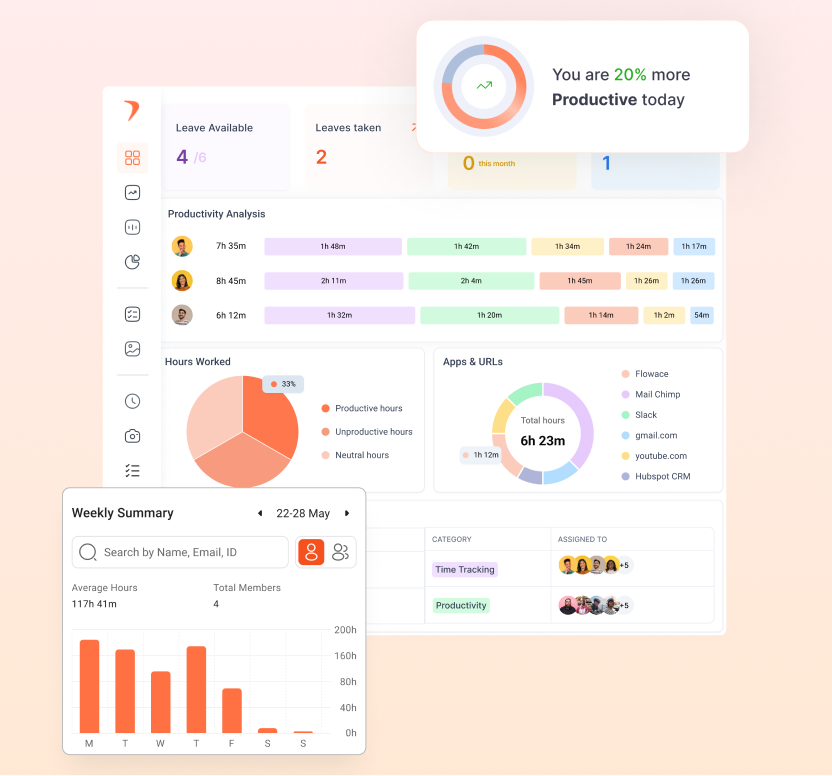
Tracking employee utilization manually becomes harder as your team grows. Automatic time tracking can capture working hours as they happen and give managers a clearer view of where that time goes.
Flowace automatically tracks activity and attributes time to projects and tasks. It can also generate timesheets, account for idle time, and bring meeting hours into project time through calendar integration. Teams can mark projects or tasks as billable or non-billable and set billable rates for users.
For billable teams, Flowace can help show where billable and non-billable hours are going across projects. This can make it easier to spot unused capacity, review project workloads, and understand where billable hours may be getting lost.
Knowcraft Analytics is one example. The analytics and data services firm was managing 30+ client engagements and had limited visibility into where its billable hours were going. After using Flowace, Knowcraft increased billable hours from 71,591 to 80,714 over nine months, a 12.7% increase, without adding headcount. Its non-billable hours also fell by 24% from Q2 to Q3.
The case study shows how better visibility into billable and non-billable time can help a team identify existing capacity and improve how work is classified and tracked. Flowace also provides visibility into expected versus actual hours, helping managers review changes in workload and capacity over time.
Track team utilization with less manual work using Flowace
Book A DemoFrequently Asked Questions About Employee Utilization Rate
1. What is the employee utilization rate?
Employee utilization rate shows the percentage of an employee’s available working hours spent on billable, revenue-generating work. It is calculated by dividing billable hours by total available hours and multiplying by 100.
2. What is the formula for employee utilization rate?
The formula for or employee utilization rate is
Employee Utilization Rate = (Billable hours ÷ Total available hours) × 100
Total available hours should account for time off, sick leave, and public holidays so the calculation reflects the hours an employee was actually available to work.
3. What is a good employee utilization rate?
A good employee utilization rate depends on the role, industry, type of work, and amount of time needed for non-billable work. Billable roles often have higher utilization targets, while support functions such as HR and finance may have lower targets because their work is not directly billed to clients.
4. What is the difference between utilization rate and productivity?
The difference between utilization rate and productivity is that utilization rate measures how much available time is spent on billable work. Productivity looks at what the team produces during that time, such as completed work, project progress, or other business outcomes.
A team can have a high utilization rate while output, quality, or delivery speed changes. Looking at both measures gives managers more context when evaluating team performance.
4. How do you calculate billable utilization rate?
Billable utilization rate is calculated by dividing billable hours worked by total available hours and multiplying by 100.
For example, if an employee has 40 available hours and spends 30 of them on billable work:
30 ÷ 40 × 100 = 75%
The employee’s billable utilization rate is 75%.
5. What can a low or high utilization rate tell a business?
A low utilization rate can indicate available capacity, lower project demand, staffing issues, or work that is not being counted as billable. A very high rate can indicate that employees have limited capacity for non-billable work, planning, training, or other responsibilities.
Look at utilization alongside workload, project demand, output, and employee capacity before deciding what the number means for your team.