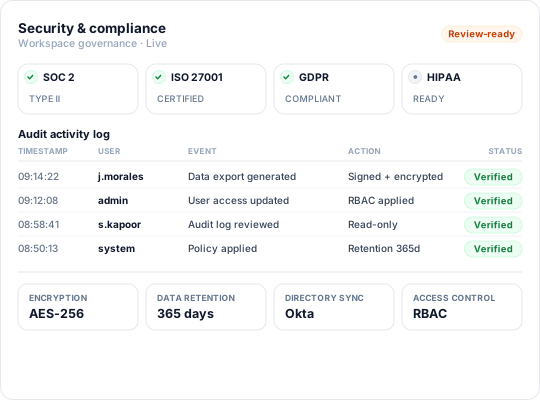
Enterprise-grade security backed by GDPR, HIPAA, ISO 27001 & SOC 2 compliance. Know more

Automatic Timesheets for IT Services

Varun R Kodnani - Flowace
Co-Founder
Automatic timesheet icon with clock, document, and gear showing automated time tracking.

Table of Contents

Productivity Software

Elevate Your Team's Performance with Our All-in-One Productivity Software

Start 7 Day Free Trial
Summarize and analyze this article with:
ChatGPT
Perplexity
Grok
Google AI
Claude

Automatic timesheet software captures work as it happens, without asking employees to log hours by hand, hop between apps, or rebuild their day from memory. In IT services, that difference is not cosmetic; it changes what you can trust in billing, payroll, and delivery reporting.

With a small team, manual time entry is a nuisance you can muscle through. Once a company grows, it turns into a process problem. Billing disputes start to feel routine. Payroll fixes become a recurring fire drill. Profitability reporting drifts from data to guesswork. This content breaks down what automatic timesheets are, how they function in IT service environments, and where the manual model starts failing under real scale.

TL;DR: Automatic Timesheets for IT Services

For IT leaders in India and globally, six non-negotiables define effective monitoring:

  • Automatic timesheet software records work activity passively, without manual input.
  • Payroll errors erode trust; in India and abroad, accuracy is a retention non-negotiable.
  • Top-performing professional services firms maintain higher billable utilization.
  • Manual time entry creates unmanageable overhead as IT teams scale beyond a few dozen.
  • Flowace captures time automatically across apps and projects to eliminate manual grind.
  • Flowace offers built-in privacy with SOC 2, GDPR, ISO, and HIPAA compliance.

What Is Automatic Timesheet Software?

Automatic timesheet software records how working hours are spent by passively tracking activity across applications, projects, and tasks, then turning that stream into structured timesheet entries without asking employees to type everything in. Instead of a Friday afternoon reconstruction exercise, time is captured while the work is being done.

In IT services, that typically means logging time across development environments, project management tools, communication platforms, and client-facing work without relying on someone to remember what happened three days ago. The outcome is a timesheet that reflects actual work rather than a best-effort estimate. If you want the longer walkthrough, automated timesheets cover the mechanics in more detail. The practical point is straightforward: take human recall out of the time-data chain.

A diagram showing four input categories (Code Editor, Project Tracker, Communication Tool, Calendar) feeding into an Automatic Capture Engine that outputs structured, organized timesheet entries.

Boost team productivity with Flowace’s all-in-one platform.

Why Does Manual Time Entry Break Down at Scale?

Manual time entry rarely fails with a bang. It fails by accumulation. With a small team, a project manager can still chase missing sheets one by one, finance can spot-check invoices, and the damage stays localized. As teams grow, the same issues stop being “fixable” and start being built into the operating model.

According to EY payroll error research, 20% of a company’s annual payroll can contain errors, with each correction costing an average of $291. For IT services firms managing weekly timesheets across multiple projects, that makes manual time entry more than an admin issue. It becomes a recurring cost, billing risk, and employee trust problem.

Billing takes the hit next. Service businesses live and die on time accuracy. Top-performing firms consistently achieve higher billable utilization than their peers through stronger project execution and resource management. For a growing IT services team, that difference represents real revenue leakage over a quarter, along with persistent challenges in maintaining consistent project delivery performance across the organization.

Operations leaders also underestimate the people impact until it shows up in attrition. When bad time data rolls into payroll, employees feel it immediately. Payroll errors can significantly damage employee trust and engagement, creating retention risks that extend beyond administrative costs. In a tight IT talent market, payroll mistakes caused by messy timesheets are not “admin noise”; they are a retention risk. That is why work like reduce time theft and fake timesheets belongs on the finance and ops agenda, not just compliance.

How Does Automatic Timesheet Software Actually Work?

Automatic timesheet software builds a record of work activity across projects, applications, and tasks so employees can review a pre-populated timesheet instead of manually reconstructing their week. The goal is accurate project allocation, billing visibility, and capacity planning rather than manual reporting.

A lightweight background agent runs on employee devices. It tracks which applications are active, which URLs or project environments are being used, and the duration. That activity is grouped into time blocks and mapped to clients, projects, or task categories using rules you set. At the end of the day or week, employees get a pre-filled timesheet to review and approve, instead of starting from a blank page.

For IT services teams, the payoff is straightforward: billable time tied to specific client work gets captured more reliably, including time spent in tools that do not offer native time tracking. A developer moving between a code editor, a ticketing system, and a client Slack channel sees all of it reflected without having to type three separate entries.

Flowace’s employee time tracking follows this model, capturing activity across applications and mapping it to projects automatically. From a manager’s view, you get utilization, project time distribution, and focus patterns without stitching together spreadsheets or chasing late submissions.

See how Flowace features drive visibility, utilization, and better decision-making.

 Explore all features

What Types of IT Work Get Captured Automatically?

Automatic capture is strong where work leaves a digital footprint, and weaker where it does not. Knowing the boundary up front helps operations leaders set expectations and avoid a messy rollout.

A two-column chart contrasting tasks that are automatically captured (coding, project updates, chat, documents, support tickets) with tasks that require manual entry (calls, whiteboard sessions, travel, infrastructure work).

Work categories that automatic timesheet software captures reliably in IT services:

  • Development and engineering work: Time in IDEs, code review tools, version control platforms, and testing environments.
  • Project and task management: Activity in tools like Jira, Asana, or Azure DevOps, mapped to specific tickets or sprints.
  • Client communication: Time in email clients, Slack, Teams, or video conferencing tools, attributable to specific client accounts.
  • Documentation and reporting: Work in Confluence, Notion, Google Docs, or similar tools tied to project deliverables.
  • Support and ticketing: Time logged against specific helpdesk tickets or service requests in platforms like Zendesk or ServiceNow.

Where you need a deliberate plan is offline work: client site visits, architecture whiteboard sessions, or hands-on hardware installs. Most platforms in India and globally, including Flowace, support manual entries for those moments, then merge them with the automatically captured data so the timesheet still reflects the full week.

What Automatic Timesheets Are NOT

This is the point where many rollouts stall, so it is worth being explicit. Automatic timesheet software is not employee surveillance. It does not record screens, capture keystrokes, or build behavioral profiles. The objective is accurate time data, not monitoring for its own sake.

That difference is not philosophical; it shows up in adoption. Surveillance-style tools breed distrust, and distrust produces exactly the outcomes you do not want: people finding ways around tracking, “performing” activity, or disengaging. Automatic timesheets land better when teams understand the use case: billing accuracy, project planning, and capacity management, not performance policing.

Flowace maintains rigorous data standards, including SOC 2, GDPR, ISO, and HIPAA compliance, ensuring your workforce data is secure and privacy-focused.

If you are rolling this out to a skeptical team, treat the framing as part of the implementation. An enterprise firm grew active hours by 15.9%, valued at ₹3.33Cr. See how. The practical summary: start with what employees get out of it instead of leading with management oversight.

Drive better capacity planning and project outcomes with automated visibility. 

See how Flowace captures time for IT services teams.

How Does This Affect Billing Accuracy for IT Services?

Billing accuracy is the cleanest financial case for automatic timesheets in IT services. With manual time, invoices depend on what people remember and what they decide to write down. With automatic capture, invoices line up with what actually happened.

From a Head of Delivery or CFO perspective, the difference shows up in three places. First: fewer write-offs, because you are not discounting invoices to settle avoidable disputes. Second: faster billing cycles, because finance is not stuck waiting for late submissions to close the month. Third: better project profitability data, because time is allocated to the right projects consistently, making margin analysis dependable rather than merely directional.

Globally, disengaged employees cost the world economy an estimated $8.8 trillion in lost productivity, according to the Gallup State of the Global Workplace 2023. A mid-sized IT services firm operating across multiple client accounts does not need to feel the full weight of that number for it to matter. For instance, IT service providers like Knowcraft grew billable hours by 12.7% with no new headcount. Read their story. Automatic timesheet software is designed to reduce that exposure by tightening the link between work performed and work billed.

A comparison chart showing the five-step manual timesheet process (marked by friction and delay) versus the streamlined five-step automatic timesheet process (marked by accuracy and fast invoicing).

See how Flowace automates time tracking for IT teams.

What Should IT Services Leaders Look for in Automatic Timesheet Software?

There is no shortage of automatic timesheet platforms available. The decision comes down to project visibility, billing accuracy, integration depth, and support for distributed teams.

IT services buyers should also evaluate differently than a general workforce management team would. The priorities are tied to project delivery, client billing, and distributed execution.

Evaluation criteria for IT services teams selecting automatic timesheet software:

  • Project-level time allocation: Can the system map time to specific client projects and sub-tasks automatically, or does it require manual tagging after the fact?
  • Integration depth: Does it connect with the tools your team already uses for project management, ticketing, and communication? Check integrations with other software before committing.
  • Billing report exports: Can finance pull client-ready billing reports directly, or does someone need to reformat the data every month?
  • Distributed team support: If your team spans multiple cities or works hybrid, does the platform handle different time zones and work patterns without configuration overhead?
  • Employee transparency controls: Can employees see their own data, edit entries where needed, and understand what is being captured? This directly affects adoption.
  • Scalability: Does pricing and performance hold up as you grow past 100, 200, or 500 employees?

Flowace’s time tracking for IT services is built around those requirements, including project-level visibility, billing-ready reports, and support for distributed teams across India and globally. Flowace’s pricing plans span Starter, Standard, Premium, and Enterprise tiers, so the platform can scale with the organization instead of forcing a switch once you hit the next growth milestone. 

Explore Flowace automatic timesheets for IT services: features, reports, and integrations.

Common Misconceptions About Automatic Timesheets

Three assumptions slow adoption in IT services more than anything else, and each one is fixable with the right expectations.

“Our team will resist it.” Pushback usually traces back to rollout, not software. When employees understand that automatic timesheets protect them during billing disputes and keep payroll accurate, adoption tends to follow. The teams that struggle are the ones that deploy tracking without explaining what it is for.

“We already track time in our project management tool.” Most project tools track workflow status, not time spent. An engineer can close a ticket without recording a single hour. Automatic timesheet software captures the actual time investment, which is what billing, utilization, and capacity planning run on.

“It will be too complex to configure for our project structure.” Modern platforms are built for multi-client, multi-project environments because that is the standard shape of IT services. Setup is typically measured in days, not weeks, and many vendors include onboarding support for enterprise accounts.

A chart listing three common myths about automatic timesheets (employee resistance, existing project tools, and complex configuration) and their corresponding realities (transparency, actual time capture, and user-friendly setup).

Final Verdict

Automatic timesheets are no longer just an admin convenience for IT services firms. They have become a practical way to protect revenue, reduce payroll errors, and understand how project capacity is actually being used.

Manual time entry may work for a small team, but it becomes unreliable as delivery teams scale across clients, tools, time zones, and hybrid work models. The real issue is not just missed hours. It is the chain reaction that follows: delayed billing, disputed invoices, inaccurate utilization reports, and finance teams spending too much time correcting avoidable errors.

The strongest use case is for IT services companies that need cleaner billing data without adding more reporting work for employees. A good automatic timesheet system should capture project activity passively, let employees review and approve entries, and give managers reliable visibility into billable hours, workload distribution, and team capacity.

Flowace fits well here because it is built around the needs of distributed IT teams: project-level time tracking, billing-ready reports, employee transparency, and scalable compliance support. For growing IT services firms, the question is no longer whether time tracking should be automated. It is how quickly they can replace manual timesheets before revenue leakage and reporting gaps become harder to control.


Frequently Asked Questions on Automatic Timesheets

1. What counts as automatic timesheet software?

Automatic timesheet software records work hours by tracking app usage, project activity, and work patterns in real time. Instead of asking employees to rebuild their week manually, it creates a pre-filled timesheet that they can review, edit, and approve.

2. How accurate are automatic timesheets compared to manual ones?

They are usually more accurate because time is captured while work is happening. Manual timesheets depend on memory, which often leads to missed hours, rounded entries, and billing errors. For IT services teams, this improves project costing and reduces invoice disputes.

3. Will employees accept automatic time tracking?

Most teams accept it when the purpose is clearly explained. The rollout should focus on accurate billing, workload visibility, and reduced admin work, not surveillance. When employees understand that the tool helps them avoid manual entries, adoption is usually easier.

4. Is this useful for distributed or hybrid IT teams?

Yes. Hybrid and remote teams benefit because managers get a clearer view of project effort without relying on status updates or guesswork. Tools like Flowace can help IT services teams track work patterns, capacity, and billable time across locations.

5. How does it improve client billing for IT services?

It links billable hours to actual project activity, giving finance teams a more reliable record for invoices. This reduces write-offs, improves client transparency, and makes billing conversations easier because the time data is audit-ready.

Related Post

Time Tracking Software for IT Services

Most IT services firms in India and globally already know margins are getting squeezed. What they do not know is…

Varun R Kodnani - Flowace

Varun Kodnani

Co-Founder
Migration checklist for seamless transition from Hubstaff to a new tool

Hubstaff Migration Checklist: Move Without Data Loss

Key Takeaways: Switching from Hubstaff is a strategic transition, requiring careful planning to avoid data loss, payroll issues, and team…

Varun R Kodnani - Flowace

Varun Kodnani

Co-Founder
How to Replace Multiple Tools (Screenshots, Time Tracking, Attendance, Reports) With One System

Replace Multiple Workforce Tools With One System

Key Takeaways: Fragmented tools create false visibility. Using separate apps for screenshots, time tracking, attendance, and reporting produces conflicting data.…

Varun R Kodnani - Flowace

Varun Kodnani

Co-Founder