


Meeting Time Tracking
Calendar integration to attribute meeting hours to projects.
Enterprise-grade security backed by GDPR, HIPAA, ISO 27001 & SOC 2 compliance. Know more

Flowace's 5-level hierarchy and industry terminology let you track time against the unit of work that actually matters to your business. Not a generic timesheet.

Trusted by teams at














A workflow tuned for billable-hours businesses. From your hierarchy to your invoice, automated end to end.
Match your industry's units of work.
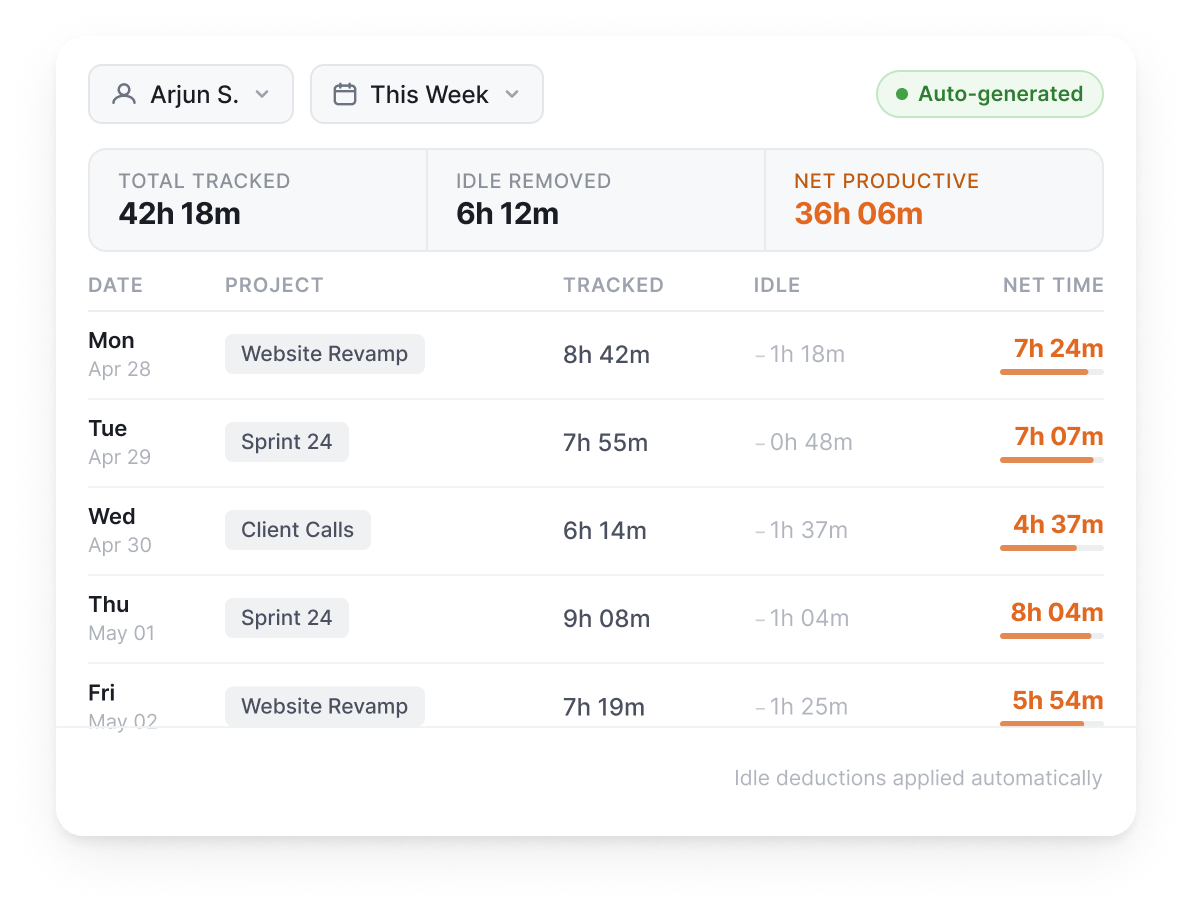
Timesheets generate themselves.
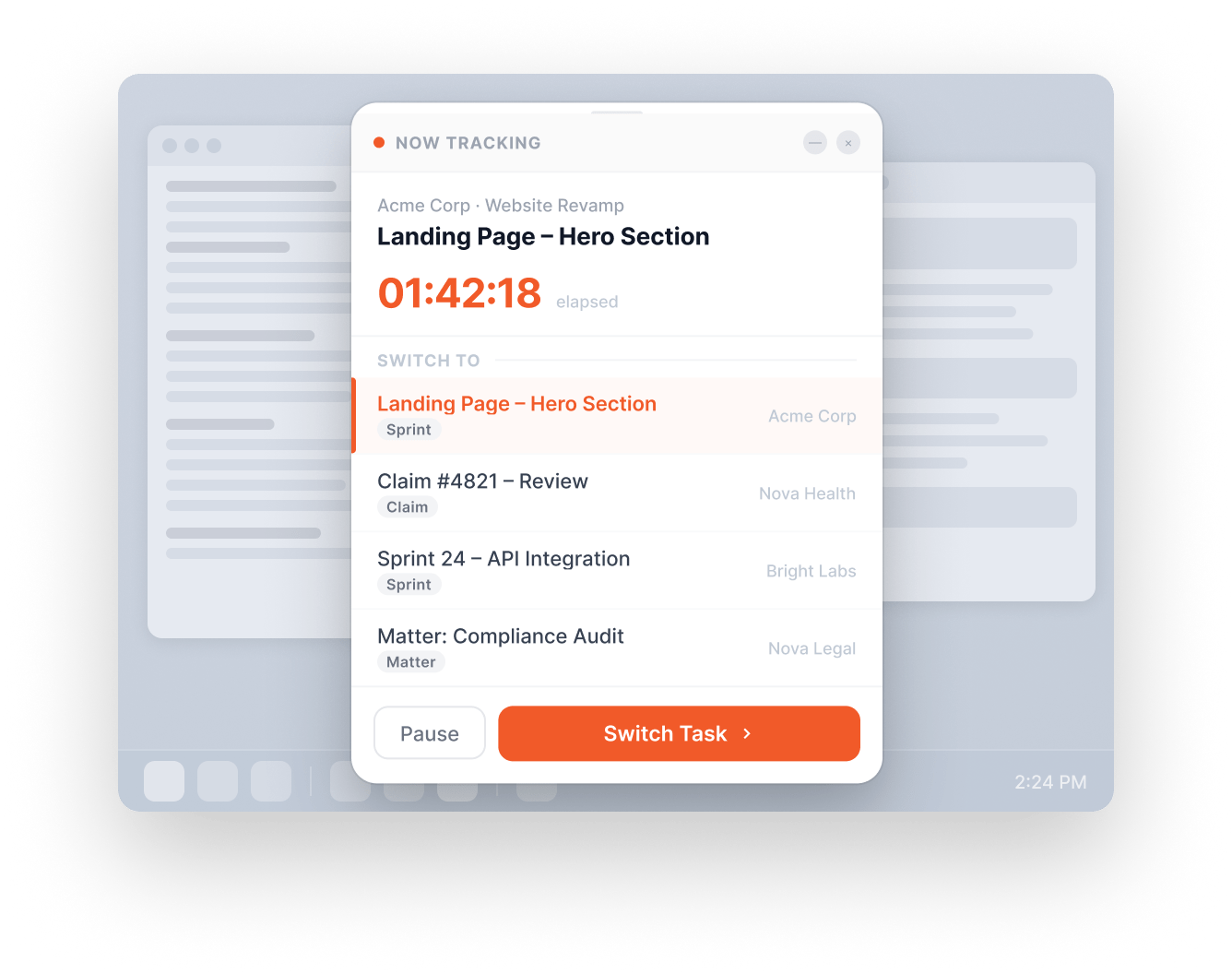
One-tap project switching, no flow break.
Configurable workflows, audit-ready.
Invoices generated from tracked hours.
Everything you need to track, approve, and bill the time your team spent on real client work.
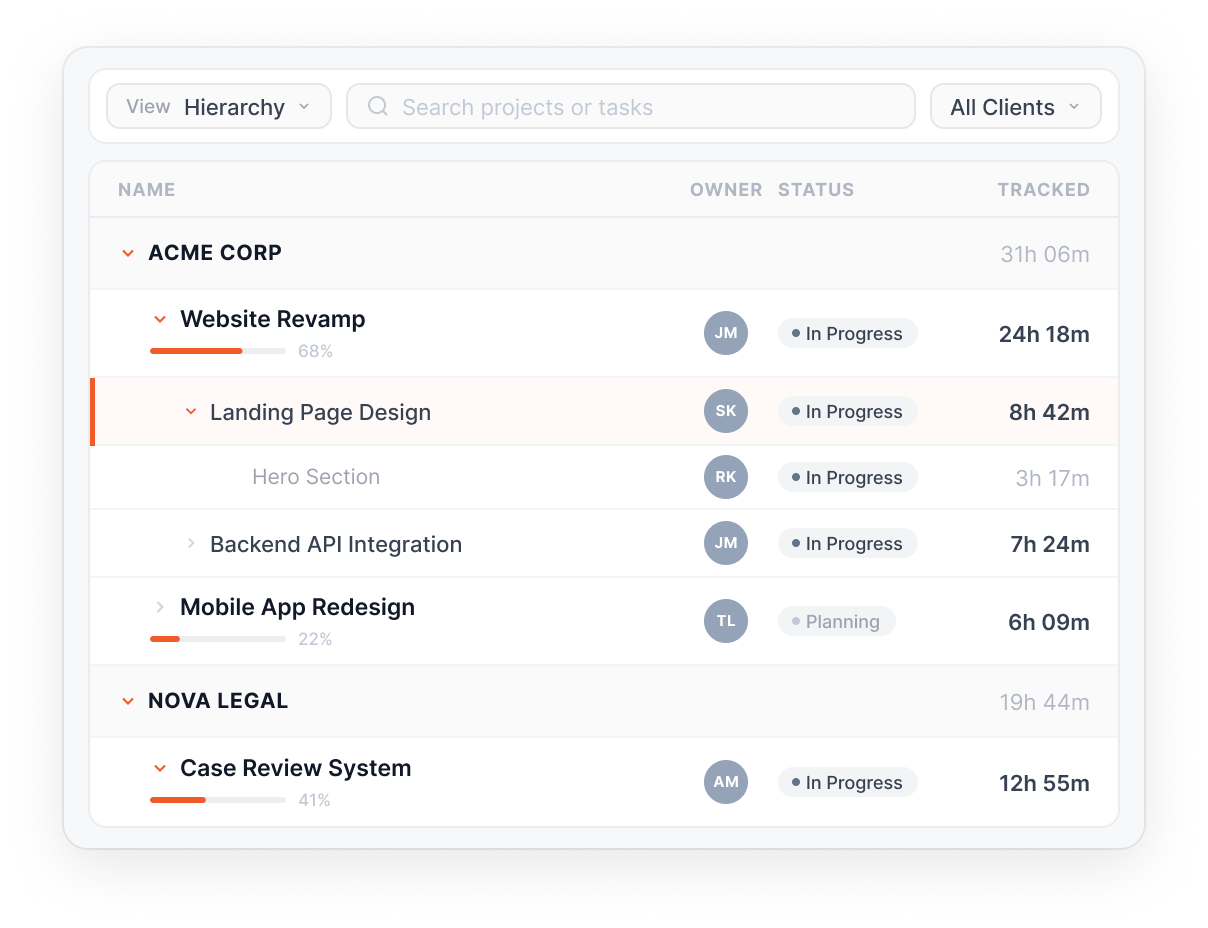
5-level project hierarchy that maps to your industry's units of work.
One hierarchy. Five industries. Whatever your team calls a unit of work.
Desktop widget for one-tap project and task switching.
Capture time the way your team works, not the way a timesheet asks them to.
Auto-generated timesheets with idle time netted out.
Other Features
Calendar integration to attribute meeting hours to projects.
Set billable rates per user; calculate project cost vs. revenue.
Generate invoices from tracked billable hours automatically.
Lock timesheets after N days to protect payroll and billing integrity.
Add, edit, or remove time entries with configurable approval workflows.
Track client calls via Android and categorize them by client project automatically.
Select a client site and classify time spent there under the corresponding project.
Organize documents in Client > Project > Task hierarchy to auto-attribute time.
Built for your industry
Flowace's customizable terminology lets you track time the way your industry actually talks about work.
What this industry watches for
Coding hours attributed to encounter and payer automatically. EMR time, admin overhead, and denial patterns visible by coder or shift.
What this industry watches for
Utilisation and bench activity logged per project code in real time. Realization gaps surface before they reach the P&L.
What this industry watches for
Engagement hours tied to client files as work happens. Write-off risk flagged at preparer level, before it reaches billing.
What this industry watches for
Billable time captured at the matter in real time. Realization rate and lock-up days visible by timekeeper, with the full audit trail included.
What this industry watches for
Productive hours reconciled to billed FTE per LOB and campaign. Shrinkage logged automatically, no manual reconciliation at month-end.
App and website tracking, productivity ratings, dashboards, and AI-flagged patterns. See where every hour of work actually goes.
Read moreSilent or interactive monitoring per team. Forensic-grade activity logs. Privacy mode for opt-out.
Read moreAttendance, shifts, leaves, expenses, and approvals. One platform, no separate HRMS.
Read moreReal numbers from companies running Flowace today. Each one a story worth a read.
Netscribes
9.6 hrs
recovered per team member per week, after Automatic Time Tracking surfaced hidden time gaps in client work.
Uplers
31%
increase in billable hour capture across remote engineering teams in Q2.
Gravitas Legal
37 min
saved per attorney per day on time tracking and matter classification.
Managing a call center can be demanding, which is why having dependable tools for well-informed choices matters. Creating a loyal and content customer base…
Read more
Key Takeaways: Time theft is often small and repeated and can be intentional or unintentional. Fake timesheets include inflated hours, logged time with no…
Read more
Time tracking is not a new concept. Even in the old times when work-from-home and automatic time tracking software were not in fashion, companies…
Read more


Experience seamless time tracking and productivity enhancement like never before. Join the Flowace revolution and unlock your full potential. Start your journey to success today!”




